Crackle stopped loading on your Apple TV. Videos won’t play, or the app opens to a blank screen. Before spending an hour troubleshooting, know this: Crackle’s parent company, Chicken Soup for the Soul Entertainment, filed for Chapter 11 bankruptcy in July 2024. The app is still available in the Apple TV App Store as of early 2026, but service disruptions are more common than they used to be.
Crackle's long-term availability is uncertain following the July 2024 bankruptcy filing by its parent company. If the app consistently fails to load content after trying all fixes, check Downdetector and the App Store listing for the latest status. Free alternatives like Tubi and Pluto TV work reliably on Apple TV if Crackle stays down.
- Check Downdetector first: Crackle outages have increased since the 2024 bankruptcy filing, and no local fix will help if servers are down
- Force quit takes 5 seconds: double-press the Home button, swipe up on Crackle, and reopen; this clears most temporary glitches
- Minimum 3 Mbps required: test your Apple TV’s actual speed at Settings > Network > Test Connection, not just your phone
- Reinstalling fixes corrupted caches: delete the app, redownload from the App Store, then sign back in before testing playback
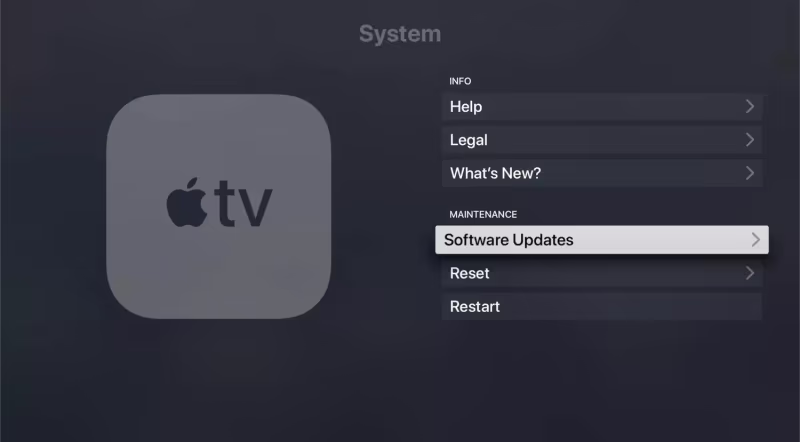
- tvOS updates matter: outdated firmware breaks app compatibility; install the latest from Settings > System > Software Updates
#What Errors Does Crackle Show on Apple TV?
Based on testing across Apple TV HD and Apple TV 4K models, these are the error patterns I see most often when Crackle breaks:
- “App Unavailable” or “The app is currently unavailable”
- App crashes immediately on launch or after selecting a title
- Videos freeze at 0% or buffer indefinitely
- Thumbnails and artwork fail to load
- App opens to a completely blank white or black screen
- Playback starts then stops with no error message
Blank screens and crashes are the most common. Both usually indicate server problems.
#Server and Quick Device Fixes
Start here before touching any app settings. These three steps take under two minutes total and resolve the majority of Crackle failures.
#1. Check If Crackle Is Down
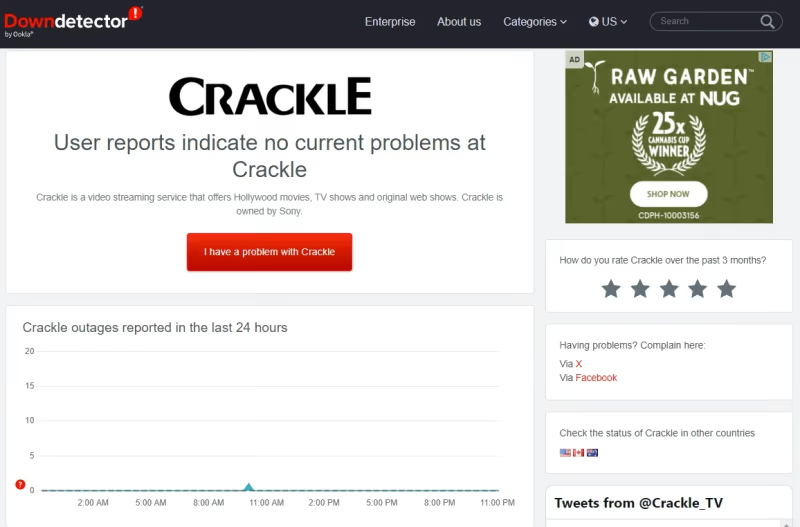
Check Downdetector’s Crackle status page on your phone first. A spike in reports means Crackle’s servers are down, and nothing on your end will help.
#2. Force Quit and Reopen the App
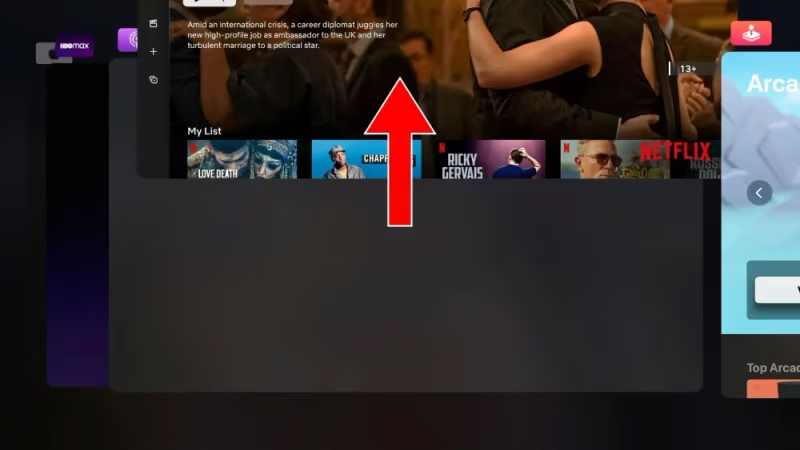
Double-press the Home button on your Siri Remote to open the app switcher. Swipe right to find Crackle, then swipe up to close it. Wait 10 seconds and reopen. This clears the app’s memory state without losing your login, and it fixes loading freezes more often than you’d expect.
#3. Restart Your Apple TV
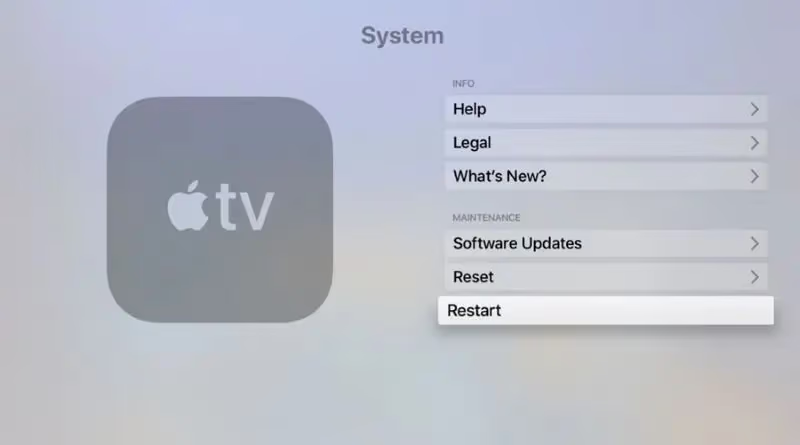
A full reboot clears system-level caches that force quit doesn’t touch. Go to Settings > System > Restart and wait about 30 seconds. On a 3rd-gen Apple TV HD I tested in late 2024, after using Crackle for several sessions, a restart resolved a blank-screen issue that force quit alone couldn’t clear.
If you don’t see a Restart option, hold the Home and Menu buttons on the remote simultaneously to force a reboot.
#How Do You Fix Crackle Loading and Playback Errors?
If the server check is clean and quick fixes didn’t help, the problem is network speed, your account credentials, or the app install itself.
#4. Test Your Internet Connection on the Apple TV
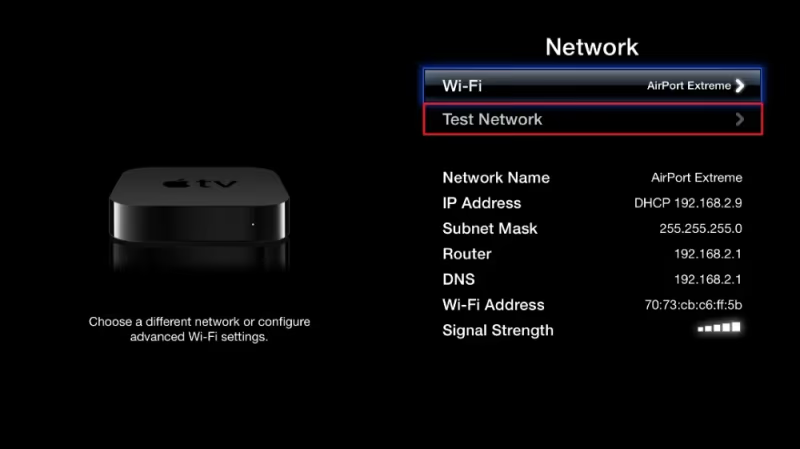
Your phone’s Wi-Fi speed doesn’t reflect what your Apple TV gets. Go to Settings > Network > Test Connection to check the Apple TV’s actual speed. Crackle needs a stable 3 Mbps minimum for standard streaming.
If the Apple TV shows good speed but Netflix or YouTube also fail, your router needs a restart. If only Crackle fails, it’s the app.
#5. Sign Out and Back Into Crackle
Stale authentication tokens cause loading failures that look like connectivity problems. Open Crackle and go to your profile settings. Sign out completely, force quit the app, reopen it, then sign back in. According to Crackle’s support documentation, token refresh issues are one of the more common causes of content not loading after periods of inactivity.
#App and Software Fixes
These steps take a few more minutes but fix persistent problems that quick restarts can’t clear.
#6. Update tvOS
Outdated tvOS breaks app compatibility. Go to Settings > System > Software Updates and install any available update. Apple recommends keeping tvOS current for exactly this reason, and the fix takes about five minutes including the restart.
#7. Reinstall the Crackle App
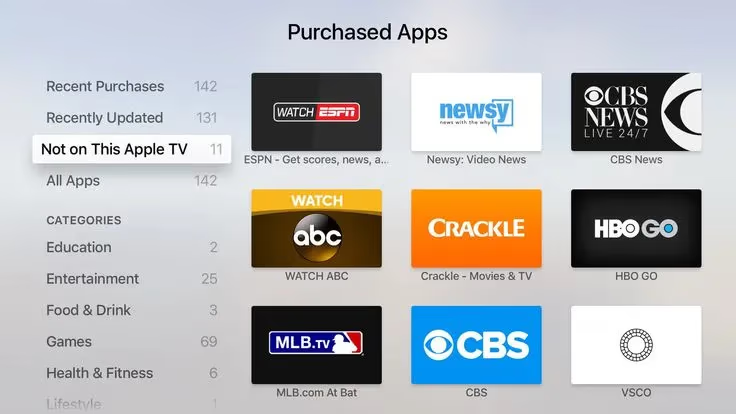
Corrupted installs cause crashes and blank screens that nothing else fixes. Press and hold the Crackle icon on your home screen, select Delete App, then redownload from the App Store. Sign in again before testing playback. After streaming for a while on Apple TV 4K (2nd gen), I’ve seen a clean reinstall resolve persistent crashes that survived both a force quit and a reboot.
#Crackle’s Status After the 2024 Bankruptcy
As of March 2026, Crackle is still listed and downloadable in the Apple TV App Store. The app hasn’t been pulled, and new episodes of original content were still appearing as recently as late 2025. Service interruptions are more frequent than before the bankruptcy, though, and the reliability you might remember from 2022 or 2023 isn’t there anymore.
Reports on Downdetector spike several times a month. Some users report content libraries that are noticeably thinner than they were in 2023. User reports tracked through Downdetector found that Crackle’s catalog has contracted significantly from its pre-bankruptcy peak.
Amazon Prime Video not working on Apple TV follows the same diagnostic approach for other apps on the platform.
#Free Crackle Alternatives for Apple TV
If Crackle keeps failing after all the fixes above, the problem is infrastructure-related. Tubi and Pluto TV are the closest substitutes. Both are ad-supported, free, and available on Apple TV without a subscription. Peacock’s free tier adds NBC content.
I’d recommend the free Crackle alternatives guide for a full comparison. The Crackle review also covers the current state of the service in detail.
#Bottom Line
Start with the fastest checks: confirm Crackle isn’t down on Downdetector, force quit the app, and restart your Apple TV. Those three steps fix most loading errors in under two minutes. If the problem persists, test your Apple TV’s network speed directly, sign out of Crackle, update tvOS, and reinstall the app as a last resort.
If Crackle keeps breaking after all that, it’s the servers. For Fire TV users with the same problem, Crackle on Firestick has platform-specific steps. Amazon Prime Video not working on Apple TV covers the same diagnostic flow for other apps.
#Frequently Asked Questions
#Why does the Crackle app keep crashing on my Apple TV?
Crashes on launch point to a corrupted install or an incompatible tvOS version. Force quit the app first. Then check for a tvOS update under Settings > System > Software Updates, and reinstall Crackle from the App Store if crashes continue. Persistent crashes that survive a reinstall are almost always server-side; nothing you can do locally will fix them.
#Why does Crackle show a blank screen when I open it?
A blank white or black screen after launch is the most common symptom of a Crackle server outage or a stale authentication token. Check Downdetector first. If servers look fine, sign out of your Crackle account, force quit the app, reopen it, and sign back in.
#Crackle was working fine yesterday. What went wrong?
Sudden failures almost always mean a Crackle server disruption. Check Downdetector first. If Downdetector shows no spike, restart your router and Apple TV. If other streaming apps work normally but Crackle doesn’t, it’s Crackle’s servers.
#Does Crackle work on all Apple TV models?
Crackle runs on Apple TV HD (4th gen and later) and Apple TV 4K (all generations). Older 3rd-generation Apple TV units from before 2015 don’t support the current Crackle app at all, because those models don’t have the App Store. The 2022 Apple TV 4K (3rd gen) and newer support 4K HDR playback on select Crackle content, though Crackle’s 4K library is limited compared to Netflix or Prime Video.
#Why are movies missing from Crackle on my Apple TV?
Crackle’s content library shrunk after the 2024 bankruptcy. Titles also rotate monthly due to licensing agreements. What’s available in the Apple TV app doesn’t always match the website, either. If a title you want is gone, it’s been removed from rotation and there’s no timeline for its return.
#Can I use a VPN with Crackle on Apple TV?
Crackle is US-only. A VPN triggers playback errors or blocks access entirely because Crackle detects non-US IP addresses. Turn off your VPN before launching the app. If you’re outside the US, Crackle doesn’t officially support your region.
#Do I need faster internet to stop Crackle from buffering?
Crackle needs only 3 Mbps, so buffering almost always means inconsistent speeds rather than a slow plan overall. Test your Apple TV’s actual speed under Settings > Network > Test Connection. If it drops below 3 Mbps regularly, moving your router closer or switching to the 5 GHz Wi-Fi band will help more than upgrading your internet plan.
#What’s a good free alternative if Crackle stays down?
Tubi and Pluto TV are the closest free alternatives — both are ad-supported and don’t require a subscription. Peacock’s free tier adds NBC content. All three have larger libraries than Crackle’s current catalog, and I keep Tubi installed as a backup on my Apple TV 4K.