Streaming Starz on Apple TV is straightforward once you know which setup method works for you. You can activate Starz through the standalone app or subscribe directly via Apple TV Channels. Both give full access to the catalog, but they’re billed differently and have different management options. This guide covers both paths, current pricing, supported models, and what to do when something goes wrong.
- Starz costs $10.99/month on Apple TV, with an annual plan at $69.99, about 47% cheaper than paying monthly
- tvOS 17.0 is required to run the Starz app, which means Apple TV HD is no longer supported
- Apple TV 4K (3rd gen) supports 4K HDR and Dolby Atmos for select titles with a 25+ Mbps connection
- Up to 4 simultaneous streams are included with one Starz subscription across all devices
- Apple TV Channels lets you subscribe to Starz directly through Apple, billed through your Apple ID
#How Do You Get Starz on Apple TV?
There are two ways to watch Starz on Apple TV, and it’s worth understanding the difference before you sign up.
Option 1: Starz App (Direct Subscription)
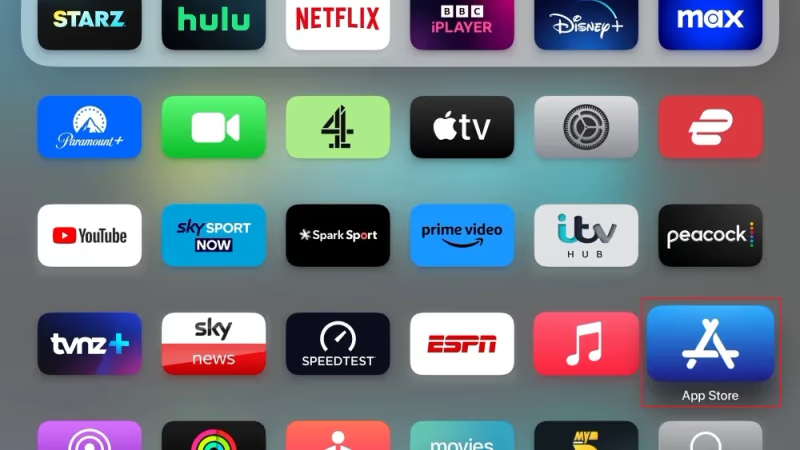
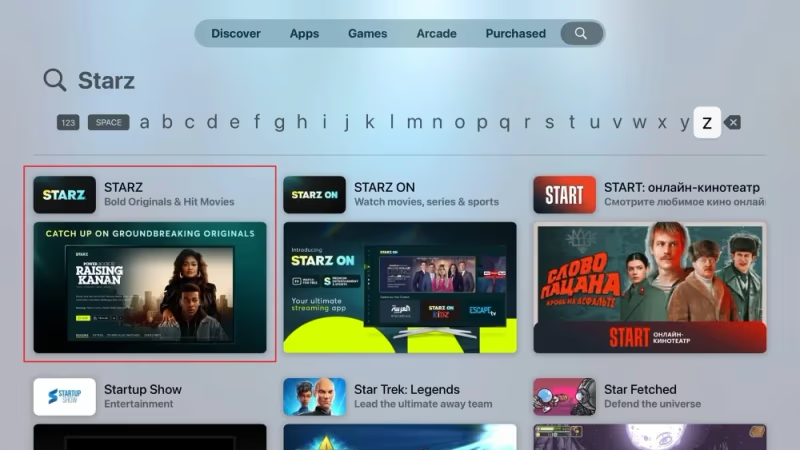
Subscribe at starz.com first, then download the app. On your Apple TV, open the App Store, search for “Starz,” and install it. Sign in with your Starz credentials, and you’re ready to stream.
Option 2: Apple TV Channels
Open the Apple TV app, go to the Store tab, find Starz under Channels, and subscribe. Billing goes through your Apple ID. No separate Starz account required. This method lets you manage the subscription entirely through Apple’s settings and is convenient if you already use Apple One or other Apple subscriptions.

Both methods give you the same Starz content library. The difference is where your billing lives and how you manage your subscription.
#Which Apple TV Models Are Supported?
The Starz app now requires tvOS 17.0 or later, which is a significant change from the old tvOS 12 requirement. Here’s what that means for each model:
- Apple TV 4K (1st gen, 2017): supports tvOS 17, can run the Starz app
- Apple TV 4K (2nd gen, 2021): supports tvOS 17, can run the Starz app
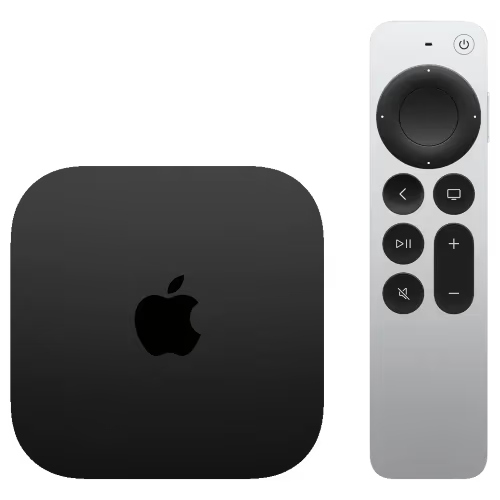
- Apple TV 4K (3rd gen, 2022): supports tvOS 17, best experience with A15 Bionic chip
Apple TV HD (the older non-4K model) was discontinued and can't be updated to tvOS 17. If you have one, the Starz app won't install. You'll need an Apple TV 4K to continue using Starz.
For 4K HDR streaming, you need an Apple TV 4K (2nd gen or newer) paired with a 4K HDR display and at least 25 Mbps internet. A 2026 Apple TV 4K refresh with A17 Pro and Wi-Fi 7 is expected later this year, which should improve streaming performance further.
#What Does Starz Cost on Apple TV?
Current Starz pricing through both the app and Apple TV Channels:
| Plan | Price |
|---|---|
| Monthly | $10.99/month |
| 3-Month | $25.99 |
| 6-Month | $45.99 |
| Annual | $69.99/year |
The annual plan works out to about $5.83/month, nearly half the monthly price. If you’re planning to watch more than a few months, it’s the better deal.
Starz pricing has gone up from the older $8.99/month figure you’ll see cited elsewhere. The current $10.99/month rate applies to new subscriptions as of 2025.
#What’s on Starz?
Starz is now an independent company after Lionsgate completed the spin-off, so its content strategy is increasingly focused on original programming. Current highlights include:
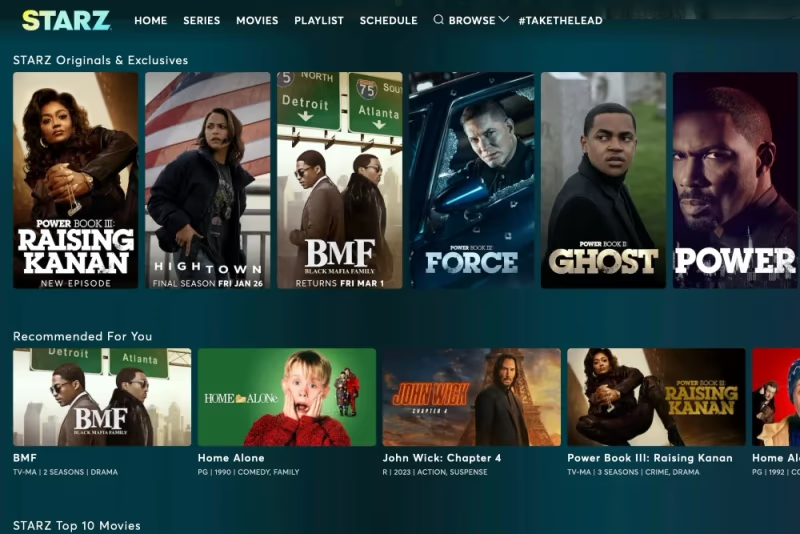
Current Originals Worth Watching:
- Power Book IV: Force: the latest in the Power franchise
- Outlander: Blood of My Blood: the prequel series continuing the Outlander universe
- P-Valley: gritty drama set in Mississippi
- BMF (Black Mafia Family): based on the true story of Detroit’s Flenory brothers
Movies: Starz carries theatrical releases from Sony Pictures and other studios, rotating regularly. The Starz Encore add-on expands movie depth significantly.
For comparisons with similar services, see how Starz stacks up against Cinemax and versus the old Showtime lineup, noting that Showtime content has now merged into Paramount+.
#What Streaming Quality Does Starz Support on Apple TV?
Starz supports multiple quality tiers depending on your hardware and internet speed.
4K HDR + Dolby Atmos
- Apple TV 4K (2nd gen or 3rd gen)
- 4K HDR-capable display
- 25+ Mbps internet connection
HD (1080p)
- Any supported Apple TV 4K model
- 1080p display
- 25 Mbps
SD
- Any supported model
- 5+ Mbps
You can manually select your preferred quality in the Starz app settings. If you’re on a slower connection, forcing SD avoids buffering without sacrificing much on smaller screens. Dolby Atmos requires a compatible soundbar or AV receiver. It doesn’t come from the TV speakers alone.
#How Do You Download Starz Content for Offline Viewing?
Starz supports offline downloads, which is useful for travel or areas with spotty internet. Up to 100 titles can be saved at once.
To download a title:
- Find a movie or episode. Look for the download icon on the details page
- Tap the cloud download icon
- Choose quality: SD, HD, or 4K
- Downloads appear in the Downloads section when complete
Downloads sync to your device locally. Keep in mind that downloaded titles expire. Starz licenses limit how long you can keep them, typically 30 days after download (and 48 hours after you start watching).
#Watching Starz on Multiple Devices
One Starz subscription covers up to 4 simultaneous streams. Your watch history and progress sync across devices automatically.
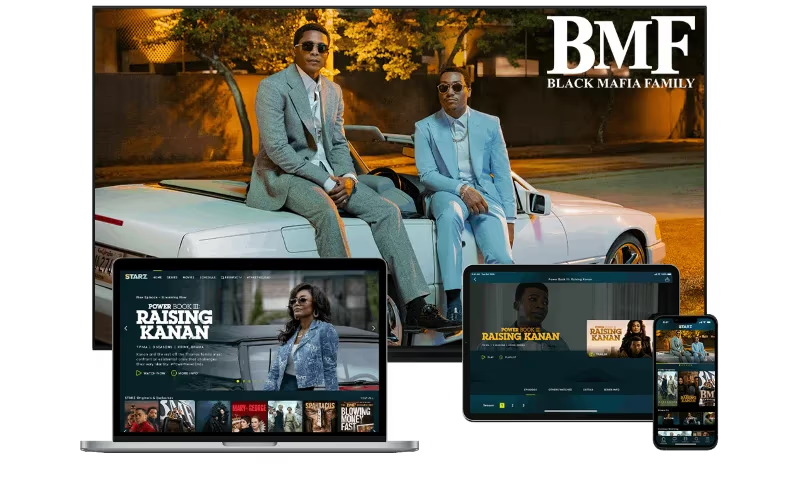
In addition to Apple TV, Starz runs on iPhone, iPad, Android phones and tablets, Amazon Fire TV, Roku, computers, gaming consoles, and select smart TVs. If you run into issues on another platform, I’ve covered Starz problems on Samsung TVs in a separate guide.
Note that Chromecast devices were discontinued in February 2025 and replaced by the Google TV Streamer. If you’re looking for a Chromecast replacement, you’ll want the newer device.
#Is Starz Worth It Compared to Alternatives?
At $10.99/month, Starz sits in a competitive range. Here’s how it compares:
- Paramount+ ($7.99-$12.99/mo): includes what used to be Showtime content after the 2023 merger
- Max ($9.99-$16.99/mo): broader library, HBO originals, Warner Bros. films
- MGM+ via Prime Video ($5.99/mo): smaller library, primarily MGM catalog titles
Starz is strongest for fans of its specific originals (the Power universe, Outlander franchise) and for Sony Pictures theatrical content. If you’re mainly interested in the Power or Outlander franchises, there’s no substitute. If you want broader variety, Max or Paramount+ may give more value at a similar price.
#Troubleshooting Starz on Apple TV
If you run into issues, start with the basics before escalating. For a full walkthrough, see the dedicated Starz Apple TV troubleshooting guide.
Can’t sign in: Reset your Starz password at starz.com, then try logging in again on the app. If you subscribed through Apple TV Channels, make sure you’re opening the Starz app while signed into the correct Apple ID.
App crashes or freezes: Force-quit the app, restart your Apple TV (Settings → System → Restart), and reopen Starz. Check that tvOS is up to date. Go to Settings → System → Software Updates.
Buffering or low quality: Test your internet speed. HD requires 25+ Mbps. If speeds are fine, lower the quality manually in app settings. A wired Ethernet connection (available on Apple TV 4K 3rd gen 128GB model) eliminates Wi-Fi as a variable.
Missing downloads: Downloads can fail if Wi-Fi drops mid-download. Check the Downloads section for status, delete incomplete files, and retry on a stable connection.
#Tips for Getting the Most from Starz on Apple TV
A few things that improve the experience:
- Use Ethernet if you have the 128GB Apple TV 4K. It has a built-in Ethernet port, and a wired connection is noticeably more stable for 4K streams
- Create up to 5 profiles so each person in your household gets separate recommendations and watch history
- Enable auto-play for next episodes when bingeing a series
- Use AirPlay to cast from your iPhone to the TV if your Apple TV is in use on another input
- Check the annual plan. At $69.99 vs $131.88 for 12 monthly payments, you save $62 a year
If you want to stop your subscription, I’ve written a guide on how to cancel Starz through both the Starz website and Apple’s subscription settings.
#Bottom Line
Getting Starz running on Apple TV takes about five minutes. Download the app from the App Store, sign in with your Starz credentials, and start streaming. Or subscribe through Apple TV Channels if you’d rather keep everything billed through Apple.
The main thing to check first: make sure your Apple TV is running tvOS 17.0 or later. Apple TV HD no longer supports the app, so if you’re on that model, an upgrade to the Apple TV 4K 3rd gen ($129 for the Wi-Fi model) is the path forward.
At $10.99/month or $69.99/year, Starz is worth it if you’re invested in its originals. For anything that feels off, the troubleshooting guide covers the most common issues with step-by-step fixes.
#FAQs
#Does Apple TV offer a free trial for Starz?
Starz occasionally offers a free trial for new subscribers, but availability varies. Check the current offer when you sign up at starz.com or through Apple TV Channels. If a trial is available, you can cancel Starz before it ends to avoid being charged.
#How much does Starz cost on Apple TV?
Starz costs $10.99/month on Apple TV. Multi-month plans are cheaper: $25.99 for 3 months, $45.99 for 6 months, and $69.99 for an annual plan. The annual plan works out to about $5.83/month, which is roughly half the monthly rate.
#What Apple TV models support the Starz app?
The Starz app requires tvOS 17.0 or later, which rules out Apple TV HD — that model was discontinued and can’t update to tvOS 17. Supported models include Apple TV 4K 1st gen (2017), 2nd gen (2021), and 3rd gen (2022). The 3rd gen model is recommended for 4K HDR and Dolby Atmos.
#Can you get Starz as an Apple TV channel?
Yes. Open the Apple TV app, go to the Store tab, and find Starz under Channels. Subscribing through Apple TV Channels means billing goes through your Apple ID instead of directly through Starz. The content library is identical either way.
#Does the Starz app on Apple TV allow offline viewing?
Yes, select titles can be downloaded for offline viewing. You can store up to 100 downloads at once. Downloaded titles typically expire 30 days after download, or 48 hours after you start watching — whichever comes first.
#How many devices can stream Starz at the same time?
A single Starz subscription allows up to 4 simultaneous streams across all devices. That means multiple people in your household can watch different content at the same time on different platforms, including Apple TV, iPhone, iPad, Android, Roku, and Fire TV.
#What internet speed do you need for Starz in 4K on Apple TV?
You need at least 25 Mbps for 4K HDR streaming on Starz. HD also requires 25 Mbps, while SD works with 5 Mbps. If you see frequent buffering in 4K, try dropping to HD in the app settings. The difference in picture quality is minimal on most TV sizes below 65 inches.
#What happened to Showtime on Starz?
Showtime is no longer a separate competitor to Starz. In 2023, Showtime content merged into Paramount+, which now carries the Showtime library under the Paramount+ with Showtime tier. If you were comparing Starz to Showtime, the equivalent comparison today is Starz vs Showtime via Paramount+.