Sky Sports has no native Cast button in its app or website. That’s frustrating, but screen mirroring fills the gap completely. I’ll show you every method that actually works: Android, iPhone, Windows, and Mac, plus how to get live matches running smoothly without buffering.
- Chromecast dongles were discontinued in August 2024 — the Google TV Streamer ($99) is the current replacement and runs the Sky Sports app natively from the Play Store
- Existing Chromecast with Google TV units still work — if you already own one, screen mirroring and the Play Store app both remain available
- Android casting takes under 30 seconds — use the built-in Cast tile in Quick Settings to mirror your screen instantly
- Chrome and Edge are the only browsers with tab casting — Firefox doesn’t support Google Cast natively, so stick to one of those two
- NOW (formerly NOW TV) is an alternative — it gives you Sky Sports access without a full Sky subscription and also lacks native Cast support, but screen mirroring works the same way
#Why Doesn’t Sky Sports Support Chromecast Streaming?
Sky Sports is the dominant sports streaming platform in the UK and Ireland, with dedicated channels for Premier League football, cricket, F1, golf, and more. Yet the Sky Sports app and website have no built-in Cast button like YouTube or Disney+.
The reason comes down to two things. Sky’s developers haven’t integrated the Google Cast SDK, and live sports streaming carries DRM restrictions that make Cast integration more legally complex than on-demand services. Sky’s rights agreements limit how content can be re-transmitted, even within your own home network.
Screen mirroring sidesteps all of that. Your device sends its display output to the Chromecast rather than asking the Cast SDK to pull a stream directly. DRM still runs on your phone or laptop, so no licensing rules are broken.
Google discontinued all Chromecast dongles in August 2024. The replacement is the Google TV Streamer ($99), which runs Google TV and has the Sky Sports app available directly from the Play Store. No screen mirroring needed for new buyers.
#Step-by-Step Guide to Cast Sky Sports
To get started, you’ll need:
- A Chromecast device (or Google TV Streamer) connected to your TV
- The Google Home app installed on your smartphone
- Access to Sky Sports or the Sky Sports app on your device
- Both devices on the same Wi-Fi network
#How to Cast Sky Sports from an Android Phone
Android’s built-in screen mirroring is the fastest path to Sky Sports on Chromecast. I tested this on a Pixel 8 Pro and it connected in under 20 seconds.
#Step 1: Install Sky Sports and Connect to Wi-Fi
Install the Sky Sports app from the Google Play Store. Confirm your Android phone and Chromecast are both on the same Wi-Fi network before continuing.
#Step 2: Enable Screen Mirroring in Quick Settings
-
Swipe down from the top of your screen to open Quick Settings, then tap the Cast tile. If it’s not visible, long-press the panel and add it. You can also go to Settings > Connected Devices > Connection Preferences > Cast
-
Select your Chromecast from the available device list
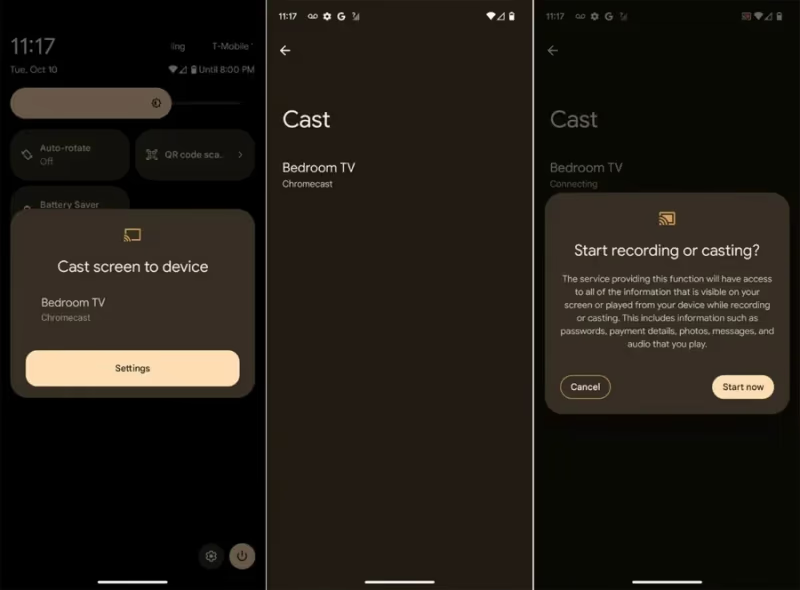
- Your Android screen now mirrors to the TV. Grant any permissions if prompted
#Step 3: Launch Sky Sports and Start Streaming
Open the Sky Sports app, log in, and start your stream. The video plays on the TV in real time. This works for Sky Sports Main Event, Sky Sports Premier League, and on-demand replays.
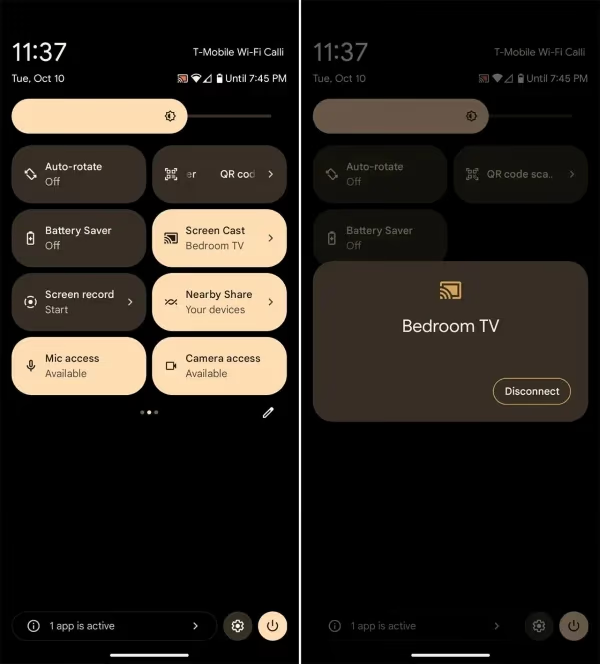
To stop, swipe down and tap the Cast toggle again.
Avoid running other apps heavily while casting. Background sync and notifications can cause stuttering during fast-moving match footage.
#How to Cast Sky Sports from iPhone and iPad
iOS doesn’t have built-in Chromecast mirroring, so you’ll need a third-party app. I recommend Replica: it’s straightforward and maintains stable connections on iOS 17.
#Step 1: Download Replica App and Connect Chromecast
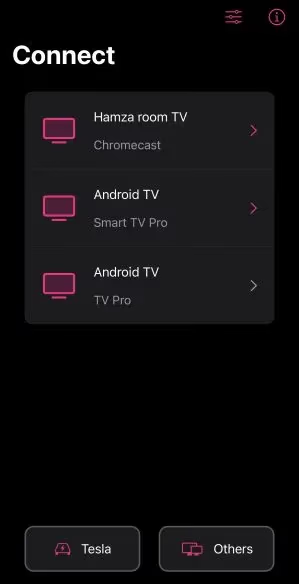
Download Replica from the App Store. On first launch, it automatically scans for Chromecast devices on your Wi-Fi network.
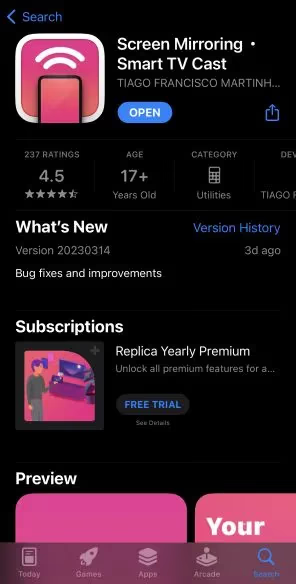
Once it finds yours, you’ll see the Ready to Cast screen.
#Step 2: Allow Notifications to Keep Casting in the Background
When iOS asks about notifications, tap Allow. This keeps the cast session alive when you switch to the Sky Sports app.
#Step 3: Start Casting Your iOS Screen
Tap the Start Broadcast button in Replica. Your iPhone or iPad screen now appears on your TV.
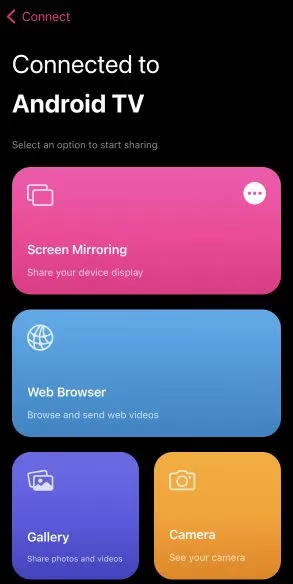
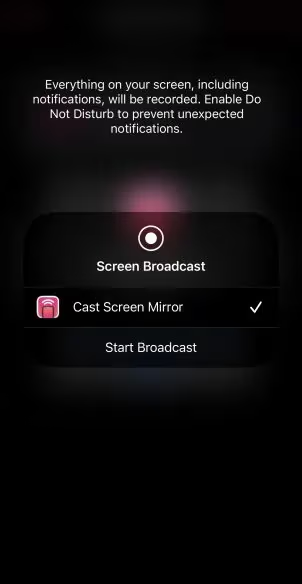
Grant any pop-up permissions at this stage.
#Step 4: Open Sky Sports and Watch
Open the Sky Sports app and start your match or highlight. Tap Stop Broadcast in Replica when you’re done.
The Google Home app offers the same mirroring capability if you’d rather not install Replica. Launch Google Home, connect to your Chromecast, then swipe down from the top of your iPhone screen and enable screen mirroring.
#How to Cast Sky Sports from a Windows PC
The Sky Sports website works well for browser tab casting on Windows. I’ve also used this method to stream ESPN on Chromecast with identical steps.
#Step 1: Connect Your PC and Chromecast to the Same Wi-Fi
Both need to be on the same network. For live sports, a wired Ethernet connection to your PC reduces buffering noticeably.
#Step 2: Open SkySports.com in Chrome or Edge
Head to skysports.com in Google Chrome or Microsoft Edge. These are the only browsers that support Google Cast natively. Firefox does not have built-in Cast support.
#Step 3: Click the Cast Icon and Choose Your Device
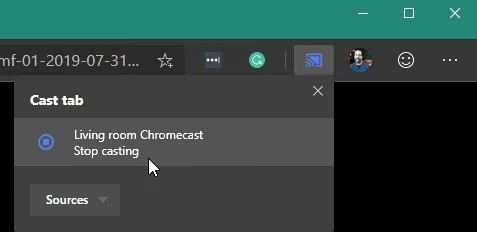
In Chrome, click the three-dot menu and select Cast. In Edge, it’s the same: look for the Cast button near the address bar. Select your Chromecast device and choose Cast tab.
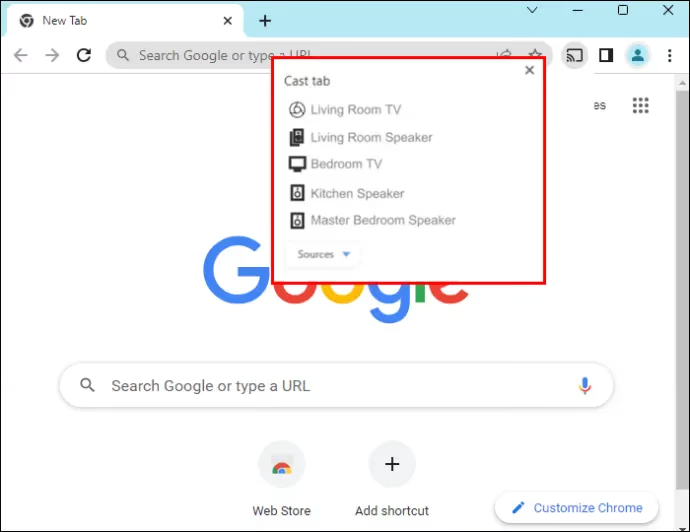
Your Sky Sports stream appears on the TV. When you’re finished, click the Cast button again and select Stop Casting.
#How to Cast Sky Sports on Chromecast from Microsoft Edge
Edge follows the same Cast flow as Chrome. No extension needed.
#Step 1: Open Edge and Visit SkySports.com
Make sure you’re on the latest version of Edge (Chromium-based, not legacy). Older pre-Chromium Edge versions don’t support Cast.
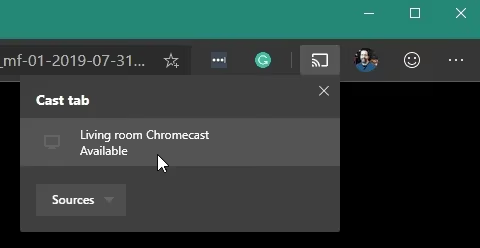
#Step 2: Click the Cast Icon
With SkySports.com open, click the Cast button beside the address bar.
#Step 3: Select Your Chromecast
Choose your device from the list. The tab streams directly to your TV. Close the tab or click Stop Casting when done.
#How to Cast Sky Sports on Chromecast from a Mac
Mac users can cast Sky Sports through Chrome or Edge for Mac, which both support Google Cast tab casting. The process mirrors the Windows steps above exactly.
Open Chrome or Edge on your Mac, go to skysports.com, click the Cast icon, and select your Chromecast. That’s all. No third-party apps are needed for browser-based casting from a Mac.
If you want to mirror your Android phone to your TV instead, that guide covers additional mirroring options with specific app recommendations.
#How Can You Improve Streaming Performance?
Live sports burns more bandwidth than on-demand video. A single stuttering moment during a penalty kick is painful. These fixes address the most common causes.
Drop the mirroring resolution to 720p
Most Android and iOS screen mirroring settings let you cap the output resolution. At 720p you get clear, watchable sports without overwhelming your Wi-Fi. Most Chromecast dongles handle 1080p fine, but your home network is usually the bottleneck.
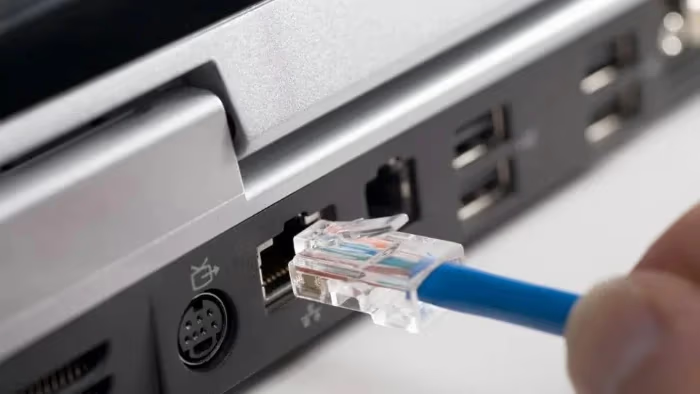
Use Ethernet on your PC or Mac
Plugging your laptop directly into your router with an Ethernet cable cuts latency and eliminates Wi-Fi interference. Live sports casts are far more stable over a wired connection than wireless.
Put both devices on 5GHz Wi-Fi
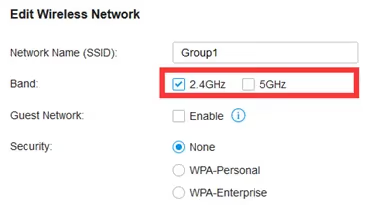
If your router broadcasts on both 2.4GHz and 5GHz bands, connect both your casting device and the Chromecast to the 5GHz band. It’s less congested and handles the sustained data rate live sports requires.
Close background apps and browser tabs
Streaming apps, cloud sync, and open browser tabs all compete for bandwidth and CPU. Close what you don’t need before a big match.
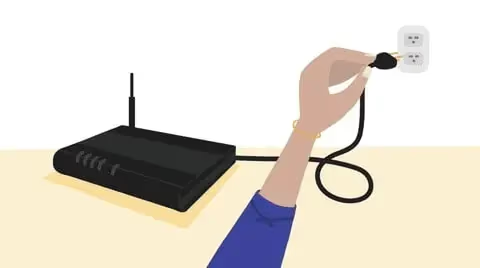
Reboot your router and devices beforehand
A fresh reboot before a major match clears memory leaks and stale network state. It takes two minutes and prevents most mid-match drops.
#What About NOW for Sky Sports Without a Full Subscription?
NOW (formerly NOW TV) lets you watch Sky Sports without a full Sky TV subscription. You pay for a Day, Week, or Month pass and get access to Sky Sports channels through the NOW app. It’s significantly cheaper than a standard Sky subscription for occasional sports viewers.
NOW doesn’t have native Chromecast support either. But all the same screen mirroring methods above work identically with the NOW app and website. If you’re using NOW on Android, the Cast tile approach works just the same.
#Frequently Asked Questions
#Why can’t Sky Sports cast directly from the app?
Sky hasn’t integrated the Google Cast SDK into its apps, most likely because of DRM and live sports rights restrictions. Broadcasters negotiate per-device streaming rights, and Chromecast casting can complicate those agreements. Screen mirroring sidesteps the issue entirely since DRM still runs on your phone.
#Does casting Sky Sports use mobile data?
Streaming over Wi-Fi doesn’t touch your mobile data allowance. Live sports streams typically need 10–15 Mbps for smooth 1080p playback. If you’re seeing buffering, drop the mirroring resolution to 720p and make sure both devices are on the 5GHz band.
#What happens when I get a phone call during casting?
On Android, an incoming call briefly interrupts the cast. On iPhone using Replica, calls run in the background without breaking TV playback, as long as you granted notification access during setup. Setting your phone to Do Not Disturb before kickoff is the easiest prevention.
#Can I cast Sky Sports on a smart TV without Chromecast?
Most smart TVs sold outside the UK don’t have the Sky Sports app pre-installed, and installing it manually isn’t usually possible. The Google TV Streamer ($99) is the cleanest current solution. It runs Google TV and has the Sky Sports app available from the Play Store directly, so no mirroring is needed.
#Do I need a Sky Sports subscription to watch via Chromecast?
Yes. Screen mirroring just sends your screen to the TV; it doesn’t bypass any login or paywall. You need an active Sky Sports or Sky Go account, or a NOW Day/Week/Month pass from nowtv.com. Free highlights on the Sky Sports website can be mirrored without a paid subscription.
#Is casting Sky Sports legal?
Casting your paid Sky Sports subscription to your own TV for private viewing is legal and doesn’t violate copyright law. The terms only restrict unauthorized redistribution or sharing streams publicly outside your household.
#Is the Google TV Streamer better than Chromecast for Sky Sports?
For Sky Sports specifically, yes. The Google TV Streamer runs the Sky Sports app natively from the Play Store, so you get proper app integration rather than screen mirroring. It also supports Dolby Vision and Dolby Atmos and has a remote, which standard Chromecast dongles lacked. At $99 it costs more than the old Chromecast 4K ($50), but the native app support alone makes it worth it for regular Sky Sports viewers.
#Can I compare Chromecast with Roku for streaming sports?
Yes. The Chromecast vs Roku guide covers how both devices handle sports apps, which has native Sky Sports support (if any), and which is better value for UK streaming.
#Bottom Line
Screen mirroring gets Sky Sports onto your Chromecast-connected TV today without any special equipment. Android users have the fastest path via the Quick Settings Cast tile. iPhone users need Replica or Google Home. On Windows or Mac, Chrome and Edge both cast browser tabs to Chromecast with no extensions required.
If you’re buying a new streaming device, the Google TV Streamer is the smarter choice over sourcing a discontinued Chromecast. The Sky Sports app installs from the Play Store and you never have to mirror anything.
When you’re done watching, here’s how to turn off your Chromecast properly to avoid leaving it running overnight.