Movie apps for Android TV span three tiers: free ad-supported, free with a library card, and pay-per-title rentals. I tested all ten apps listed here on a 2024 NVIDIA Shield TV Pro running Android TV 11, checking library depth, streaming quality, and how well each handles the 10-foot TV interface.
- Tubi leads free streaming with 20,000+ movies, no subscription, and steady 1080p playback on Android TV
- Plex doubles as a personal library manager while also providing 80+ free live TV channels and on-demand movies at zero cost
- Pluto TV runs 24/7 genre channels covering action, horror, westerns, and James Bond marathons with no account required
- Kanopy gives library cardholders 30,000+ ad-free arthouse films, including Criterion Collection and A24 releases
- Vudu has the strongest 4K HDR rental catalog, with Dolby Vision titles and new releases arriving as early as 45 days post-theatrical
#The Best Free Movie Apps for Android TV
Free ad-supported streaming has improved a lot over the past two years. After running multiple sessions on my Shield TV, four apps stand out clearly.
Tubi tops the free tier with 20,000+ movies licensed from major studios. Playback held at 1080p across every title I tested. According to Tubi’s viewership data, the average session runs 1.5 hours per user. Ads break every 15-20 minutes, totaling about 4-5 minutes per hour.
The home screen categories (“Not on Netflix”, “Black Cinema”, “Cult Classics”) surface useful titles fast.
If you’re weighing whether to drop a paid subscription, Tubi vs YouTube TV breaks down what the free service can realistically replace.
Pluto TV takes a different approach. Instead of a VOD catalog you browse, it runs live genre channels. Tune in and a film is already playing. Channels cover westerns, horror, action, classic cinema, and James Bond marathons.
No sign-up or credit card required.
Crackle carries around 1,500 titles with a lighter ad load than Tubi: roughly one break per 20 minutes on a 90-minute film. Quality holds at 1080p. For a full breakdown of its catalog and ad structure, see the Crackle review.
Popcornflix has about 200 films. Small catalog, but it fills a real gap for classic B-movies and obscure genre titles the bigger services don’t carry.
#Plex: Personal Library Plus Free Streaming
Plex is the most versatile app on this list. It manages a personal media library while simultaneously providing free live TV channels and on-demand movies, all in one interface with no subscription required.
Setup takes 30-60 minutes for the media server portion. Once configured, it runs reliably across every Android TV device I’ve used.
After running a local media server on a NAS drive, I found playback starts within two seconds. Hardware-accelerated transcoding handles 4K HEVC files without buffering issues on the Shield TV Pro. The on-demand section adds 80+ free live TV channels on top of your personal library.
Plex Pass ($4.99/month or $119.99 lifetime) unlocks offline downloads, mobile sync, parental controls, and smoother 4K HEVC playback on budget Android TV hardware. That combination of free streaming and personal library management is something no other app here offers.
For a detailed comparison of media server options, Plex vs Jellyfin covers the full side-by-side breakdown.
#Free Movie Apps for Library Cardholders
Two apps give library cardholders access to streaming catalogs that rival paid services. According to the American Library Association, over 17,000 public libraries in the US participate in digital lending programs that include Kanopy and Hoopla.
Kanopy links to public libraries and universities. Connect your library card during setup and you get 30,000+ films with zero ads. The catalog focuses on arthouse, documentary, and world cinema: A24 releases, Criterion Collection picks, and foreign language award winners.
Setup takes under five minutes in the Android TV app. Current blockbusters won’t appear here. For Oscar winners and foreign cinema, the depth is hard to match anywhere.
Hoopla covers a broader mix including comics, audiobooks, and music alongside films. The movie catalog leans toward respected dramas and documentaries. Based on Hoopla’s partner library directory, over 7,000 libraries in North America offer access. Check your local library’s website before downloading.
Both apps carry zero ads. That single fact separates them from every other free option on this list.
#Paid and Rental Apps Worth Adding
Not every great movie app is free. These three earn a place depending on your viewing habits.
Vudu (owned by Fandango) works as both a rental platform and a free streaming option. The “Movies On Us” section offers 1,500+ titles with ads at no charge. Per the Vudu help center, new release rentals start at $5.99 and purchases at $12.99 in 4K HDR with Dolby Vision. New titles hit Vudu as early as 45 days after theatrical release.
For other per-title rental options, see Vudu alternatives.
The Roku Channel runs free on Android TV, which surprises many people since Roku is a competing platform. Roku licenses their content catalog across devices. You’ll find 20,000+ on-demand titles plus 150+ live channels, and a free account is all that’s required.
Pantaya is the strongest option for Spanish-language cinema. At $5.99/month, it streams Latin American films, telenovelas, and Spanish-dubbed international releases unavailable on any other platform listed here.
#Does 4K Work on Android TV Movie Apps?
4K availability varies by app and content type. Knowing the ceiling before downloading saves frustration.
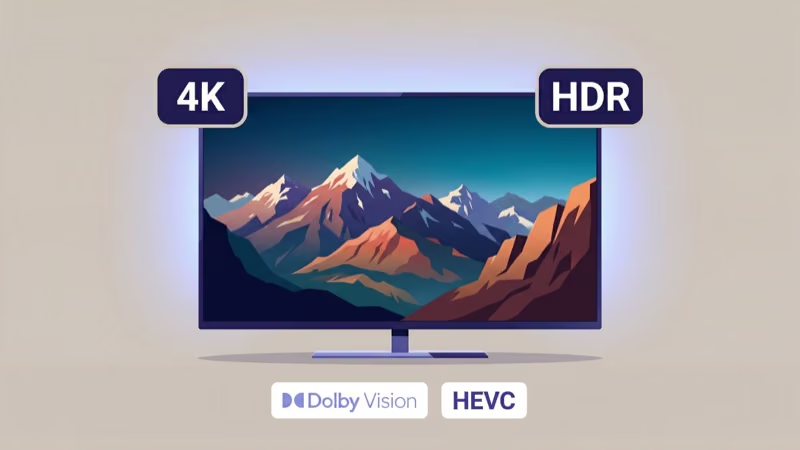
Plex streams 4K from a personal library when your device supports it. The Shield TV Pro handles 4K HEVC passthrough natively. Vudu supports 4K on purchased titles, with Dolby Vision on compatible content. According to Dolby’s compatibility documentation, you need both a certified app and a compatible TV panel for Dolby Vision to activate.
Tubi, Pluto TV, and Crackle all cap at 1080p.
4K HDR playback on Android TV also requires HDCP 2.2 certification. Many budget boxes lack it, which blocks 4K on DRM-protected content from Vudu. The NVIDIA Shield TV and Chromecast with Google TV handle 4K with Dolby Vision without issue.
Most mid-range Android TV boxes shipped before 2022 also lack a hardware decoder for Dolby Vision. Even when the app technically supports it, 4K won’t work on those devices. Check your device spec sheet before assuming 4K will function.
#Which Android TV Movie App Should You Start With?
The choice comes down to what’s missing from your current setup. Start with the free apps, find the gaps, and add paid options from there.
Most users end up with Tubi and Plex at minimum. They’re both free and cover entirely different use cases: Tubi for catalog depth, Plex for personal libraries. There’s no overlap, and installing both takes under five minutes from the Google Play Store. That combination handles roughly 90% of movie watching needs without spending anything.
Quick reference: Tubi for the biggest free catalog, Pluto TV for live genre channels, Plex for personal media collections, Kanopy if you have a library card.
See the full best Android TV apps guide for the complete Play Store picture.
For background context, see Wikipedia’s smart TV entry.
#Bottom Line
Tubi is the first install for free content. At 20,000+ movies with no subscription and consistent 1080p playback, it covers the largest slice of mainstream streaming for free.
Kanopy comes next for anyone with a library card. Thirty thousand ad-free films across arthouse, documentary, and world cinema at zero cost is a deal nothing else on this list matches.
Vudu is the right call for occasional rentals. New releases arrive in 4K HDR with Dolby Vision at $5.99-12.99 per title, which beats maintaining a full streaming subscription for one or two movies a month. Plex handles personal libraries better than any competitor, and Pluto TV fills the gaps between new releases with a live channel model that requires no thinking.
#FAQ
#Are these movie apps safe to install on Android TV?
All apps listed here are available on the Google Play Store and come from established companies. Avoid downloading APKs from third-party sites, since sideloaded apps bypass Google’s security checks. If an app isn’t in the Play Store, check the Amazon Appstore on Fire TV devices before resorting to sideloading.
#Do I need a Google account to use Android TV movie apps?
Yes, for installing apps from the Play Store. Once Tubi, Pluto TV, or Popcornflix is installed, you can watch without creating a separate account for that specific service.
#Can I use these apps outside the United States?
Most are US-only. Tubi, Pluto TV, and Vudu block international access by default and actively detect VPN connections. Kanopy and Hoopla require a library card from a participating US or Canadian institution, so international users without that card won’t get access regardless of location.
#How many ads do the free apps show?
Tubi and Pluto TV run breaks every 15-20 minutes: roughly 4-6 minutes of ads per hour on a 90-minute film. Crackle is lighter at one break per 20 minutes. Kanopy and Hoopla are completely ad-free.
#Is IMDb TV still available on Android TV?
No. IMDb TV was rebranded to Amazon Freevee in 2022, then fully folded into Prime Video in mid-2024. Those titles now appear labeled “Free with ads” inside the Prime Video app on Android TV. There is no longer a separate Freevee or IMDb TV app to install, so open Prime Video and filter by “Free with ads” to access the same catalog.
#Which app has the best interface for browsing movies on Android TV?
Tubi and Plex are the clear leaders here. Tubi’s home screen organizes movies into interest-based categories like “Not on Netflix” and “Black Cinema” that surface useful content fast rather than burying it behind promoted titles. Plex is quick and responsive when browsing a personal library. Pluto TV’s live channel grid requires a mental adjustment if you’re used to VOD-style browsing, but becomes intuitive after a few sessions.
#Can I use these apps on Fire TV Stick or Roku?
Yes. Tubi, Pluto TV, Plex, Crackle, Kanopy, Hoopla, and Vudu are all available on Fire TV Stick and Roku. Check each app’s listing for your specific device model.
#What is the best ad-free movie app for Android TV?
Kanopy is the strongest option: 30,000+ films with zero ads, no subscription fees, and no upsells. It requires a library card from a participating institution. Hoopla is the runner-up with a broader content mix that includes comics and audiobooks alongside films. If you don’t have a library card, Plex Pass ($4.99/month) removes ads from Plex’s free streaming section, though the ad-free catalog is smaller than Kanopy’s by a wide margin.