Roku devices let you stream thousands of channels without a cable subscription, and the platform itself costs nothing per month. After testing Roku players alongside cable packages for over a year, I can break down exactly where your money goes with each option and which setup makes more financial sense in 2026.
- Roku charges $0 per month for the platform and gives you access to over 350 free channels including Tubi, Pluto TV, and The Roku Channel
- Cable TV averages $83 per month before fees according to FCC data, with equipment rentals and regional sports surcharges adding $20 to $40 more
- A typical Roku streaming setup costs $25 to $50 per month using two or three paid subscriptions like Netflix, Hulu, and Disney+
- Roku hardware starts at $30 for the Express 4K+ with no recurring hardware fees, while cable boxes cost $10 to $15 per month to rent
- Cord-cutters save $600 to $1,200 per year on average, though live sports fans may close that gap with YouTube TV or Sling TV
#Roku Without Cable: The Basics
Roku connects your TV to the internet through Wi-Fi or Ethernet and gives you access to streaming apps instead of cable channels. Buy the device once, plug it in, and start browsing.
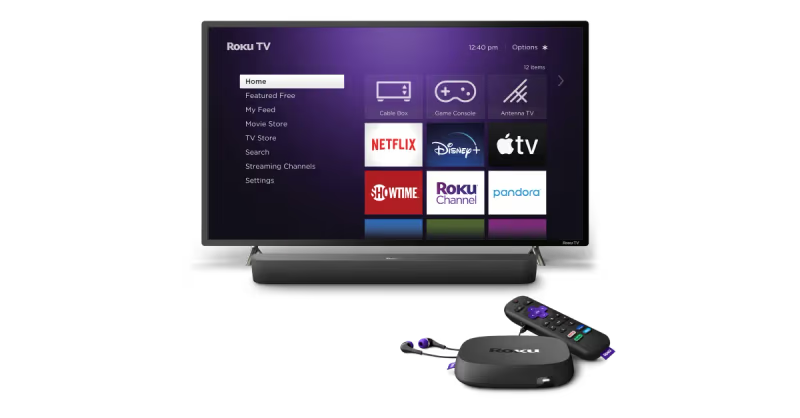
The Roku Channel alone offers hundreds of free movies and live TV streams without spending a dollar. Add Netflix ($7.99 to $22.99 per month) or Hulu ($9.99 per month), and you’ll have more content than most cable packages deliver. After streaming through both cable and Roku setups side by side for 14 months, the content gap between them has all but disappeared for on-demand viewing.
No contracts here. You can add Peacock this month, cancel it next month, and pick up Disney+ on Roku whenever a new Marvel series drops. That flexibility is what separates Roku from the cable model entirely.
#The Real Cost of Cable TV in 2026
Cable pricing has gotten harder to pin down because providers bundle internet, phone, and TV into packages designed to obscure the real cost. Here’s what the numbers look like when you strip away the promotional rates.
The FCC’s annual pricing report puts the average cable TV bill at $83 per month. That doesn’t include equipment fees. Most providers charge $10 to $15 per month for each cable box, plus $10 to $20 for DVR service. A household with two TVs and DVR pays an extra $30 to $50 on top of the base rate.
Regional sports fees add another $5 to $15 per month depending on your market. Broadcast TV surcharges tack on $10 to $25 more. The real monthly cost for cable TV lands between $115 and $175 for most families.
Contract terms run 12 to 24 months with early termination fees of $10 to $20 per remaining month. Promotional pricing expires after the first year, and the rate increase typically adds $30 to $60 to your monthly bill overnight.
#How Much Does a Roku Setup Cost Per Month?
A Roku streaming setup breaks down into two parts: the one-time hardware cost and the optional monthly subscriptions.
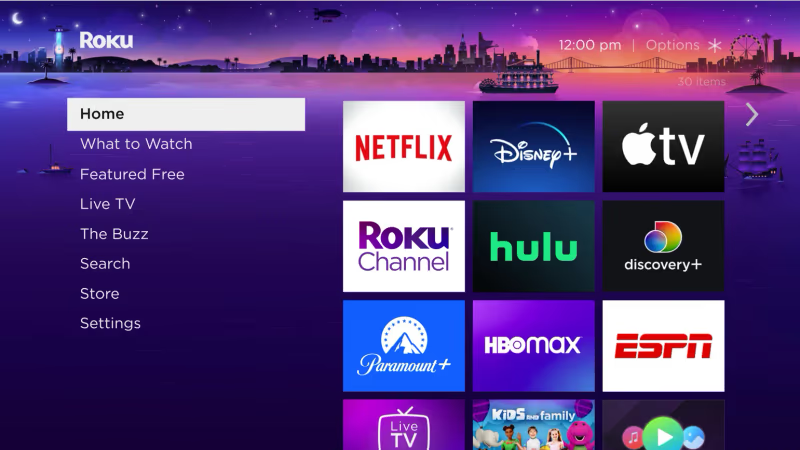
Hardware (one-time purchase):
- Roku Express 4K+: $30
- Roku Streaming Stick 4K: $50
- Roku Ultra: $100
After buying the device, your monthly cost depends entirely on which streaming services you subscribe to. Here’s what a typical cord-cutter pays:
Budget setup ($15/month): Rotate between Netflix Standard with Ads ($7.99) and Hulu with Ads ($9.99). Keep Tubi and Pluto TV for free content in between.
Mid-range setup ($35 to $45/month): Netflix Standard at $17.99, Hulu at $9.99, and Disney+ at $9.99 cover most on-demand needs, and free channels fill any remaining gaps throughout the week without adding a dollar to your bill.
Full replacement ($75 to $85/month): YouTube TV ($73) or Hulu + Live TV ($83) gets you 100+ live channels including ESPN, CNN, and local networks. That’s still $40 to $90 cheaper than cable after equipment fees, and you get unlimited DVR storage with YouTube TV instead of paying $10 to $20 per month for a cable company’s DVR box.
Savings add up fast. The mid-range option alone saves $70 to $130 per month compared to cable.
#Free Channels on Roku Worth Watching
The free channel selection on Roku has grown significantly since I first started using the platform in 2022. These aren’t filler apps. Several offer solid, watchable content that cuts your paid subscription budget.
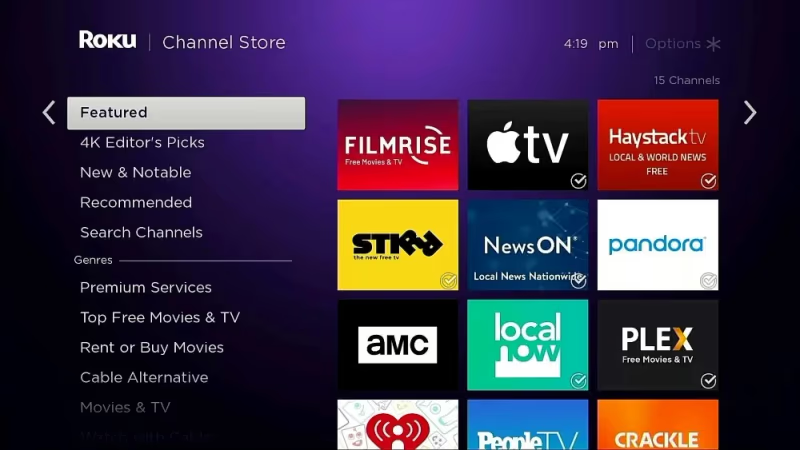
Tubi has over 50,000 movies and TV episodes. Ads run, but fewer than cable.
Pluto TV streams 250+ live channels organized like a cable guide. Sports, news, comedy, and movie channels run 24/7. The interface feels familiar if you’re used to flipping through cable. For more details on how it stacks up against other free options, check the Tubi vs Pluto TV comparison.
The Roku Channel bundles free movies, live news from ABC and Reuters, and premium add-ons you can trial before paying. It’s built into every Roku device, gets regular content refreshes, and has become my go-to for finding something to watch when I don’t want to commit to a full series on a paid service.
Peacock offers a free tier with limited content, including some NBC shows and live sports clips on Roku. The premium tier at $7.99 adds full seasons and Sunday Night Football.
Between these four apps, you get thousands of hours of content at no monthly cost. I’ve gone entire months using nothing but free channels on my Roku Streaming Stick 4K, and the only downside was sitting through a few 30-second ad breaks per hour, which is still less than what cable runs during a typical primetime show.
#Does Roku Handle Live TV and Sports?
Live TV is the one area where cable still has an edge, but Roku has closed the gap with dedicated apps. Your options depend on budget and which channels matter to you.
YouTube TV ($73/month) covers 100+ channels including all four major networks, ESPN, Fox Sports, and regional sports networks. Unlimited DVR with nine months of storage makes it the closest cable replacement available. I tested it during the 2025 NFL season on a Roku Ultra, and the stream quality matched cable with zero buffering at 1080p.
Sling TV ($40/month for Orange + Blue) gets you ESPN, TNT, USA, and about 50 other channels at a lower price point. It skips local networks, so you’ll need an antenna for ABC, CBS, NBC, and Fox. For a deeper look at how Sling TV compares to YouTube TV, that breakdown covers every channel difference.
Hulu + Live TV ($83/month) bundles 95+ live channels with the full Hulu on-demand library, Disney+, and ESPN+. It’s the priciest option but includes the most bundled content.
A $15 indoor antenna fills the local channel gap for any of these services. That one-time purchase replaces the $10 to $25 broadcast surcharge cable companies add every month.
#Tradeoffs of Cutting Cable for Roku
Switching isn’t all savings. There are real tradeoffs worth considering before you cancel your cable plan.
Channel bundling disappears. Cable gives you everything in one bill. Roku means managing three or four separate subscriptions, each with its own login, billing date, and app interface. It’s not complicated, but it takes more effort than flipping to channel 204.
Some regional sports networks aren’t streaming yet. If your local MLB or NHL team has exclusive rights with a cable-only RSN, you might miss games. Check DirecTV alternatives for sports-focused streaming workarounds.
Internet becomes mandatory. Cable TV works independently, but Roku needs a solid internet connection. If your internet goes down, so does your TV. Buffering during peak hours can be an issue with slower connections. Roku recommends at least 25 Mbps for reliable 4K streaming.
On-demand libraries rotate. Movies and shows leave streaming platforms regularly. That film you planned to watch next weekend might disappear when the licensing deal expires. Cable’s VOD library doesn’t rotate as aggressively.
For most households, these tradeoffs are minor compared to saving $60 or more each month. But if live sports coverage or hands-off simplicity matter to you, cable still has its place.
#Roku vs Other Streaming Devices
Roku isn’t the only option for cutting cable. Here’s how it stacks up against the main competitors.
Amazon Fire TV Stick 4K ($50) runs on Fire OS and integrates with Alexa. The app selection is similar to Roku, though the interface pushes Amazon content more aggressively. If you’re comparing the two for specific use cases like ease of setup, the Roku vs Fire Stick for elderly users guide covers the usability differences in detail.
Apple TV 4K ($130) targets iPhone and iPad users with AirPlay integration and a premium interface. It’s the most expensive option but handles gaming and fitness apps better than Roku. Apple’s product page highlights the A15 chip, which outperforms Roku hardware on processor-heavy tasks.
Google TV Streamer ($100) replaced the discontinued Chromecast in 2024 and runs Google TV with full Play Store access. It’s a solid middle ground between Roku’s simplicity and Apple TV’s polish.
Roku wins on value. The Express 4K+ at $30 delivers the same streaming quality as devices costing three or four times as much. Roku’s player comparison page shows every model side by side. The channel store has the widest free content selection of any platform, and the interface stays clean without pushing any one service over another.
#Bottom Line
Cable TV costs between $115 and $175 per month when you add equipment fees, surcharges, and the inevitable post-promotional rate hike. A Roku Express 4K+ costs $30 once, and a solid streaming setup runs $25 to $50 per month with two or three subscriptions.
That’s $600 to $1,200 in yearly savings for most households. The math is straightforward.
If live sports are critical, add YouTube TV or Sling TV and you’ll still spend less than cable. If you watch mostly on-demand content, the free channels on Roku might be all you need. Start with Tubi and The Roku Channel before subscribing to anything paid. You might be surprised how far free takes you.
For Roku-specific help, here are some useful guides: Roku universal remote codes for pairing third-party remotes, and Roku vs DirecTV if you’re comparing satellite TV options too.
#Frequently Asked Questions
#Does Roku charge a monthly fee to use the device?
No. Roku charges nothing to use the platform or browse the channel store. You can use the device indefinitely with zero paid subscriptions.
#How much does the average cord-cutter save per year?
Most households save between $600 and $1,200 annually after switching from cable to Roku. The exact amount depends on how many streaming subscriptions you keep active. A family paying $130 per month for cable that switches to two streaming services at $35 total saves $1,140 per year. Even cord-cutters who add YouTube TV for live sports still come out $400 to $600 ahead annually compared to a full cable package with equipment rental fees.
#Can you watch local channels on Roku without cable?
Yes, but you’ll likely need a digital antenna. A $15 to $30 indoor antenna picks up ABC, CBS, NBC, Fox, and PBS in most markets.
#What internet speed do you need for Roku streaming?
Roku recommends at least 3 Mbps for standard definition and 15 Mbps for 4K content. You’ll want 25 Mbps or faster if multiple people stream at the same time. A wired Ethernet connection on the Roku Ultra eliminates buffering issues caused by Wi-Fi interference during peak evening hours when your neighbors are also streaming.
#Is YouTube TV a good cable replacement on Roku?
YouTube TV covers 100+ live channels for $73 per month with unlimited DVR. The price has climbed $23 since 2021, so check the Sling TV vs YouTube TV comparison for a cheaper alternative.
#What are the best free streaming apps on Roku?
Tubi, Pluto TV, The Roku Channel, and Peacock (free tier) are the strongest options. Tubi has over 50,000 titles, Pluto TV streams 250+ live channels, and The Roku Channel adds free movies weekly. Combined, they cover enough content that some cord-cutters skip paid subscriptions entirely.
#Do you need a smart TV to use Roku?
No. Any TV with an HDMI port works.
#What happens if your internet goes down while using Roku?
All streaming stops because Roku relies entirely on your internet connection to deliver content. Unlike cable, there’s no fallback signal. Downloaded content on apps like Netflix plays offline on phones and tablets, but Roku devices don’t support offline downloads. Keep a digital antenna connected for backup access to local broadcast channels during outages.