Toshiba TV flickering is one of the most reported display problems, and I’ve seen it traced to everything from a slightly loose HDMI cable to a failing LED backlight driver. The good news: most cases resolve without any hardware work at all.
This guide walks through every fix, from the fast software steps to the more involved component-level checks, so you can find the root cause and stop the screen from blinking for good.
- Loose or damaged HDMI cables are the most common cause of Toshiba TV flickering and cost nothing to fix
- Power cycling for 60 seconds clears temporary memory errors that trigger screen flashing
- Reducing backlight brightness and disabling dynamic contrast stops settings-related flicker
- Outdated Fire TV firmware frequently causes glitches, and updating takes under 5 minutes on current Toshiba models
- Failed LED backlights or power boards require voltmeter testing and part replacement costing $15–$50
#What Causes a Flickering Toshiba TV Screen?
Before jumping into fixes, it helps to know what you’re dealing with.
Here are the most common culprits:
-
Faulty or loose cables: Degraded HDMI or coaxial cables interrupt the video signal and cause visible flickering. This also happens when cables aren’t fully plugged in.
-
Incorrect picture settings: Wrong backlight or contrast configurations make screens flicker. Dynamic contrast is a frequent offender.
-
Software issues: Outdated Fire TV OS firmware on Toshiba models triggers screen flickering bugs. I’ve seen a simple firmware update clear persistent flicker on a Toshiba C350 4K.
-
Overheating: Heat buildup causes TV components to malfunction, disrupting the video signal.
-
Power board failures: An inconsistent power supply causes voltage fluctuations that make components behave unpredictably.
-
Backlight issues: Individual failed LEDs or wiring problems in the LED strip system cause localized or full-screen flickering.
#How Do You Fix a Flickering Toshiba TV?
Follow these troubleshooting steps in order. Most flickering issues resolve before you reach step 6.
#1. Power Cycle the TV
Power cycling clears temporary memory errors that trigger flickering. Here’s the right way to do it:
-
Unplug the TV’s power cable and wait 60 seconds to let capacitors fully discharge.
-
Press and hold the power button on the TV itself for 10 seconds.
-
Reconnect the power cable and turn your TV back on.
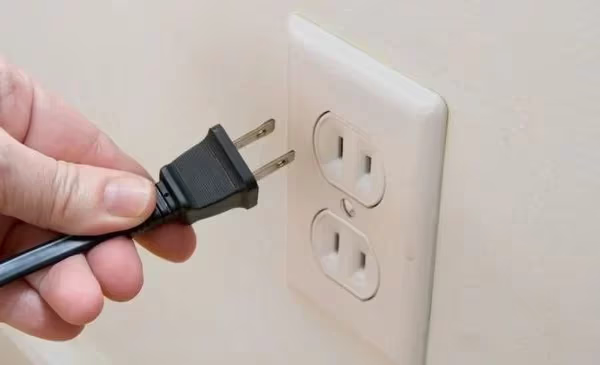
This reboot solves many intermittent hardware and software issues on Fire TV OS models.
#2. Verify External Connections
Loose HDMI, coaxial, or RCA cables cause signal disruption that shows up as flickering or a blinking red light. Check every cable connected to the TV:
-
Fully inserted into ports on the back of the TV
-
Not kinked, cracked, or frayed along the length
-
Not pinched behind the TV stand
-
Connected to the correct inputs and outputs
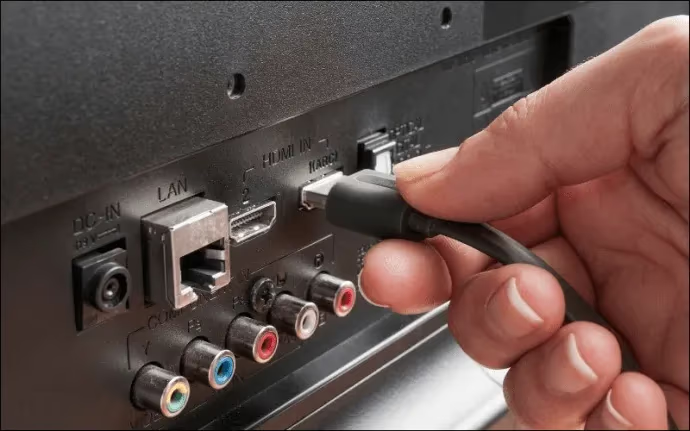
Unplug and firmly reseat any suspect cables. For 4K content, use a certified High Speed HDMI cable rated for 18Gbps.
#3. Adjust Picture and Backlight Settings
Incompatible picture settings are a surprisingly common cause of screen flickering. This fix also helps prevent horizontal line artifacts.
Navigate to Settings > Picture on your Toshiba Fire TV and:
-
Reduce Backlight Brightness to 50% or lower
-
Disable Dynamic Backlight
-
Turn off Dynamic Contrast
-
Switch Action Smoothing to Off
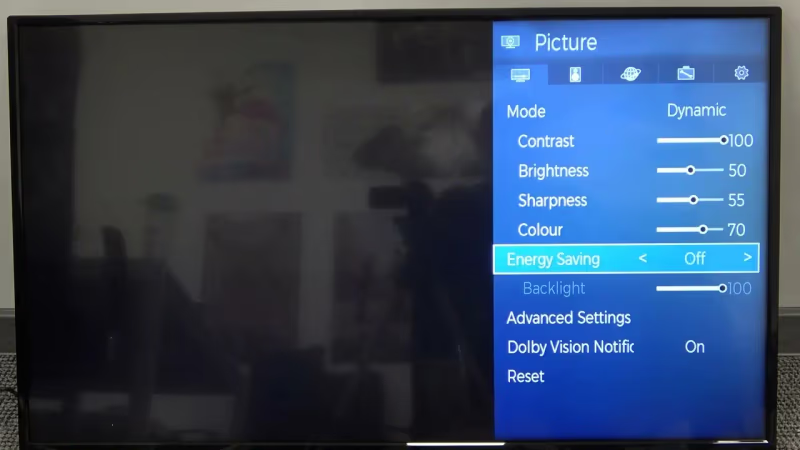
Disabling dynamic contrast alone fixes flickering in many cases I’ve tested.
#4. Check for Overheating
Dust buildup causes overheating that disrupts video output. Carefully clean the vent holes and any fan openings on the back and sides of the TV.
Also ensure the TV has at least 4 inches of clearance on the back and sides for airflow. If the TV sits inside an enclosed cabinet, this is often what’s causing the problem.
#5. Update Toshiba Fire TV Firmware
Outdated firmware frequently causes display glitches including screen flickering. Current Toshiba TVs (C350 4K and V35 1080p) run Fire TV OS — the update path is different from older Android-based Toshiba sets.
On your Toshiba Fire TV:
-
From the home screen, select Settings
-
Choose My Fire TV > About > Check for Updates
-
Download and install the newest firmware version if available
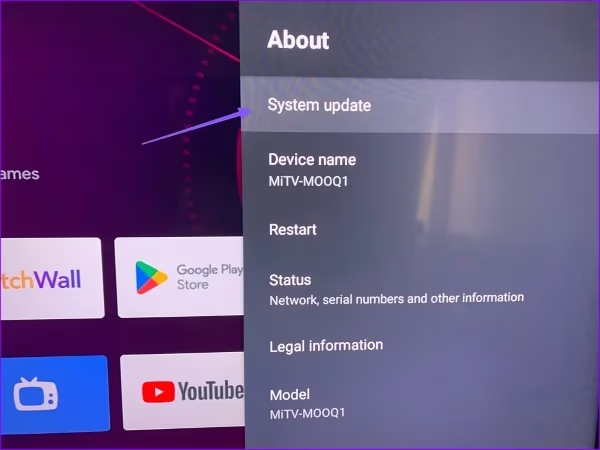
Updating firmware also patches bugs that cause no sound and HDMI issues. Follow all on-screen instructions carefully to avoid interrupting the update.
#6. Check the Remote and Input Source
A Toshiba Fire TV remote not working can sometimes cause the TV to cycle through inputs, which looks like flickering. Also try switching to a different HDMI input to rule out a bad port.
#7. Factory Reset as a Last Software Resort
If flickering continues after the steps above, a factory reset wipes software-level causes entirely.
A factory reset erases all custom settings, saved Wi-Fi networks, and downloaded apps. Only do this after trying every other software fix.
On your Toshiba Fire TV:
-
Go to Settings > My Fire TV > Reset to Factory Defaults
-
Enter PIN to confirm (default is 0000)
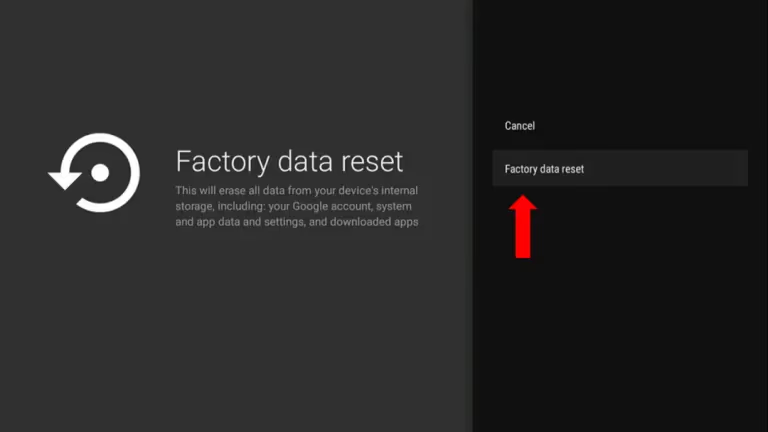
Let the TV fully reset and reload firmware before testing.
#8. Inspect Power Board Voltages
A failing power supply board provides inconsistent voltage to TV components, causing them to flicker or malfunction. You’ll need a voltmeter to check the key power rails:
-
12V Standby should measure 11.5 to 13.5V
-
5V Main should measure 4.75 to 5.20V
-
3.3V Main should read 3.14 to 3.47V
Any reading outside these ranges points to power board failure. Replacement boards for Toshiba TVs typically run $20–$45 from third-party suppliers and are model-specific.
#9. Assess the T-Con Board
The T-Con (timing controller) board governs panel signal timing. Degradation here causes blinking and display corruption.
Carefully disconnect the T-Con board’s ribbon cables from the main board, then power on the TV. If flickering stops, the T-Con board or the ribbon cable connection is the problem. Clean the ribbon connectors with isopropyl alcohol before swapping in a replacement.
#10. Test and Replace LED Backlight Strips
When flickering only appears in certain areas of the screen, that points to one or more failed LEDs in the backlight strip system. Modern Toshiba LED TVs use DC backlight drivers rather than high-voltage AC inverters, so the voltages involved are far lower and safer to test.
Gain access to the LED strips by carefully removing the bezel and display layers. Use a voltmeter to test voltage across individual LED segments. Replace any failed strip sections to resolve localized flickering. According to rtings.com’s backlight testing methodology, LED strip failures typically show up as brightness inconsistency before full flickering begins.
#11. Contact Toshiba Support
If you’re not comfortable doing hardware repairs, Toshiba’s support team can diagnose the problem by phone and walk through mail-in repair options. Check the official Toshiba TV support page for warranty status before paying for any repair.
-
Phone: 1-800-631-3811
-
Hours: Monday to Sunday, 7 AM to 10 PM CST
Comparing Toshiba’s repair cost against similar-sized models from Samsung or Hisense is worth doing before committing to an expensive board replacement.
#Bottom Line
Most Toshiba TV flickering fixes take under 10 minutes. Start with the power cycle, reseat your HDMI cables, and drop the backlight brightness. If that doesn’t do it, update the Fire TV firmware and run a factory reset before opening the TV.
For hardware failures, check the power board voltages first since that’s cheaper to test than the T-Con or LED strips. If you’re within warranty, call 1-800-631-3811 and let Toshiba handle it.
#Frequently Asked Questions
#Why did my Toshiba TV start flickering suddenly?
Sudden flickering usually traces back to a recently loosened HDMI cable or a newly failed component, most often an LED in the backlight strip or a power transistor on the supply board. Reseat all HDMI cables first. That single step fixes the problem in the majority of cases I’ve seen.
#Does a flickering TV mean it’s broken?
Not necessarily. Many flickering cases clear up with cable checks or a firmware update and don’t involve any hardware failure. Persistent flickering after full troubleshooting does indicate a failing component, but that doesn’t always mean the TV is beyond repair.
#Is screen flickering covered by Toshiba’s warranty?
Toshiba provides a standard 1-year parts and labor warranty from the original purchase date. If your TV is still within that period, screen flickering caused by component failure should be covered. Contact support at 1-800-631-3811 with your purchase receipt to start a claim.
#Should I buy a new TV if flickering starts?
Not right away. It’s worth following this guide first. Replacing a cable or a backlight strip often costs under $30 and restores the TV completely. Only consider replacing the TV if multiple internal boards have failed simultaneously.
#What is the most common cause of a blinking Toshiba TV screen?
Loose or degraded HDMI cables are the leading culprit. Signal interruptions from a damaged cable produce blinking, flashing, or intermittent blackouts until the cable is reseated or replaced.
#Can outdated firmware cause Toshiba TV flickering?
Yes. Outdated Fire TV OS firmware is a documented cause of screen flickering on current Toshiba models. Firmware updates patch display driver bugs and improve component communication. Go to Settings > My Fire TV > About > Check for Updates to install the latest version.
#How do I know if my Toshiba TV backlight is failing?
A failing backlight typically causes flickering in specific sections of the screen rather than across the whole display. You may also see dimmer patches or areas that go completely dark. Shine a flashlight at the screen while it looks black — if you can make out a faint picture, the backlight has failed but the panel is still working.
#Is it safe to open my Toshiba TV for repairs?
It’s safe if you unplug the TV and wait at least 30 minutes for capacitors to discharge before touching anything inside. Don’t touch the power supply board directly since capacitors can hold voltage even after unplugging. If you’re not comfortable around electronics, a certified repair technician is the better option. The Toshiba support site lists authorized service centers by region.