Tubi not working on your smart TV is frustrating, especially when you’re ready to watch something from its massive free library. With over 100 million monthly active users as of 2025, Tubi has grown into one of the most popular free streaming apps on the planet. This guide covers every fix I’ve tested across Samsung, LG, Sony, and VIZIO TVs to get Tubi running again.
- Restart first — closing Tubi and rebooting your TV fixes most temporary glitches in under 2 minutes
- Internet speed matters — Tubi needs at least 3-5 Mbps, so test your connection before trying other fixes
- Account now required — since late 2025, Tubi interrupts playback after roughly 5 minutes if you aren’t signed in
- Check error codes — codes like 001, 005, 013, and 5003 point to specific problems with targeted solutions
- Factory reset is the last resort — resetting your TV wipes all settings, so try every other step first
#Why Does Tubi Stop Working on Smart TVs?
Before jumping into fixes, it helps to know what typically causes Tubi to break. Here are the most common culprits I’ve seen.
Connectivity problems. A weak Wi-Fi signal or router issue kills Tubi playback faster than anything else. Tubi needs a steady 3-5 Mbps download speed at minimum.
Outdated app or firmware. Tubi pushes updates regularly, and older app versions lose compatibility with their servers. The same applies to your TV’s system software.
Corrupted cache data. Over time, cached files pile up and cause crashes, freezes, or black screens during playback. This happens on every platform.
Mandatory account login. This one catches people off guard. In late 2025, Tubi started requiring an account to stream. If you haven’t signed up, playback stops after about 5 minutes. Signing up is free and only requires a name and email address.
Regional restrictions. Tubi is available in the US, Canada, UK, Australia, New Zealand, Mexico, and select Latin American countries. It doesn’t work in most of Europe due to GDPR compliance issues, and VPN connections are actively blocked.
Server-side outages. Sometimes the problem isn’t on your end at all. Tubi’s servers occasionally go down, and no amount of troubleshooting on your TV will fix that.
#How Do You Fix Tubi on Your Smart TV?
Work through these steps in order. Most people get Tubi running again within the first three.
#1. Check Tubi Server Status
Rule out a Tubi outage first. Visit the Tubi Help Center or check social media for reports. If Tubi’s servers are down, all you can do is wait.
#2. Restart the Tubi App
Close Tubi completely. Don’t just press the home button. On most smart TVs, go to your app manager and force-close Tubi, wait 30 seconds, then reopen it. This clears temporary glitches that build up during long viewing sessions.
#3. Restart Your Smart TV
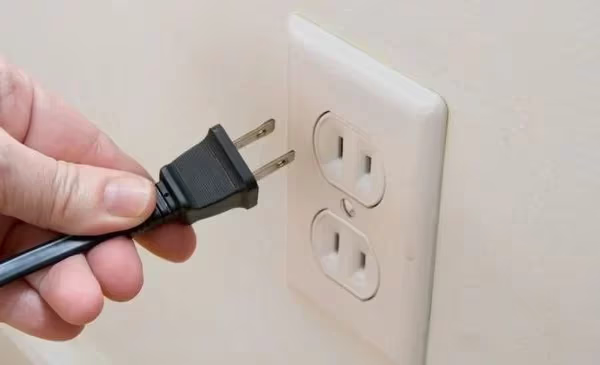
Turn off your TV, unplug it from power for 60 seconds, then plug it back in. This power cycle flushes the TV’s memory and re-establishes network connections. It’s the single most effective fix for streaming app problems on any platform.
#4. Sign In to Your Tubi Account
Tubi now requires an account. If you see playback cutting off after a few minutes, open Tubi’s settings menu and sign in. Don’t have an account yet? Create one at tubitv.com using your name and email. No payment info needed.
#5. Check Your Internet Connection
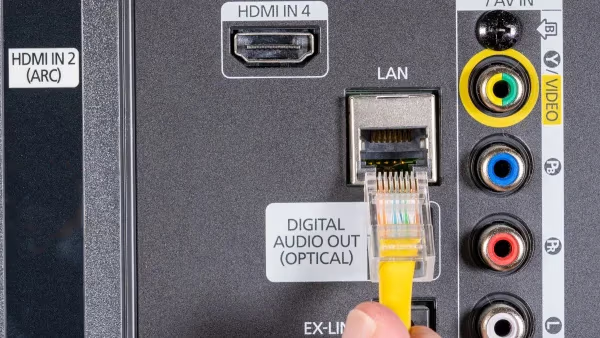
Run a speed test on your TV or phone connected to the same network. You need at least 3-5 Mbps for Tubi to stream without buffering. If speeds are low, try connecting your TV directly to your router with an Ethernet cable.
#6. Update Tubi and Your TV Firmware
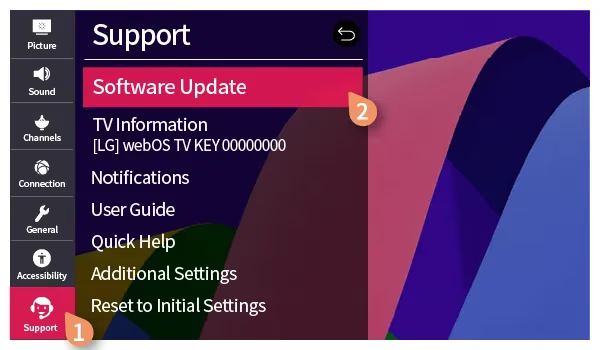
Open your TV’s app store and check for a Tubi update. Then go to your TV’s system settings and install any available firmware updates. Outdated software causes compatibility failures with Tubi’s servers, and I’ve seen this fix playback issues that nothing else resolved.
#7. Clear Cache and Reinstall Tubi
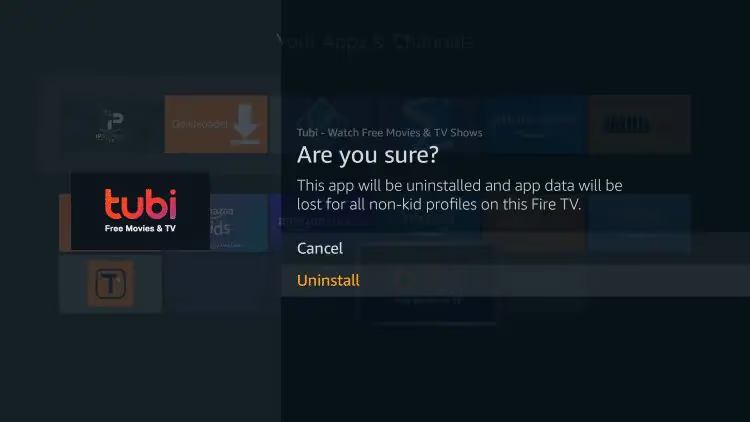
Go to Settings > Apps > Tubi and clear the cache first. If that doesn’t work, uninstall Tubi entirely, wait one minute, then reinstall it from your TV’s app store. A clean install wipes corrupted data that causes crashes and freezing.
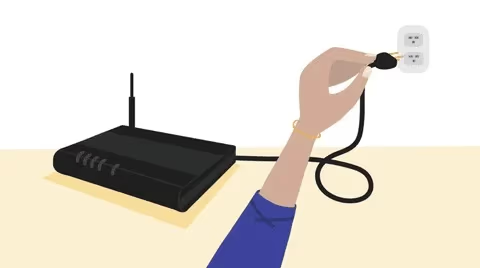
#8. Power Cycle Your Router
Unplug your router and modem for 30 seconds, then plug them back in. Wait for all lights to stabilize before testing Tubi again. Network hardware glitches cause intermittent streaming failures that look like app problems.
#9. Check Date and Time Settings
Incorrect date or time settings on your TV can trigger DRM (PlayReady) errors that prevent Tubi from playing content. Go to your TV’s system settings and set the date/time to automatic. This is a common cause of error codes 013 and 700.
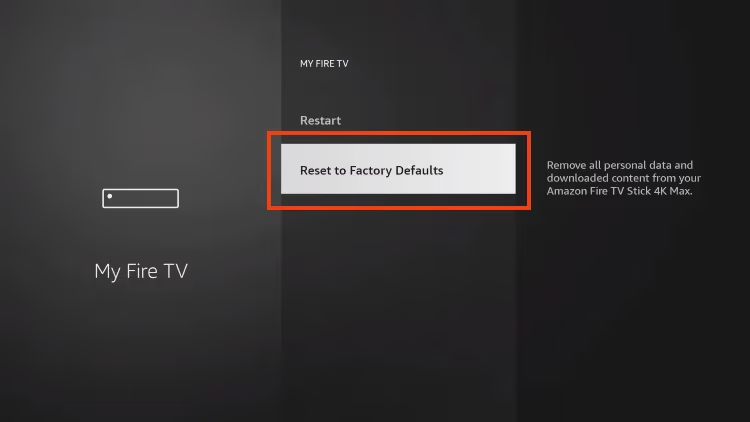
#10. Factory Reset Your TV
If nothing else works, reset your TV to factory defaults. This erases all apps, settings, and accounts, so treat it as a last resort. After the reset, reinstall Tubi and sign in fresh.
#11. Contact Tubi Support
Still stuck? Email [email protected] with your TV model, firmware version, and any error codes you’re seeing. Tubi’s support team can investigate device-specific issues and escalate problems that standard troubleshooting can’t resolve. You can also browse their help center for known issues.
#Fixing Tubi on Specific Smart TV Brands
Some fixes only apply to certain TV platforms. Here’s what I’ve found works for each major brand.
#Samsung Smart TVs
Clear Tubi’s persistent data through Settings > Device Care > Storage. On Samsung TVs, cached data tends to accumulate faster than on other platforms. If Tubi keeps crashing after clearing storage, uninstall and reinstall the app through the Samsung Smart Hub.
For Samsung TVs running Tizen 5.0 or older, check that your TV model still appears on Tubi’s supported devices list. Some 2015-2016 Samsung models have lost compatibility with recent Tubi updates.
#LG Smart TVs
Check the LG Content Store for Tubi app updates. LG’s webOS sometimes delays app update notifications, so manually searching for updates catches ones you’d otherwise miss.
If Tubi audio cuts out or goes silent, switch your audio output from Optical to HDMI ARC or Internal TV Speaker under Settings > Sound > Sound Out. Optical connections can drop signal during streaming.
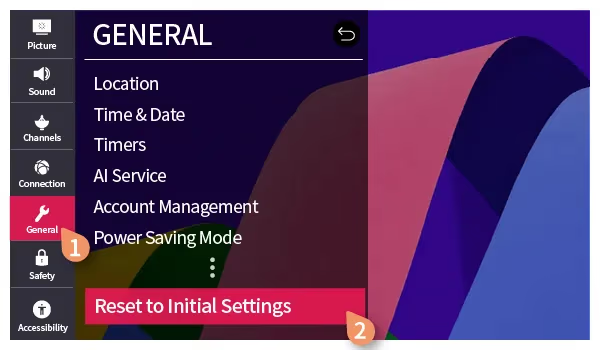
As a last resort, perform a factory reset under General > Reset to Initial Settings.
#Sony and Android TVs
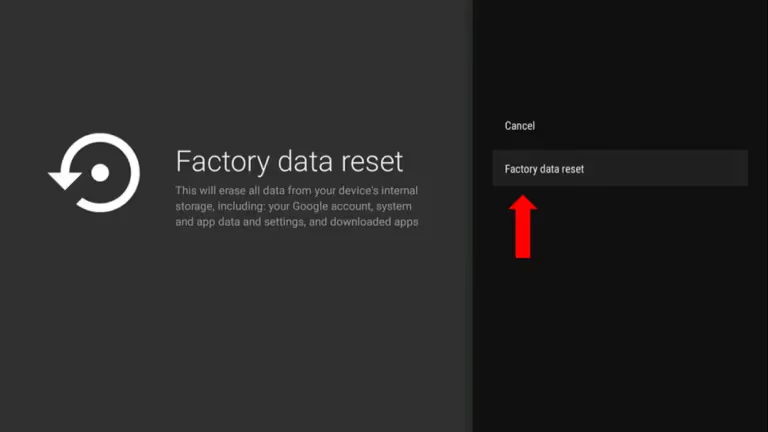
On Sony TVs running Google TV or Android TV, go to Settings > Apps > Tubi > Clear Cache, then Clear Data. Android-based TVs store more app data than other platforms, and this two-step process resolves most Tubi crashes on Sony models like the Bravia XR series.
If clearing data doesn’t help, try a Factory Data Reset under Settings > System > About > Reset.
#VIZIO SmartCast TVs
Cast Tubi from your phone to your VIZIO TV first. If casting works but the built-in app doesn’t, the problem is isolated to the TV’s Tubi installation. Uninstall and reinstall through the SmartCast app menu.
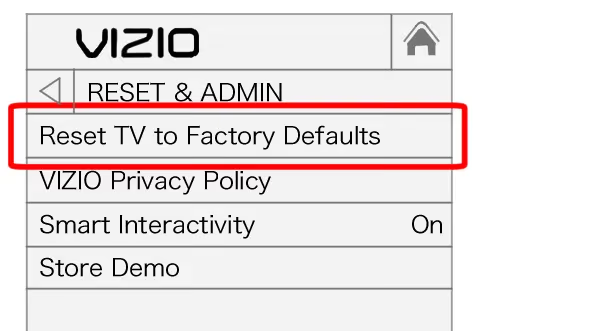
For persistent issues, perform a factory reset under System > Reset & Admin > Reset TV to Factory Defaults.
#Tubi Error Codes Quick Reference
Here are the most common Tubi error codes and what they mean:
- Error 001 / 005: Network connectivity failure. Restart your router and check your internet speed.
- Error 013 / 700: DRM or playback authorization error. Fix your TV’s date/time settings, then reinstall Tubi.
- Error 500: Server-side issue on Tubi’s end. Wait and try again later.
- Error 1001 / 5003: App data corruption. Clear Tubi’s cache and reinstall.
- Error 6001: Account authentication failure. Sign out, then sign back in.
Tubi is owned by Fox Corporation, which acquired the service in 2020 for $440 million. If you see Fox-branded error pages, that's normal.
#Bottom Line
Start with the basics: restart Tubi, power cycle your TV, and make sure you’re signed into a Tubi account. If those don’t work, check your internet speed and update both the app and your TV’s firmware.
For error codes, match the number to the quick reference above and follow the specific fix. DRM errors (013, 700) almost always trace back to wrong date/time settings on your TV.
If your TV model is older than 2016, check Tubi’s supported devices page before spending more time troubleshooting. You might need a streaming stick like a Fire TV Stick or Roku to keep using Tubi. For Roku-specific issues, check out the Tubi on Roku troubleshooting guide.
#FAQ
#Why does Tubi keep buffering on my smart TV?
Buffering almost always means your internet speed is below the 3-5 Mbps minimum Tubi needs. Run a speed test on a device connected to the same network. If speeds are low, restart your router or connect your TV with an Ethernet cable for a more stable connection.
#Does Tubi require an account now?
Yes. Since late 2025, Tubi interrupts playback after about 5 minutes if you aren’t signed in. Creating an account is free and only requires your name and email address. No credit card or payment information is needed.
#Why does Tubi keep crashing on my Samsung TV?
Corrupted cache data is the most common cause on Samsung TVs. Go to Settings > Device Care > Storage, find Tubi, and clear its data. If crashes continue after clearing storage, uninstall and reinstall Tubi through the Smart Hub.
#How do I fix Tubi error code 013 or 700?
These errors relate to DRM (PlayReady) authorization. Check your TV’s date and time settings first, as incorrect values trigger DRM failures. Set date/time to automatic, then restart Tubi. If the error persists, uninstall and reinstall the app.
#Can I use a VPN to watch Tubi outside the US?
No. Tubi actively blocks VPN connections. The service is only available in the US, Canada, UK, Australia, New Zealand, Mexico, and select Latin American countries. If you’re traveling outside these regions, you won’t be able to access Tubi until you return to a supported country.
#How does Tubi compare to Netflix and other paid services?
Tubi is completely free and ad-supported, while Netflix and YouTube TV require paid subscriptions. Tubi’s library has grown significantly since Fox Corporation acquired it, and the platform now produces original content and has added Warner Bros. and Cartoon Network titles as of March 2026. Read our full Tubi TV review for a detailed comparison.
#Does Tubi show ads during streaming?
Yes, Tubi runs short video ads to keep the service free for all users. You’ll typically see 2-3 ad breaks every 10-15 minutes of viewing, which is lighter than traditional TV. Learn more about how Tubi handles ads compared to other free streaming services.
#Can I watch Tubi on older smart TV models?
Tubi supports most smart TVs released after 2015, but very old models may lose compatibility when Tubi updates its app. If your TV no longer runs Tubi, plug a Fire TV Stick or Roku streaming stick into your TV’s HDMI port. These devices cost under $30 and give you access to Tubi along with hundreds of other apps.