Watching movies currently in theaters on your Fire TV Stick is easier and more affordable than ever in 2026. Studios have shortened theatrical windows significantly, and premium video-on-demand (PVOD) lets you rent new releases from your couch for a fraction of the theater cost.
- PVOD rentals cost $19.99-$29.99 and are available on Vudu or Prime Video as early as opening weekend for select titles
- Peacock streams Universal films 45 days after theatrical release with a paid subscription starting at $7.99/month
- Paramount+ gets Paramount movies in 30-45 days while Max receives Warner Bros. films within 45 days of release
- Free ad-supported apps like Tubi and Pluto TV carry older theatrical releases at no cost on Fire TV Stick
- Fire TV Stick 4K ($40) and 4K Max ($60) support Dolby Vision and Atmos for a home theater experience
#What Is PVOD and How Does It Work on Fire TV Stick?
PVOD stands for Premium Video on Demand. It’s a distribution model where studios offer digital rentals of movies while they’re still playing in theaters. Prices typically fall between $19.99 and $29.99 for a 48-hour rental window.
Not every movie gets a PVOD release. Studios decide on a title-by-title basis, and blockbusters with strong box office performance usually skip PVOD entirely. Smaller films and family titles are the most common candidates.
On your Fire TV Stick, PVOD rentals are available through Vudu (now Fandango at Home{rel=“noopener” target=“_blank”}) and Amazon Prime Video. You don’t need a subscription for either one. Just search for the movie, pay the rental fee, and start watching immediately.
#Which Official Apps Get New Movies Fastest?
Once a movie finishes its theatrical run, studios send it to their streaming partners. Here’s how the major platforms stack up in 2026. You can also watch live TV and live sports on your Fire TV Stick through many of these same apps.
#Amazon Prime Video
Prime Video is built into every Fire TV Stick, making it the most convenient option. You can rent or buy individual titles without a Prime subscription, and PVOD releases show up here regularly. Prime members also get a rotating library of included movies at no extra charge.
#Vudu (Fandango at Home)

Vudu often gets digital releases before other platforms. It’s a rent-or-buy service with no monthly fee. The app runs well on Fire TV Stick and supports HDX 1080p playback. I’ve found Vudu’s sale section surprisingly good for picking up recent releases at lower prices.
#Max (Formerly HBO Max)
Warner Bros. films land on Max{rel=“noopener” target=“_blank”} roughly 45 days after their theatrical premiere. A subscription starts at $9.99/month. Max also carries a deep catalog of classic films and exclusive original movies that skip theaters entirely.
#Paramount+
Paramount’s own streaming service gets the studio’s movies within 30-45 days of theatrical release. Plans start at $7.99/month. The app works smoothly on Fire TV Stick and supports 4K playback on higher-tier plans.
#Peacock
Universal Studios movies arrive on Peacock{rel=“noopener” target=“_blank”} 45 days after hitting theaters. That’s one of the fastest windows for a subscription service. Peacock Premium starts at $7.99/month, and the app is free to download on your Fire TV Stick.
| App | Subscription Required? | Rental/Purchase Option | Typical Release Window | Max Video Quality |
|---|---|---|---|---|
| Amazon Prime Video | Optional (for free content) | Yes | PVOD same day (select titles) | 4K UHD |
| Vudu | No | Yes | PVOD same day (select titles) | HDX 1080p |
| Max | Yes ($9.99/mo) | No | 45 days after theaters | 4K UHD |
| Paramount+ | Yes ($7.99/mo) | No | 30-45 days after theaters | 4K UHD |
| Peacock | Yes ($7.99/mo) | No | 45 days after theaters | 4K UHD |
Amazon Prime Video and Vudu let you rent individual movies without committing to a monthly plan. Max, Paramount+, and Peacock require subscriptions but give you access to their studios’ full catalogs once the theatrical window closes.
#Are Free Streaming Apps Worth It for Movies?
Yes, if you don’t mind waiting. Tubi and Pluto TV are both free, ad-supported apps available on Fire TV Stick. They won’t have movies still in theaters, but they regularly add titles that left theaters 6-12 months ago.
Tubi has one of the largest free movie libraries I’ve seen, with everything from horror to family films. Pluto TV takes a different approach with scheduled movie channels that feel more like cable TV. Crackle is another free option worth installing.
None of these apps require a credit card or account to start watching. They make money through ads, so expect commercial breaks every 15-20 minutes. The trade-off is reasonable for free content.
#What Happened to Cinema APK, BeeTV, and Other Third-Party Apps?
If you’ve searched for ways to watch theater movies on Fire TV Stick, you’ve probably come across recommendations for Cinema APK (Cinema HD), BeeTV, and TeaTV. Here’s the reality in 2026.
Cinema APK is dead. The original developers shut it down, and every version floating around now is a clone packed with adware or malware. Don’t install anything claiming to be Cinema APK or Cinema HD. It’s not safe.
BeeTV and TeaTV are barely functional. Amazon has gotten aggressive about blocking sideloaded apps that stream pirated content. Both apps crash frequently, most streaming links are broken, and updates come rarely. You’ll spend more time troubleshooting than actually watching anything.
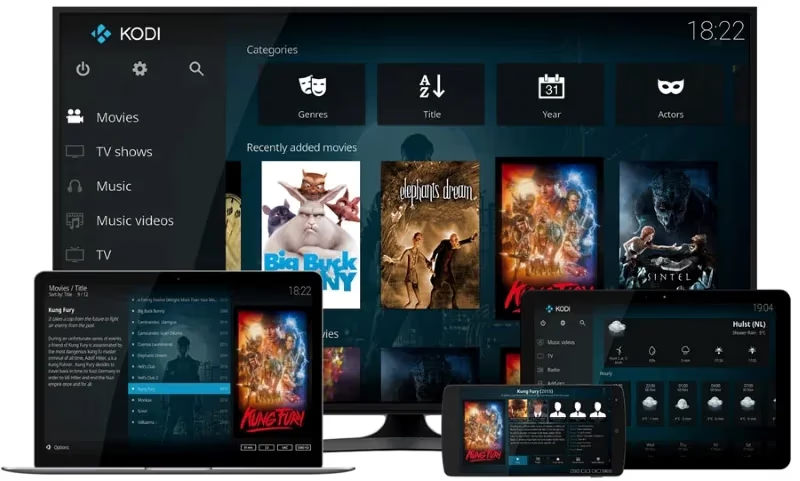
Kodi still works as a media player, but the add-ons that provided pirated movie streams are increasingly unreliable. The Kodi foundation itself doesn’t endorse piracy, and most popular add-ons get shut down within weeks of gaining traction.
The bottom line on third-party apps: the legal risks haven’t changed, but the user experience has gotten much worse. Between PVOD rentals, shorter theatrical windows, and affordable subscriptions, legitimate options are faster and more reliable now.
#How Do You Set Up a VPN on Fire TV Stick?
A VPN protects your privacy while streaming and helps you access content libraries from other regions. It’s useful whether you’re using official apps or just want to keep your ISP from tracking your viewing habits.
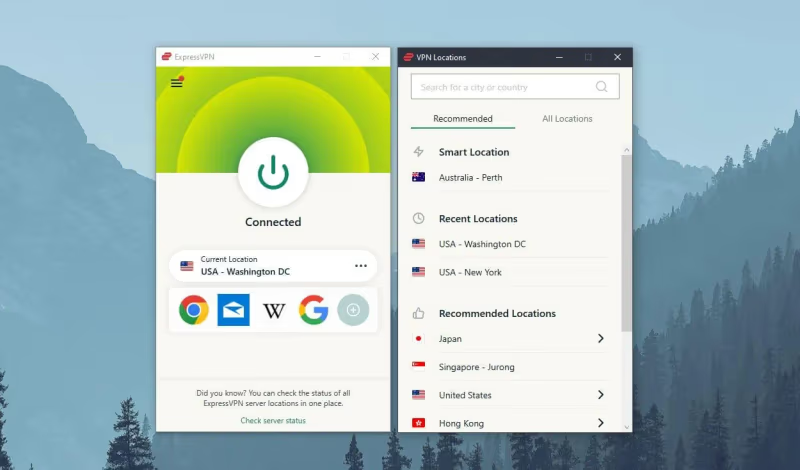
Here’s how to set one up on your Fire TV Stick:
- Subscribe to a VPN provider like ExpressVPN{rel=“nofollow sponsored” target=“_blank”} or NordVPN{rel=“noopener” target=“_blank”}
- Search for the VPN app in the Fire TV Stick app store and install it
- Sign in with your account credentials
- Pick a server location (US servers work best for domestic streaming libraries)
- Connect the VPN and then open your streaming app
The Fire TV Stick has a built-in app store listing for most major VPNs, so you won’t need to sideload anything. Connection speed depends on the server you choose, but modern VPNs rarely cause noticeable buffering on a decent internet connection.
#Which Fire TV Stick Should You Buy for Movies?
Amazon sells three Fire TV Stick models in 2026, and the right one depends on your TV and budget. If you’re deciding between Fire TV Stick and other devices, check out how Fire TV Stick compares to Roku.
| Model | Price | Resolution | Dolby Vision | Dolby Atmos | Wi-Fi |
|---|---|---|---|---|---|
| Fire TV Stick Express 4K | $30 | 4K | Yes | Yes | Wi-Fi 6 |
| Fire TV Stick 4K | $40 | 4K | Yes | Yes | Wi-Fi 6 |
| Fire TV Stick 4K Max | $60 | 4K | Yes | Yes | Wi-Fi 6E |
The Express 4K at $30 handles everything most people need. The standard 4K adds more storage and slightly faster processing. Go with the 4K Max if your router supports Wi-Fi 6E or you run lots of apps. Any of these models also work great to add smart features to a non-smart TV.
#Tips for Better Movie Streaming on Fire TV Stick
A few practical changes can make a real difference in your streaming quality:
- Use an Ethernet adapter instead of Wi-Fi for the most stable connection, especially for 4K content
- Close background apps before starting a movie by going to Settings > Applications > Manage Installed Applications
- Clear app caches monthly to prevent slowdowns and buffering issues
- Turn on Dolby output in Settings > Display & Sounds if your TV or soundbar supports it
- Keep your Fire TV Stick updated by enabling automatic updates in Settings > My Fire TV
You can also watch PPV events on your Fire TV Stick if you’re into boxing or UFC. The same streaming optimization tips apply to live events.
#Frequently Asked Questions
#Is it legal to stream movies still in theaters?
Streaming copyrighted movies without authorization violates copyright law in most countries. PVOD rentals and subscription services like Max, Peacock, and Paramount+ are the legal ways to watch recent releases at home. Third-party apps that provide pirated streams carry legal risk, and enforcement has increased since 2024.
#What’s the cheapest way to watch new movies on Fire TV Stick?
PVOD rentals on Vudu or Prime Video cost $19.99-$29.99 per movie. If you can wait 30-45 days, a Paramount+ or Peacock subscription at $7.99/month gives you unlimited access to that studio’s releases. Free apps like Tubi add theatrical titles several months after release.
#Do I need a Prime subscription to rent movies on Amazon?
No. Amazon Prime Video lets anyone rent or buy individual movies without a Prime membership. You just need an Amazon account and a payment method. Prime members do get a library of included movies, but rentals are open to everyone.
#Can I watch 4K movies on Fire TV Stick?
All three current Fire TV Stick models support 4K UHD playback with Dolby Vision and Dolby Atmos. You’ll need a 4K TV, a compatible streaming app, and an internet speed of at least 25 Mbps for reliable 4K streaming. Prime Video, Max, and Paramount+ all offer 4K content.
#How fast do movies go from theaters to streaming in 2026?
It depends on the studio. Paramount+ gets Paramount films in 30-45 days. Peacock and Max both work on roughly 45-day windows for Universal and Warner Bros. titles respectively. Some movies get PVOD rentals even earlier, sometimes during their theatrical run, though this varies by title.
#What happened to Cinema HD and similar apps?
Cinema HD (Cinema APK) was shut down by its developers. Clones of the app circulating online contain malware and shouldn’t be installed. BeeTV and TeaTV still exist but are plagued by broken links, crashes, and Amazon’s increasingly aggressive blocking of sideloaded piracy apps.
#Are Tubi and Pluto TV really free?
Yes, both are completely free and don’t require a credit card. They make money through advertising, so you’ll see commercial breaks during movies. The content libraries are surprisingly large, though you won’t find current theatrical releases on either platform.
#Is a VPN necessary for streaming on Fire TV Stick?
A VPN isn’t required for legal streaming apps, but it does protect your privacy from your ISP and can help access content libraries from other regions. If you’re concerned about data tracking while streaming, a VPN adds a useful layer of privacy. ExpressVPN and NordVPN both have dedicated Fire TV Stick apps.
#Bottom Line
The days of needing sketchy third-party apps to watch new movies at home are over. PVOD rentals let you watch select titles during their theatrical run for $19.99-$29.99, and subscription services like Peacock, Paramount+, and Max get movies within 30-45 days of release. Free apps like Tubi fill in the gaps for older titles. Pair any Fire TV Stick model with a solid internet connection, and you’ve got a legitimate home theater setup that doesn’t require workarounds or legal gray areas.