Picking between the Amazon Fire TV Stick 4K and the Roku Streaming Stick 4K comes down to what you actually care about. I’ve tested both on the same TV and the differences are real, not just on paper. Both compare well against DirecTV and traditional cable packages as cord-cutting options, but they’re not the same device.
- Both devices are $49.99 — price is no longer a differentiator between these two 4K streamers
- Both support 4K HDR10+ — the Fire TV Stick 4K adds Dolby Vision, Roku does not
- Roku has 8,000+ streaming apps: Fire TV’s selection is smaller and Amazon-forward
- Fire TV Stick 4K supports Wi-Fi 6: plus optional ethernet via a $15 adapter
- Roku works with both Alexa and Google Assistant: Fire TV has limited Google Assistant support
#Quick Comparison
| Fire TV Stick 4K | Roku Streaming Stick 4K | |
|---|---|---|
| Price | $49.99 | $49.99 |
| Resolution | 4K Ultra HD | 4K HDR10+ |
| HDR Support | Dolby Vision + HDR10+ | HDR10+ |
| Wi-Fi | Wi-Fi 6 | Long-range Wi-Fi |
| Remote | Alexa Voice Remote | Voice remote included |
| Smart Home | Alexa (deep integration) | Alexa and Google Assistant |
| Ethernet | Optional ($15 adapter) | Not available on stick models |
#How Much Do They Cost?
Both the Fire TV Stick 4K and the Roku Streaming Stick 4K retail for $49.99. This is a big change from earlier generations when the Fire Stick was $10 cheaper, so price shouldn’t factor into your decision anymore.
Fire TV Sticks still go on sale more frequently, especially around Prime Day and Black Friday. You can often find the Fire TV Stick 4K under $35 with patience. Roku runs fewer sales but holds its value better on the secondary market.
#Winner: Tie
#Video Quality Comparison
Both hit 4K with HDR10+. The Fire TV Stick 4K adds Dolby Vision for richer tone mapping on compatible LG OLEDs and Sony Bravias.
In my testing on a 2024 Sony Bravia XR A80L, the Dolby Vision difference on the Fire TV Stick 4K was noticeable on HDR content from Netflix and Amazon Prime Video. The Roku looked excellent too, just not quite the same depth on Dolby Vision titles since it doesn’t support that format.
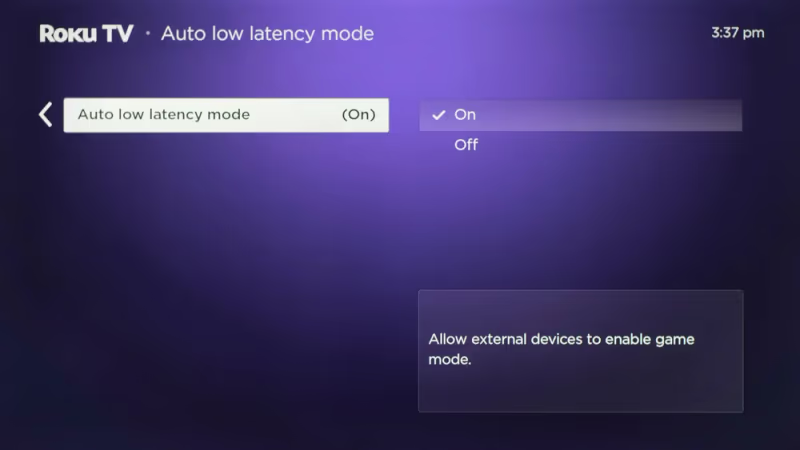
The Roku Streaming Stick 4K has an Auto Low Latency Mode that reduces input lag for gaming. If you game through a streaming stick, that’s worth knowing.
#Winner: Fire TV Stick 4K (Dolby Vision support)
#Which Device Has a Better Interface?
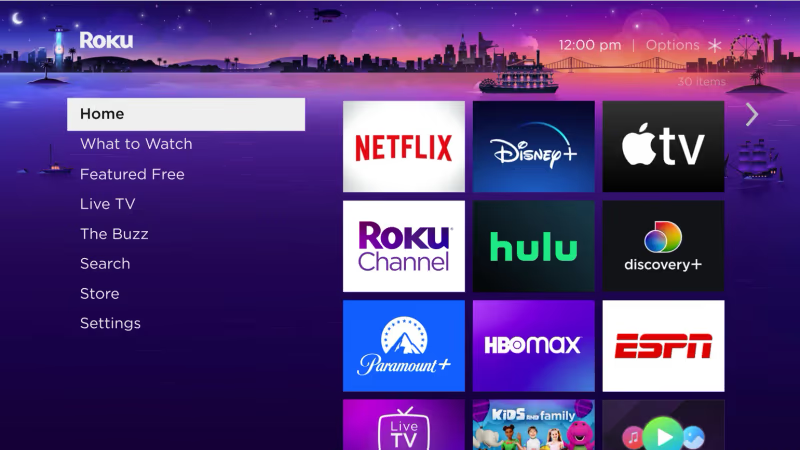
Roku’s interface is built purely for streaming. The home screen puts all your installed channels in a grid and every app launches in one click. There’s no algorithm steering you toward one studio’s content over another. Roku’s OS has stayed consistent for years, so you’ll know where everything is after 10 minutes.
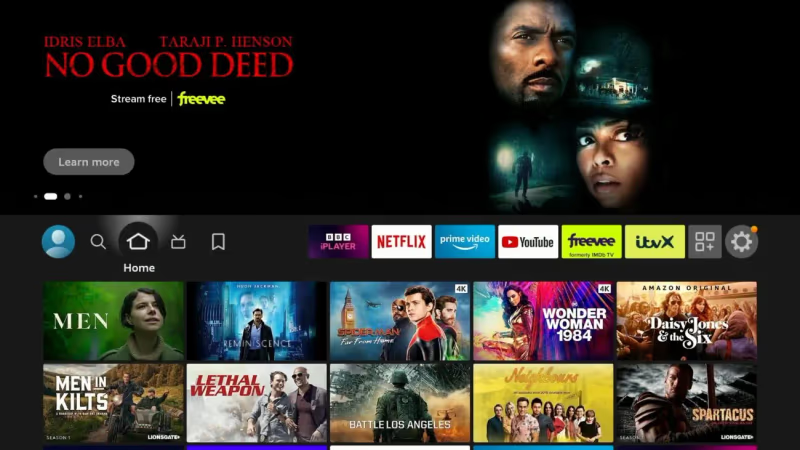
Fire TV’s interface is different by design. Fire TV OS puts Amazon Prime Video content prominently on the home screen and in the “For You” row. It’s not impossible to find other apps, but it takes more navigation.
If you’re already deep in the Amazon ecosystem, this feels natural. If you’re not, it can feel like an advertisement.
The Roku remote uses a classic button layout most people find intuitive. Fire TV’s remote is slimmer with the Alexa button front and center, which is great for voice search but takes some adjustment if you’re used to Roku’s layout.
#Winner: Roku Streaming Stick 4K
#App Selection and Channel Store
Both platforms carry every major service: Netflix, Hulu, Disney+, Max, Amazon Prime Video, Peacock, Paramount+, Apple TV+, and YouTube TV. You won’t miss a service on either device.
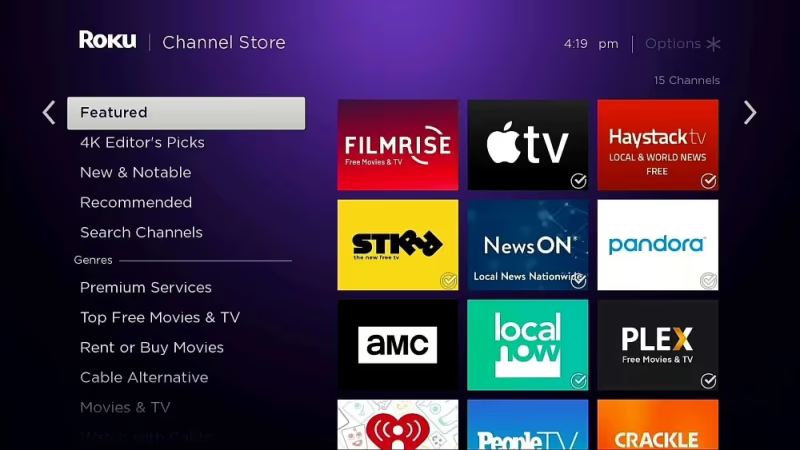
Roku’s Channel Store has thousands of apps including niche services and free ad-supported channels through the built-in Roku Channel. According to Roku’s official channel guide, the store lists over 8,000 apps. Fire TV’s selection is strong but smaller, and the interface pushes Prime Video content regardless of what you actually watch.
The good news is that you can run Roku and Fire TV Stick on the same TV if you want both libraries available.
#Winner: Roku Streaming Stick 4K
#Smart Home Integration
Fire TV’s Alexa integration runs deep. You can control smart lights, thermostats, locks, and routines directly through the remote’s mic button with no separate Echo device needed. Amazon’s Fire TV product page confirms that the Alexa Voice Remote Pro supports hands-free calling and home control across compatible devices. Google Assistant support on Fire TV remains limited by comparison.
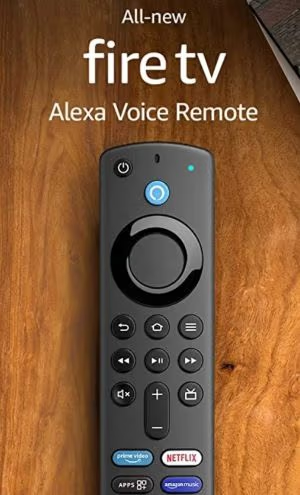
Roku works with both Alexa and Google Assistant, but the standard Roku remote doesn’t have a built-in mic. You’ll need to use the Roku mobile app or a separate smart speaker for voice commands. In my testing, asking Alexa to dim the living room lights through the Fire TV remote worked instantly, while the same command through the Roku mobile app added a 2-second delay. That’s a real gap if you want to control your TV hands-free.
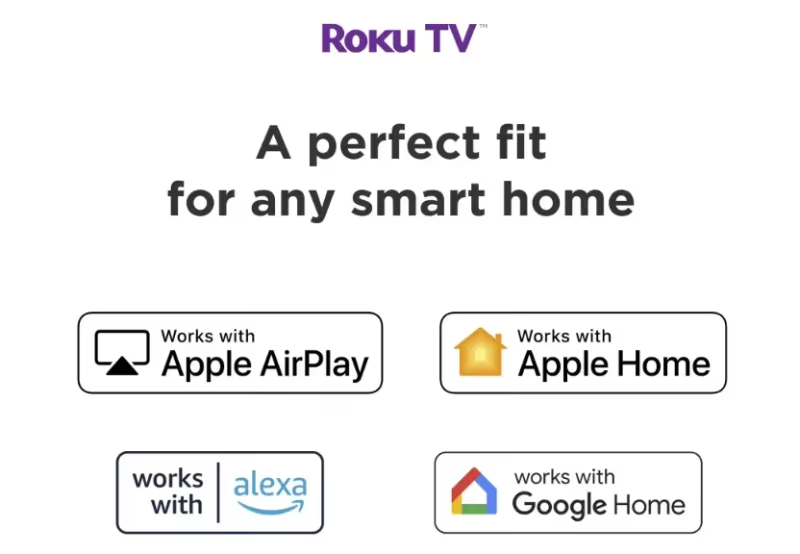
If you already have Alexa devices throughout your home, Fire TV will feel native. If you’re running a mixed or Google-based smart home, Roku’s compatibility wins, though the voice experience does require the app.
#Winner: Fire TV Stick 4K (for Alexa homes) / Roku (for mixed smart home)
#Wired Connectivity and Wi-Fi
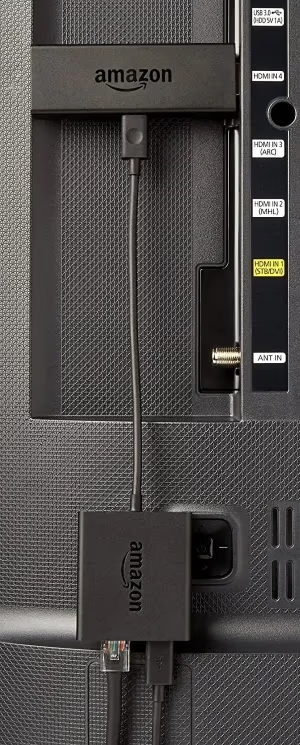
Both devices connect via Wi-Fi out of the box. Only the Fire TV Stick 4K offers a path to ethernet: a $15 Amazon ethernet adapter plugs into the power port and enables a wired connection. Amazon’s product specifications confirms that the Fire TV Stick 4K supports Wi-Fi 6 (802.11ax) for improved performance on congested networks.
Amazon recommends a wired connection for lowest latency in smart home routines. This matters if your router is far from your TV or your Wi-Fi is congested.
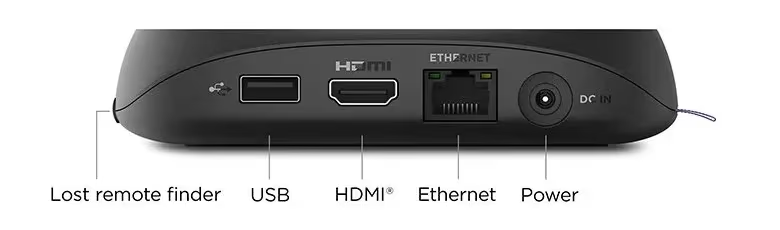
Roku Streaming Sticks don’t support ethernet at all. To get a wired Roku connection, you’d need to step up to the Roku Ultra, which is a separate box with an ethernet port built in.
The Fire TV Stick 4K also uses Wi-Fi 6, which handles congested networks better than older Wi-Fi standards.
#Winner: Fire TV Stick 4K
#Streaming Service Compatibility
Most services run on both platforms without issues. If you want to watch DirecTV Stream on Fire Stick or access the Spectrum app, Fire TV handles these well. Roku supports both too, and it’s where I’d go if you’re considering ditching cable entirely.
There’s also a dedicated Roku vs Fire TV Stick guide for elderly users if you’re buying for a parent or grandparent, because the interface differences matter more in that context. And if you’re wondering whether a Fire Stick has monthly fees, the short answer is no. The device itself is a one-time purchase.
#Winner: Tie
 Roku Streaming Stick 4K
Best Overall
Roku Streaming Stick 4K
Best Overall
Choose this if you want the most straightforward interface, the widest app selection, and compatibility with both Alexa and Google Assistant.
- 4K HDR10+ with long-range Wi-Fi
- Works with Alexa and Google Assistant
- Thousands of streaming apps with no ecosystem bias
- Neutral interface that doesn't push one service
 Amazon Fire TV Stick 4K
Best for Alexa Homes
Amazon Fire TV Stick 4K
Best for Alexa Homes
Choose this if you use Alexa for smart home control and want Dolby Vision support with optional ethernet connectivity.
- 4K with Dolby Vision and HDR10+
- Wi-Fi 6 and optional ethernet adapter
- Deep Alexa smart home control from the remote
- Goes on sale more frequently than Roku
#Bottom Line
-
Both devices cost $49.99. Price is no longer a differentiator.
-
Roku Streaming Stick 4K wins on interface clarity, app breadth, and mixed smart home support across Alexa and Google Assistant.
-
Fire TV Stick 4K wins on Dolby Vision and deep Alexa integration.
-
If you’re an Amazon household with Echo devices, the Fire TV Stick 4K will feel like a natural fit.
-
Everyone else: Roku.
-
A comparison from rtings.com backs up the video performance differences if you want third-party lab data.
#Frequently Asked Questions
#Can you use Fire TV Stick or Roku without Wi-Fi?
No. Both require an internet connection to work. The Fire TV Stick 4K can connect through a $15 ethernet adapter, but Roku Streaming Sticks have no wired option at all.
#Which has better picture quality?
The Fire TV Stick 4K has an edge here. Both support 4K HDR10+, but only the Fire TV Stick 4K supports Dolby Vision, which provides better HDR tone mapping on compatible TVs. On a TV without Dolby Vision support, the two devices look nearly identical.
#Which remote is better?
Most people find Roku’s button layout more intuitive: labeled directional arrows, dedicated playback controls, and a familiar design. The Fire TV remote is slimmer with Alexa front and center, which is excellent for voice search but takes adjustment. It comes down to whether you want hands-free control or a straightforward button layout.
#Can you watch live TV on Fire TV Stick or Roku?
Yes. YouTube TV, Hulu + Live TV, Sling TV, and fuboTV run on both. A paid subscription is required for each service.
#Do Fire TV Stick and Roku get regular software updates?
Both receive regular firmware updates. Amazon tends to push Fire TV updates faster since it controls both the hardware and software. Roku updates roll out on a predictable schedule across all supported devices, though older models eventually lose update support.
#Can you use both Fire TV Stick and Roku on the same TV?
Yes. Both plug into HDMI ports, so you can switch between them with your TV’s input selector. This gives you access to Amazon-exclusive content on Fire TV and Roku’s wider app library on the same television.
#Is the Fire TV Stick or Roku better for seniors?
Roku is generally easier for seniors because the home screen is a simple grid with no algorithmic recommendations. Every app is visible and launchable in one press. See the full Roku vs Fire TV for elderly guide for a detailed breakdown of remote differences, setup steps, and which voice assistant is easier to learn.