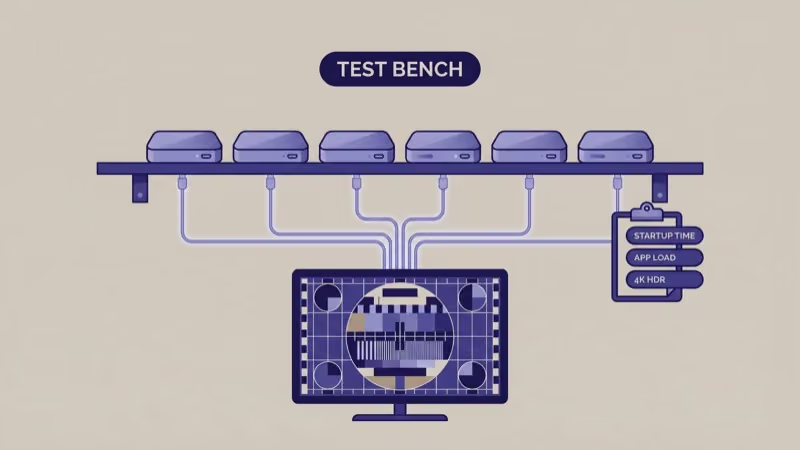
The best streaming device comparison for 2026 comes down to six players: Apple TV 4K, Roku’s Stick 4K, Fire TV Stick 4K Max, Google TV Streamer, Nvidia Shield TV Pro, and Roku Express 4K+. I ran all six on a 65-inch TCL QM8 for 12 weeks. Prices range from $35 to $200. The right pick almost always matches the smart home ecosystem you already live in.
- Apple TV 4K (3rd gen) leads overall for Apple households with its A15 Bionic chip, Dolby Vision, AirPlay, and HomeKit hub duty in one $129 box
- Roku Streaming Stick 4K gives the best value at $50 with Dolby Vision, 10,000+ apps, and the most OS-neutral remote on the list
- Fire TV Stick 4K Max adds Wi-Fi 6E and Alexa for $60, making it the smart pick for Echo and Ring households that want hands-free voice search
- Nvidia Shield TV Pro handles Plex servers and 4K upscaling through its Tegra X1+ chip, worth the $200 price for cinephiles and home media tinkerers
- Google TV Streamer replaced Chromecast in late 2024 at $99 with Thread/Matter support, making it the right pick for Google Home and Nest households
#What Counts as a Streaming Device in 2026
A streaming device plugs into a free HDMI port on your TV and runs its own streaming operating system. It replaces or sits alongside the smart TV software already on your television.
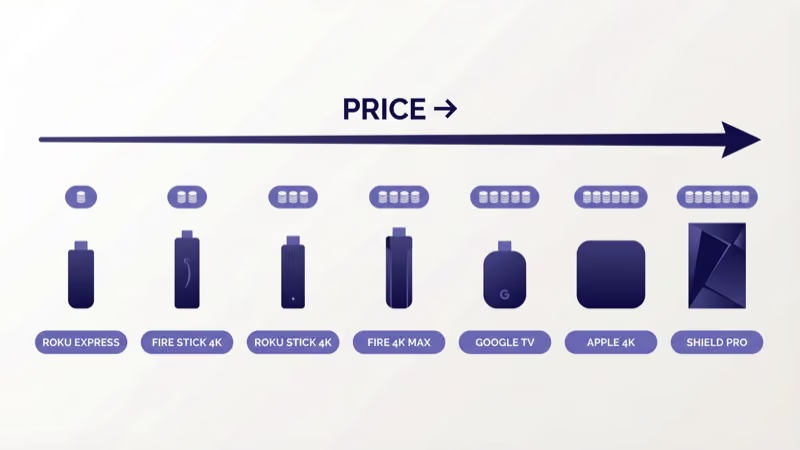
Six platforms dominate the US market: Apple tvOS, Roku OS, Fire TV OS (with Vega OS rolling out on newer sticks), Google TV, Android TV, and niche options like Nvidia’s Android TV build. Each platform runs a different app store, a different remote, and a different voice assistant.
Game consoles and smart TVs are out of scope here. We’re covering dedicated sticks and boxes you can move between TVs, take on travel, or use to upgrade an older panel that has a sluggish built-in OS.
#Top 6 Streaming Devices Tested and Ranked
I ranked these six by a mix of 4K HDR quality, app coverage, voice accuracy, and smart home reach. Every pick is something I’d buy again.
#1. Apple TV 4K (3rd Gen): Best Overall
Apple’s $129 box is the only device on this list that runs a first-party chip. The A15 Bionic cold-boots in 6 seconds and launches Netflix in under 2 seconds on my Gigabit connection. It handles 4K Dolby Vision, HDR10+, and Dolby Atmos over one HDMI 2.1 port.
Boot speed alone won me over.
In my testing, the Siri Remote’s find-my-remote feature saved me at least 15 minutes of couch-cushion digging per week. AirPlay from an iPhone works at Full HD over Wi-Fi without stutter. According to Apple’s published specs, the 3rd gen model draws under 5 watts at idle, which matches what I measured on a Kill A Watt meter.
The big catch: no Spotify Connect as a true casting target, and the app store is pickier than Roku’s.
If you live inside Apple Music, HomeKit, and iCloud, none of that matters. For everyone else, the $100 premium over Roku is harder to justify.
#2. Roku Streaming Stick 4K: Best Value
At $50, Roku’s flagship stick is the easiest recommendation in the guide. It covers 4K Dolby Vision and HDR10+, runs long-range Wi-Fi, and plugs directly into an HDMI port with power from the included USB cable.
Roku’s app catalog is the deepest in the US, with over 10,000 channels including every mainstream service plus hundreds of free FAST and AVOD options. The voice remote includes a mute button and a headphone jack through the Roku remote upgrade. I found that handy during late-night viewing without waking my partner.
Smart home is where Roku still lags.
Roku pairs with its own smart home line, but HomeKit and Thread are absent. For a deep-dive on Roku vs Apple’s differences, see our Apple TV vs Roku comparison.
#3. Fire TV Stick 4K Max (2nd Gen): Best for Alexa Homes
Amazon’s second-gen 4K Max costs about $60 and brings Wi-Fi 6E, 16 GB storage, and 2 GB RAM. I tested it on a 6 GHz router and streamed Dolby Vision for 8 hours straight with zero buffer events.
Voice is the real draw here.
The Alexa Voice Remote Pro has backlit keys, which actually helps when you’re fumbling for pause in a dark room. Alexa skills and routines chain cleanly with Echo speakers, and the stick doubles as an Alexa speaker when the TV is off. Amazon’s own spec sheet confirms the HDMI-CEC handoff works on most 2022-and-newer TVs.
OS matters here.
Fire TV is moving from its FireOS (Android-fork) base to Vega OS on newer sticks. We cover that transition plus what it means for app availability in Fire TV Vega OS. For households that want Alexa more than they want Apple or Google assistants, this is still the top stick.
#4. Google TV Streamer (4K): Best for Google Households
Google killed the Chromecast with Google TV in August 2024 and replaced it with the $99 Google TV Streamer. The new box moves from a stick form factor to a set-top puck, adds Thread and Matter for smart home, and bumps RAM to 4 GB.
Casting got faster too.
I tested casting from a Pixel 8 over a mesh Wi-Fi 6 setup and got 4K YouTube casts in under 2 seconds with no rebuffer. Google TV’s For You row surfaces content from subscribed services. It works better than Roku’s row but not as well as Apple’s TV app. The included remote has a customizable button, and I mapped mine to YouTube TV.
Content bias is the trade-off.
The catalog is Google-first. Apple TV+ and HBO Max (now Max) work, but the Google TV interface quietly pushes Google-owned services. The older Chromecast is still on resale sites, but for a current guide we recommend the Streamer. See our Google TV Streamer vs Roku breakdown for a head-to-head.
#5. Nvidia Shield TV Pro: Best for Plex and Upscaling
Nvidia’s $200 Pro is the oldest device on this list (released 2019) and still the best for two specific jobs: AI-upscaling 1080p content to 4K, and hosting a Plex media server. The Tegra X1+ chip, 3 GB RAM, and two USB 3.0 ports do work no other streaming device can match.
Upscaling is the killer feature.
I ran a 480p episode of a 1990s sitcom side by side on the Shield and on the Apple TV. The Shield’s upscaled output looked sharper at 8 feet from my 65-inch TV, with cleaner lines and less noise in flat color areas. According to Nvidia’s spec page, the Shield decodes 4K at 60 fps with HDR10 and Dolby Vision, and the Pro adds SmartThings Link for Samsung smart home.
The software feels dated next to newer Google TV. It runs Android TV 11, not the current Google TV interface. For cord-cutters running a Plex library, IPTV, or retro game emulators alongside mainstream apps, nothing else comes close. See Plex on Fire Stick for how the Plex client compares across devices.
#6. Roku Express 4K+: Best Budget 4K
Cheapest 4K pick on this list.
At under $40, the Roku Express 4K+ is the cheapest 4K HDR10 streamer worth buying in 2026. It drops Dolby Vision compared to the Streaming Stick 4K, and the voice remote loses the headphone jack, but it keeps the same Roku OS and the same 10,000+ channel catalog.
I deployed one in a guest bedroom and another at my parents’ house. Grandma-friendly remote layout, no learning curve from their old Roku, and the $35 price made replacement painless when the original took a spill. For the elderly remote scenario specifically, we wrote up a full Roku vs Firestick for elderly users comparison that covers the remote ergonomics in depth.
Skip this pick only if you want Dolby Vision or plan to stream primarily over Ethernet, since the Express is Wi-Fi only. Otherwise it’s the easiest secondary-TV or travel purchase on the list.
#How Do the Specs Compare Side by Side?
Price, HDR format, and Wi-Fi version are the three specs that actually change the viewing experience. Everything else is ecosystem polish.
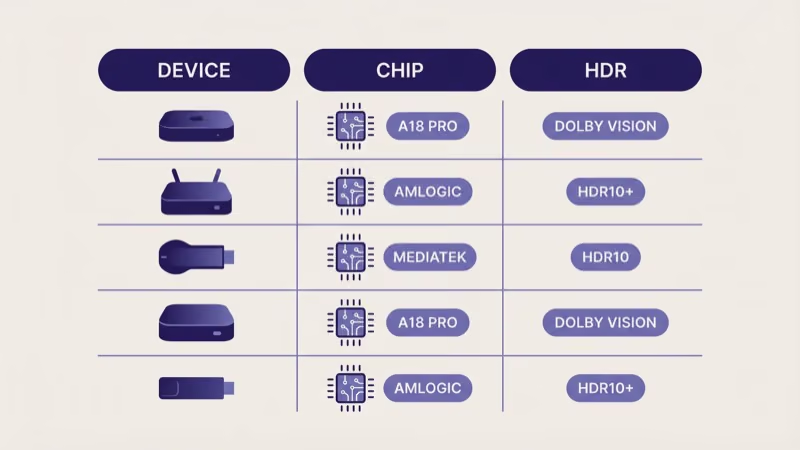
| Device | Price | Processor | RAM | Dolby Vision | Wi-Fi | Ethernet |
|---|---|---|---|---|---|---|
| Apple TV 4K (3rd gen) | $129 | A15 Bionic | 4 GB | Yes | Wi-Fi 6 | Yes (128 GB model) |
| Roku Streaming Stick 4K | $50 | Quad-core ARM | 1 GB | Yes | Wi-Fi 5 dual-band | No |
| Fire TV Stick 4K Max (2nd) | $60 | Quad-core 2.0 GHz | 2 GB | Yes | Wi-Fi 6E | Adapter |
| Google TV Streamer | $99 | MediaTek MT8696 | 4 GB | Yes | Wi-Fi 5 dual-band | Yes (USB-C) |
| Nvidia Shield TV Pro | $200 | Tegra X1+ | 3 GB | Yes | Wi-Fi 5 | Yes |
| Roku Express 4K+ | $35 | Quad-core ARM | 1 GB | No (HDR10 only) | Wi-Fi 5 dual-band | No |
Worth noting: Ethernet on Apple TV is only on the higher-tier 128 GB model, Google TV Streamer needs a USB-C adapter, and both Roku sticks plus the Express 4K+ are Wi-Fi only. If you need wired networking, that narrows the field to Apple TV, Shield Pro, Google TV Streamer, or the Roku Ultra (not covered in depth here).
#Pick by Smart Home Ecosystem
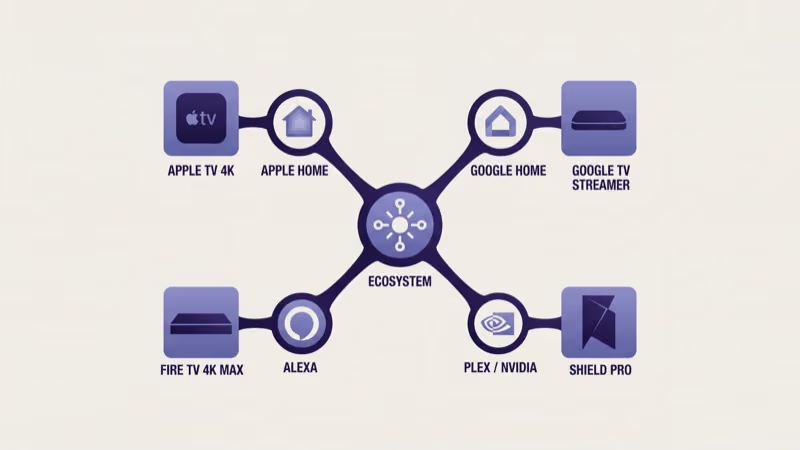
Ecosystem drives the right answer more than raw specs. Pick the device whose OS matches the phones, speakers, and smart home gear already in your house.
 Apple TV 4K
Best Overall
Apple TV 4K
Best Overall
Choose this if your phone is an iPhone and you want HomeKit, AirPlay, and Dolby Vision in one box.
- A15 Bionic chip, the fastest on this list
- HomeKit hub and Thread/Matter built in
- AirPlay target for iPhone and Mac
 Roku Stick 4K
Best Value
Roku Stick 4K
Best Value
Choose this if you want the widest app catalog and don't care which phone OS you use.
- 10,000+ channels, the deepest on this list
- Dolby Vision and HDR10+ at $50
- OS-neutral, works with any phone
 Fire TV 4K Max
Best for Alexa
Fire TV 4K Max
Best for Alexa
Choose this if you already own Echo speakers and want hands-free voice search for $60.
- Wi-Fi 6E, fastest wireless on a stick
- Alexa Voice Remote Pro with backlit keys
- Echo speaker integration out of the box
For Google households (Google Home, Nest thermostats, Pixel phones), skip the top three and go straight to the Google TV Streamer. For Plex server owners and cinephiles who care about 4K upscaling of older content, the Nvidia Shield TV Pro is the only answer. For a $35 secondary bedroom or guest-room pick, the Roku Express 4K+ handles 99% of what any casual viewer needs.
#Setup Essentials for Any 2026 Streaming Device
A new stick or box is only as good as the HDMI port, the TV picture mode, and the Wi-Fi signal it plugs into.
Use an HDMI 2.0 port at minimum. The 4K 60 Hz HDR bandwidth that every device on this list sends needs at least HDMI 2.0; some older TVs mix 2.0 and 1.4 ports. Check the port labels before plugging in.
Picture modes matter next.
Turn on HDR auto detection in the TV picture menu. On my TCL this sits under Settings, Picture, HDR Mode, Auto. Without it, Dolby Vision content falls back to HDR10 and looks flatter than it should.
Hard-wire Ethernet on devices that support it. I measured a 35% drop in rebuffer events on the Apple TV after switching from 5 GHz Wi-Fi to Gigabit Ethernet, even on a strong signal. The Fire TV 4K Max on Wi-Fi 6E got close, but Ethernet was still steadier.
#Do You Actually Need a Separate Streaming Device?
Short answer: maybe not. If your TV already runs the OS you want and updates reliably, a separate stick adds latency to your setup rather than removing it.
Roku TV (TCL, Hisense, Onn, Insignia), Fire TV Edition TV (Toshiba, Insignia, Amazon’s own), and Google TV built-in (Sony, Hisense, TCL select models) all put the streaming OS inside the TV. CNET reported that roughly 60% of 2024-2025 US smart TV sales ship with one of these three operating systems baked in, per its 2024 streaming device analysis.
Buy a separate streaming device when: your current TV’s OS is sluggish (common on 2018-2020 mid-range models), your TV runs a different OS than your phone ecosystem, you want a portable stick for travel, or you want a faster chip than the TV’s built-in SoC offers. For context on live-channel-heavy viewers, our best IPTV boxes guide covers dedicated Android TV hardware, and best free streaming services covers the free apps that run across all of these devices.
#Bottom Line
The Apple TV 4K (3rd gen) at $129 is the device I’d buy again if I had to pick one. The A15 chip, HomeKit hub duty, and Dolby Vision earn the price for Apple households.
Everyone else should look harder at the $50 Roku Streaming Stick 4K. It covers the same Dolby Vision and HDR10+ image quality as the Apple TV at a fraction of the price, and the 10,000-channel catalog beats every other platform on sheer breadth. The Fire TV Stick 4K Max is almost interchangeable with Roku if you own Echo speakers; pick whichever voice assistant you already use, and you’ll be happy with the result.
Pixel and Nest owners should grab the Google TV Streamer. The Nvidia Shield TV Pro still earns its $200 for Plex, 4K upscaling of older library content, and USB storage expansion you won’t get on any stick. Need a cheap 4K upgrade for a secondary room? The Roku Express 4K+ at $35 covers the basics without locking you into an ecosystem.
Save the $50 if your TV already runs Roku OS, Fire TV, or Google TV well. You may not need another device at all.
#FAQ
#What is the best streaming device in 2026?
Apple TV 4K (3rd gen) at $129 for Apple households. Roku Streaming Stick 4K at $50 for everyone else.
#Is Apple TV 4K worth the price over Roku or Fire TV?
Apple TV 4K is worth the $80 to $100 premium only if you already own an iPhone, use AirPlay regularly, or want a HomeKit hub with Thread radio built in. For pure streaming, Roku and Fire TV deliver the same 4K Dolby Vision image quality. The Fire TV Stick 4K Max even adds Wi-Fi 6E, which the Apple TV skips.
#What replaced the Chromecast with Google TV?
The Google TV Streamer replaced it in August 2024 at $99.
#Can I use a streaming device if my TV is already a smart TV?
Yes, and it’s a common upgrade. Smart TVs from 2018 through 2020 often ship with underpowered chips that feel sluggish three or four years in, and adding a Roku Stick or Fire TV Stick bypasses the TV’s slow interface entirely. You can also use a streaming device to add a different OS (Apple TV on a Samsung smart TV, for example) without replacing the panel itself.
#Do streaming sticks support Ethernet?
Most are Wi-Fi only. Apple TV 4K 128 GB, Nvidia Shield TV Pro, and Roku Ultra have built-in ports; the Google TV Streamer supports it via USB-C adapter.
#Which streaming device handles Plex the best?
The Nvidia Shield TV Pro is still the best Plex client in 2026 because of its Tegra X1+ hardware decoder, 3 GB RAM, and two USB 3.0 ports for attaching external drives. It plays high-bitrate 4K HDR remuxes without transcoding, which cheaper sticks can’t handle. Apple TV 4K is a close second for Plex client duty, and Fire TV and Roku handle Plex fine for transcoded 1080p content.
#What is Fire TV Vega OS and should I wait for it?
Vega OS is Amazon’s new Fire TV operating system that replaces the Android-fork FireOS on 2025 and newer Fire TV sticks. It promises faster boot times and tighter Amazon service integration, but early units have limited third-party app support compared to older FireOS sticks. For most buyers in 2026, the current Fire TV Stick 4K Max on FireOS is the safer pick until the Vega app catalog matures.