Kodi’s open-source flexibility made it the go-to media center for years. But the setup process turns off casual users, and the crackdown on piracy add-ons has gutted much of its third-party ecosystem. I’ve spent the past 18 months testing every major Kodi alternative across Fire TV Stick 4K, Apple TV 4K, Roku Ultra, and a Raspberry Pi 5 to find what actually works in 2026.
- Plex is the most polished media server alternative with a free core app and optional Plex Pass starting at $6.99/month or $249.99 lifetime
- Jellyfin gives you every premium feature for free including DVR, hardware transcoding, and unlimited remote users at zero cost
- Stremio mirrors Kodi’s add-on model with one-click catalog installs and automatic cross-device syncing of libraries and preferences
- Emby splits the difference between Plex and Jellyfin with strong live TV integration and a Premiere license at $119 lifetime for up to 25 devices
- Infuse 7 is the best option for Apple households supporting Dolby Vision, Atmos, and lossless audio natively on iPhone, iPad, Mac, and Apple TV
#Why Are Users Switching Away From Kodi?
Kodi itself is legal and still actively maintained. The problem is what surrounds it.
Third-party add-ons like Exodus, The Oath, and Venom have been shut down or abandoned over the past two years. Active replacements like The Promise and Umbrella exist, but they attract legal scrutiny and often break without warning. For users who relied on those add-ons, the experience has become unreliable.
Kodi requires real effort to configure. You need to install a separate build, add repositories, troubleshoot broken sources, and manage updates manually. That’s fine for hobbyists. Most people just want to press play.
According to the Kodi Foundation’s own wiki, the official add-on repository now has fewer than 900 maintained entries. The alternatives below focus on legal content sources, polished interfaces, and minimal setup time, and several of them match or exceed Kodi’s core media playback capabilities without the configuration overhead that comes with running a custom Kodi build.
#1. Plex
Plex turns any computer, NAS, or even an NVIDIA Shield into a media server that streams your personal library to every device you own. I’ve run a Plex server on a 2020 Mac Mini for three years, and it handles 4K HDR transcoding to four simultaneous streams without dropping frames.
Setup takes about 10 minutes. Install the server software, point it at your media folders, and Plex automatically fetches metadata, artwork, and subtitle files. Based on Plex’s official device compatibility page, the app runs on over 50 platforms including Fire TV, Roku, Apple TV, iOS, Android, Samsung Tizen, and LG webOS.
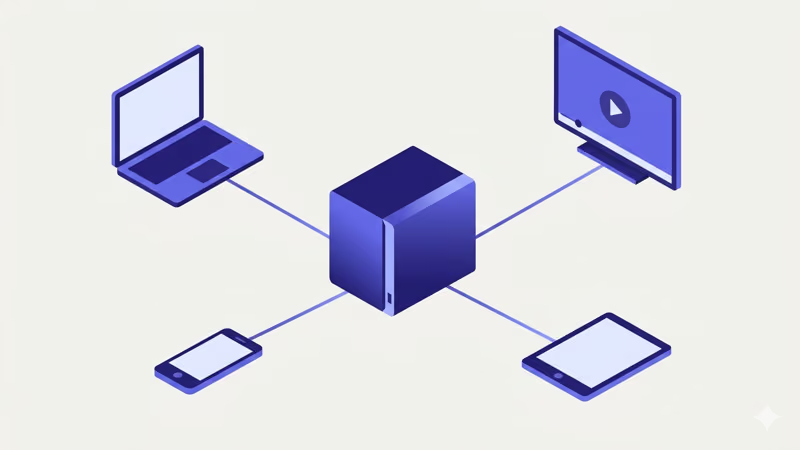
Plex also has a free ad-supported streaming library. Not Netflix-level content, but decent catalog titles. You can browse live TV channels without paying anything.
Key Plex features worth noting:
- Offline downloads for mobile viewing without internet
- Multi-user accounts with individual watch history and restrictions
- Over-the-air DVR with an antenna and HDHomeRun tuner
- Alexa and Google Assistant voice control
- Skip intro and credits detection on TV shows
I wrote a full Plex review and a Plex vs. Jellyfin breakdown.
#How Much Does Plex Cost?
The core Plex Media Server and all client apps are free. Plex Pass unlocks premium features at three price points (as of early 2026, check plex.tv for current pricing):
- $6.99/month
- $69.99/year
- $249.99 lifetime
Paying members get offline mobile sync, hardware-accelerated transcoding, skip intro, and lyrics. The free tier handles basic media serving well.
#2. Jellyfin
Jellyfin is a fully open-source media server forked from Emby. Every feature is free. There’s no premium tier, no locked functionality, no ads. I ran Jellyfin alongside Plex on the same Mac Mini for six months to compare them directly.
The interface looks similar to Plex and Emby but is noticeably less polished. Buttons occasionally lag on lower-powered devices. Development is community-driven, so updates arrive on the contributors’ schedule.
That said, Jellyfin handles the core job well:
- Plays virtually every audio and video format without transcoding issues
- Client apps for Fire TV, Android, iOS, Roku, and web browsers
- Live TV and DVR from network tuners like HDHomeRun
- Hardware transcoding with Intel Quick Sync, NVIDIA NVENC, or VAAPI
- Trakt plugin for syncing watch history across platforms
- Unlimited remote users with granular permission controls
According to Jellyfin’s GitHub repository, the project receives active contributions from over 600 developers worldwide, and the pace of feature development has accelerated noticeably since late 2025. If you pair it with Sonarr and Radarr for automated library management, you get a powerful cord-cutting stack at zero cost.
I covered the full comparison in Kodi vs. Jellyfin, and if you want more options in the same category, check out the Jellyfin alternatives roundup.
#3. Stremio
Stremio is the closest thing to Kodi’s add-on experience wrapped in a modern interface. Instead of hunting for repositories and manually installing add-ons, Stremio has a built-in catalog where you browse and install with one click. Your add-ons and watch history sync automatically across every device tied to your account.
I tested Stremio on a Fire TV Stick 4K Max and a Windows desktop over three months. The UI is fast. Stremio surfaces trending movies and shows, tracks episode releases for saved series on a calendar view, and lets you build playlists with granular sorting.
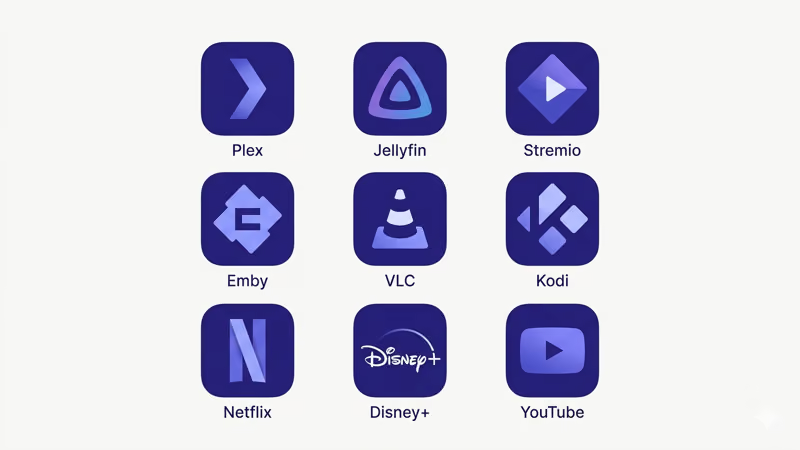
Notable Stremio capabilities:
- Official content aggregation from YouTube, Twitch, and other legal sources
- Third-party community add-ons (Torrentio, CinemaFeed, and others)
- Chromecast and DLNA casting to TVs
- Parental controls and age restrictions
- External player support for VLC and MX Player
Stremio’s official FAQ confirms that the app does not download content for offline viewing and does not consolidate Netflix or Prime Video libraries into one unified app. It aggregates catalog listings via add-ons, but actual playback depends entirely on the source each add-on connects to.
For a feature-by-feature breakdown, see the Kodi vs. Stremio comparison. If you’re exploring similar platforms, the Stremio alternatives guide covers additional options.
#Is Stremio Legal to Use?
The Stremio app itself is 100% legal. Some community add-ons access copyrighted streams without licensing. Stick with official add-ons to stay within legal boundaries.
#4. Emby
Emby uses the same client-server model as Plex and Jellyfin. Install the server software on your computer or NAS, then stream your collection to client apps on smart TVs, phones, tablets, and streaming devices.
Emby’s interface sits between Plex’s polish and Jellyfin’s open-source simplicity. Library organization is solid. Metadata fetching works reliably. The playback engine handles large MKV files and high-bitrate content without issues on every device I tested.
Where Emby pulls ahead is live TV. The DVR integration with HDHomeRun and other network tuners is more configurable than what Plex offers, with granular recording rules, better guide data options, and a TV-focused interface that feels purposeful rather than bolted on as an afterthought.
Other Emby highlights:
- Apps for every major platform including webOS, Tizen, and Roku
- Plugin system for extending functionality (Trakt, LDAP, Webhooks)
- Granular family access controls with per-user library restrictions
- Alexa voice commands for hands-free browsing
For a direct comparison, the Emby vs. Plex analysis breaks down where each platform excels.
#Emby Pricing
Emby’s server and client apps are free for basic use. Emby Premiere unlocks offline sync, cloud backup, DVR, and other premium features:
- $4.99/month
- $54/year
- $119 lifetime (up to 25 devices)
#How Does Infuse 7 Compare for Apple Users?
Infuse 7 doesn’t try to be a media server. It’s a premium playback app built for the Apple ecosystem. If your household runs iPhones, iPads, Macs, and Apple TV, Infuse delivers the best viewing experience I’ve tested on those devices.
The app connects to existing media sources: a Mac with shared folders, a NAS drive, Plex servers, Emby servers, or cloud storage. It doesn’t host anything. What it does exceptionally well is play files, handling Dolby Vision, 4K HDR10+, lossless DTS-HD and TrueHD audio, and nearly every container format without transcoding.
iCloud Sync keeps your watch position, favorites, and settings consistent across all Apple devices. The library view pulls metadata from TheMovieDB and TheTVDB automatically.
Other useful Infuse features:
- Trakt scrobbling for cross-platform watch history
- Up Next queue that syncs via iCloud
- AirPlay support for sending content to external displays
- IMDb and Rotten Tomatoes ratings displayed inline
Infuse Free covers the basics. Infuse Pro ($2.99/month or $74.99 lifetime, as of early 2026) adds HD audio codecs, cloud sync, Trakt, and AirPlay. I wrote a detailed comparison in Plex vs. Infuse.
#6. MediaPortal
MediaPortal is an open-source media center built for Windows home theater PCs. It transforms a desktop or mini PC into a dedicated entertainment hub with a 10-foot interface designed for living room TVs and full remote control navigation.
MediaPortal scans local media and organizes it with artwork and metadata. Plugins extend the core.
Two versions exist. MediaPortal 1 (MP1) has a larger plugin library and stable community support. MediaPortal 2 (MP2) is the newer rewrite with a modernized UI but fewer plugins. Both are completely free.
MediaPortal requires a Windows PC. It’s the pick for users who want a dedicated HTPC setup.
#7. OSMC
OSMC (Open Source Media Center) is a Linux distribution built specifically for Raspberry Pi hardware. It bundles Kodi with a custom Debian-based OS optimized for low-power boards.
I run OSMC on a Raspberry Pi 5 (4GB model, $85) connected to my bedroom TV. The auto-update system keeps both the OS and Kodi current without reflashing the SD card. With hardware acceleration enabled, it handles 4K HEVC playback at 60fps without stuttering. The full Kodi add-on library works natively since OSMC is essentially Kodi running on a stripped-down, performance-tuned Debian installation designed specifically for single-board computers.
OSMC supports Pi models from the Pi Zero W through the Pi 5. It also powers the Vero V set-top box.
For anyone with a spare Raspberry Pi, OSMC is the cheapest way to get a capable Kodi-based streaming box. A complete Pi 5 setup with a case and power supply runs around $110 total.
#What About Social Watching Alternatives?
Not every Kodi alternative is a media server. If your main goal is watching content with friends remotely, two platforms stand out.

Kast lets up to 20 people join a video chat room while watching synced content together. The host shares their screen or browser, and everyone sees the same feed. Kast’s free tier covers basic rooms, while paid plans ($4.99-$9.99/month) unlock extended co-streaming hours and room sizes up to 100 viewers.
TogetherTube takes a different approach: paste a YouTube or Vimeo link, invite friends with a URL, and watch in sync with text chat. Free, browser-based, no installs required.
Neither replaces Kodi for personal media management. They solve the “watch party” problem that Kodi never addressed.
#Bottom Line
Kodi still works for power users willing to maintain add-ons and custom builds. For everyone else, these alternatives deliver better experiences with less friction.
My recommendations based on use case:
- Personal media server for any device: Plex (easiest setup) or Jellyfin (completely free)
- Kodi-style add-on browsing: Stremio
- Live TV and DVR focus: Emby
- Apple-only household: Infuse 7
- Raspberry Pi project: OSMC
- Watching with friends remotely: Kast or TogetherTube
If you’re running Kodi on a Fire TV Stick and hitting playback errors, buffering loops, or add-on failures, the Kodi not working on Fire TV Stick troubleshooting guide walks through the most common fixes including cache clearing, dependency resets, and build reinstallation. For anyone still weighing whether Kodi is worth the effort in 2026, the Kodi reviews page has my latest full assessment covering version 21 Omega on multiple devices.
#Frequently Asked Questions
#What is the best alternative to Kodi for streaming personal media?
Plex is the strongest all-around choice for most households. It handles media organization, transcoding, and multi-device streaming with minimal configuration required on your part. Jellyfin does everything Plex does without any cost, though the interface is rougher and you’ll need more time on initial setup and ongoing maintenance.
#Is Jellyfin really completely free?
Yes. Every feature ships free, no exceptions.
#Can Stremio replace Kodi for add-on based streaming?
Stremio is the closest match to Kodi’s add-on model. Its built-in catalog system is much easier to use than Kodi’s repository approach, and add-ons install with a single click rather than the multi-step repository process Kodi requires. The main tradeoff: fewer total add-ons and no offline playback support whatsoever.
#Does Kodi still work in 2026?
Kodi functions well for local media playback. Version 21 (Omega) added native webOS support and improved HDR handling. The third-party add-on scene has shrunk, but official add-ons for YouTube, Twitch, and podcast services remain active and stable.
#Which Kodi alternative works best on Fire TV devices?
Plex and Jellyfin both have native Fire TV apps in the Amazon Appstore. Stremio is also available for Fire TV. For maximum flexibility, sideload Kodi alongside one of these alternatives so you have access to both ecosystems. I covered installation details in the Kodi on Roku TV and Stremio on Fire TV Stick guides.
#Is Plex better than Kodi for beginners?
Significantly. Install the server, point it at media folders, done. Kodi demands manual add-on installation, skin configuration, source management, and periodic troubleshooting when repositories break or add-ons stop working after updates.
#What is the safest Kodi alternative for avoiding legal issues?
Plex, Jellyfin, and Emby only play your personal media files by default. None of them connect to third-party streaming sources unless you specifically configure that. Stremio’s official add-ons are legal, but some community add-ons access unlicensed content, so exercise caution with unofficial catalog entries.