Stremio alternatives become necessary once you hit the app’s limits on local media, device support, or addon stability. Stremio aggregates streaming catalogs through community addons, but it can’t manage your own video library, doesn’t support offline downloads, and still lacks native apps for Roku, Samsung Tizen, and LG webOS. I’ve tested six replacements across Fire TV Stick 4K, LG C3, Android TV, and desktop over the past two years.
- Kodi v22 “Piers” runs on 15+ platforms including a native LG webOS build since v21, making it the most versatile Stremio replacement
- Jellyfin is 100% free with zero paid tiers, offering hardware-accelerated transcoding and apps for Android TV, Xbox, iOS, and desktop
- Plex Pass increased to $6.99/month in April 2025, but the free tier still handles local playback, ad-supported movies, and cross-device sync
- Emby Premiere costs $4.99/month or $119 lifetime and includes live TV, DVR recording, and granular parental controls per user profile
- Stremio v5 added macOS support and Usenet streaming in late 2025, but still can’t organize local media libraries or download content offline
#Why Look for a Stremio Alternative?
Stremio keeps improving. The v5 update delivered a native macOS app, Usenet streaming, and a refreshed web player. Significant gaps remain.
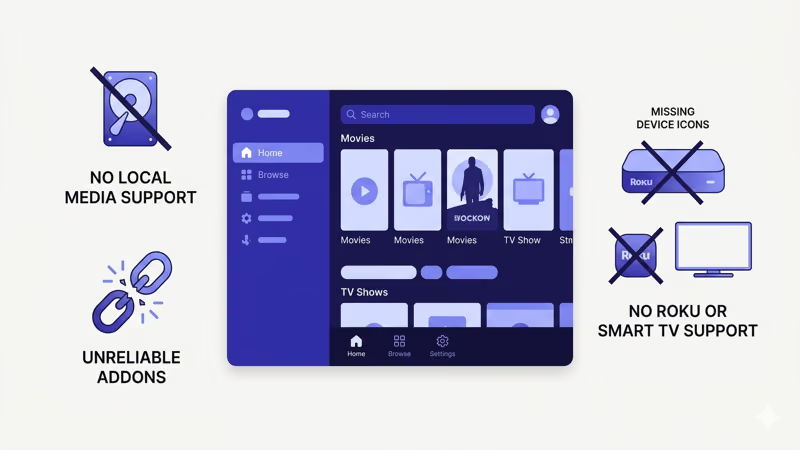
The biggest limitation is the lack of media server capability. You can’t point Stremio at a hard drive full of movies and have it organize, transcode, and stream that content to every screen in your house. Kodi, Plex, Jellyfin, and Emby all handle this natively. According to a Stremio community poll in late 2025, local media management was the most-requested feature that still hasn’t shipped.
Device coverage is uneven. No Roku app exists, no LG webOS or Samsung Tizen build, and the iOS version is just a web wrapper.
The Android TV build is solid. I used it daily on my Fire TV Stick 4K for six months without any crashes or buffering problems, but the gap between that experience and the iOS web wrapper tells you where Stremio’s priorities are.
Addon reliability is hit-or-miss. The system is entirely community-driven, so addons break after updates, disappear without warning, or stop pulling sources entirely. Kodi’s addon ecosystem follows the same volunteer model but at much larger scale, with more active maintainers keeping popular repositories functional week to week.
#Top 6 Stremio Alternatives Ranked
I ranked these by overall value for cord-cutters after testing each one back-to-back across multiple devices. Each rating reflects real-world performance, not marketing specs.
#1. Kodi
Kodi is the closest direct Stremio replacement. The current stable release is Kodi 22 “Piers.” For a detailed comparison, read my Kodi vs Stremio guide.
Price: Free, open source.
Platforms: Windows, macOS, Linux, Android, Android TV, iOS, tvOS, Fire TV, Raspberry Pi 5, Xbox, and LG webOS (v21+). The webOS build changed things for LG owners who previously had no native option.
Strengths over Stremio: Kodi’s addon ecosystem dwarfs Stremio’s. Active addons like The Crew, Seren, The Promise (Oath fork), and Umbrella (Venom fork) pull from a wide range of sources. The XBMC Foundation states that Kodi plays virtually every audio and video format while also supporting PVR backends for live TV and DVR. Check my Kodi alternatives roundup for more options in this space.
Weaknesses: Setup takes longer. Stremio works right after installation while Kodi needs manual addon configuration. The default skin looks dated compared to Stremio’s catalog interface.
#2. Jellyfin
Jellyfin is a fully free, open-source media server forked from Emby in 2018. The latest stable version is 10.11.6.
Price: Free forever. No premium tier, no ads.
Platforms: Windows, macOS, Linux, Docker, Android, Android TV, iOS, Xbox, Roku (web client), and community-maintained third-party apps.
Strengths over Stremio: Jellyfin manages personal media libraries with automatic metadata fetching, transcoding, and multi-user profiles. Hardware-accelerated transcoding through Intel Quick Sync, NVIDIA NVENC, and AMD AMF works without extra configuration. The Jellyfin team shipped Xbox gamepad support and Apple Silicon desktop builds in the 2026 “State of the Fin” update. For a deeper look, check my Jellyfin alternatives comparison.
Weaknesses: No built-in streaming catalog, so you need your own media files. Server setup takes some technical comfort.
#3. Plex
Plex has the most polished client apps of any media server. See my Stremio vs Plex guide for a full side-by-side.
Price: Free tier available. Plex Pass costs $6.99/month, $69.99/year, or $249.99 lifetime (prices rose in April 2025). A Remote Watch Pass at $1.99/month covers remote streaming only.
Platforms: Windows, macOS, Linux, iOS, Android, Fire TV, Roku, Apple TV, Samsung Smart TV, LG Smart TV, Vizio SmartCast, PlayStation, Xbox, and every major web browser. That’s the widest platform coverage on this list by a significant margin.
Strengths over Stremio: Device support is the broadest of any option here, with native apps on Roku, Samsung Tizen, LG webOS, PlayStation, and Xbox. After streaming on my LG C3 for a month, the native Plex app loaded noticeably faster than Stremio’s web-based approach. The free tier includes ad-supported movies plus cross-device watch progress. More server options are in my Plex alternatives list.
Weaknesses: Plex keeps adding social features many users don’t want (ad-supported content, podcasts, music discovery) while locking hardware transcoding behind the paywall. According to Plex’s own announcement, the April 2025 price increase doubled the lifetime pass from $120 to $250.
#4. Emby
Emby sits between Plex and Jellyfin in price and approach. Jellyfin forked from Emby, and both have developed independently since 2018.
Price: Free tier with restrictions. Emby Premiere costs $4.99/month, $54/year, or $119 lifetime (one household, 30-device cap).
Platforms: Windows, macOS, Linux, Docker, Android, iOS, Fire TV, Roku, Apple TV, Samsung Smart TV, LG Smart TV, and more.
Strengths over Stremio: Live TV and DVR recording through hardware tuners, plus per-user parental controls with fine-grained restrictions per profile. The Emby for Kodi plugin syncs your entire library into Kodi’s interface, combining Emby’s server-side management with Kodi’s playback engine. According to Emby’s feature page, the admin dashboard gives detailed control over transcoding, user access, and bandwidth allocation. For a full side-by-side, see my Emby vs Plex breakdown.
Weaknesses: The free tier feels more restrictive than Jellyfin (zero restrictions) and Plex (ad-supported content included). Most useful capabilities need Emby Premiere.
#5. MediaPortal
MediaPortal is an open-source Windows media center built around live TV. The current version is 2.5, ported to .NET 6.
Price: Free, open source.
Platforms: Windows only.
Strengths over Stremio: MediaPortal delivers a cable TV replacement experience with EPG, DVR recording, and time-shifting through backends like NextPVR. The .NET 6 port improved performance on most systems. Skins allow heavy interface customization for HTPC setups.
Weaknesses: Windows-only limits its appeal significantly. No mobile app, no smart TV support, no Fire TV build. The community is smaller than Kodi’s or Jellyfin’s.
#6. LeonFlix
LeonFlix is a free desktop app that pulls movie and TV show links from multiple hosting sites into one ad-free interface.
Price: Free, open source (beta).
Platforms: Windows only.
Strengths over Stremio: The interface strips away the addon layer entirely. You search, pick a source, and play. Magnet link streaming works through the search bar.
Weaknesses: Windows-only with beta stability issues. The source library is much smaller than Stremio or Kodi, there are no mobile apps, and it can’t serve as a media server for your household. The project hasn’t seen major updates recently, so it’s best treated as a lightweight desktop streaming tool rather than a full Stremio replacement for multi-device setups.
#Free Alternatives vs Paid Options
Kodi, Jellyfin, MediaPortal, and LeonFlix cost nothing.
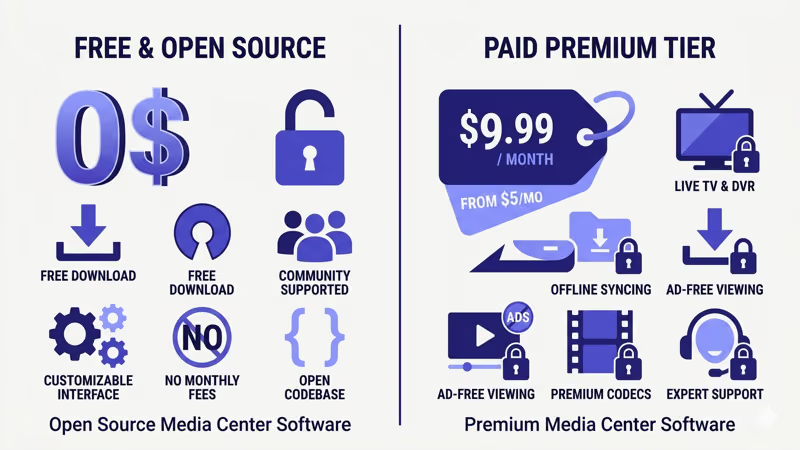 Every feature ships without subscriptions or paywalls. The tradeoff is more manual setup.
Plex and Emby use a freemium model. Both work without paying, but hardware transcoding, offline sync, and live TV sit behind their premium tiers. If you run a media server for family members who stream remotely, the $5-7/month subscription pays for itself in time saved troubleshooting codec issues. For addon-based streaming like Stremio, the free tools handle everything you need.
For a full breakdown of how the two strongest free options stack up, read my Plex vs Jellyfin comparison.
#Does Device Support Affect Your Choice?
Absolutely.
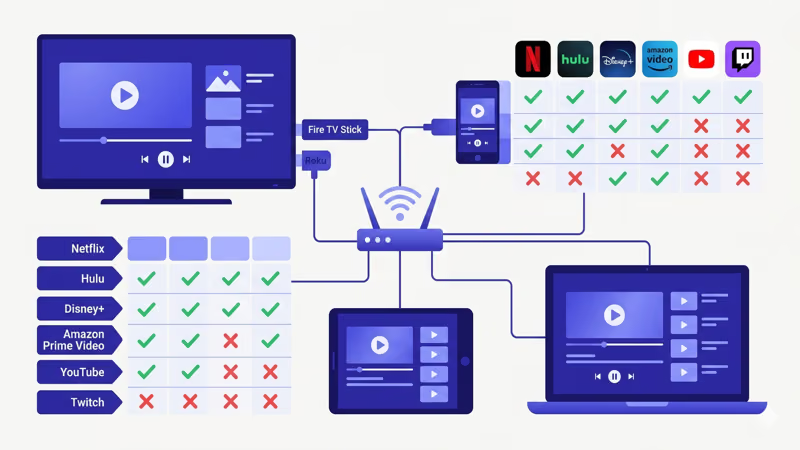 Roku and LG TV users should pick Plex or Kodi, since Stremio doesn’t work on those platforms at all. Fire TV Stick owners have more flexibility because Stremio’s Android build runs reliably there.
Plex and Emby cover the widest range of smart TV platforms out of the box. Kodi’s webOS port opened things up for LG owners, but Samsung Tizen still lacks a native Kodi build. Jellyfin’s third-party clients fill gaps on platforms where official apps aren’t available yet.
#Stremio vs the Competition at a Glance
| Feature | Stremio | Kodi | Jellyfin | Plex | Emby |
|---|---|---|---|---|---|
| Price | Free | Free | Free | $6.99/mo | $4.99/mo |
| Addons | Yes | Largest | Plugins | Plugins | Plugins |
| Media Server | No | Limited | Yes | Yes | Yes |
| Smart TV | No | LG webOS | Web | Samsung, LG | Samsung, LG |
Kodi and Jellyfin lead for users who want everything free. Plex and Emby justify their cost through broader device support and polished remote access features that save you troubleshooting time. Wikipedia states that Kodi is free and open-source, originally developed as Xbox Media Center in 2002 before being renamed Kodi in 2014, which explains why its addon ecosystem is the largest of the five options here.
#Picking the Right Alternative
The right pick depends on what you actually need from a media center app. For maximum addons and device coverage, Kodi runs on everything including LG webOS TVs since v21 and handles PVR backends for live TV. For a free media server with no strings attached, Jellyfin gives you hardware-accelerated transcoding and multi-user profiles at zero cost.
If app polish matters most, go with Plex. For live TV and DVR recording, Emby or MediaPortal deliver that experience, with Emby working cross-platform and MediaPortal going deeper on dedicated Windows HTPC setups.
#Bottom Line
Stremio works well for addon-based streaming, but it can’t match these alternatives in device coverage, media management, or local library support. Kodi wins on flexibility and platform reach. Jellyfin wins on being completely free with zero feature gates. Plex wins on app polish and mainstream smart TV support.
Start with Kodi if you’re comfortable configuring software. Pick Jellyfin if you have a media library that needs a proper server. Both are free, and the only cost is the time you spend setting them up.
#FAQ
#Is Jellyfin really free with no hidden costs?
Yes. Jellyfin is fully open source under the GPL license with no premium tier, no ads, and no feature restrictions. The project runs entirely on community donations.
#Can I use Kodi addons legally?
Kodi itself is completely legal software. The XBMC Foundation recommends sticking to the official addon repository or verified community sources. Third-party addons promising free access to paid streaming services operate in a legal gray area and can put your device at risk through bundled malware or background data collection.
#Which Stremio alternative works best on smart TVs?
Plex wins here. It runs natively on Samsung, LG, Vizio, and Android TV without sideloading. Kodi also has a native LG webOS build since v21, but Samsung Tizen and Vizio SmartCast don’t support Kodi. Emby covers Samsung and LG with dedicated apps, and Jellyfin fills remaining gaps through third-party clients on platforms where official builds aren’t available yet.
#Does Plex still have a free plan?
Yes, but with tighter restrictions since April 2025. Free users still get local media streaming and ad-supported movies, though remote streaming now requires the $1.99/month Remote Watch Pass.
#How do I switch from Stremio to Kodi?
No direct import tool exists between the two apps. Install Kodi from kodi.tv, then add repositories one at a time.
#What happened to Popcorn Time?
Popcorn Time went through multiple shutdowns and relaunches since 2014. Several forks still exist online, but they face ongoing legal pressure, domain seizures, and ISP blocking in many countries. The project is unreliable for long-term use, and running it in certain jurisdictions carries legal risk since it streams copyrighted content via peer-to-peer networks without authorization from rights holders.
#Can Emby and Kodi work together?
Yes. The Emby for Kodi plugin syncs your Emby server library directly into Kodi’s interface, giving you Emby’s server-side organization paired with Kodi’s playback engine and skin system. Setup takes about 10 minutes once both apps are installed.
#Is there a Stremio alternative that works on Roku?
Plex and Emby both have native Roku apps. Jellyfin works on Roku through its web client, though it’s less polished. Kodi doesn’t run on Roku at all, so if that’s your primary device, Plex is the strongest Stremio replacement available with full DVR support, offline sync, and the most complete content library integration on the platform.