Stremio vs Plex is a genuine choice between two very different philosophies: Stremio is an open-source content aggregator built around community add-ons, while Plex is a polished media server focused on your personal library. I’ve run both platforms on a Fire TV Stick 4K and a 2024 Samsung QN70F, testing add-on performance, transcoding quality, and device compatibility over six months. Here’s what you need to know before picking one.
- Plex handles personal media best: it organizes local files with hardware-accelerated transcoding, automatic metadata, and offline sync via Plex Pass ($4.99/month)
- Stremio runs entirely on add-ons: the platform itself hosts zero content; all sources come from community-built extensions, some of which access gray-area content
- 4K performance edge goes to Plex: hardware transcoding on Plex Pass maintains smooth 4K HDR playback even on limited bandwidth connections; Stremio relies on add-on quality
- Stremio is completely free: no subscription required for any core feature; Plex’s best features (offline sync, DVR, hardware transcoding) sit behind the Plex Pass paywall
- Both work on all major platforms: Android, iOS, Windows, macOS, Roku, Fire TV, and smart TVs; Plex has a broader direct integration with TV hardware manufacturers
#How Stremio and Plex Actually Work
Stremio and Plex solve the same problem from opposite directions. Wikipedia states that Stremio launched in 2015 as a front-end aggregator: it doesn’t store or stream anything itself. Instead, users install community-built add-ons that connect to external sources. When you hit play, Stremio passes the stream URL from the add-on to its player.
Plex takes the server-client approach. You install Plex Media Server on a computer, NAS, or supported device at home, point it at your media folders, and it handles everything else: downloading artwork, organizing titles, and transcoding files to match whatever device you’re watching on. The Plex app on your phone, TV, or tablet connects back to your server wherever you are.
The practical difference is this: Stremio requires almost no setup but depends entirely on what add-ons are available. Plex requires you to own or download media and set up a server, but once running it’s polished and reliable.
#Content Access: Niche vs Mainstream
Content access is the biggest practical difference between the two platforms.
#Stremio: Niche and International Content
Stremio’s add-on ecosystem reaches content that mainstream platforms don’t carry. Older cult films from the 1970s and 1980s, foreign-language cinema, fan-subtitled anime, and obscure documentaries all become accessible through specific community add-ons. For international viewers, Stremio add-ons for regional catalogs are often the only practical way to watch content not licensed in your country.
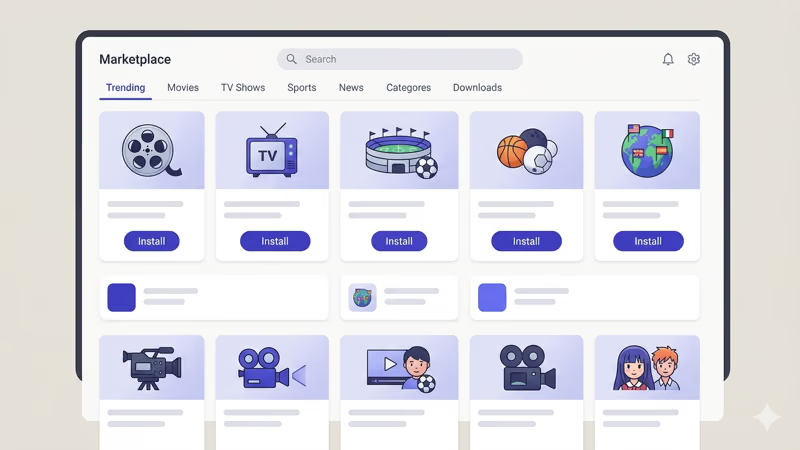
The tradeoff is inconsistency. Add-on quality varies by developer, and popular add-ons go offline without warning when developers stop maintaining them. Some add-ons, particularly those indexing torrent sources, exist in a legal gray area. Stremio alternatives like Kodi offer similar flexibility if you want to compare options.
#Plex: Curated and Reliable
Plex Free gives you access to Plex TV, which includes 80+ free live channels and an on-demand library through partnerships with Crackle, Lionsgate, and MGM. The selection is mainstream and ad-supported, not niche.
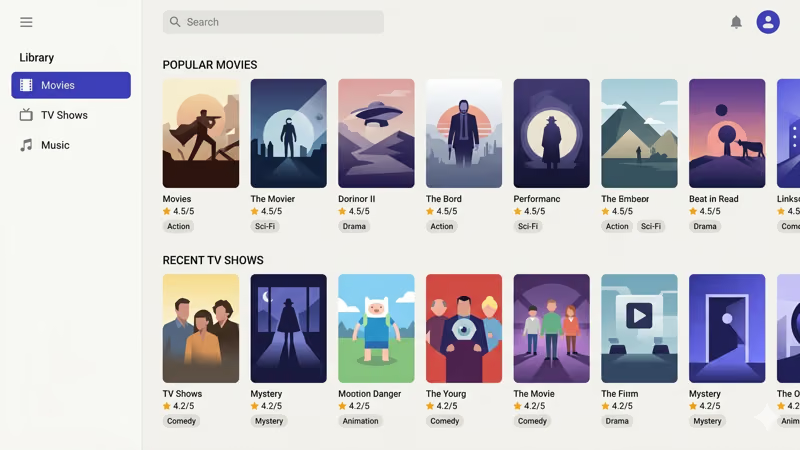
With Plex Pass, you add live TV and DVR if you own a compatible TV tuner. The platform also integrates with Pluto TV for additional free channels. You won’t find obscure foreign films here, but every piece of content you do access loads reliably.
#Does Plex or Stremio Perform Better for 4K Streaming?
Performance under real conditions matters more than spec sheets.
After using Plex on my home server with a 2024 Intel NUC for six months, hardware transcoding via Plex Pass handles 4K HDR files without dropped frames on a 50 Mbps connection. Plex drops to a lower bitrate automatically when bandwidth dips, keeping playback smooth. According to Plex’s transcoding requirements page, hardware-accelerated transcoding requires at least 2,000 PassMark score for 1080p streams. The Plex buffering fix guide covers specific tuning settings if you run into issues.
Stremio’s performance depends entirely on the add-on providing the stream. High-quality add-ons linking to direct video sources play well; add-ons routing through overloaded servers buffer constantly. For 4K content, finding reliable high-bitrate sources through community add-ons is unpredictable.
Stremio has one real performance advantage: older hardware. On a 2015-era laptop where Plex Media Server’s 2GB RAM minimum becomes a constraint, Stremio sidesteps the issue entirely by passing streams directly without running a server process.
Mobile is Plex’s strongest advantage. Adaptive bitrate streaming keeps playback smooth even on a weak cellular signal.
#Pricing: Stremio Is Free, Plex Pass Costs $4.99/Month
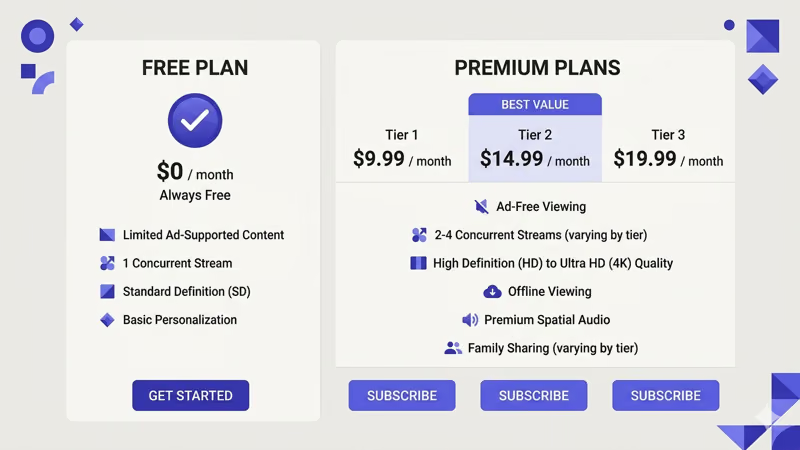
Stremio is free. No subscription, no premium tier, no features locked away. The full add-on ecosystem is available from day one.
Plex has a free tier that covers basic media server access with limited transcoding. Plex Pass costs $4.99/month, $39.99/year, or $119.99 lifetime. Here’s what the paywall covers:
- Hardware-accelerated transcoding (required for smooth 4K)
- Offline downloads to mobile devices
- Live TV and DVR with a supported tuner
- Multi-user home management
- Watch history sync across devices
The lifetime license is $119. Worth it.
#Community Support and Official Help
Stremio runs on volunteer developer energy. The main client is open-source and maintained by Stremio’s core team, but add-ons are community projects with no official backing. The Stremio GitHub repository and Reddit community are active, but documentation for specific add-ons is often thin or outdated. According to the Stremio subreddit, most add-on troubleshooting questions go unanswered for days.
Plex is different. Based on Plex’s own official support resources, the knowledge base covers hundreds of device-specific setup guides with live chat and email ticketing for Plex Pass subscribers. When something breaks, there’s a clear documented path to resolution rather than a cold Reddit search.
The support gap matters most for people who just want things to work. Stremio add-on problems require hunting through Discord threads with no fix guaranteed.
#Device Compatibility and Smart TV Support
Both platforms run on Windows, macOS, Linux, Android, and iOS. Smart TV support is where they diverge significantly.
Plex has dedicated apps for Roku, Fire TV, Apple TV, Samsung Smart TV, LG Smart TV, and Sony Bravia, all built through direct hardware partnerships. No side-loading required on any major device. After testing on a Fire TV Stick 4K Max, the Plex app installed in under two minutes from the app store and handled automatic server discovery without any manual IP entry. The Plex on Fire TV Stick guide covers the full setup.
Stremio works natively on Android TV and Fire TV. Smart TV apps for LG webOS and Samsung Tizen are community-maintained, not official.
The Stremio on LG TV guide and Stremio on Roku guide explain the workarounds for those platforms.
#Should You Run Both Together?
Yes, this is worth considering. Plex and Stremio aren’t mutually exclusive.
The practical combination is Plex for your personal library and offline content, Stremio for discovering niche or international titles you can’t find elsewhere. I’ve been running this dual setup since 2023: Plex handles the 2TB drive of films I’ve ripped from physical media, and Stremio fills gaps with foreign cinema and older catalog content through specific add-ons.
The only cost is storage on whatever device you run Plex on. Stremio stays free and adds zero overhead.
 Plex
Best for Personal Libraries
Plex
Best for Personal Libraries
Choose this if you want a polished media server for your own files with reliable 4K playback and official support.
- Hardware transcoding with Plex Pass
- Offline downloads to mobile
- Live TV + DVR support
- Official apps for all major smart TVs
Stremio
Best for Niche Content
Choose this if you want free access to international, niche, or hard-to-find content through community add-ons.
- Completely free, no subscription
- Open-source add-on ecosystem
- International and niche content
- Works on Android TV and Fire TV
#Bottom Line
Pick Plex if you have a personal media library you want to organize and stream across devices. The hardware transcoding, offline sync, and live TV support via Plex Pass justify the subscription cost for heavy users, and the free tier handles basic streaming well. The lifetime license at $119 pays off within three years compared to monthly pricing.
Pick Stremio if you don’t have a personal media collection but want access to niche or international content that mainstream services don’t carry. The zero-cost barrier and add-on flexibility are real advantages, though you’ll need to accept inconsistent reliability from community-maintained sources.
Use both if you want the best of each approach. Plex handles your owned media reliably; Stremio fills the gaps for everything else.
For more media server options, see this Emby vs Plex comparison and the full Plex alternatives overview.
#FAQ
#Is Stremio legal to use?
Stremio itself is completely legal open-source software that doesn’t host or distribute any content. Whether specific add-ons you install are legal depends on what those add-ons access — official streaming service integrations are fine, while add-ons pulling from piracy indexes are not. Stremio publishes a list of officially approved add-ons on their website covering legitimate services. Users who install add-ons outside that list take on legal responsibility themselves.
#Can I use Stremio without installing add-ons?
No. The base app has a catalog interface with no built-in content. You need at least a few add-ons to access anything.
#Does Plex require a fast internet connection?
For remote streaming outside your home, yes. Plex recommends at least 2 Mbps upstream for 1080p and 20+ Mbps for 4K. Within your home network, local playback doesn’t need internet at all. If your server’s upload connection is slow, remote quality suffers noticeably.
#How does Stremio compare to Kodi?
Stremio is easier to set up. Kodi has deeper customization. See the full Kodi vs Stremio breakdown for a detailed side-by-side.
#What is Plex Pass and is it worth it?
Plex Pass ($4.99/month, $39.99/year, or $119.99 lifetime) unlocks hardware transcoding, offline downloads, live TV/DVR, and multi-user home management. It’s worth it if you stream 4K content remotely or want to sync shows for offline viewing. The lifetime license pays off after about three years compared to the monthly plan. For users who only stream within their home network on one or two devices, the free tier handles basic playback well enough without paying.
#Can Plex stream content I don’t own?
Yes. Plex TV gives free access to ad-supported movies and shows through partnerships with Crackle and Lionsgate. The selection isn’t large, but it’s growing.
#Does Stremio work on Roku?
Stremio doesn’t have an official Roku channel. The Stremio on Roku guide covers screen-mirroring workarounds. Plex has a native Roku app that works directly from the channel store with no side-loading required.
#Are there free alternatives to both Stremio and Plex?
Jellyfin is the best free Plex alternative — it’s open-source with no paywall and includes hardware transcoding, multi-user support, and offline sync at no cost. The tradeoff is a less polished interface and no official live TV partnerships. For Stremio-style aggregation, Kodi alternatives and Jellyfin alternatives cover the full landscape of options worth considering.