TCL TV screen flickering is one of the most common display problems I see, and it affects Roku TV, Google TV, and Fire TV models alike. The good news is that most flickering issues come down to software glitches or loose connections that you can fix in minutes. I’ll walk you through every troubleshooting step, organized by platform so you’re following the right menu paths for your specific TCL TV.
- Power cycling clears most temporary glitches — unplug the TV for 60 seconds and hold the power button to discharge stored electricity
- Loose HDMI or power cables are the top hardware cause — reseat every connection on both ends and try a different HDMI port before moving on
- Firmware update steps differ by platform — Roku TV, Google TV, and Fire TV each have different menu paths for checking updates
- Backlight flicker and display flicker have different causes — PWM dimming issues affect brightness uniformly, while T-Con problems create partial screen artifacts
- TCL 6-Series R646 owners should check gaming console settings — this model has a known flickering issue when connected to gaming consoles at certain refresh rates
#Why Does a TCL TV Screen Flicker?
Before jumping into fixes, it helps to understand what type of flickering you’re dealing with. There are two distinct categories, and they point to different root causes.
Backlight flickering happens when the LED backlight dims and brightens rapidly. You’ll notice the entire screen pulsing or strobing, especially at lower brightness levels. This is often caused by PWM (pulse-width modulation) dimming settings, a failing LED driver board, or aging backlight strips.
Display flickering shows up as partial screen glitches, horizontal lines, or image distortion in specific areas. This type points to T-Con board issues, refresh rate mismatches, or damaged ribbon cables between the panel and the logic board.
Both types can also be triggered by loose HDMI cables, corrupted firmware, or aggressive picture mode settings. The TCL 6-Series R646, for example, has a documented flickering problem when connected to gaming consoles. Some TCL models also flicker specifically on Vivid or Bright picture modes.
#How Do You Fix a Flickering TCL TV Step by Step?
Work through these fixes in order. Each step rules out a potential cause, starting with the simplest solutions.
#1. Power Cycle the TV
Unplug your TCL TV from the wall outlet. Press and hold the power button on the TV itself for 30 seconds. This drains residual power from the capacitors and forces a clean restart. Wait a full 60 seconds before plugging back in.
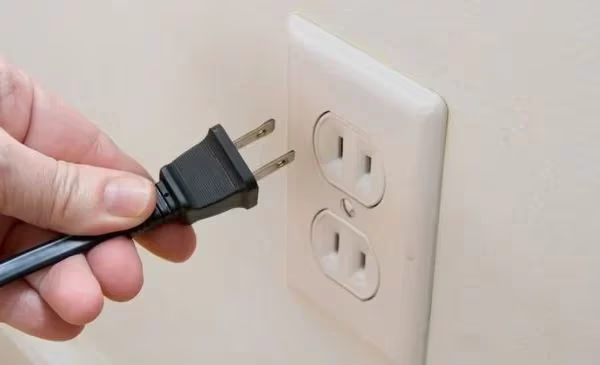
Give the TV a couple of minutes after powering on to stabilize. If the flickering was caused by a temporary software glitch, this alone will fix it. Power cycling also resolves related issues like a TCL TV black screen.
#2. Check All Cable Connections
Inspect both ends of every cable plugged into your TV. That includes HDMI, power, antenna, and any component cables. Unplug each one and firmly push it back in.
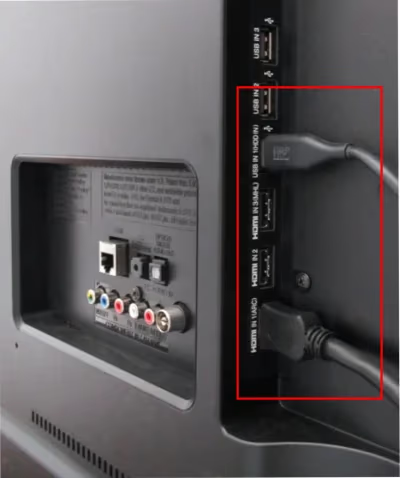
Try a different HDMI port if your TV has multiple inputs. Swap in a known-good HDMI cable to rule out cable damage. Bent pins, frayed wires, or a slightly loose power connection can all cause intermittent flickering that seems random.
#3. Adjust Picture Settings
Navigate to your picture settings and switch away from Vivid or Bright mode. These modes push backlight intensity to maximum, which can trigger PWM flicker on some TCL panels.
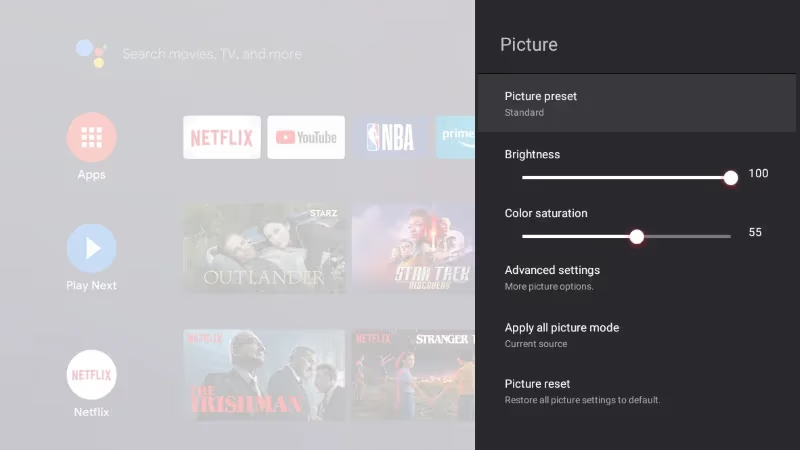
Lower the backlight setting by 20-30% and disable Dynamic Contrast if it’s enabled. On TCL Roku TVs, go to Settings > TV Picture Settings > Picture Mode and choose Normal or Movie. On TCL Google TVs, it’s Settings > Display & Sound > Picture. If the flickering stops after reducing brightness, the backlight is being overdriven at higher settings.
#4. Update TCL TV Firmware
Outdated firmware is a frequent cause of display bugs on TCL TVs. The update path depends on which platform your TV runs.
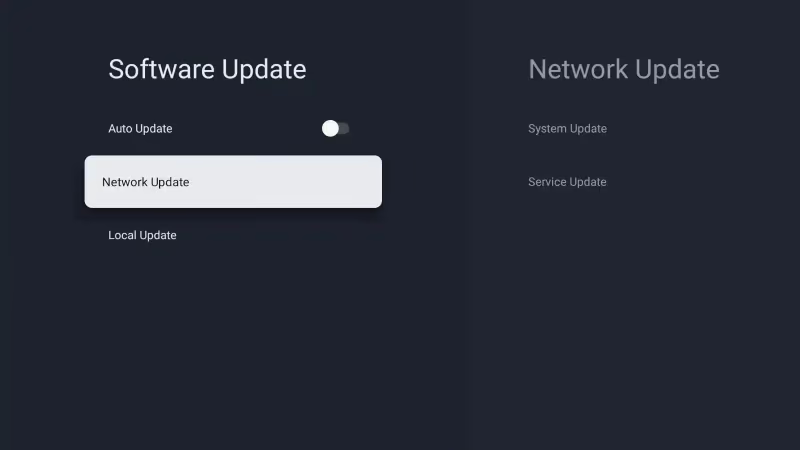
TCL Roku TV: Go to Settings > System > System Update > Check Now. The TV will download and install any available update automatically.
TCL Google TV: Navigate to Settings > System > About > System Update > Network Update. Follow the on-screen prompts to install.
TCL Fire TV: Open Settings > My Fire TV > About > Check for Updates. If an update is available, select Install.
All of these require an active internet connection. If your TCL Roku TV isn’t connecting to Wi-Fi, check this Wi-Fi troubleshooting guide first, then come back to update firmware.
#5. Factory Reset the TV
If flickering persists after updating firmware, a factory reset can clear corrupted settings or software conflicts. This erases all your personalized data, so you’ll need to set up your apps and Wi-Fi again.
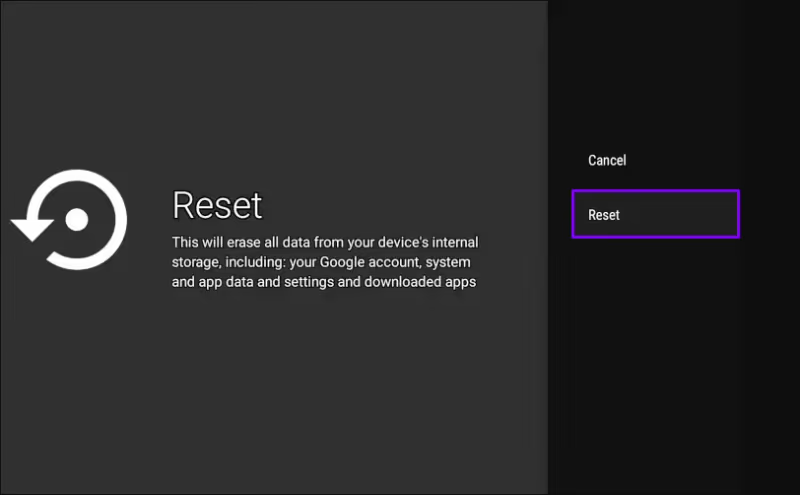
TCL Roku TV: Go to Home > Settings > System > Advanced System Settings > Factory Reset. Enter the code shown on screen to confirm.
TCL Google TV: Navigate to Settings > System > About > Factory Reset. Confirm when prompted.
TCL Fire TV: Open Settings > My Fire TV > Reset to Factory Defaults.
If you don’t have your remote handy, I’ve written a separate guide on how to factory reset a TCL TV without a remote. After the reset, your TV may also need to reinstall firmware updates, so give it time to fully boot.
#6. Replace Faulty HDMI or Power Cables
If you’ve confirmed the connections are solid but flickering continues, the cable itself might be damaged internally. HDMI cables degrade over time, especially cheaper ones that lack proper shielding.
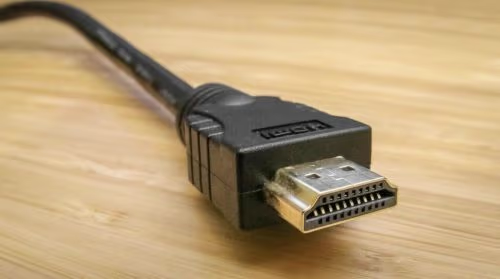
Replace your HDMI cable with a Premium High Speed HDMI cable that supports your TV’s resolution. For 4K content at 60Hz or gaming at 120Hz, you’ll want an Ultra High Speed HDMI 2.1 cable. Also inspect the power cable for cuts, kinks, or exposed wiring.
#7. Inspect T-Con and Power Boards
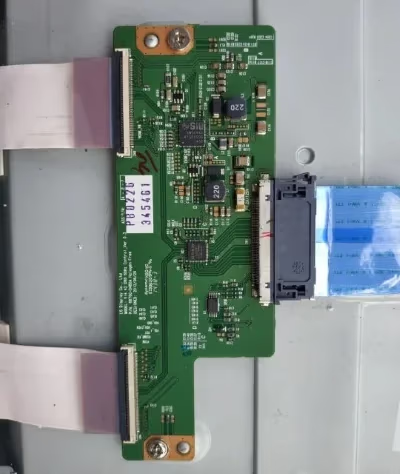
At this point, hardware failure becomes the likely cause. The T-Con (timing controller) board manages the signal between the main board and the display panel. Cracked solder joints or damaged ribbon cables on this board produce partial screen flickering, horizontal lines, or color distortion.
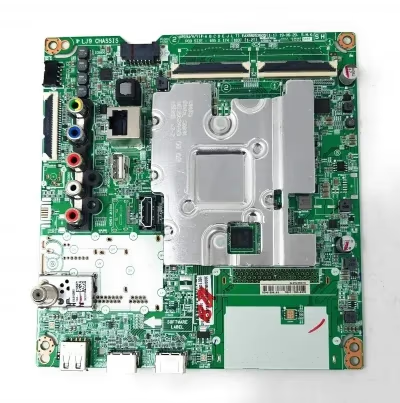
The power board supplies voltage to the backlights and other components. Failing capacitors on the power board often cause the whole screen to flicker or pulse. Unless you have electronics repair experience, this step requires a qualified technician. Opening the TV panel also voids your warranty if it’s still active.
#8. Replace Failing LED Backlights
If only certain zones of the screen flicker or appear dim, individual LED backlight strips may be failing. Heat damage and normal aging cause LEDs to degrade, and a single bad strip can affect an entire section of the display.
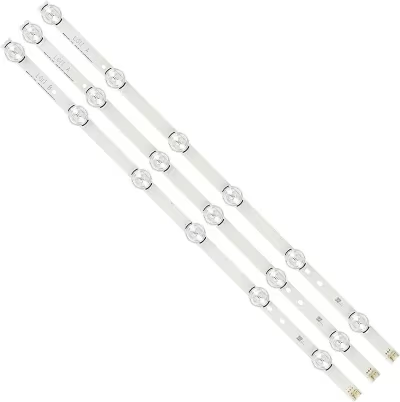
Backlight replacement involves fully disassembling the panel, which risks cracking the LCD. This job is best left to a professional repair shop. The cost varies widely depending on your TV’s size and model, so get a quote before committing to the repair.
#When Should You Call TCL Support or a Repair Shop?
If you’ve worked through every software and cable fix without success, it’s time to get professional help.
For TCL TVs still under the manufacturer warranty, call TCL support at 1-877-300-8837. Describe the troubleshooting steps you’ve already completed. They’ll determine whether your TV qualifies for a free repair or replacement.
Out-of-warranty TVs with hardware flickering need a professional inspection. Look for a local repair shop that has experience with modern LED TVs. Get an estimate upfront, because complex fixes like backlight or T-Con board replacement can approach the cost of a new TV.
If your TCL TV is also overheating or keeps freezing alongside the flickering, mention those symptoms too. Multiple issues together often point to a failing power board, which helps the technician diagnose faster.
#Known Flickering Issues on Specific TCL Models
Some TCL models have known flickering triggers that deserve a dedicated mention.
The TCL 6-Series R646 flickers when connected to gaming consoles, particularly at 4K 120Hz with VRR enabled. Switching to 4K 60Hz or disabling VRR in the console’s display settings usually stops it. TCL has addressed this in firmware updates, so make sure you’re running the latest version.
Several TCL Roku TV models flicker specifically on the Vivid picture mode. This mode maxes out backlight intensity and enables aggressive local dimming, which creates a strobing effect on some panels. Switching to Normal or Movie mode eliminates the issue without any repair needed.
If your TCL TV is restarting on its own in addition to flickering, the problem is likely a failing power supply board rather than a display issue. That combination of symptoms narrows down the diagnosis significantly.
#Bottom Line
Start with the free, easy fixes: power cycle the TV, reseat all cables, and update your firmware using the correct menu path for your platform (Roku, Google TV, or Fire TV). Switch away from Vivid picture mode and lower the backlight setting to rule out PWM flicker.
If those steps don’t solve it, a factory reset clears any corrupted software. Beyond that, you’re looking at hardware problems that need professional attention. Call TCL support at 1-877-300-8837 if your TV is under warranty. For out-of-warranty repairs, get a quote from a local technician before deciding whether to repair or replace.
#FAQ
#Why does my TCL TV screen flicker intermittently?
Intermittent flickering almost always points to a loose HDMI or power cable connection. Check every cable on both ends and try a different HDMI port. If the flicker only happens at certain brightness levels, it’s likely a PWM backlight issue that you can reduce by lowering the backlight setting.
#What if my TCL TV flickers only on certain channels or inputs?
That usually indicates a signal issue with that specific source rather than a TV hardware problem. Verify the cable or antenna connection for that input first. If it only happens on one HDMI port, try a different port. For cable or antenna channels, contact your provider to check signal strength.
#Can a firmware update cause TCL TV flickering?
Yes, buggy firmware updates have caused display flickering on multiple TCL models. If flickering started right after an update, perform a factory reset to clear any corrupted settings. TCL typically releases a follow-up patch within a few weeks when a firmware update introduces display bugs.
#Why does my TCL TV flicker when first turned on but stop after warming up?
This points to marginal solder connections on internal boards. Cold solder joints contract when the TV is cool and make poor electrical contact, then expand once heat builds up. A qualified technician can rework cracked solder joints on the T-Con or power board to fix this permanently.
#Will screen flickering damage my TCL TV over time?
Flickering itself won’t damage the display panel, but it often signals a worsening hardware problem. A failing power board or degrading backlight strips will get progressively worse until the TV stops working entirely. Getting repairs done early typically costs less than waiting for complete failure.
#Can I replace a flickering TCL TV backlight myself?
Ordering replacement LED strips is possible, but the repair involves fully disassembling the display panel. One slip can crack the LCD and turn a fixable problem into a total loss. Specialized tools are also needed to test individual LEDs. I’d recommend leaving this to a professional unless you have electronics repair experience.
#Does a factory reset fix TCL TV flickering?
A factory reset can fix flickering caused by corrupted settings, software glitches, or conflicting app data. It won’t help with hardware problems like failing backlights or a damaged T-Con board. Try a factory reset before pursuing hardware repairs since it only takes a few minutes and requires no tools.
#How do I tell the difference between backlight and display flickering?
Backlight flickering affects the entire screen uniformly. You’ll see the whole image pulse brighter and dimmer in a steady rhythm, especially at lower brightness settings. Display flickering shows up as partial artifacts, horizontal lines, or distortion in specific screen areas. Backlight issues typically respond to brightness adjustments, while display flickering points to T-Con or cable problems.