Disney+ is available on most Roku devices, and getting it running takes just a few minutes. Whether you want to revisit childhood animated classics or catch the latest Marvel series, Disney+ has thousands of movies and shows for all ages.
Roku makes the whole thing straightforward, with support for 4K HDR and Dolby Atmos audio on select models. This guide covers everything from installation to troubleshooting, plus the latest 2026 pricing and bundle changes.
- Disney+ runs on Roku OS 10+, which covers most devices released in 2015 or later, including Express 4K+, Streaming Stick 4K, and Roku Ultra
- Installation takes under 3 minutes through the Roku Channel Store with a simple search-and-add process
- 4K HDR requires the Premium plan. The Basic plan (with ads) is capped at 1080p
- Disney+ Basic costs $9.99/mo with ads; Premium (no ads, 4K, downloads) runs $16.99/mo or $169.99/yr
- Hulu content is now inside the Disney+ app via a dedicated Hulu hub, so you don’t need to switch apps
#Is Disney+ Available on Roku?
Yes. The Disney+ app has been on Roku since the service launched in November 2019. It runs on Roku OS 10 or later, which means most Roku players and Roku TVs from 2015 onward are supported.
#What Roku Devices Support Disney+?
Disney+ is compatible with the following Roku devices:
- Roku Express 4K+ ($39.99)
- Roku Streaming Stick 4K ($49.99)
- Roku Ultra ($99.99)
- Roku Express ($29.99)
- Roku Premiere and Streaming Stick+
- Select Roku TV models (TCL, Hisense, and others running Roku OS)
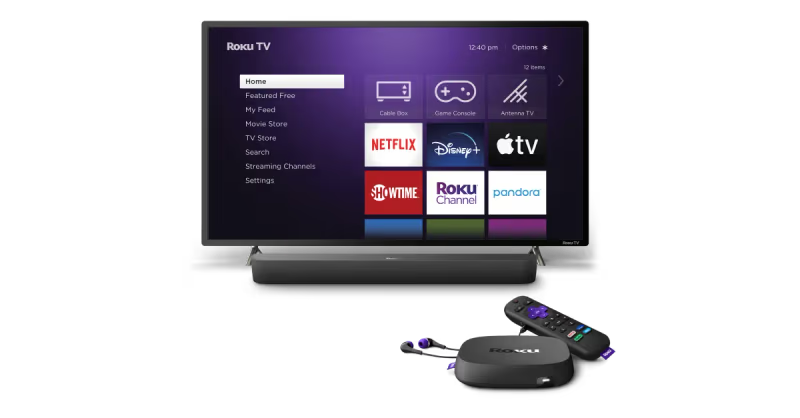
Devices running Roku OS 9 or earlier won’t load Disney+. If you’re unsure which version your device runs, check under Settings > System > About on your Roku.
#How Do You Download Disney+ on Roku?
Installing Disney+ on Roku takes just a few steps. Here’s exactly how to do it:
- From the Roku home screen, navigate to the Roku Channel Store.
- Use the Search field to find “Disney+”.
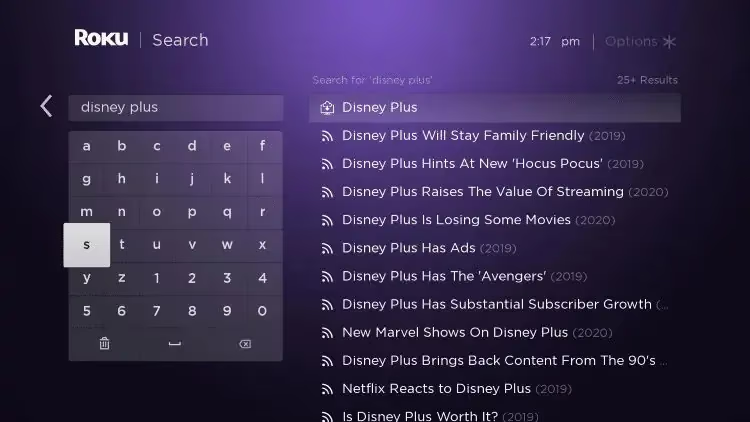
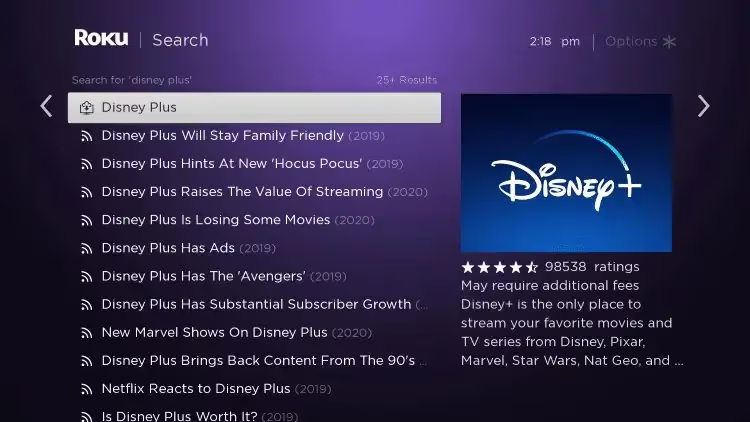
- Select “Add Channel” and the app will install automatically.
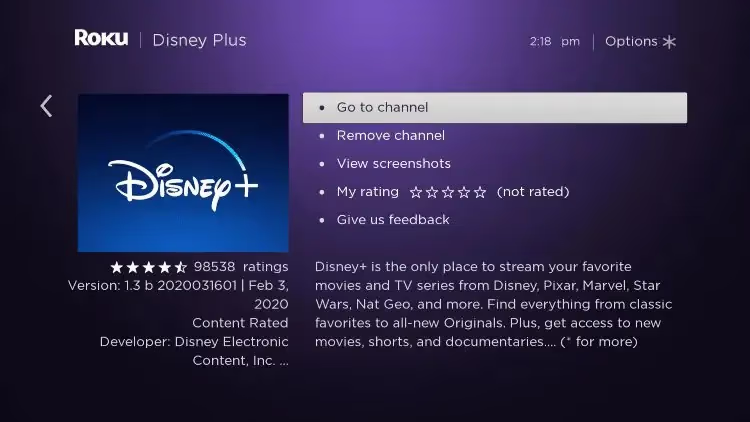
- Once installed, open Disney+ from your home screen.
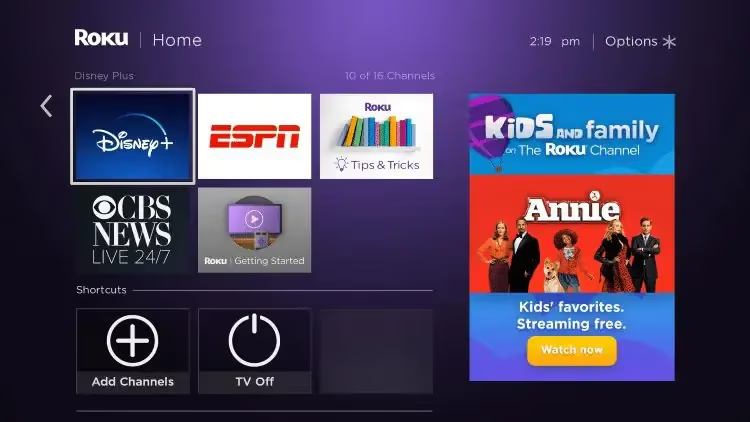
- Sign in with your Disney+ credentials, or create a new account.

- Start streaming.
That’s it. You can pin the Disney+ app to the top row on your home screen for faster access. Just highlight it, press the * button, and select “Move channel.”
#What Does Disney+ Cost in 2026?
Disney+ has two standalone plans plus several bundle options. Here’s the full breakdown:
#Standalone Plans
| Plan | Price | What You Get |
|---|---|---|
| Basic (with ads) | $9.99/mo | 1080p max, limited downloads |
| Premium (no ads) | $16.99/mo or $169.99/yr | 4K HDR, Dolby Atmos, unlimited downloads on up to 10 devices |
#Bundle Plans
Disney now bundles its streaming services into several combinations:
- Disney+ Duo Basic: Disney+ + Hulu (with ads): $10.99/mo
- Disney+ Trio Basic: Disney+ + Hulu + ESPN: $16.99/mo
- Disney+ Trio Premium: Disney+ + Hulu + ESPN (no ads): $27.99/mo
ESPN+ was retired in August 2025 and replaced by ESPN Select ($11.99/mo) and ESPN Unlimited ($29.99/mo). Both are accessible from within the Disney+ app via the ESPN tile. No separate app needed.
Hulu’s standalone app is being phased out through 2026. If you subscribe to a bundle, you’ll access Hulu content directly inside the Disney+ app through a dedicated Hulu hub.
#Account Sharing
Disney+ enforces its household policy since late 2024. If someone outside your household needs access, you can add an extra member for $7.99/mo. Attempting to share a login across different households will trigger a verification prompt.
#What Internet Speed Do You Need for Disney+?
Slow Wi-Fi is the most common reason Disney+ buffers or drops quality. Disney+ recommends these minimum speeds:
- 5 Mbps for HD (1080p) content
- 25 Mbps for 4K Ultra HD
Use Speedtest.net to check your actual bandwidth. If you’re consistently below 25 Mbps and want 4K, contact your ISP. Or try connecting Roku directly to your router with an Ethernet adapter instead of using Wi-Fi.
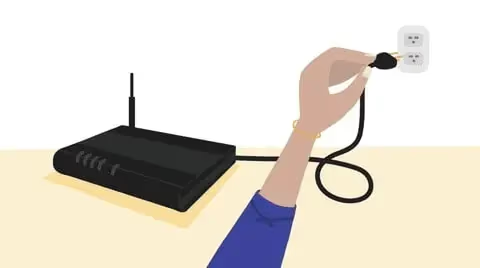
Wi-Fi interference from neighboring networks or thick walls can also drag speeds down. Restarting your router and keeping Roku within range of your router usually helps. If you’re on a crowded 2.4 GHz network, switching to 5 GHz makes a noticeable difference for streaming.
#How Do You Get 4K and Dolby Atmos on Disney+?
Getting 4K on Disney+ requires three things at once: a Premium plan subscription, a compatible Roku device, and a 4K TV. If any one of those is missing, you’ll top out at 1080p.
#Roku Devices That Support 4K Disney+
These Roku models output 4K when connected to a 4K display:
- Roku Streaming Stick 4K
- Roku Express 4K+
- Roku Ultra
- Select Roku TV models with 4K panels
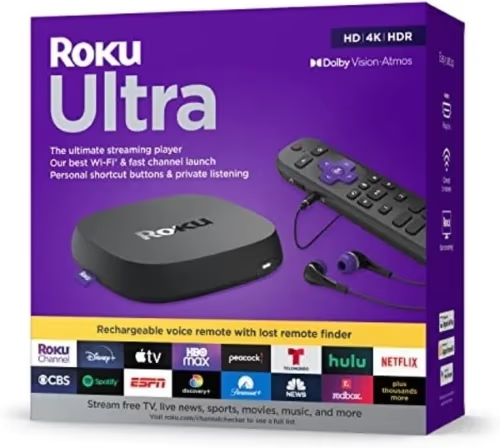
The Basic (ad-supported) plan is locked to 1080p regardless of your hardware, so 4K is a Premium-only feature.
#Dolby Atmos Audio
Dolby Atmos passthrough requires a Roku model that supports it (currently the Streaming Stick 4K and Roku Ultra) connected to a soundbar or AV receiver with Dolby Atmos decoding. Your TV’s built-in speakers won’t decode Atmos.
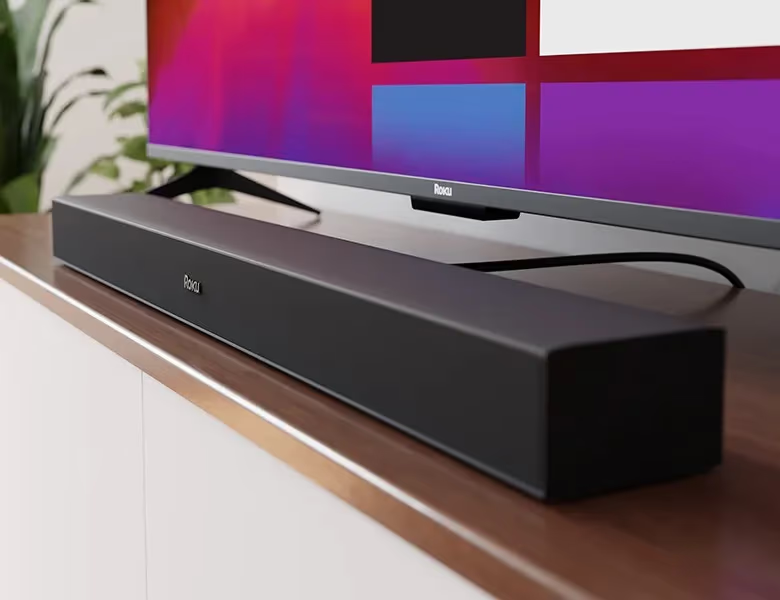
Check your Roku’s audio settings under Settings > Audio to confirm the output format. HDMI passthrough is the standard setup for Atmos. Make sure your HDMI cable supports the bandwidth.
#What Profiles and Download Options Does Disney+ Offer?
Disney+ supports up to 7 user profiles per account, so each family member can have their own watchlist, recommendations, and parental controls. Profile setup happens inside the app, not through Roku’s system.
Downloads are available on the Premium plan only. Unlimited titles on up to 10 devices. The Basic plan restricts downloads. Downloaded content stores on the device itself and expires based on Disney+‘s licensing terms, typically 30 days after download or 7 days after you start watching.
Disney+ also has a feature called SharePlay (formerly GroupWatch) for watching together with others remotely, though this works best in the Apple ecosystem.
#How Do You Fix Disney+ Problems on Roku?
Running into issues streaming Disney+ through your Roku? These steps resolve most problems:
-
Check your internet speed. Run a speed test and confirm you’re hitting the 5 Mbps minimum for HD or 25 Mbps for 4K. If not, restart your router and retest.
-
Restart your Roku. Go to Settings > System > System Restart. A full reboot clears memory and often fixes app crashes or loading failures.
-
Update Roku firmware. Navigate to Settings > System > System Update. Outdated firmware can cause compatibility issues with streaming apps.
-
Reinstall Disney+. If the app keeps crashing or shows error code 41, remove it from your Roku (highlight the app, press *, select Remove Channel) and reinstall from the Channel Store.
-
Check Disney+ server status. If none of the above helps, the issue may be on Disney’s end. Check help.disneyplus.com or a site like Downdetector to see if there’s a wider outage.
If Disney+ is stuck on the loading screen, a router reboot combined with a Roku restart fixes it in most cases. Still stuck? Contact Disney+ support through the app or website.
#Bottom Line
Disney+ on Roku is one of the easiest streaming setups you’ll find. Install the app, sign in, and you’re watching within minutes. The key things to know going into 2026: the Basic plan is $9.99/mo but caps at 1080p, 4K requires Premium at $16.99/mo, and Hulu content is now inside the Disney+ app rather than a separate channel.
For device comparisons, check out Firestick vs Roku or Chromecast vs Roku if you’re weighing your options. If you’re wondering whether DisneyNow and Disney+ are the same thing, they’re not. Our DisneyNow vs Disney+ breakdown explains the difference.
#Frequently Asked Questions
#Does Disney+ have ads on Roku?
The Basic plan ($9.99/mo) includes ads. The Premium plan ($16.99/mo) is ad-free. If you want uninterrupted viewing, you’ll need the Premium tier. Bundle plans also come in Basic (with ads) and Premium (no ads) variants, so check which tier your bundle uses before subscribing.
#Do older Roku devices support Disney+?
Disney+ requires Roku OS 10 or later, which generally means devices from 2015 onward. Older Roku models, including some Roku 2 and Roku 3 variants, can’t run the app because they’re stuck on an older OS. Check Settings > System > About on your Roku to confirm your current OS version.
#What bundles work with Roku?
All current Disney+ bundles work on Roku: the Duo Basic (Disney+ + Hulu with ads, $10.99/mo), Trio Basic (Disney+ + Hulu + ESPN, $16.99/mo), and Trio Premium (no ads, $27.99/mo). ESPN content is accessible via the ESPN tile inside the Disney+ app. You don’t need a separate channel.
#Why does Disney+ keep buffering on my Roku?
Buffering usually comes down to insufficient bandwidth or Wi-Fi interference. Verify your connection meets the 25 Mbps minimum for 4K, restart your router, and check if other devices are hogging bandwidth. Switching from 2.4 GHz to 5 GHz Wi-Fi and moving your Roku closer to the router often solves persistent buffering.
#Can I watch Disney+ on Roku in 4K?
Yes, but you need three things: a Roku device that supports 4K output (Streaming Stick 4K, Express 4K+, or Roku Ultra), a 4K television, and a Disney+ Premium plan. The Basic plan is capped at 1080p regardless of your hardware. Check your Roku’s display settings under Settings > Display type to confirm 4K output is enabled.
#Can you share a Disney+ account on Roku?
Disney+ enforces a single-household policy. Everyone using the account needs to be on the same home network as the primary account. If someone outside your household needs access, you can add them as an extra member for $7.99/mo. Disney+ detects location through IP address and may prompt for verification if logins come from different locations.
#How do you fix Disney+ not loading on Roku?
Start with a Roku restart (Settings > System > System Restart) and check for firmware updates. If the app won’t open at all, remove it from your channel list and reinstall from the Channel Store. A router reboot helps if the issue is connection-related. If you see a specific error code, our Disney+ error code 41 guide and Hulu not working on Roku article cover the most common failures in detail.
#Is the Disney+ Premium plan worth the extra cost?
If you care about 4K HDR quality or want ad-free viewing, Premium is worth it at $16.99/mo. The annual plan ($169.99/yr) saves you about $34 compared to paying monthly. For casual viewers who don’t mind 1080p and occasional ads, the Basic plan at $9.99/mo covers the same content library at a lower price.