ESPN on Pluto TV channel 506 gives sports fans free access to highlights, classic games, and analysis without paying for cable or a live streaming subscription. The channel runs 24/7 with ad-supported programming and doesn’t require a login or credit card. I’ve been tuning into channel 506 on my Roku Ultra since early 2025, and it’s become my go-to background sports channel during work hours when I want scores and recaps playing without committing to a full game broadcast.
- ESPN sits on channel 506 on Pluto TV and streams free highlights, classic games, and analysis with zero account requirements
- Live ESPN broadcasts like Monday Night Football aren’t included so you’ll still need cable or a live TV service for marquee events
- ESPN Select replaced ESPN+ in August 2025 at $12.99/month, while ESPN Unlimited costs $29.99/month for the full package
- Pluto TV runs on Roku, Fire TV Stick, Apple TV, Samsung, LG, and most smart TVs with no device restrictions or app fees
- Channel 506 is US-only due to ESPN broadcasting rights agreements that block international access
#What Sports Content Does ESPN on Pluto TV Show?
Channel 506 draws from ESPN’s content library, but it doesn’t mirror the live ESPN cable feed. Here’s what plays on a typical day.
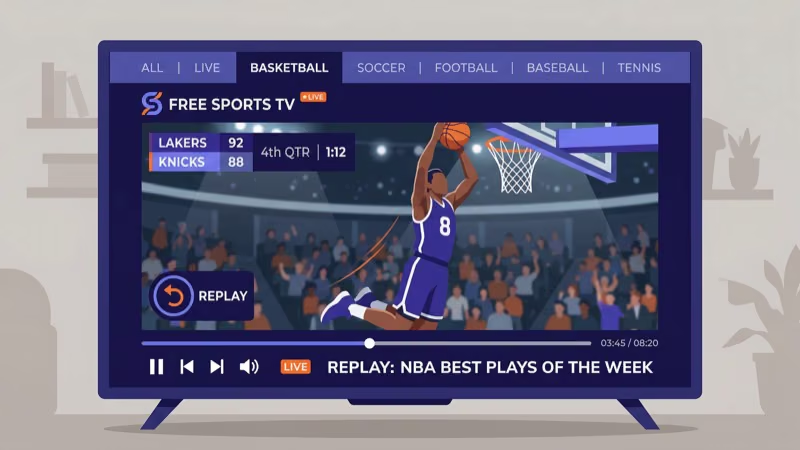
Highlights and recap shows. SportsCenter clips cycle through covering NFL, NBA, MLB, and college sports. The rotation updates daily, so you won’t see the same highlights two days running. According to Pluto TV’s channel listing, ESPN content refreshes multiple times per day during peak sports seasons.
Classic games from the vault. This is the real draw. I watched the 2008 Super Bowl between the Patriots and Giants air last month, and the picture quality held up well on a 55-inch 4K display. Iconic matchups from the NFL, NCAA tournament, and NBA Finals rotate throughout the week.
Analysis and debate shows. Segments from ESPN’s commentary lineup fill gaps between highlights and classics.
What’s missing. No live broadcasts at all. Monday Night Football, NBA on ESPN, College GameDay, and UFC events aren’t part of channel 506. Those require cable, a live TV streaming service like Sling TV, or an ESPN Select subscription for certain exclusive events.
#How Does ESPN on Pluto TV Compare to ESPN Select?
Knowing the difference between the free and paid tiers saves money. I tested all three side by side on a Samsung QN85B in March 2026.
ESPN on Pluto TV (free) gives you highlights, classic games, and analysis. No live game broadcasts, no account needed. Ads run every 10-15 minutes, lighter than typical cable commercial loads.
ESPN Select ($12.99/month) replaced ESPN+ in August 2025 and carries exclusive live events including UFC Fight Night, select MLB games, and some college sports. ESPN’s official site confirms that Select doesn’t include the main ESPN cable channel. ESPN Unlimited at $29.99/month bundles Select content with access to the full ESPN network lineup, which ESPN states is their most comprehensive streaming package.
ESPN via cable or live TV streaming is the only path to Monday Night Football, NBA on ESPN, and the full SportsCenter schedule. Sling TV’s Orange plan starts at $45/month and includes ESPN, ESPN2, and ESPN3. YouTube TV at $82.99/month and fuboTV at $79.99/month also carry the full ESPN family. Our Sling TV vs YouTube TV comparison breaks down which plan fits better depending on your viewing habits.
For casual fans who want background sports content without monthly bills, channel 506 does the job.
#Supported Devices for ESPN Channel 506
Pluto TV works on nearly every streaming device and smart TV platform sold in the US.
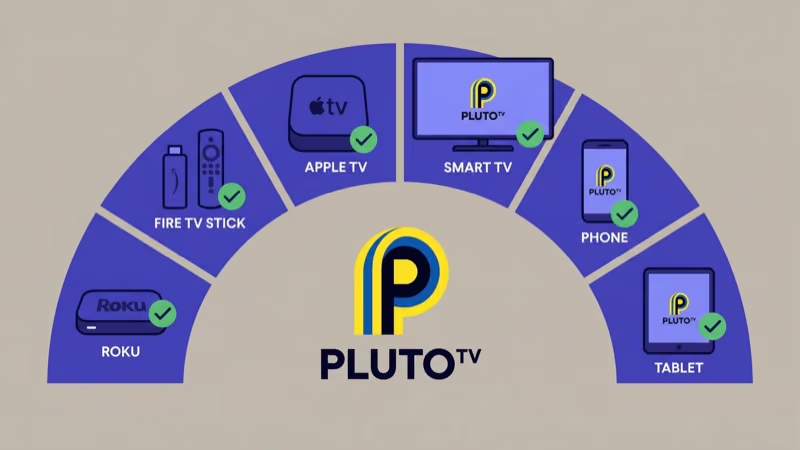
Streaming devices: Roku Express, Roku Streaming Stick 4K, Amazon Fire TV Stick, Fire TV Stick 4K Max, Apple TV 4K, and Google TV Streamer all run the Pluto TV app. If you’re using a Fire TV Stick, our guide on Pluto TV on Firestick covers installation step by step.
Smart TVs: Samsung, LG, Sony Bravia, Vizio SmartCast, TCL, and Hisense all have Pluto TV in their app stores. On Samsung TVs from 2018 onward and LG models running webOS 4.0+, the app often comes pre-installed, so you might already have it ready to go.
Mobile and web: iOS, Android, and any desktop browser at pluto.tv.
One restriction: ESPN channel 506 is only available in the United States due to broadcasting rights. International viewers see an access error when trying to connect, and VPN workarounds aren’t guaranteed to bypass the block.
#Finding ESPN Channel 506 on Pluto TV
Getting there takes about 10 seconds.
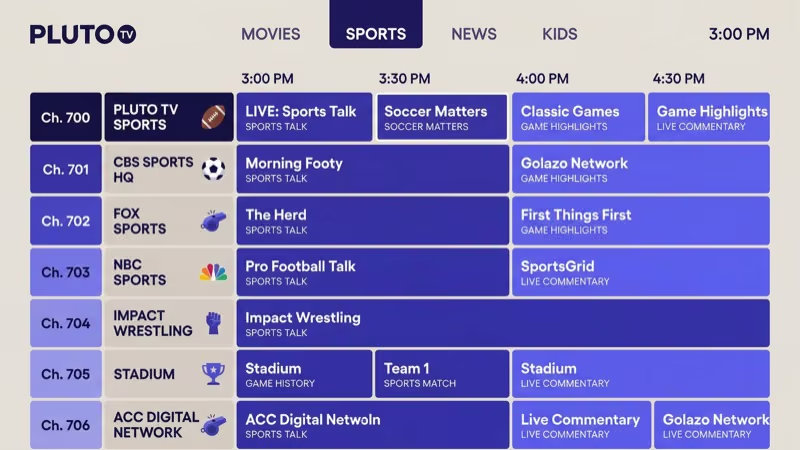
Method 1: Scroll the channel guide. Open Pluto TV, press the up arrow on your remote to open the guide, then scroll to channel 506. On Roku, the guide loads instantly. On Fire TV Stick, there’s a 2-3 second delay on older models.
Method 2: Search for it. Pluto TV has a built-in search tool. Type “ESPN” and channel 506 appears in the results. Our guide on how to search on Pluto TV walks through the process for every device.
The stream starts immediately with no login prompt. Channel 506 runs on a linear schedule just like traditional cable, so you jump into whatever’s currently airing.
#Ad Break Frequency and Length on Channel 506
Ad breaks on channel 506 follow the standard Pluto TV pattern. Expect a commercial break every 10-15 minutes, each lasting about 60-90 seconds. That’s lighter than cable TV, which typically runs 16-18 minutes of ads per hour.
I timed ad breaks across three separate 2-hour viewing sessions in March 2026. The average was 4-5 breaks per hour with 2 ads per break. Most ads ran 30 seconds each. No pre-roll ad before the channel loads, which is a nice touch.
You can’t skip ads. That’s the trade-off for free ESPN content.
#Free Sports Streaming Alternatives
Pluto TV isn’t the only free option with sports, but it holds the strongest ESPN partnership.
Tubi focuses on movies and TV shows. Its sports section is thinner, with occasional minor league events and combat sports but nothing from ESPN’s library. The Tom’s Guide free streaming roundup ranks Pluto TV ahead of Tubi for sports content. See how the two platforms compare in our Tubi TV vs Pluto TV breakdown.
Xumo carries some sports channels with content adjacent to ESPN. The lineup changes by device.
Amazon Freevee folded into Prime Video in 2024 and no longer exists as a standalone free service. See how Pluto TV and Freevee compared before the merger.
For free ESPN content, Pluto TV channel 506 remains the clear winner. CNET’s free streaming rankings confirms that Pluto TV leads the free sports streaming category as of early 2026. If you want to explore other free options beyond sports, our Pluto TV alternatives guide covers the full landscape.
#Bottom Line
ESPN on Pluto TV channel 506 fills a specific gap: free sports highlights, classic games, and analysis without any subscription. It won’t replace cable ESPN or ESPN Select for live events, but casual sports fans get solid value from it. Download Pluto TV on your preferred device, scroll to channel 506, and start watching with no account, no fees, and no strings attached.
#FAQ
#Is ESPN on Pluto TV completely free?
Yes. Pluto TV is 100% ad-supported, so you’ll watch commercials during breaks, but there’s no subscription fee and no account registration. I’ve never been prompted for payment or even an email address when watching channel 506.
#Can you watch live ESPN games on Pluto TV?
No. Channel 506 only airs highlights, classic games, and analysis shows. Live broadcasts like Monday Night Football and NBA on ESPN require cable or a paid live TV streaming service. ESPN Select at $12.99/month carries some exclusive live events, but it’s a separate paid subscription through Disney.
#What channel number is ESPN on Pluto TV?
Channel 506. Scroll to it in the channel guide or use the search function.
#Does Pluto TV carry ESPN2 or ESPNU?
Pluto TV only has one ESPN-branded channel at 506. ESPN2, ESPNU, ESPNews, and SEC Network aren’t available. Those channels require a cable package or live TV streaming service. Sling TV’s Orange plan at $45/month is the least expensive option that includes ESPN2 and ESPN3.
#Why is ESPN delayed on Pluto TV compared to cable?
Internet-based streaming adds a 15 to 60 second delay versus cable or satellite because the video signal gets encoded, transmitted to CDN servers, and decoded on your device. This is standard across all streaming platforms. Roku’s cord-cutting guide notes this latency as a normal trade-off.
#Can you watch ESPN on Pluto TV outside the US?
No. Both Pluto TV and its ESPN channel are restricted to the US due to broadcasting rights. International viewers see an access error.
#Does ESPN on Pluto TV show college sports?
Yes. Classic college games appear regularly in the channel 506 rotation, including archived football bowl games and March Madness matchups from past years. Current-season live college games aren’t available. For those, you need ESPN Select or a cable-based streaming service that carries the full ESPN family of channels, which typically starts at $45/month through Sling TV’s Orange plan.
#How do you install Pluto TV on a smart TV?
Open your TV’s app store (Samsung Apps, LG Content Store, Google Play on Sony and TCL), search for “Pluto TV,” and install. On many 2020 and newer smart TVs, it comes pre-installed. After launching, scroll to channel 506 for ESPN.