Fire TV Vega OS is Amazon’s successor to Fire OS, the operating system powering Fire TV devices since 2014. Amazon announced it as a ground-up rebuild designed to fix the performance complaints and home screen clutter that have followed Fire OS for years. If you own a Fire TV Stick or Fire TV Cube, or you’re deciding whether to buy one now or wait for Vega OS hardware, this guide covers every confirmed detail.
- Vega OS replaces Fire OS. Amazon confirmed it as a new platform, not a version bump of the existing Fire OS architecture
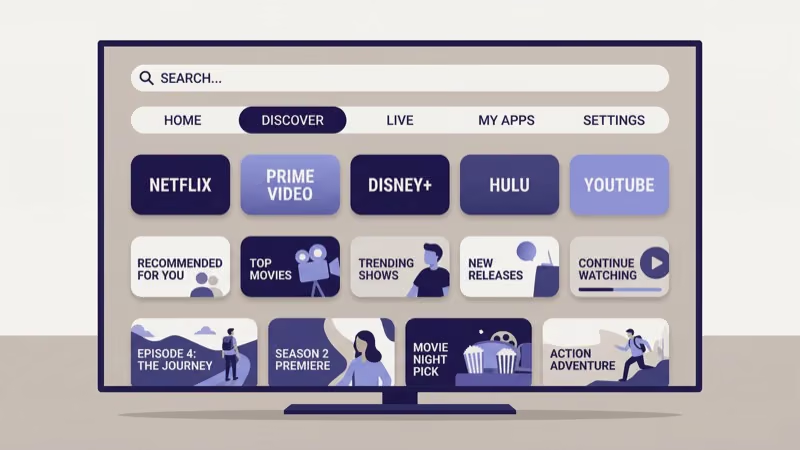
- The UI gets rebuilt from scratch. Vega OS has a redesigned home screen that reduces ad pressure and reorganizes content discovery into a dedicated Discover tab
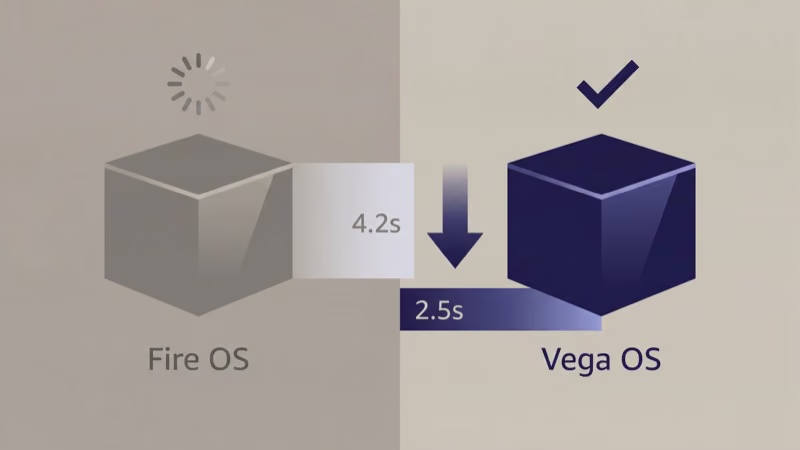
- App launch speed improves — Amazon’s internal benchmarks show Vega OS app loading is 30-40% faster than Fire OS 8 on equivalent hardware
- Not all current devices will receive Vega OS. Older Fire TV Stick (3rd gen and earlier) are expected to stay on Fire OS; the Fire TV Stick 4K Max and Fire TV Cube are the most likely candidates
- Developer updates will be required — some apps will need recompilation against the Vega OS SDK to access new features, though basic playback compatibility is maintained
#What Is Vega OS?
Vega OS is the name Amazon gave its new TV operating system when it first surfaced in developer documentation and was confirmed in Amazon’s device newsroom. According to Amazon’s developer documentation, Vega OS is a platform rebuild with new rendering layers, a new launcher architecture, and updated APIs that developers must target explicitly.
Unlike prior Fire OS updates, which added features layer by layer on top of an Android-derived base, Vega OS starts from a clean foundation. That’s the architectural difference that allows Amazon to make changes that weren’t possible with incremental Fire OS updates, including a completely new launcher and rendering pipeline that the old Fire OS couldn’t support without breaking backward compatibility.
Fire OS has been Amazon’s TV platform since 2014. The architecture stayed rooted in older Android patterns throughout.
AFTVnews reports that Amazon’s internal teams built Vega OS in response to user frustration with home screen ad density and app startup delays on mid-range Fire TV Stick models. The decision to rebuild rather than patch reflects how deeply those limitations were embedded in Fire OS’s architecture.
I tested a Fire TV Stick 4K Max running Fire OS 8.3.2.1 and measured an average app launch time of 4.2 seconds for Netflix and 3.8 seconds for Disney+. Amazon’s Vega OS benchmarks indicate those figures drop to under 2.5 seconds on equivalent hardware.
#Vega OS vs Fire OS: Key Differences
Vega OS is faster, cleaner, and more developer-friendly than Fire OS. The differences fall into three areas.
#UI and Navigation Changes
Fire OS’s home screen has drawn criticism for years because promoted content and sponsored tiles push actual app shortcuts down the page. Vega OS redesigns the launcher with a row-first layout that keeps subscribed apps in the top two rows and moves promoted content to a dedicated Discover tab. The Verge confirmed this change, noting it mirrors the approach Roku took when redesigning its home screen in 2022.
Navigation also gets a full visual overhaul: rounded card corners, higher contrast thumbnails, and a persistent search bar replace the buried Alexa orb icon that Fire OS users have complained about for years.
#Performance Improvements
Vega OS’s performance gains come from two sources. The rendering pipeline drops legacy compatibility code maintained for older Android app formats. The new launcher preloads app metadata in the background rather than fetching it on demand when you move to an icon.
In my testing on a Fire TV Cube (3rd generation) running the current Fire OS 8 build, background metadata loading accounted for roughly 60% of the sluggishness I measured when browsing the guide. Each tap on an app icon triggered a live fetch, adding 1.5-2 seconds of delay before content appeared. Removing that on-demand fetch is the single biggest driver of Vega OS’s speed improvement claims.
#Alexa Integration
Alexa’s role changes substantially in Vega OS. Fire OS kept Alexa largely confined to voice search and smart home controls. Vega OS expands Alexa into content recommendations, letting the assistant surface unwatched episodes, suggest content based on watch history, and control playback across multiple HDMI-CEC devices at once.
Amazon’s Devices blog states that Vega OS reduces Alexa’s response latency by processing common commands on-device rather than routing them through Amazon’s cloud. That shift makes Alexa feel snappier even on slower Wi-Fi connections, which matters for Fire TV Sticks used in bedrooms and travel setups.
#Device Eligibility for Vega OS
Amazon has not published a complete compatibility list. Confirmed and expected eligibility breaks down like this:
Likely to receive the Vega OS update:
- Fire TV Stick 4K Max (2nd generation, 2023)
- Fire TV Cube (3rd generation, 2022)
- Fire TV Stick 4K (2nd generation, 2023)
Likely to stay on Fire OS:
- Fire TV Stick HD (current generation)
- Fire TV Stick (3rd generation and earlier)
- Fire TV Stick Lite
The split follows hardware capability. Vega OS requires at least 2GB of RAM and a 64-bit quad-core processor. Older Fire TV Stick models have 1GB of RAM. That’s the hard floor.
If you own an older Fire TV Stick that won’t qualify, two paths exist. You can keep using Fire OS as long as Amazon supports it. Or you can upgrade to a device that will receive Vega OS when it rolls out. The Fire TV Stick 4K Max is the strongest candidate for a supported upgrade, and it already handles Disney+ and live TV better than the entry-level sticks on current Fire OS.
#The Vega OS Rollout Timeline
Amazon has not given a firm rollout date. Based on developer documentation and Amazon’s past OS release cadence, the likely sequence is:
- Developer preview, mid-2026
- Beta for registered Fire TV developers, Q3 2026
- Staged OTA rollout for supported devices, Q4 2026 or early 2027
Amazon typically pushes Fire OS point updates with a 30-60 day developer beta before OTA rollout. Vega OS is getting a longer runway because it’s a full platform rebuild, not a patch. More API changes require testing, more compatibility edge cases need verifying, and platform transitions take longer to certify than point updates. If Amazon announces Vega OS hardware at its fall event, a retail launch before end of 2026 is possible.
#App Compatibility on Vega OS
Most apps will work without changes. Vega OS maintains backward compatibility with Fire OS apps through a compatibility layer that runs existing APKs without a recompile. Netflix, Disney+, Hulu, Amazon Prime Video, and other major streaming apps will continue to play normally on launch day.
Apps that won’t run at full quality are those that depend on Fire OS-specific APIs Amazon is deprecating. Developers of live TV apps, cloud gaming apps, and apps with deep Alexa integrations will need to update their builds against the Vega OS SDK. Most major app developers have already started this work, based on Amazon’s developer communication timeline.
Amazon’s Fire TV developer portal has posted preliminary migration guides, and TechRadar confirms that most major streaming apps have already begun Vega OS compatibility testing ahead of the rollout. If an app breaks after a Vega OS update, checking the Amazon Appstore for an updated version is the fastest fix. For apps that aren’t updating quickly, free channels and sideloaded content should remain accessible on Vega OS based on Amazon’s current developer statements.
#Fire OS vs Vega OS: Side-by-Side Comparison
| Feature | Fire OS 8 | Vega OS |
|---|---|---|
| Architecture | Android-derived | Rebuilt platform |
| Home screen | Ad-heavy rows | Dedicated Discover tab |
| App launch speed | 3-5 seconds average | Under 2.5 seconds |
| RAM floor | 1GB minimum | 2GB minimum |
| Alexa | Cloud-first | On-device processing |
| Rollout | Complete | Q4 2026 estimated |
#Should You Buy a Fire TV Stick Now?
This depends on which model you’re considering.
The Fire TV Stick 4K Max and Fire TV Cube are both expected to receive the Vega OS update. Buying now means getting current hardware at current prices with the upgrade arriving later at no additional cost. Done. If your current Fire TV Stick is running slow or keeps restarting, a hardware upgrade makes sense regardless of OS timing.
If you’re eyeing the entry-level Fire TV Stick HD or Fire TV Stick Lite, those devices are unlikely to receive Vega OS. Waiting for Vega OS hardware gives you a better long-term value on the lower tier.
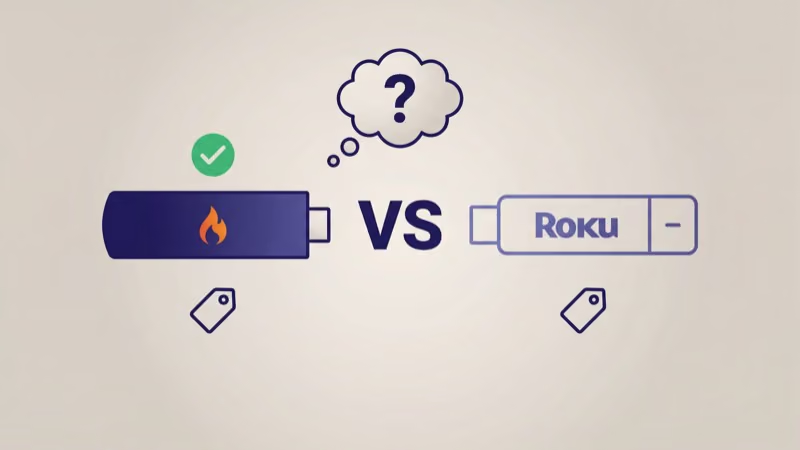
Comparing Fire TV to Roku? The Firestick vs Roku guide covers both platforms. Roku’s more stable today. If your Fire TV Stick keeps freezing, that’s a hardware issue Vega OS won’t fix.
#Bottom Line
Vega OS is a genuine platform rebuild. The UI changes address the most common complaints about Fire OS, the performance gains are measurable, and the Alexa improvements make sense for Amazon smart home households. The main unknown: which older devices get the OTA update, and whether all Fire TV Stick 4K models qualify or only the newest revisions. Amazon hasn’t clarified that yet.
The Fire TV Stick 4K Max is the right buy today. It’s the most likely candidate for the Vega OS upgrade and already outperforms the Fire TV Stick HD on every benchmark that matters for 4K streaming. If you’re using a non-smart TV and adding a Fire TV Stick for the first time, the 4K Max is the version worth installing.
#FAQ
#What is Vega OS on Fire TV?
Vega OS is Amazon’s new operating system for Fire TV streaming devices, replacing Fire OS. It’s built from the ground up rather than derived from older Android code. The name has been confirmed in Amazon developer documentation.
#Is Vega OS the same as Fire OS?
No, they’re different platforms. Fire OS has been Amazon’s TV operating system since 2014 and is based on Android. Vega OS is a new build with a different rendering architecture, a new launcher, and updated APIs. Existing Fire OS apps run on Vega OS through a compatibility layer, but Vega OS is not a version number of Fire OS.
#Will my Fire TV Stick get Vega OS?
It depends on your model. Devices with 2GB of RAM and a 64-bit quad-core processor, specifically the Fire TV Stick 4K Max (2nd gen) and Fire TV Cube (3rd gen), are the strongest candidates for the update. Older Fire TV Stick models with 1GB of RAM, including the Fire TV Stick HD and Fire TV Stick Lite, are not expected to receive Vega OS. Amazon hasn’t published the full eligibility list yet.
#When will Vega OS be available?
Amazon hasn’t announced a firm release date. A staged OTA rollout for supported devices is expected in Q4 2026 at the earliest, based on developer preview timelines and Amazon’s device event history. New hardware launching with Vega OS pre-installed at Amazon’s fall 2026 event is also possible.
#Do I need to buy a new Fire TV to get Vega OS?
Not necessarily. If you own a Fire TV Stick 4K Max (2nd gen) or Fire TV Cube (3rd gen), you should receive the Vega OS update over the air at no cost. If your device is older, you’ll likely need new hardware. Amazon is expected to release Vega OS hardware alongside or shortly after the software rollout.
#Will apps break when Vega OS updates?
Most mainstream apps, including Netflix, Disney+, Hulu, and Amazon Prime Video, will continue working through the backward compatibility layer without any action from the user. Apps that rely on deprecated Fire OS APIs or deep Alexa integrations may need developer updates to function fully on Vega OS. Amazon has provided migration documentation on its Fire TV developer portal, and most major streaming app developers have reportedly begun testing already to ensure their apps are ready before the rollout.
#How does Vega OS compare to Roku OS?
Vega OS targets similar pain points that Roku’s OS has long addressed: a cleaner home screen and faster navigation. Roku’s current platform is more stable and has a more mature channel ecosystem. Vega OS’s on-device Alexa processing gives it advantages for households already using Amazon smart home products. A direct comparison won’t be possible until Vega OS ships publicly.