Getting the Spectrum TV app running on a TCL smart TV depends entirely on which operating system your model uses. TCL has been shifting its lineup over the past two years, with newer mid-range and premium models like the QM6K, QM7K, and QM8K running Google TV, while budget-friendly S5 series models still ship with Roku built in.
- TCL Roku TVs have full Spectrum app support with direct installation from the Roku Channel Store, including 4K content added in November 2025
- TCL Google TV models have no native Spectrum app and require browser access, phone casting, or an external streaming device
- Spectrum officially supports Roku, Apple TV 4K, Samsung (2017+), LG webOS, and Vizio SmartCast but not Google TV or Amazon Fire TV
- Spectrum TV Stream costs $45/month for 85+ live channels and works as a streaming-only plan without a cable box
- An external Roku device ($25-$50) adds full Spectrum access to any TCL TV with an open HDMI port
#Can You Get the Spectrum App on a TCL Smart TV?
It depends on the platform. If your TCL TV runs Roku OS, you’re in luck. The official Spectrum TV app is available in the Roku Channel Store, and it works on every TCL Roku model regardless of screen size or resolution.
TCL Google TV owners don’t have this option. Spectrum hasn’t released a native app for Google TV or Android TV, so you won’t find it in the Google Play Store on your TCL QM6K, QM7K, or QM8K. The app is also unavailable on Amazon Fire TV devices, despite what some older guides claim.
Here’s the full list of Spectrum-supported platforms as of March 2026:
- Roku (all models, including TCL Roku TVs)
- Samsung smart TVs (2017 and newer)
- LG webOS TVs
- Vizio SmartCast TVs
- Apple TV 4K
- Xbox One
- Xumo Stream Box
If your TCL runs Google TV, skip ahead to the workaround section below.
#How Do You Install Spectrum on a TCL Roku TV?
The process takes about two minutes. Every TCL Roku TV shares the same Roku interface, so these steps work across all models in the S5 series and older Roku-based lineups.
Step 1) Press the Home button on your TCL Roku remote.
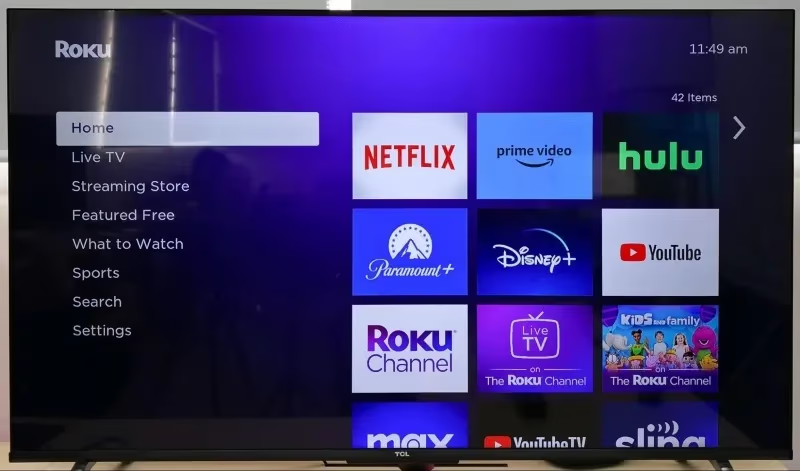
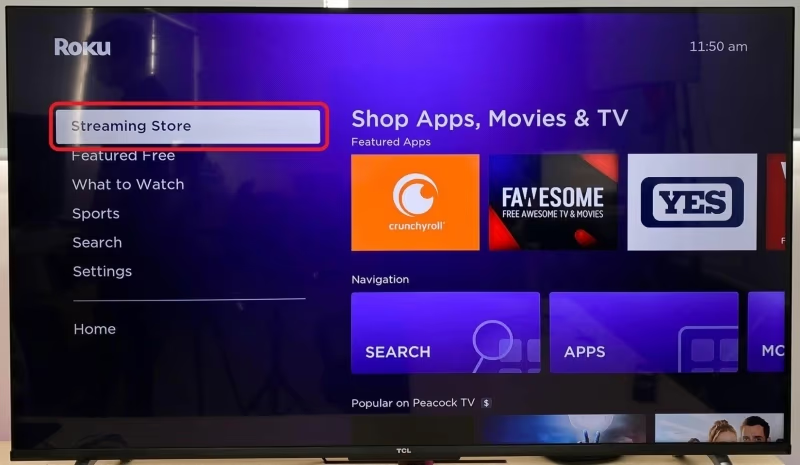
Step 2) Scroll left and select Streaming Channels.
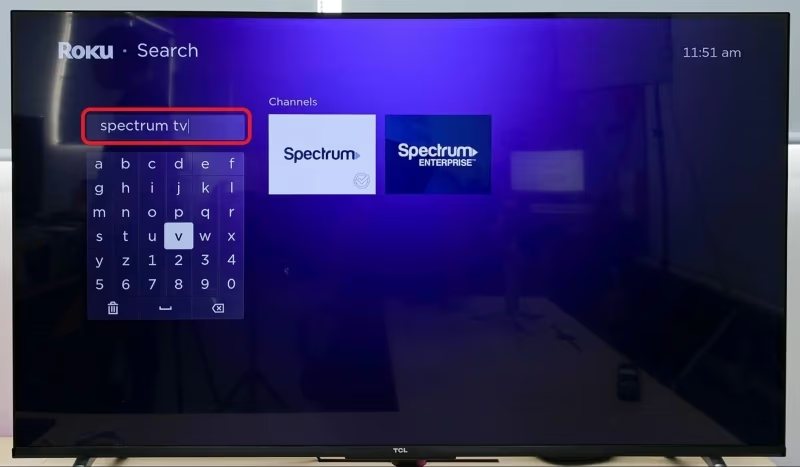
Step 3) Search for “Spectrum TV” in the channel store.
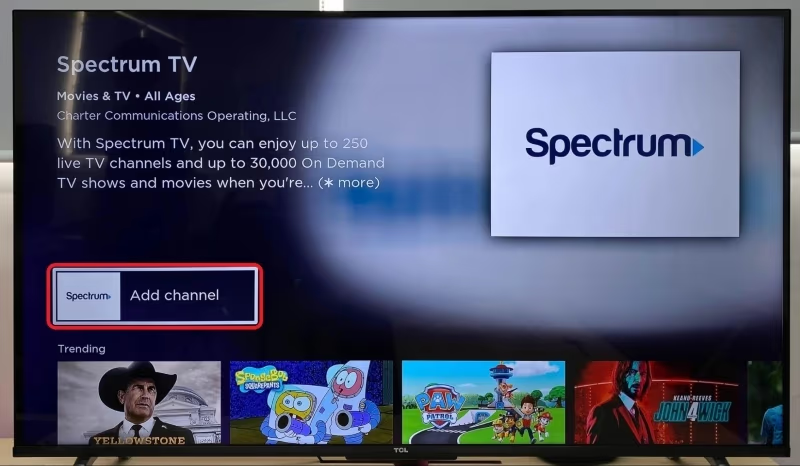
Step 4) Click Add Channel to install.
Step 5) Launch the app and sign in with your Spectrum account credentials.
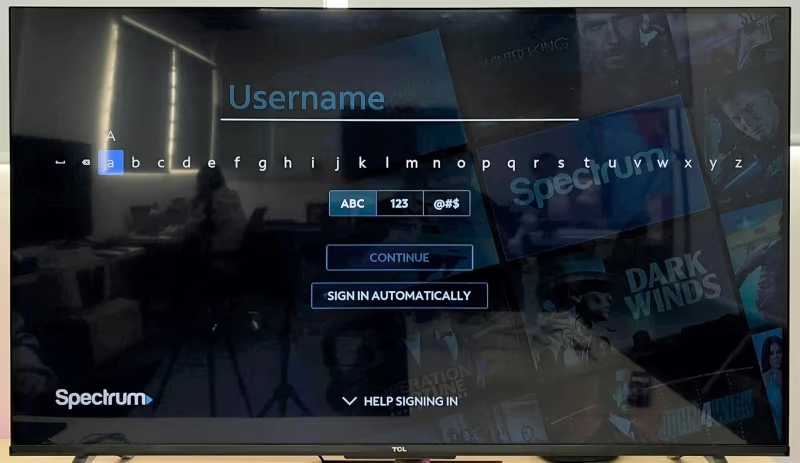
That’s the whole process. The Roku version of the Spectrum app gives you live TV, on-demand programming, channel guides, DVR management, and favorite lists. Spectrum also expanded 4K content delivery to Roku devices in November 2025, so picture quality has improved noticeably on compatible TCL 4K models.
You can follow a similar installation process on other supported TV brands. The Spectrum app on LG webOS TVs and Vizio SmartCast TVs works just as smoothly through their respective app stores.
#Watching Spectrum on TCL Google TV Without the App
TCL’s 2025 premium lineup runs Google TV, which means no Spectrum app. Three workarounds actually deliver a solid viewing experience, though none match the convenience of a native app.
#Browser Access via watch.spectrum.net
This is the fastest workaround. Open any web browser on your TCL Google TV and navigate to watch.spectrum.net. Log in with your Spectrum credentials and start streaming immediately.
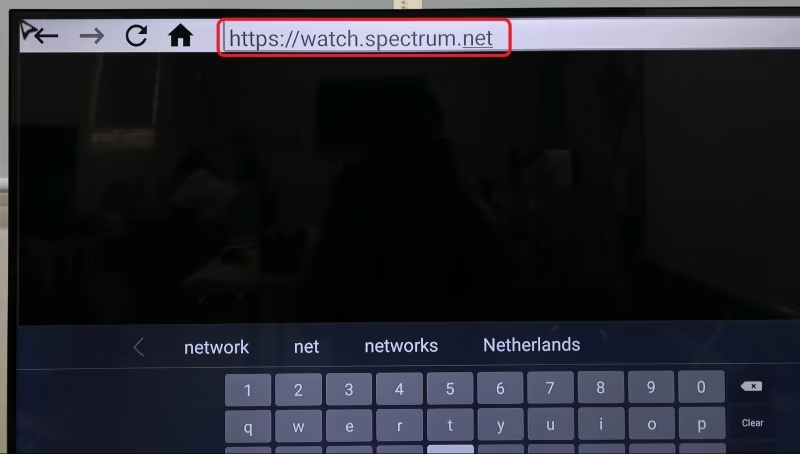
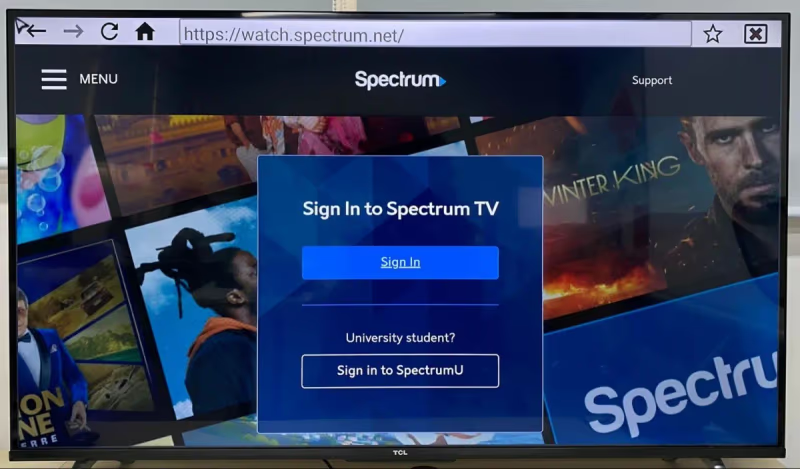
I recommend installing the TV Bro or Puffin browser from the Google Play Store if your TCL doesn’t already have a browser app. The web interface lacks full DVR controls and the channel guide isn’t as polished as the native app, but it works for live TV and on-demand content without any extra hardware.
#Cast From Your Phone
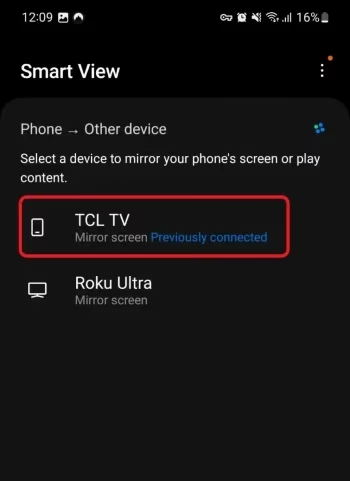
Both Android and iPhone users can mirror the Spectrum mobile app to a TCL Google TV. Connect your phone and TV to the same Wi-Fi network, then use Chromecast (Android) or AirPlay (iPhone) to send the video to your big screen.
For Android phones: Open the Spectrum app, tap the cast icon, and select your TCL TV.
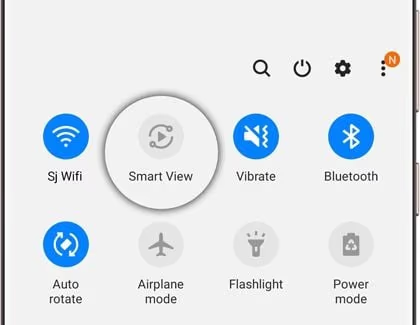
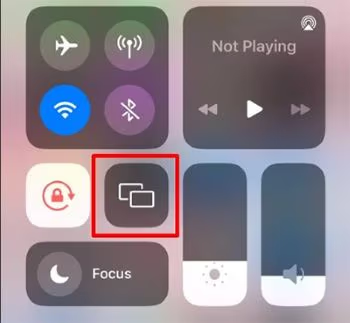
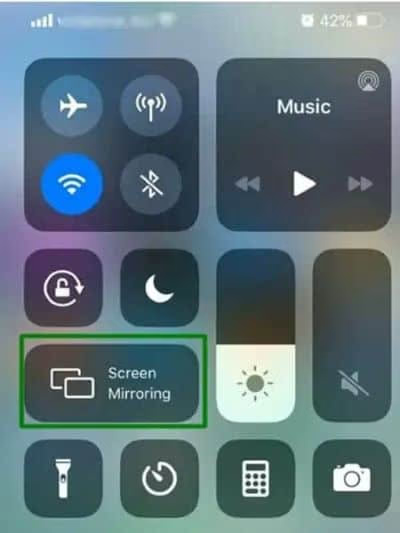
For iPhones: Open Control Center, tap Screen Mirroring, and pick your TCL TV from the list.
Casting drains your phone battery faster than normal, but you get access to every feature in the Spectrum mobile app including DVR recordings, on-demand content, and the full channel guide. If AirPlay isn’t connecting properly, make sure both devices are on the same network and that AirPlay is enabled in your TV’s settings.
#Connect an External Roku Device
This is the most reliable option if you watch Spectrum daily. Plug a Roku Express 4K or Roku Streaming Stick into any open HDMI port on your TCL Google TV, run through the Roku setup, and install the Spectrum app from the channel store. The experience is identical to what TCL Roku TV owners get natively.
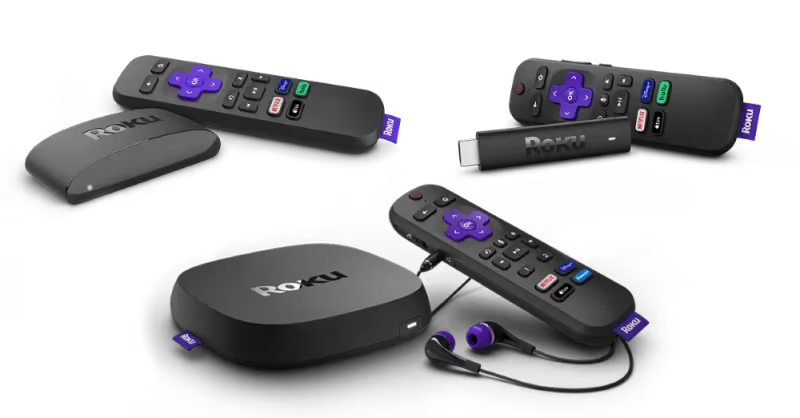
An external Roku runs $25-$50 and gives you access to Spectrum’s full Roku experience, including the 4K content library. It’s a one-time purchase that permanently solves the compatibility problem.
#Best Alternatives for TCL TVs Without Spectrum Support
If you’d rather not buy an external device or deal with casting, consider these options for watching Spectrum content on your TCL TV.
Spectrum TV Stream plan. At $45/month, this streaming-only plan delivers 85+ live channels and works through any supported device. You don’t need a cable box or traditional TV package. Visit Spectrum’s support page to check availability in your area.
Apple TV 4K. If you already own one, the Spectrum app runs natively on Apple TV 4K with full feature support. Connect it to your TCL via HDMI and you’re set. This is the best option for households already in the Apple ecosystem.
Use the Spectrum website on a laptop. Connect a laptop to your TCL TV’s HDMI port and open watch.spectrum.net in Chrome or Safari. This bypasses the app entirely and gives you full access to live TV and on-demand content on the big screen.
TCL’s official site lists the operating system for every model, so you can verify which platform your TV runs before trying any of these methods.
#Bottom Line
Check your TCL TV’s operating system first. If it runs Roku, install the Spectrum app from the channel store and you’re done in two minutes. If it runs Google TV, your best long-term option is a $25-$50 Roku streaming stick plugged into an HDMI port. For occasional viewing, browser access at watch.spectrum.net or casting from your phone works fine without any extra hardware.
#FAQ
#Does the Spectrum app work on TCL Google TV models?
No. Spectrum hasn’t released a native app for Google TV or Android TV. TCL models like the QM6K, QM7K, and QM8K that run Google TV can’t install the Spectrum app directly. Your options are browser access, phone casting, or connecting an external Roku device.
#Can I watch Spectrum on a TCL TV without a cable subscription?
Yes, through the Spectrum TV Stream plan. It costs $45/month and includes 85+ live channels without requiring a cable box. You’ll still need Spectrum internet service and a supported device like a Roku or Apple TV 4K to stream.
#Does Spectrum work on Amazon Fire TV Stick?
No. The Spectrum TV app isn’t available on Amazon Fire TV devices. This has been the case since the app launched, and nothing has changed as of 2026. If you need an external streaming device for Spectrum, go with a Roku instead.
#What internet speed do I need for Spectrum streaming?
Spectrum recommends at least 25 Mbps for a single 4K stream. Standard HD streaming needs 5-10 Mbps per stream. If multiple people in your household are streaming at the same time, multiply those numbers by the number of concurrent streams.
#Why does TCL use different operating systems on different models?
TCL sells budget models with Roku OS and mid-to-premium models with Google TV. The S5 series still ships with Roku built in, while the QM6K, QM7K, and QM8K run Google TV. This split means Spectrum app availability varies depending on which TCL model you bought.
#Can I sideload the Spectrum APK on a TCL Google TV?
You can, but I don’t recommend it. The sideloaded APK was built for phones, so it runs in portrait mode and won’t rotate to full screen. It also poses security risks since it comes from unofficial sources. Browser access or an external Roku device gives you a much better experience.
#Is the Spectrum app on Roku free to use?
The app itself is free to download and install. You’ll need an active Spectrum TV subscription to log in and watch content. Both traditional cable packages and the $45/month Spectrum TV Stream plan work with the Roku app.
#How do I check which operating system my TCL TV runs?
Go to Settings on your TCL TV. If you see the Roku home screen with purple interface elements, it runs Roku OS. If you see the Google TV interface with a “For You” tab and Google account integration, it runs Google TV. You can also check the model number on TCL’s website to confirm.