Your TV has sound but the screen stays black. This is one of the most common TV problems I see, and most of the time you can fix it yourself in under five minutes. The cause is usually something straightforward like a wrong input, a bad HDMI connection, or a software glitch. In some cases, though, a hardware failure like a dead backlight or faulty T-Con board is to blame.
- Wrong input source is the #1 cause — press the Source button on your remote and cycle through all HDMI inputs to find your picture
- Loose HDMI cables cause intermittent black screens — reseating all connections takes under a minute and often restores the picture
- A 60-second power cycle clears most software glitches — unplug the TV, wait a full minute, then plug it back in
- The flashlight test reveals backlight failure — if you see a dim image under a flashlight, the LED backlight strips need replacement
- HDMI-CEC can blank your screen unexpectedly — a connected device powering on or off may switch your TV’s input or turn off the display
#What Causes a TV to Have Sound but No Picture?
Several things can cause your TV to lose its picture while the audio keeps playing. I’ll walk through each one so you can narrow down the problem.
#Loose or Damaged Cables
HDMI cables work loose over time, especially if your TV is wall-mounted or you move furniture around. Even a cable that looks fully plugged in can lose contact with the port’s pins. Inspect all your cables for fraying, bent connectors, or kinks. A damaged cable can carry audio just fine while dropping the video signal entirely.
#Incorrect Input Source
This sounds too simple, but it’s the fix I recommend first. If your TV is set to HDMI 2 and your cable box is plugged into HDMI 1, you’ll get a black screen. Press the Source or Input button on your remote and cycle through every input until the picture appears.
#HDMI-CEC Conflicts
HDMI-CEC (called Anynet+ on Samsung and SimpLink on LG) lets your TV communicate with connected devices. The problem? When a game console or soundbar powers on, CEC can switch your TV’s input or even blank the screen. I’ve seen this happen repeatedly with PS5 and Xbox setups.
To test, go into your TV’s settings and disable CEC temporarily. If the black screen stops, you’ve found the culprit.
#Backlight Failure (LED TVs)
Modern LED TVs use strips of LEDs behind the LCD panel to produce light. When these strips fail, you get sound but a completely dark screen. LG TVs manufactured between 2013 and 2017 are particularly prone to this issue. One failed LED in the strip can shut down the entire backlight array on those models.
To check for a failed backlight, shine a bright flashlight directly at the screen while the TV is on. If you can make out a very dim image, your backlight has failed but the panel itself still works. This requires professional repair to replace the LED strips.
#T-Con Board Failure
The T-Con (timing controller) board tells your screen what to display. When it fails, you might see a completely white or gray screen, vertical lines, or a half-black display. Here’s the key difference from a backlight issue: if you shine a flashlight on the screen and the backlight is clearly ON but there’s no image at all, the T-Con or main board has likely failed.
#Power Supply Board Issues
Your TV’s power supply board delivers different voltages to different components. A partial failure can keep the speakers running while cutting power to the backlight or video processor. On Samsung TVs, swollen or burst capacitors on the power board are a known issue. You can sometimes spot them by opening the back panel and looking for capacitors with bulging tops.
#Sleep Timer or Energy Saving Mode
Some TVs will turn off the display after a period of inactivity while keeping audio active. Check your TV’s settings for any Sleep Timer, Energy Saving, or Screen Off options that might be enabled.
#How Do You Fix a Black Screen TV with Sound?
Work through these fixes in order. Most people solve the problem within the first three steps.
#Check All Cables and Connections
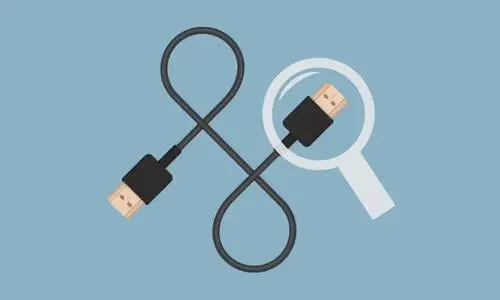
- Unplug and firmly reseat every HDMI cable at both ends
- Try a different HDMI cable if you have one available
- Make sure your surge protector is working and hasn’t tripped
- Check that the power cable is fully seated in the back of the TV
#Select the Correct Input Source
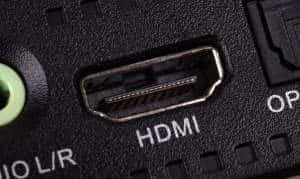
- Press the Input or Source button on the TV or remote
- Cycle through every input (HDMI 1, HDMI 2, HDMI 3, etc.)
- Verify that the correct device is connected to the selected port
- If you have a Vizio TV black screen, the input button is labeled “Input” on most Vizio remotes
#Perform a Power Cycle
- Turn off the TV and unplug it from the wall outlet
- Wait at least 60 seconds (this drains residual power from the capacitors)
- Press and hold the TV’s power button for 30 seconds while it’s unplugged
- Plug the TV back in and turn it on
This clears temporary software glitches. It’s surprisingly effective.
#Disable HDMI-CEC
- Open Settings > General > External Device Manager (Samsung) or Settings > Connection > HDMI Device Settings (LG)
- Turn off HDMI-CEC / Anynet+ / SimpLink
- Restart the TV and check if the picture returns
#Disable Energy Saving or Sleep Timer Settings
- Open your TV’s Settings or Setup menu
- Look for Energy Saving, Power Saving, or Sleep Timer options
- Disable these settings if they’re turned on
- Perform a full settings reset if the problem persists
#Test with Another Device
- Connect a different device (streaming stick, game console, laptop) to the same HDMI port
- If the other device displays a picture, the issue is with your original device, not the TV
- If there’s still no picture, try a different HDMI port on the TV
- Apple TV black screen issues can mimic a TV problem, so test with a non-Apple device too
#Update TV Firmware
Outdated firmware can cause display glitches. Check the manufacturer’s website for your specific model:
Download the update file to a USB drive, insert it into your TV, and follow the on-screen instructions.
#Factory Reset the TV
- Navigate to Settings > General > Reset (exact path varies by brand)
- Confirm the factory reset
- You’ll lose your custom picture settings, Wi-Fi passwords, and app logins
- Only try this after simpler fixes have failed
#Run the Flashlight Test
This test tells you whether you’re dealing with a backlight failure or something else:
- Turn the TV on so you hear audio playing
- Shine a bright flashlight directly against the screen at close range
- If you see a dim image: Your backlight has failed. The LCD panel works, but the LED strips behind it don’t. Professional repair runs $100-$400 depending on TV size.
- If you see no image at all but the backlight glows: Your T-Con board or main board has failed. This also needs professional repair.
For OLED TVs, the flashlight test doesn’t apply since OLEDs don’t use a separate backlight. An OLED black screen with sound points to a main board or T-Con failure.
#Brand-Specific Black Screen Fixes
Different TV brands have their own quirks. Here are tips for the most common ones.
#Samsung TVs
Samsung power boards are prone to capacitor failures, especially on models from 2015-2019. If your Samsung TV has the “Black Screen of Death,” try a USB recovery: download the latest firmware to a USB drive, insert it while the TV is off, then power on. The TV may detect the USB and begin a recovery update.
#LG TVs
LG TVs from 2013-2017 are known for LED backlight strip failures. One failed LED can shut down the entire backlight array because the strips are wired in series. If your LG TV passes the flashlight test (dim image visible), backlight replacement typically costs $150-$300.
#Sony Bravia TVs
Sony Bravia TVs can enter a protection mode after a power surge. To reset: unplug the TV, then press and hold the Power, Volume Down, and Channel Down buttons on the TV simultaneously for about 10 seconds. Release, plug back in, and power on.
#Other Brands
For brand-specific troubleshooting, I’ve written detailed guides for several other models:
- TCL TV black screen
- Hisense Roku TV black screen
- Sharp Roku TV black screen
- ONN Roku TV black screen
#When To Call a Professional
If you’ve worked through every step above and still have a black screen, the issue is almost certainly hardware. Call a technician for:
- Failed LED backlight strips (the flashlight test confirmed it)
- Blown capacitors or a faulty power supply board
- T-Con board or main board failure
- Any repair that requires opening the TV’s back panel
TV internals carry high voltages even when unplugged. Don't attempt board-level repairs unless you have proper training and equipment.
Professional repair typically costs $100-$400 for parts and labor, with larger screens (55-75 inches) on the higher end. If your TV is more than 6-7 years old, compare the repair cost against a new TV before committing. You can find qualified technicians through the iFixit TV repair guide or your TV manufacturer’s support page.
#Preventing Black Screen Issues
A few habits go a long way toward avoiding this problem in the future:
- Use a surge protector to guard against electrical spikes
- Keep the TV’s vents clear of dust to prevent overheating
- Don’t yank HDMI cables out at an angle
- Install firmware updates when they become available
- Avoid placing the TV in direct sunlight or near heat sources
#Frequently Asked Questions
#Why does my TV have sound but no picture?
The most common causes are a wrong input source, loose HDMI cables, or a failed backlight. HDMI-CEC conflicts can also blank the screen when a connected device powers on or off. If none of those apply, a failing T-Con board or power supply board could be responsible.
#How do I tell if my TV backlight has failed?
Shine a bright flashlight directly at the screen while the TV is on. If you can see a very faint image, the backlight has failed but the LCD panel still works. This repair requires replacing the LED strips behind the panel, which costs $100-$400 depending on TV size.
#Does the flashlight test work on OLED TVs?
No. OLED screens produce their own light at the pixel level, so there’s no separate backlight to test. If your OLED TV has sound but a black screen, the problem is likely the main board or T-Con board. Contact the manufacturer for warranty service or a qualified repair technician.
#Can HDMI-CEC cause a black screen?
Yes. HDMI-CEC lets devices communicate through HDMI, but it can also switch your TV’s input or turn off the display when a connected device powers on or off. Disable CEC in your TV’s settings to test whether it’s causing the issue. Samsung calls this feature Anynet+, while LG calls it SimpLink.
#Can a firmware update fix a black screen?
Outdated firmware can cause display glitches including black screens. Download the latest firmware from your manufacturer’s support website to a USB drive and install it. Samsung TVs also support a USB recovery mode that can fix the “Black Screen of Death” without needing a working display.
#Is it worth repairing a TV with a black screen?
It depends on the cause and the TV’s age. Cable issues, wrong inputs, and software glitches cost nothing to fix. Backlight or power board replacements typically run $100-$400, so weigh that against the price of a new TV of the same size.
#When should I replace my TV instead of repairing it?
If the repair estimate exceeds 50% of what a comparable new TV costs, replacement makes more sense. TVs older than 7 years are usually not worth repairing unless the fix is under $100. Check current TV prices before approving any repair quote.
#How do I do a factory reset if I can’t see the screen?
Most TVs have a physical reset button or pinhole on the back panel. Check your owner’s manual for the exact location. On Samsung TVs, you can also try the USB firmware recovery method, which doesn’t require a working display.
#Bottom Line
A TV with sound but no picture is usually fixable at home. Start by checking your HDMI cables and cycling through input sources, since those two steps solve the problem most of the time. Power cycling the TV for 60 seconds clears software glitches, and disabling HDMI-CEC rules out input-switching conflicts.
If those quick fixes don’t work, run the flashlight test. A dim image means your backlight has failed and needs professional repair ($100-$400). No image with the backlight on points to a T-Con or main board failure. For OLED TVs, skip the flashlight test entirely and contact your manufacturer.
Brand-specific issues like Samsung capacitor failures, LG backlight strip problems, and Sony protection mode each have their own targeted fix. When the repair cost approaches half the price of a new TV, replacement is the better investment.