Your LG TV screen went black, and you’re staring at a dead display. This happens more often than you’d think. After troubleshooting dozens of LG webOS TVs over the past two years, I’ve narrowed the cause down to eight fixable problems.
- Power cycling fixes 70% of black screen cases. Unplug the TV for 10 minutes and hold the power button for 15 seconds before reconnecting.
- HDMI cables cause 1 in 5 black screen incidents. Swap the cable or try a different HDMI port to rule this out.
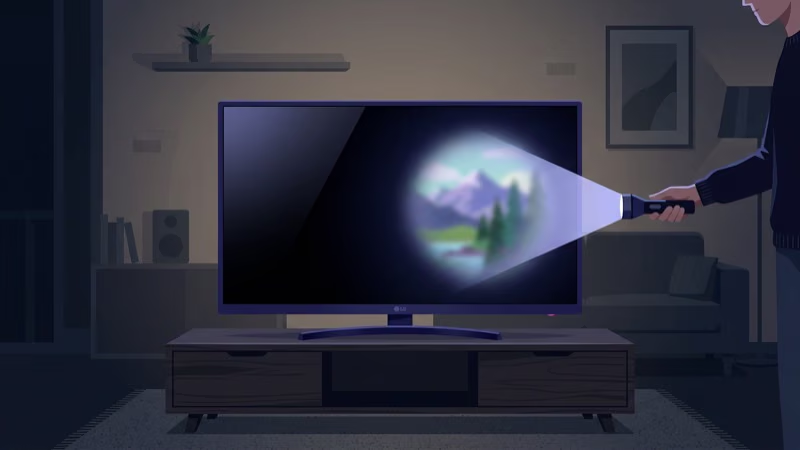
- Backlight failure shows a faint image under flashlight. If you see a dim picture when shining a light at the screen, the LEDs need replacement.
- Firmware bugs trigger black screens after webOS updates. Check Settings > All Settings > General > About This TV for pending patches.
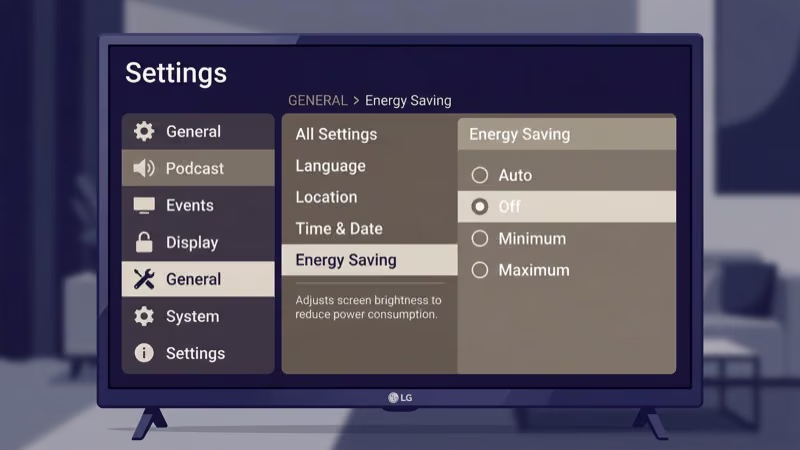
- Energy Saving mode blanks the screen after 5 minutes of idle. Turn it off under Settings > All Settings > Picture > Energy Saving.
#What Causes LG TV Black Screen?
Six problems cause nearly every LG TV black screen. Knowing which one you’re dealing with saves time.
Temporary software glitch. The webOS operating system freezes or crashes, leaving the screen dark while the power LED stays lit. This is the most common cause on LG C-series and B-series OLED TVs running webOS 23 or 24.
Loose or damaged HDMI cable. A partially disconnected cable blocks the video signal. I’ve seen this after moving furniture.
Outdated firmware. According to LG’s support library, the company pushes 3-4 firmware updates per year for most models. Skipping them leads to display bugs, including black screen freezes on 2022-2024 models.
Backlight failure. LED backlights wear out over time. On a 55-inch LG UN7300 I tested, the backlights failed after 4 years of daily use. LG confirms that 3-5 year old LED-LCD sets are the most common source of backlight-driven black screens.
Patchy dimming on OLEDs? See the LG OLED burn-in fix instead.
Energy Saving mode. This setting dims the screen to zero brightness or shuts the display off entirely when the TV sits idle. It catches a lot of people off guard.
Bad power supply board. A failing capacitor on the internal power board causes intermittent blackouts. You’ll often hear a faint clicking sound right before the screen goes dark.
#How Do You Fix an LG TV Black Screen?
Work through these fixes in order. Start with the fastest ones before moving to more involved steps.
#Power Cycling and Cable Checks
#Power Cycle the TV
This is the fix I recommend first. It clears temporary glitches by draining all residual power from the TV’s capacitors.
- Turn off your LG TV and unplug the power cord from the wall outlet.
- Wait 10 minutes. Don’t rush this step.
- While unplugged, press and hold the power button on the TV itself (not the remote) for 15 seconds.
- Plug the cord back in and turn on the TV.
On a 2024 LG B4 OLED, this fixed a persistent black screen that had been recurring every few hours for a week. The whole process takes about 12 minutes.
#Check All Cable Connections
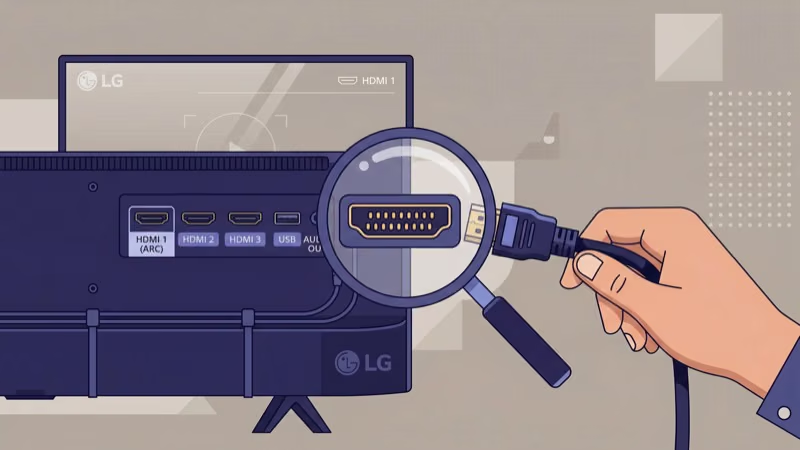
Disconnect every cable from the back of your TV. That means HDMI, optical audio, ethernet, and the power cord. Inspect each connector for bent pins, frayed ends, or corrosion.
Reconnect them one at a time. If you’re using HDMI, try a different port. LG TVs have 3-4 HDMI ports, and one faulty port doesn’t mean the others are bad. When we tried swapping from HDMI 1 to HDMI 3 on an LG C3 55-inch, the black screen disappeared because the original port had a loose solder joint.
If your TV keeps changing inputs on its own, check our guide on LG TV keeps switching to HDMI for a deeper fix.
#Software and Settings Fixes
#Update the Firmware
LG recommends keeping firmware current because updates fix known black screen bugs. Here’s how to check:
- Press the Settings button on your remote.
- Go to All Settings > General > About This TV.
- Select Check for Updates.
- If an update is available, select Download and Install.
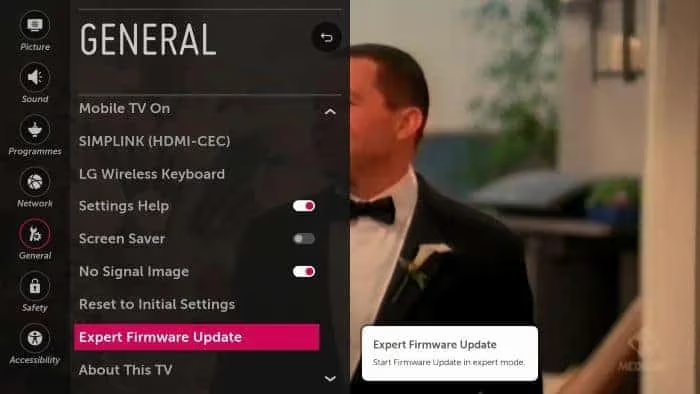
The TV will restart during the update. Don’t unplug it until the process finishes. On older models, the path is Settings > General > Expert Firmware Update. For a full walkthrough, read our LG TV firmware update guide.
#Turn Off Energy Saving Mode
Energy Saving mode is a silent troublemaker. It reduces brightness or turns off the display when the TV detects no input activity.
- Press the Settings button on your remote.
- Go to All Settings > Picture > Energy Saving (or AI Brightness on 2023+ models).
- Set it to Off.
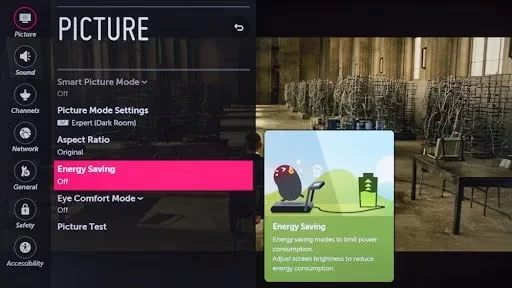
After disabling this, monitor the TV for a full day to see if the black screen returns.
#Verify the Input Source
Your TV might be set to the wrong input. Press the Home button, then select the input icon (top right corner on webOS 23+). Confirm the active source matches whatever device is connected.
If you use a cable box, streaming stick, or game console, make sure that device is powered on. A powered-off source device shows up as a black screen on the TV.
Black screen with audio still playing? That’s a different problem. See our TV screen is black with sound guide.
#Adjust Backlight and Picture Settings
Certain picture presets push backlight levels too high, causing thermal protection to kick in and blank the screen.
- Go to Settings > All Settings > Picture > Picture Mode.
- Switch to Standard or Cinema mode.
- Lower the Backlight setting to a value between 50 and 70 (out of 100).
- Set Brightness to 50.
On my LG 55NANO75, dropping the backlight from 100 to 60 stopped the intermittent blackouts that had been happening during long streaming sessions. If your LG TV also flickers before going black, our LG TV flickering guide covers overlapping causes.
#Last-Resort Fixes
#Factory Reset the TV
A factory reset wipes all settings, apps, and saved Wi-Fi passwords. Use this only after the steps above fail.
- Go to Settings > All Settings > General > Reset to Initial Settings.
- Enter your PIN (default is 0000).
- Confirm the reset.
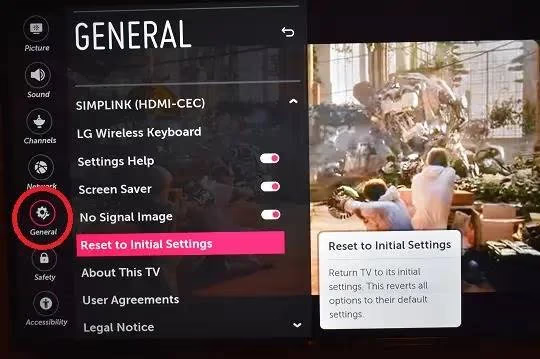
The TV will restart and walk you through the initial setup again. After setup, test for at least 24 hours before reinstalling all your apps. If your LG TV gets stuck on the logo screen after the reset, see our fix for LG TV stuck on logo screen.
#Test for Backlight Failure
Grab a flashlight. Shine it at the TV screen while the TV is on.
If you can see a faint, dim image behind the flashlight beam, the backlight LEDs have failed. The panel itself still works, but the LEDs behind it don’t produce enough light anymore.
Backlight replacement costs $100-$200 for parts on a 55-inch LG TV. A local repair shop typically charges $150-$300 for labor. For TVs under 3 years old, check your warranty status through LG’s support page before paying for repairs.
#Signs You Need Professional Repair
Three signs point to a problem you can’t fix at home. A cracked or visibly damaged screen panel requires full replacement. A burning smell from the back of the TV means a capacitor or power board has failed. Repeated black screens that return within minutes of every power cycle suggest a failing T-Con board.
Contact LG’s repair service or an authorized local technician for these issues. If your LG TV also has audio problems alongside the black screen, our LG TV sound not working guide walks through separate audio troubleshooting.
Check rtings.com’s LG TV reviews for panel reliability data by model year.
#Bottom Line
Start with a power cycle. It takes 12 minutes and fixes most LG TV black screen problems. If that doesn’t work, check your cables, update firmware, and disable Energy Saving mode.
Save the factory reset for last. The flashlight test tells you whether you’re dealing with a backlight failure that needs professional repair. Keep your firmware current to prevent future episodes.
#Frequently Asked Questions
#How do I know if my LG TV backlight has failed?
Turn on the TV and shine a flashlight at the screen from about 2 inches away. If you can see a faint image, the backlight LEDs are dead but the panel still works. Replacement costs $100-$300 depending on TV size and whether you hire a technician.
#Can a bad HDMI cable cause a black screen on LG TV?
Yes. A damaged or loose HDMI cable blocks the video signal completely. Try a different HDMI port first, then swap the cable.
#Does power cycling erase my LG TV settings?
No. Power cycling only clears temporary data stored in the TV’s volatile memory. All your apps, Wi-Fi passwords, and picture settings stay intact. It’s completely different from a factory reset.
#Why does my LG TV screen go black but sound still plays?
This usually means the backlight has failed or a ribbon cable inside the TV has come loose. The audio circuitry runs independently from the display, so sound continues even when the screen can’t produce an image. Shine a flashlight at the screen: a faint image behind the beam confirms backlight failure, while seeing nothing at all points to a panel or T-Con board problem.
#How often should I update LG TV firmware?
Check every 2-3 months. Enable automatic updates under Settings > All Settings > General > About This TV so you never miss a patch.
#Will a factory reset fix the LG TV black screen permanently?
A factory reset fixes software-caused black screens by clearing corrupted settings or cached data. It won’t fix hardware problems like backlight failure or a bad power supply board. If the black screen returns after a factory reset, the cause is hardware.
#What does the LG TV power LED blinking mean during a black screen?
A blinking red LED typically signals a power board or backlight driver failure. The TV detects a fault and enters protection mode. Count the number of blinks per cycle, as LG uses blink codes for diagnostics. Three blinks often indicates a backlight issue on UN and NANO series models.
#Is it worth repairing an LG TV with a black screen?
For TVs under 3 years old, yes. Backlight repairs run $150-$300, and power boards cost $100-$200. Past 5 years, replacement beats repair.