ESPN on Apple TV 4K requires a live TV streaming subscription or an existing cable login. I’ve tested all six major options on my Apple TV 4K (3rd generation, tvOS 17.6) over the past two NFL and NBA seasons, and the experience varies more than you’d expect between services.
- YouTube TV ($82.99/month) includes ESPN, ESPN2, ESPNEWS, 100+ channels, unlimited DVR, and 3 simultaneous streams
- Hulu + Live TV ($82.99/month) bundles ESPN with Hulu’s on-demand library, Disney+, and unlimited cloud DVR storage
- Sling Orange ($45/month) is the cheapest path to ESPN on Apple TV with optional Sports Extra for $11/month
- ESPN app with cable login unlocks live ESPN, ESPN2, and ESPNEWS at no extra cost if your provider includes sports channels
- ESPN Select ($12.99/month) replaced ESPN+ in August 2025 and carries UFC, out-of-market MLB/NHL, and original content but not live ESPN channels
#Three Ways to Get ESPN on Apple TV
Three paths get ESPN onto your Apple TV without a traditional cable subscription.
Live TV streaming services replace cable entirely. YouTube TV, Hulu + Live TV, Sling TV, DirecTV Stream, and fuboTV all carry ESPN alongside dozens of other sports channels. You download each service’s app from the Apple TV App Store, subscribe directly, and stream within minutes.
The ESPN app works with an existing cable or satellite login. Sign in with your provider credentials to unlock live streams at no extra cost.
ESPN Select and ESPN Unlimited replaced ESPN+ in August 2025. ESPN Select runs $12.99/month with UFC Fight Nights, out-of-market MLB/NHL games, and ESPN originals. ESPN Unlimited at $29.99/month adds full ESPN, ESPN2, and ESPNEWS live feeds.
Both apps are on the Apple TV App Store. For troubleshooting, check my ESPN Plus troubleshooting guide.
#Which Live TV Service Is Best for ESPN on Apple TV?
I tested each service on an Apple TV 4K running tvOS 17.6 during the 2025-26 NFL playoffs. Here’s how they compare.
#YouTube TV
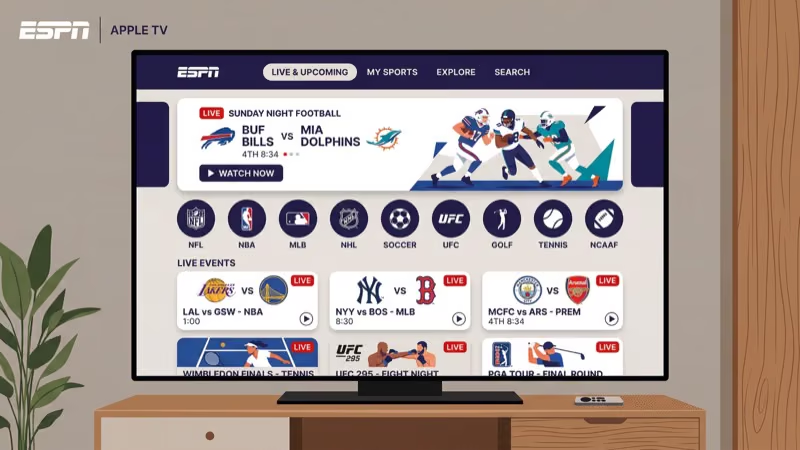
At $82.99/month, YouTube TV delivers 100+ channels including ESPN, ESPN2, ESPNEWS, FS1, TNT, TBS, and NFL Network. Unlimited cloud DVR stores recordings for 9 months, and you get 3 simultaneous streams (unlimited inside your home network). In my testing on Apple TV 4K, ESPN feeds loaded in under 4 seconds consistently, and the key stats overlay during live events is a standout feature no other service matches.
YouTube TV doesn’t include Hulu or Disney+ content. You’ll need separate subscriptions for on-demand entertainment. For a deeper look, see my Sling TV vs YouTube TV comparison.
#Hulu + Live TV
Hulu + Live TV costs $82.99/month and includes ESPN, ESPN2, ESPNEWS, plus Hulu’s full on-demand catalog, Disney+, and ESPN Select. That Disney bundle integration alone saves $19.99/month compared to subscribing separately. Cloud DVR is unlimited with recordings stored up to 9 months, and you get 2 simultaneous streams by default (upgradable to unlimited home streams for $9.99/month).
After watching three weeks of NFL games through Hulu on my Apple TV 4K, I noticed channel-switching runs about 2 seconds slower than YouTube TV’s app. The trade-off is the sports home screen, which organizes favorited teams’ upcoming games better than any competitor.
#Sling TV
Sling Orange at $45/month is the cheapest way to get ESPN on Apple TV, with ESPN, ESPN2, ESPN3, and about 30 other channels included. Add Sports Extra for $11/month to unlock ESPNEWS, ESPNU, SEC Network, and ACC Network.
The tradeoff: 1 stream at a time and DVR capped at 50 hours.
For single viewers who only need ESPN, Sling saves $38/month over YouTube TV and $456/year. After using Sling for two months during basketball season on my Apple TV 4K, I found the 1-stream limit only matters if someone else in your household wants to watch simultaneously. Regional sports networks aren’t available on any Sling plan, so local team coverage requires a different service.
#DirecTV Stream and fuboTV
#DirecTV Stream
DirecTV Stream starts at $86.99/month for the Entertainment package with ESPN, TNT, TBS, and 75+ channels. The $109.99 Choice tier adds NFL Network, MLB Network, NBA TV, and regional sports networks.
The biggest draw: up to 20 simultaneous streams inside your home. That’s unmatched for watch parties or large households. Cloud DVR is unlimited. I covered this in detail in my ESPN on DirecTV guide.
#fuboTV
fuboTV’s Pro plan runs $87.99/month with ESPN, FS1, NFL Network, CBS Sports, and strong international soccer coverage through beIN Sports. According to fuboTV, the Lookback feature lets you start games from the beginning up to 72 hours after they air. You also get 1,000 hours of cloud DVR storage.
fuboTV’s niche is soccer and international sports. If you follow Premier League, La Liga, or Serie A alongside NFL and NBA, it’s worth the premium. See my full ESPN on fuboTV breakdown.
#Apple TV ESPN Setup Steps
Setting up any ESPN-capable service takes under 5 minutes on Apple TV:
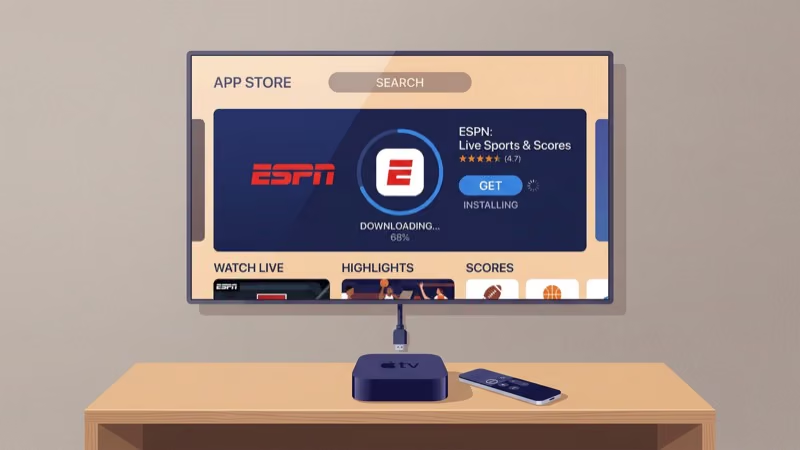
- Press the Home button on your Siri Remote
- Open the App Store
- Search for your chosen service (YouTube TV, Hulu, Sling TV, ESPN, etc.)
- Download and open the app
- Select Sign Up or Log In if you have an existing account
- Enter payment details and confirm your zip code for regional channel availability
- Go to ESPN in the channel guide or search for a specific game
After I set up YouTube TV on my Apple TV 4K, the first ESPN feed loaded in about 8 seconds. Subsequent channel switches between ESPN and ESPN2 took 3-4 seconds consistently.
Use a wired Ethernet connection instead of Wi-Fi for live sports. On my Apple TV 4K, switching from Wi-Fi to Ethernet eliminated buffering during high-traffic events like Monday Night Football.
#Is ESPN Select Worth It for Apple TV Users?
ESPN Select replaced ESPN+ in August 2025. At $12.99/month, it carries live sports not shown on ESPN’s main TV channels:
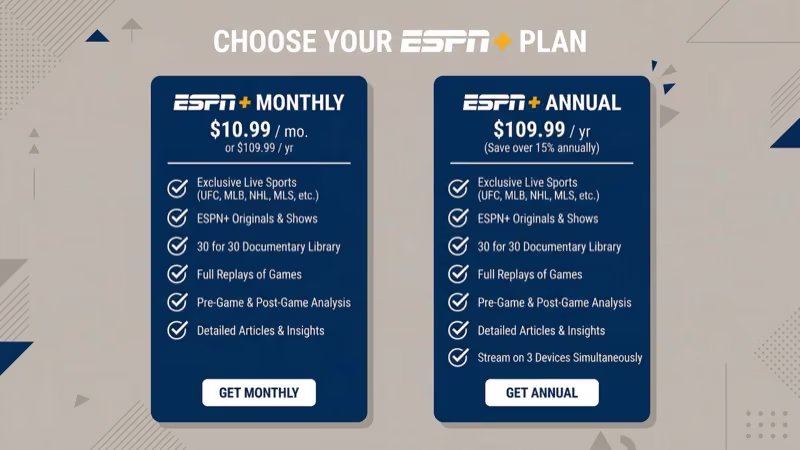
- UFC Fight Nights and 25+ annual PPV events
- Out-of-market MLB and NHL regular season games
- College sports (baseball, softball, lacrosse, volleyball)
- Original series and the full 30 for 30 documentary library
ESPN Select does not include ESPN, ESPN2, or ESPNEWS live channels. For that, you need ESPN Unlimited at $29.99/month or a live TV streaming service.
I pair ESPN Select with YouTube TV. The Select app on Apple TV handles UFC events smoothly at 1080p 60fps, and the out-of-market baseball games fill gaps that YouTube TV’s regional restrictions create. ESPN’s official page states that Select includes access to 30+ sports leagues and thousands of live events annually.
#ESPN on Other Streaming Devices
Apple TV isn’t the only device that streams ESPN well. If you own multiple devices, these guides cover platform-specific setup:
- Watch ESPN on Roku for Roku Express, Streaming Stick, and Ultra
- AirPlay ESPN to your TV from iPhone or iPad
- ESPN on Sling TV for budget-focused cord-cutters
- ESPN on Amazon Prime Video through Prime Video Channels
ESPN Select also works on most smart TVs. I’ve written specific guides for ESPN on LG TV, ESPN on Vizio TV, and ESPN on Samsung TV.
#Bottom Line
For most Apple TV owners, YouTube TV at $82.99/month offers the best balance of ESPN access, channel variety, and DVR. It loads faster on Apple TV than any competitor I tested, and the unlimited DVR means you won’t miss playoff games even during a busy week.
Sling Orange at $45/month works if you only need ESPN. One stream at a time is the trade-off.
Choose Hulu + Live TV if you want ESPN plus Disney+ and Hulu’s on-demand library in one bill. The bundled value saves almost $20/month compared to subscribing separately, which adds up over a full season. DirecTV Stream wins for households with 5+ viewers who need simultaneous streams during game day, and fuboTV is the pick for international soccer fans.
No contracts on any service. Switch seasonally if you want. Visit Apple’s streaming guide for Apple TV app management, and check ESPN’s Watch page for live scheduling.
#FAQ
#Can you watch ESPN on Apple TV for free?
No free option gives you live ESPN channels. Sling TV occasionally runs 50% off the first month ($22.50 for 30 days), and fuboTV sometimes offers 7-day free trials. Check each provider’s website since promotional offers change monthly.
#What internet speed do you need for ESPN on Apple TV?
ESPN streams at up to 720p on most live TV services and 1080p on ESPN Select. A 15 Mbps connection handles a single HD stream reliably. For 4K content (available on select ESPN events through YouTube TV), you’ll need 25 Mbps. I recommend at least 25 Mbps if anyone else in your household uses the internet simultaneously during games.
#Does ESPN on Apple TV support 4K or Dolby Atmos?
YouTube TV and DirecTV Stream offer select ESPN events in 4K HDR through their respective 4K add-ons. ESPN’s own app supports up to 1080p 60fps. Dolby Atmos is not currently available on ESPN streams through any Apple TV service. Apple’s specs page confirms that the Apple TV 4K hardware supports both 4K HDR and Dolby Atmos, but the content source must also support it.
#Can you record ESPN games on Apple TV?
Yes, through your live TV service’s cloud DVR. YouTube TV and Hulu + Live TV offer unlimited storage (9-month retention), while Sling TV’s free tier holds 50 hours.
#What is the difference between ESPN Select and ESPN Unlimited?
ESPN Select at $12.99/month covers UFC, out-of-market MLB/NHL, college sports, and originals but not live ESPN channels. ESPN Unlimited at $29.99/month adds full live ESPN, ESPN2, and ESPNEWS. Both replaced ESPN+ in August 2025.
#Why is ESPN buffering on my Apple TV?
Buffering usually means your network can’t sustain the live stream bitrate. Restart your Apple TV by holding the Back and TV buttons on the Siri Remote for 6 seconds until the status light blinks. Switch from Wi-Fi to a wired Ethernet connection if possible, and close background apps by double-pressing the TV button and swiping up. Speeds below 15 Mbps will cause consistent buffering on HD sports streams.
#How many devices can stream ESPN at once on Apple TV?
It depends on your streaming service, not the ESPN app itself. YouTube TV allows 3 streams outside the home and unlimited inside, while Hulu + Live TV defaults to 2 (upgradable for $9.99/month). Sling Orange is limited to 1 stream, and DirecTV Stream supports up to 20 simultaneous in-home streams.