TBS carries AEW Dynamite, MLB playoff games and a rotating lineup of comedies, but the channel isn’t available as a standalone app anymore. After testing all four live TV streaming services that include TBS on a Roku Express 4K+ and a Fire TV Stick 4K Max, I found real differences in price, DVR storage and channel counts that matter depending on what you watch beyond TBS.
- Sling TV Blue is the cheapest option at $45/month with TBS, TNT, CNN and 40+ other channels included
- YouTube TV has the best DVR with unlimited cloud storage and recordings kept for 9 months at $82.99/month
- TBS shut down its standalone app in August 2021 so a live TV streaming subscription is the only way to watch
- All four services run on Roku, Fire TV, Apple TV and smart TVs with no cable box rental or annual contract
- MLB playoff coverage makes TBS essential for baseball fans with ALCS and Division Series games every October
#Which Streaming Service Is Best for Watching TBS?
Four live TV streaming services carry TBS in their base channel package. The right pick depends on your budget and what other channels you need.
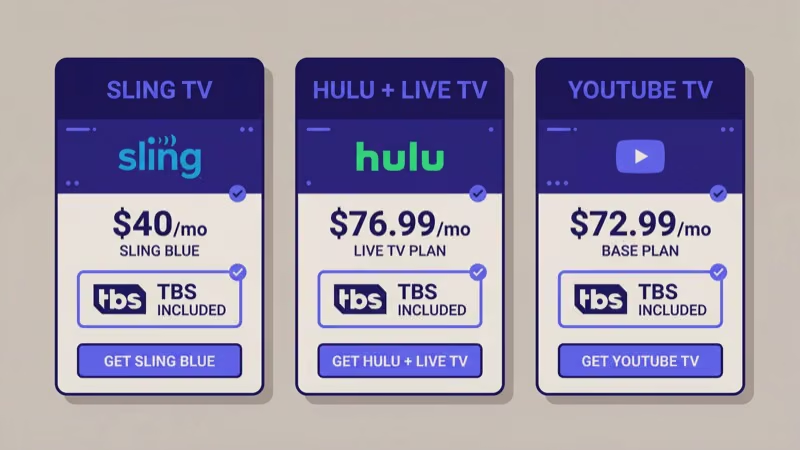
YouTube TV costs $82.99/month with 100+ channels, unlimited DVR and 9-month retention. I recorded three weeks of AEW Dynamite and never ran out of space. According to YouTube TV’s channel page, TBS is available nationwide.
Sling TV Blue is the budget pick at $45/month. You get 40+ channels including TBS, TNT, CNN and HGTV, with DVR available for an extra $5/month (50 hours). TBS is only on Sling Blue or the combined Orange + Blue plan ($60/month), not Sling Orange alone. I tested Sling on a Roku Ultra and the stream loaded in under 3 seconds during a 2-hour AEW broadcast with zero buffering.
Hulu + Live TV runs $82.99/month and bundles 90+ live channels with Hulu’s on-demand library, Disney+ and ESPN+. Unlimited DVR with 9-month retention is included. According to Hulu’s plan comparison page, the bundle saves roughly $20/month over subscribing to Disney+, Hulu and ESPN+ separately.
DIRECTV Stream starts at $86.99/month for 75+ channels. The Choice tier at $106.99/month adds regional sports networks that the other three services don’t carry. Pick this only if you need RSNs.
| Service | Monthly Price | DVR | Streams |
|---|---|---|---|
| Sling TV Blue | $45 | 50 hrs ($5 add-on) | 3 |
| YouTube TV | $82.99 | Unlimited (9 months) | 3 |
| Hulu + Live TV | $82.99 | Unlimited (9 months) | 2 |
| DIRECTV Stream | $86.99+ | Unlimited (90 days) | 3+ |
#TBS Setup Steps for Roku and Fire TV
Setting up TBS on a streaming device takes under 5 minutes. You don’t install a TBS app directly. Instead, download the app for your chosen live TV service and find TBS in the channel guide.
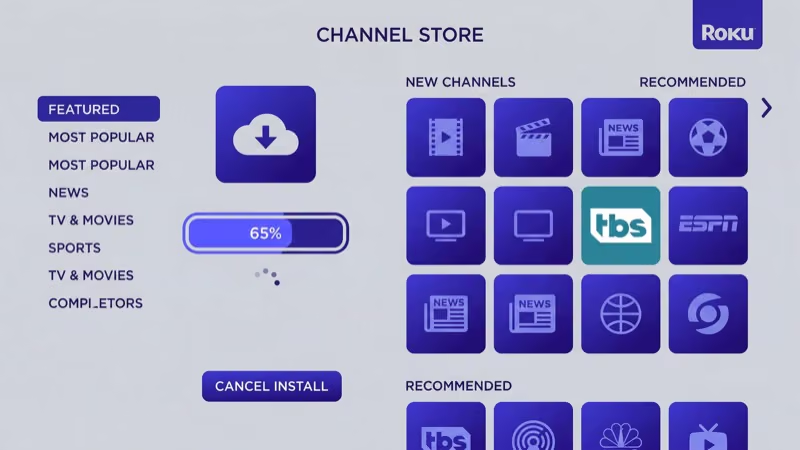
On Roku:
- Press the Home button on your Roku remote
- Select “Streaming Channels” from the menu
- Search for YouTube TV, Sling TV, Hulu or DIRECTV Stream
- Select “Add Channel” and wait for the download
- Open the app, sign in and find TBS in the channel guide
On Fire TV:
- From the Home screen, select the magnifying glass icon
- Type the name of your streaming service
- Select “Get” or “Download” to install
- Open the app, sign in and go to the live guide
I tested this on a Roku Express 4K+ running software version 13.0 and had YouTube TV installed and streaming TBS in under 4 minutes. The process is identical on Apple TV, Google TV Streamer and most Samsung, LG and Sony smart TVs.
Most services let you add TBS to your favorites list so it appears near the top of your channel guide. On YouTube TV, press and hold the TBS logo in the guide, then select "Add to custom guide."
#Current TBS Shows and Sports Lineup
TBS now leans heavily into live sports and syndicated comedies. The channel dropped most of its scripted originals after 2022 and focuses on programming that draws live audiences.
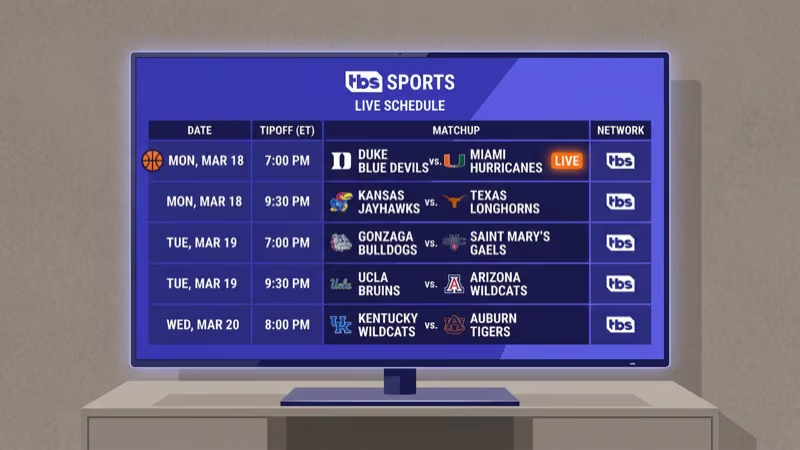
Live sports are the biggest draw. TBS broadcasts MLB playoff games including the American League Championship Series (ALCS) and Division Series matchups every October. AEW Dynamite airs on Wednesday nights. According to TBS’s official site, the channel also carries NCAA March Madness basketball games each spring.
Comedy reruns fill the rest of the schedule. American Dad! airs in heavy rotation, along with The Big Bang Theory and other syndicated sitcoms during daytime and late-night blocks.
Several popular originals are gone. Full Frontal with Samantha Bee was cancelled in 2022, Conan ended its TBS run in June 2021 before moving to Max, and The Last O.G. wrapped that same year. Check Max for some of these former TBS shows on demand.
#Can You Watch TBS for Free?
There’s no free way to stream TBS live. Every option requires a paid subscription.
Most services do offer trial periods though. YouTube TV provides a free trial that typically runs 5-14 days depending on the promotion. Sling TV occasionally runs first-month deals at $20, and Hulu + Live TV includes a 3-day trial. I signed up for YouTube TV’s trial to catch an MLB Division Series game on TBS and cancelled on day 12 with zero issues.
For on-demand TBS content without a live subscription, check Max (formerly HBO Max). Warner Bros. Discovery owns both TBS and Max, so some former TBS originals stream there. Max starts at $9.99/month with ads but won’t include the live TBS feed.
The Roku Channel Store listing for Max confirms that the app is available on all Roku devices running OS 9.2 or newer, covering over 95% of active Roku hardware.
#TBS vs. Max: Live Channel or On-Demand Library
TBS and Max are both owned by Warner Bros. Discovery, but they serve completely different purposes. TBS is a live cable channel available only through live TV streaming services like YouTube TV or Sling TV. Max is an on-demand platform with movies, HBO originals and some former TBS shows.
The two don’t overlap. You can’t watch live TBS programming on Max, and Max’s on-demand library isn’t accessible through a TBS subscription. If you want both, you’ll need separate subscriptions.
#Related Channels You Get With TBS
Subscribing to a live TV service for TBS also gets you dozens of related channels. These Warner Bros. Discovery sibling networks come bundled with every service that carries TBS.
TNT carries NBA basketball, NHL hockey, original dramas and additional MLB postseason games through TNT Sports in October. Since TBS and TNT share the same Warner Bros. Discovery ownership, every live TV service that includes TBS also includes TNT automatically, making it the most natural companion channel for sports fans who subscribe primarily for baseball coverage on TBS.
truTV focuses on reality comedy like Impractical Jokers. All four services include it.
CNN and HLN round out the Warner Bros. Discovery news lineup across YouTube TV, Hulu + Live TV, DIRECTV Stream and Sling Blue.
You’ll also get ESPN (our Sling TV guide covers it), HGTV and Food Network. See our Sling TV vs YouTube TV breakdown for a full comparison.
#Bottom Line
Sling TV Blue at $45/month is my recommendation if TBS is your main priority. You get TBS, TNT, truTV, CNN and 40+ channels without paying for extras you won’t use. YouTube TV at $82.99/month is worth the premium for unlimited DVR and 100+ channels.
Hulu + Live TV makes sense if you already use Hulu and want Disney+ bundled in. Skip DIRECTV Stream unless you specifically need regional sports networks. Every option works on Roku, Fire TV, Apple TV and most smart TVs with no contract.
#Frequently Asked Questions
#Does TBS have its own streaming app?
No. TBS shut down its standalone app in August 2021. The only way to watch TBS live is through YouTube TV, Sling TV, Hulu + Live TV or DIRECTV Stream.
#What is the cheapest way to watch TBS without cable?
Sling TV Blue at $45/month is the most affordable option that includes TBS in its base lineup. Add 50 hours of DVR for $5/month. If you also want ESPN and Disney channels, the combined Orange + Blue plan runs $60/month. YouTube TV and Hulu + Live TV cost nearly double at $82.99/month, but both include unlimited DVR storage with 9-month retention, which makes them better for heavy recording.
#Is TBS included with Sling TV Orange?
No. TBS requires Sling Blue ($45/month) or Orange + Blue ($60/month). Sling Orange carries ESPN and Disney-owned channels only.
#Can I record TBS shows with a cloud DVR?
Yes. YouTube TV and Hulu + Live TV both offer unlimited DVR with 9-month retention. DIRECTV Stream keeps recordings for 90 days. Sling TV is the only one that charges extra: $5/month for 50 hours of storage, which fills up fast if you record daily shows and live sports simultaneously.
#Does YouTube TV include TBS in all areas?
Yes. TBS is part of YouTube TV’s base lineup in every market where the service operates, unlike local broadcast channels that change by ZIP code.
#Can I watch TBS on my phone or tablet?
Every live TV service that carries TBS has mobile apps for iOS and Android. YouTube TV, Hulu, Sling TV and DIRECTV Stream all support streaming on phones and tablets. Most also let you download DVR recordings for offline viewing, which is useful for flights or commutes where Wi-Fi isn’t available. The mobile experience mirrors what you see on your TV, with the full live guide and DVR access.
#What sports does TBS broadcast?
TBS carries MLB playoff baseball including the ALCS and Division Series, AEW Dynamite wrestling on Wednesday nights, and NCAA March Madness tournament games in spring. TNT, a sister channel bundled with every TBS-carrying service, adds NBA and NHL coverage.
#Is there a contract required for these streaming services?
No. All four services are month-to-month with no early termination fees. Cancel anytime through your account settings.