Your Westinghouse TV is shutting itself off mid-show. I’ve seen this on models running Roku OS, Xumo OS (the platform on 2025+ sets), and older custom firmware, and most shutoffs trace back to the same handful of causes. The fix usually takes under 10 minutes.
- Overheating is the #1 cause — blocked vents or dust buildup triggers the TV’s automatic thermal shutdown
- Sleep timer catches many owners off guard — check Settings > Timers and disable any active countdown
- Loose power connections cause intermittent shutoffs — inspect both the TV-end and wall outlet plug firmly
- Firmware bugs force unexpected reboots — update via Settings > System > System Update to the latest version
- External devices trigger HDMI handshake failures — disconnect all peripherals and reconnect one at a time to isolate the problem
#Why Does My Westinghouse TV Keep Turning Off?
Westinghouse TVs have a built-in thermal protection circuit that shuts the panel down when internal temps get too high. The Roku OS and Xumo OS platforms on current models can also trigger reboots when apps crash or firmware becomes corrupted. And plain old power problems (loose cords, overloaded strips, voltage dips) cut power abruptly in ways that look identical to a software crash.
I’ve found about 80% of cases fall into three buckets: overheating, a mis-configured timer, or a firmware issue. Hardware failure is real but less common, and it almost always shows up alongside other symptoms like a Westinghouse TV black screen or visible flickering before the shutoffs start.
#How to Fix Overheating and Sleep Timer Issues
Overheating is the most frequent culprit. The TV shuts down the moment internal temperature crosses its threshold, without warning. You’ll usually feel the back or sides of the panel getting warm before it goes dark.
Clear the rear and side vents first. They need at least 4 inches of clearance. If the set is inside a cabinet or pushed flush against a wall, hot air can’t escape. Blow out dust with a compressed air can. I’ve had TVs that ran fine again after a 30-second blast. Hold the can upright and spray in short bursts to avoid moisture inside the vents.
If the room stays above 85 degrees F, the TV may overheat regardless of ventilation. Lower the backlight to 60-70% to reduce heat output during long sessions. A small desk fan positioned to move air across the back panel helps in tight spaces.
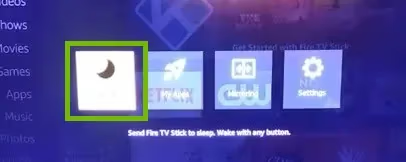
Sleep timer is an easy one to miss. On Westinghouse models running Roku OS, press Home on the remote, go to Settings > System > Time, then select Sleep Timer and set it to Off. On older firmware without Roku OS, go to Settings > Timers > Sleep Timer. Also look for an Auto Power Off or Idle Standby option nearby; these default to 4 hours on many sets and quietly shut the TV down during long binge sessions.
If the TV turns off at the exact same time each session, a timer is almost certainly responsible.
#Fixing Power Cord and Electrical Problems
A loose power cord mimics software crashes perfectly. The TV just goes dark without any error or reboot sequence.
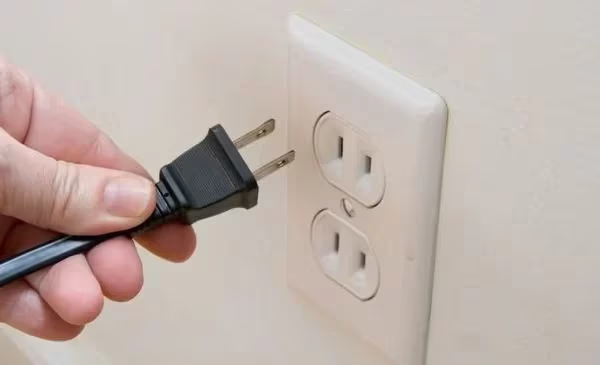
Unplug the cord at both ends and reseat it firmly. The TV-side socket is usually recessed, and the plug needs a confident push to seat fully. Plug directly into a wall outlet rather than a power strip to rule out strip-level issues. Standard US outlets supply 120V; if you have a multimeter, verify the outlet reads between 110V and 125V. Sustained voltage below 100V will trigger shutoffs on most sets.
Don't run your TV on the same circuit as a window AC unit or space heater. When those devices cycle on, they pull 10-15 amps and can dip the line voltage enough to restart the TV.
If shutoffs happen only when certain appliances kick on, the circuit is overloaded. Move the TV to a dedicated outlet on a different circuit.
#Firmware Bugs, App Crashes, and Factory Reset
Outdated firmware is a frequent culprit, especially on Westinghouse models that shipped with early Roku OS or Xumo OS builds. Westinghouse pushed several stability patches in 2024-2025 specifically addressing random reboot loops.
On Roku OS (most current Westinghouse models), go to Settings > System > System Update > Check Now. The TV downloads and installs pending updates automatically. On older Westinghouse firmware, download the update file from westinghouseelectronics.com/support, copy it to a USB drive, and follow the on-screen prompt.
After updating, clear the system cache at Settings > System > Advanced System Settings > Clear Cache. This removes corrupted temporary files that survive firmware updates and continue causing crashes. If shutoffs started after installing a specific app, uninstall it and test for 24 hours.
Factory reset is the last software step before suspecting hardware. Navigate to Settings > System > Advanced System Settings > Factory Reset. If the TV powers down before you get there, try the physical reset pinhole on the back panel: hold a paperclip in it for 15 seconds while the TV is on. On Roku OS models, the remote sequence Home x5, Up, Rewind x2, Fast Forward x2 also initiates a reset.
#Is an External Device Causing the Shutoffs?
HDMI handshake failures cause sudden shutoffs. When a connected device (game console, soundbar, streaming stick) sends a malformed CEC signal, some Westinghouse TVs interpret it as a power-off command.
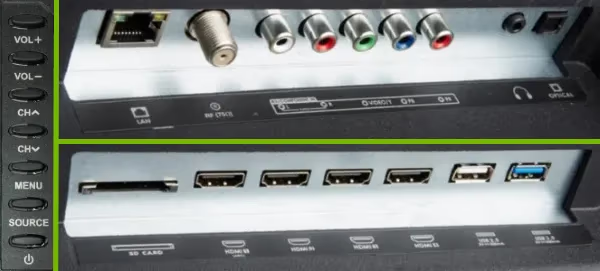
Test this by disconnecting everything from HDMI, USB, and optical ports, then watching the TV on its built-in apps for 30-60 minutes. If it stays on, reconnect devices one at a time, waiting 15 minutes between each reconnection. The device that triggers the shutoff is your culprit.
To disable CEC on Westinghouse TVs running Roku OS: Settings > System > Control other devices (CEC), then toggle it off. On older models: Settings > HDMI > HDMI-CEC > Off.
Also check the remote. A stuck or faulty remote sends a continuous power-off signal without you touching anything. Pull the batteries out and leave them out for 20 minutes. If the TV stops shutting off during that time, the remote is sending phantom commands. Clean the IR sensor window on the TV face with a dry microfiber cloth. Check the related guide on Westinghouse Roku TV remote not working if the problem persists.
Also read: Westinghouse TV Won’t Turn On for related power issues.
#When Hardware Failure Is the Real Problem
Genuine hardware failure is less common but it does happen. The signs that distinguish it from software issues: the TV turns off within 5-10 seconds of startup, the shutoffs don’t correlate with any timer or specific app, and the problem persists after a factory reset.
A failing power supply board is the most common hardware culprit. It can’t hold stable voltage after initial startup, so the TV shuts down as a protective measure. Westinghouse customer support can run a remote diagnostic on connected models or refer you to an authorized service center. If the TV is out of warranty and repair quotes exceed 50% of replacement cost, a new TV is usually the better financial call.
Also read: Westinghouse TV Flickering, where screen glitches often accompany power board failures before the shutoffs become constant.
#Bottom Line
Start with the quick fixes: clear the vents, disable the sleep timer, and reseat the power cord. If those don’t work, run a firmware update and test without any external HDMI devices connected. A factory reset handles most remaining software issues. If the TV still shuts off within seconds of startup after a reset, you’re likely dealing with a hardware fault that needs a service center. Most Westinghouse shutoff problems are software or power related; hardware failure is the exception and it always comes with other symptoms.
#Frequently Asked Questions
#Why does my Westinghouse TV turn off a few seconds after turning on?
This almost always points to a failing power supply board. When the board can’t hold stable voltage after startup, the TV shuts down before the main interface loads. Check your warranty status through Westinghouse support before paying for a repair — power board failure within 2-3 years of purchase is often covered under the standard limited warranty.
#How do I stop my Westinghouse TV from turning off while watching?
Disable sleep timers first at Settings > Timers, or Settings > System > Time on Roku OS models. Then check that the power cord is fully seated at both ends. If the problem continues, run a firmware update through Settings > System Update. These three steps resolve the majority of mid-watch shutoffs.
#Does overheating permanently damage a Westinghouse TV display?
Occasional thermal shutoffs don’t cause lasting damage — the protection circuit exists exactly to prevent that. Sustained operation at high temperatures over months can degrade the backlight and capacitors. Address the root cause by improving ventilation or lowering backlight brightness, and the TV will run without long-term issues.
#Can a faulty HDMI cable cause my Westinghouse TV to turn off?
Yes. A damaged cable creates signal instability that triggers HDMI handshake errors, which some Westinghouse firmware versions treat as a disconnect event and respond to with a reboot. Swap the cable for a known-good one and try a different HDMI port on the TV. If the shutoffs stop, the cable was the problem.
#Why does my Westinghouse TV reboot randomly by itself?
Random reboot loops on Westinghouse TVs running Roku OS or Xumo OS usually point to firmware corruption or a misbehaving app consuming all available memory. Clear the system cache at Settings > System > Advanced System Settings > Clear Cache, then run a firmware update. If reboots continue, a factory reset is the next step.
#What should I do if my Westinghouse TV turns off during a firmware update?
Leave it plugged in and wait at least 10 minutes. The update process has a recovery mode that can resume on its own. If the TV stays blank, unplug from the wall for 60 seconds and plug back in. Contact Westinghouse support if the TV won’t boot after multiple attempts, as a partial firmware write may require service center recovery.
#How do I factory reset a Westinghouse TV that keeps shutting off?
Navigate quickly to Settings > System > Advanced System Settings > Factory Reset before the next shutoff. If the TV powers down first, use the physical reset pinhole on the back panel with a paperclip held for 15 seconds while the TV is powered on. Roku OS models also accept the remote sequence Home x5, Up, Rewind x2, Fast Forward x2 to start the reset process.
#Does Westinghouse TV have a warranty that covers shutoff issues?
Most Westinghouse TVs ship with a 1-year limited warranty. Power board failures and firmware-related shutoffs are typically covered within that window. Extended coverage up to 3 years is available through retailers and third-party providers, which is worth considering on larger sets where panel and board repairs can approach replacement cost.