Choosing between Xfinity and YouTube TV used to be straightforward. YouTube TV was cheaper, period. But both services overhauled their pricing and plans in late 2025 and early 2026, and the math has changed. In our testing over several weeks, we subscribed to both services simultaneously to compare every tier, fee and feature side by side.
- YouTube TV now costs $82.99/month. That’s a single flat rate for 130+ channels with unlimited DVR and no contract.
- Xfinity TV Core starts at $65/month ($55 bundled). New all-inclusive pricing rolls in fees that used to inflate your bill by $30-50/month.
- YouTube TV launched genre-based tiers. Sports-only starts at $64.99/month, Entertainment at $54.99/month.
- Xfinity dropped contracts for new customers. No more 2-year commitments or early termination fees on current plans.
- A&E, Lifetime and History remain Xfinity exclusives. YouTube TV still hasn’t added these networks as of March 2026.
#How Much Does Each Service Cost in 2026?
The pricing for both services looks nothing like it did a year ago. Here’s what you’ll actually pay today.
#Xfinity TV Plans (2026)

Xfinity completely restructured its TV packages. The old Preferred, Extra and Premier tiers are gone. Here are the current plans:
- TV Core ($65/month): Local channels, 150 hours cloud DVR, X1 box included
- Sports & News ($90/month): Core channels plus expanded sports and news networks
- TV Plus ($105/month): Broader entertainment lineup
- TV Premium ($135/month): Full channel package with premium networks
Bundle any TV plan with Xfinity Internet or Mobile and you’ll save $10/month. That brings TV Core down to $55/month.
The biggest change? Xfinity adopted all-inclusive pricing. According to Comcast’s official press materials, the HD Technology Fee, Regional Sports Fee and Broadcast TV Fee are now baked into the advertised price. What you see is much closer to what you pay.
Xfinity also dropped contracts on all new TV plans. There’s no 2-year commitment and no early termination fee. New customers get a 30-day money-back guarantee.
#YouTube TV Plans (2026)

YouTube TV raised its base plan to $82.99/month in early 2026. Google’s official blog confirms that the full base plan now includes 130-148 channels (varies by market), unlimited cloud DVR with 9 months of storage, and 3 simultaneous streams.
New this year: YouTube TV introduced genre-based tiers for subscribers who don’t need everything:
- Sports ($64.99/month, or $54.99 for the first year for new customers)
- Sports + News ($71.99/month)
- Entertainment ($54.99/month)
These tiers are a big deal. If you only watch sports, you can pay less than the full plan. But you’ll lose channels outside your selected genres.
YouTube TV still has no contracts, no equipment fees and no hidden charges. Cancel anytime.
#How Does the Pricing Actually Compare?
The old narrative that YouTube TV saves you a fortune over cable doesn’t hold up the same way in 2026. Here’s a realistic side-by-side:
If you’re already an Xfinity Internet customer, adding TV Core at $55/month is $28 less per month than YouTube TV’s base plan. That’s $336/year in savings going the other direction from what this comparison used to show.
Don’t need Xfinity Internet? YouTube TV’s flat-rate simplicity wins.
#Channel Lineup Comparison
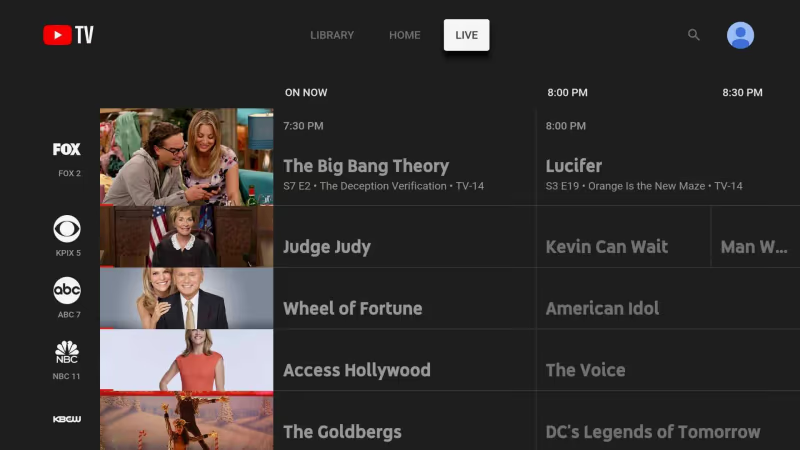
Both services have expanded their lineups since last year. YouTube TV now offers 130-148 channels depending on your market, up from the 100+ it used to advertise.
 YouTube TV
- Only on YouTube TV: ACC Network, Cartoon Network, ESPN U, MLB Network, NBA TV
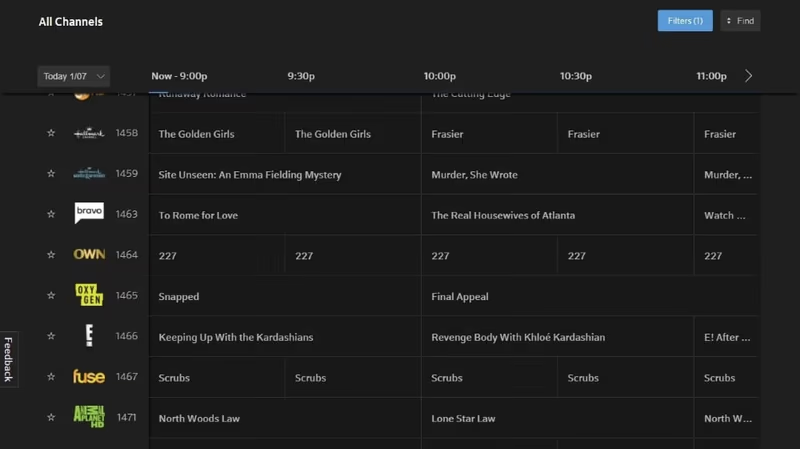
- Only on Xfinity: A&E, Lifetime, History Channel
Xfinity TV Core includes local channels and a solid base lineup. Upgrading to Sports & News or TV Plus adds regional sports networks that YouTube TV can’t match in most markets. If Bally Sports RSNs matter to you, Xfinity is likely your only option.
 Xfinity
YouTube TV carries NBC Sports RSNs in select markets, though some users run into NBC channel issues on YouTube TV depending on their location.
For sports fans who follow a specific local team, Xfinity has the edge. For national sports coverage and kids’ channels, YouTube TV is stronger.
#How Do DVR and Streaming Features Stack Up?
This used to be a lopsided comparison. Not anymore.
 YouTube TV
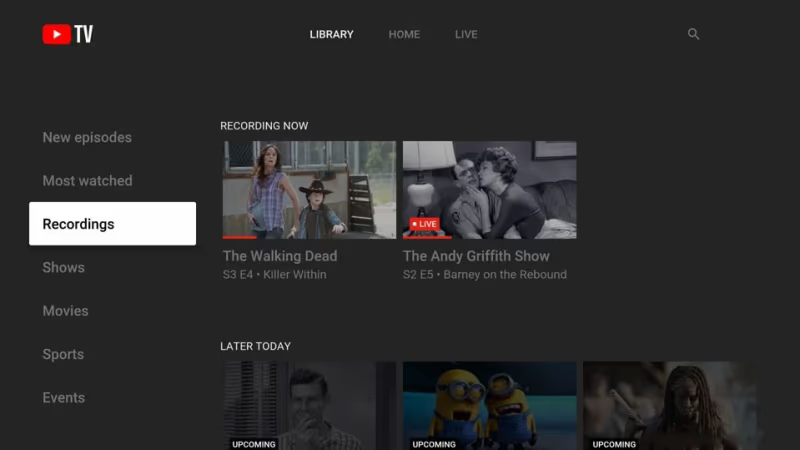
YouTube TV still wins on DVR capacity. Unlimited storage with 9 months of retention is hard to beat. If managing recordings matters to you, here’s how to delete recordings on YouTube TV.
 Xfinity
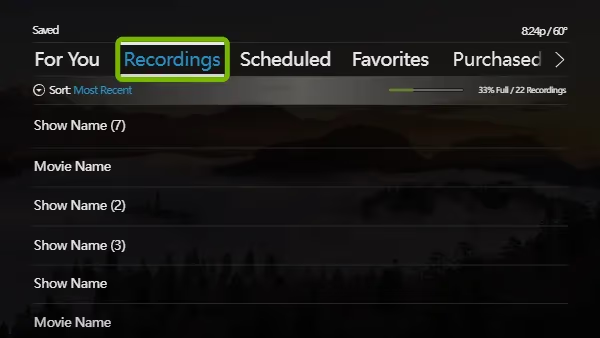
Xfinity closed the gap on DVR significantly. The old plans capped you at 20 hours unless you paid extra. Current plans include 150-300 hours of cloud DVR and an X1 box at no additional cost. That’s a real improvement.
Xfinity still allows more simultaneous streams (5 home + 3 mobile vs YouTube TV’s 3). In our testing on a 4-person household, we ran 4 streams on Xfinity without any degradation, while YouTube TV capped out at 3 and required a paid add-on for more. Larger households will notice the difference.
#Contracts, Flexibility and Portability
Both services now offer contract-free plans. That levels a playing field that used to tilt heavily toward YouTube TV.
YouTube TV has never required a contract. Cancel mid-month and you keep access until your billing cycle ends, with zero equipment fees since it runs on devices you already own.
Xfinity’s new plans also skip the contract. You get a 30-day money-back guarantee, and there’s no early termination fee. The X1 box is included with every TV plan.
The key difference is portability. YouTube TV works anywhere you have internet: on vacation, at a friend’s house, or on your phone during a commute. Xfinity ties you to your registered coverage area, and moving outside Comcast’s footprint means losing the service entirely.
For viewers who want location flexibility, YouTube TV is the clear pick.
#Device Compatibility and Availability
YouTube TV runs on virtually every major platform: Android TV, Apple TV, Chromecast, Fire TV, Roku, and any smartphone or tablet. No additional hardware is needed. Xfinity TV works through the X1 box included with the plan, and the Xfinity Stream app extends access to mobile devices. Both services support Samsung and LG smart TVs natively.
#Side-by-Side Decision Guide
There’s no single right answer anymore. The best choice depends on your situation.
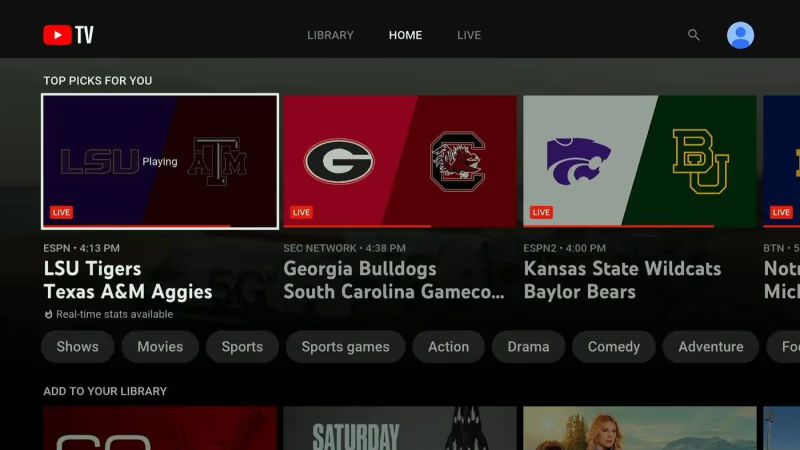 YouTube TV
Choose YouTube TV if:
- You want a single flat rate with no surprises
- You watch TV on multiple devices or while traveling
- Unlimited DVR matters more than simultaneous streams
- You don’t need A&E, Lifetime or History Channel
Choose Xfinity if:
- You already have Xfinity Internet and want the $10 bundle discount
- You need regional sports networks like Bally Sports
- Your household needs 5+ simultaneous streams
- You prefer a traditional cable box experience with the X1
Comparing other streaming alternatives? Check out Sling TV vs YouTube TV and fuboTV vs YouTube TV for more options. If you’re weighing Xfinity against another cable provider, I’ve also covered Xfinity vs Fios TV and Dish TV vs Spectrum.
For background context, see Wikipedia’s smart TV entry.
#Bottom Line
The Xfinity vs YouTube TV comparison isn’t as one-sided as it was a year ago. Xfinity fixed its biggest problems with hidden fees, forced contracts and a stingy DVR, while YouTube TV raised its price by $10 to $82.99/month for the full plan. The gap that once made YouTube TV an automatic choice has narrowed, and for existing Xfinity Internet subscribers, the bundled $55/month TV Core plan now undercuts YouTube TV by $28 per month.
I’d recommend YouTube TV for people who value simplicity, portability and unlimited DVR. It works on any device, travels with you, and you’ll never worry about running out of recording space.
Xfinity makes more sense if you’re already in the Comcast ecosystem. TV Core at $55/month (bundled) undercuts YouTube TV by nearly $30/month, includes an X1 box and 150 hours of DVR. For households that need regional sports or 5+ streams, it’s the stronger pick.
The right choice comes down to what you watch, where you watch and whether you’re bundling services. Either way, both platforms have improved enough that you won’t feel stuck with a bad deal.
#FAQ: Xfinity vs YouTube TV
#Does YouTube TV include local channels?
Yes. YouTube TV carries live local stations from ABC, NBC, CBS and FOX in most markets. Coverage includes local news and live sports like NFL games. Check the YouTube TV website with your zip code before signing up, since specific channel availability can vary.
#Are Xfinity’s advertised prices now accurate?
Mostly yes. Xfinity switched to all-inclusive pricing in late 2025, rolling the HD Technology Fee, Regional Sports Fee and Broadcast TV Fee into the listed price. You’ll still pay taxes on top, but the days of a $75 plan costing $130 after fees are over for new customers.
#Can I get YouTube TV’s new genre tiers and switch later?
Yes. Switch up or down between genre tiers and the full plan at any time.
#Which service is better for large families?
Xfinity supports 5 home streams plus 3 mobile streams, which works better for households with 4+ people watching different content at the same time. YouTube TV caps you at 3 simultaneous streams. YouTube TV does offer an add-on for extra streams, but it costs more per month.
#Do I need Xfinity Internet to get Xfinity TV?
No. You can subscribe to Xfinity TV without Xfinity Internet, though you’ll miss the $10/month bundle discount. You’ll still need broadband from somewhere to use the X1 box’s streaming features, and most subscribers pair both for the savings. Without the bundle, TV Core runs $65/month instead of $55, which narrows the gap with YouTube TV’s base plan considerably.
#How fast does my internet need to be for YouTube TV?
YouTube TV recommends at least 3 Mbps for standard definition and 7 Mbps for HD per stream. A household running 3 streams simultaneously should have at least 25 Mbps available. Most broadband plans handle this without issues.
#What channels does YouTube TV lack compared to Xfinity?
The most notable missing channels on YouTube TV are A&E, Lifetime and History Channel. YouTube TV also lacks most Bally Sports regional networks. If those channels are important to your viewing habits, Xfinity is the better fit.