#Why Are So Many People Leaving Plex in 2026?
Plex dropped a bombshell on April 29, 2025: free users can no longer stream outside their home network. Remote streaming now requires either a Plex Pass ($6.99/mo, $69.99/yr, or $249.99 lifetime) or the new Remote Watch Pass at $1.99/mo. Those prices represent a massive jump from the old rates of $4.99/$39.99/$119.99.
I’ve used Plex for years, and this change pushed me to test every major alternative side by side. If you’re here because Plex’s paywall caught you off guard, you’re not alone. The good news? Several free and open source media servers now match or beat what Plex offers.
- Jellyfin is completely free with no premium tier, and its new official Samsung Tizen and LG webOS apps launched in February 2026
- Emby Premiere costs $119 lifetime, roughly half of Plex’s new $249.99 lifetime price
- Kodi offers unmatched customization through thousands of add-ons and skins but works as a media center, not a server
- Stremio aggregates content through community add-ons like Torrentio rather than connecting to Netflix or Amazon accounts
- Universal Media Server handles DLNA streaming with zero configuration on nearly any device
#How Did I Pick These Alternatives?
I tested over a dozen media server options across multiple devices and network setups. The criteria that mattered most:
- Open source availability and code transparency
- Hardware compatibility and transcoding performance
- Cross-platform support (smart TVs, phones, streaming sticks)
- Ease of setup for non-technical users
- Privacy policies and data collection practices
- Total cost including any premium tiers
The seven alternatives below stood out for different reasons. Some excel at open source transparency, others at plugin ecosystems or lightweight simplicity.
#The 7 Best Plex Alternatives
#1. Jellyfin
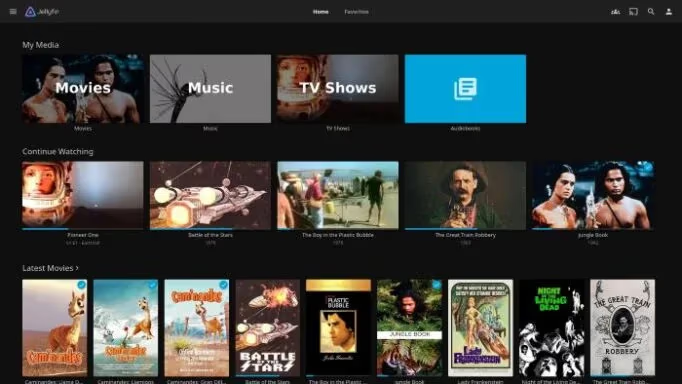
Jellyfin is the strongest open source Plex alternative available right now. Forked from Emby’s original codebase, it matches Plex’s core features while staying 100% free under the GPLv2 license. There’s no premium tier. No paywall. Everything works out of the box. Check out my full Jellyfin review for a deeper look.
A major milestone hit in February 2026: Jellyfin released official apps for Samsung Tizen{rel=“noopener” target=“_blank”} and LG webOS{rel=“noopener” target=“_blank”} smart TVs. That was one of the biggest gaps compared to Plex, and it’s now closed.
Here’s what Jellyfin handles well:
- GPU-accelerated transcoding via FFmpeg
- DLNA, Chromecast, and Bluetooth streaming
- Granular user access controls and parental settings
- SyncPlay for watching together remotely
The plugin ecosystem keeps growing, with active community development shipping new features monthly. For anyone who wants Plex-level polish without paying a dime, Jellyfin is the clear pick. You can also browse other options in my list of Jellyfin alternatives.
#2. Emby
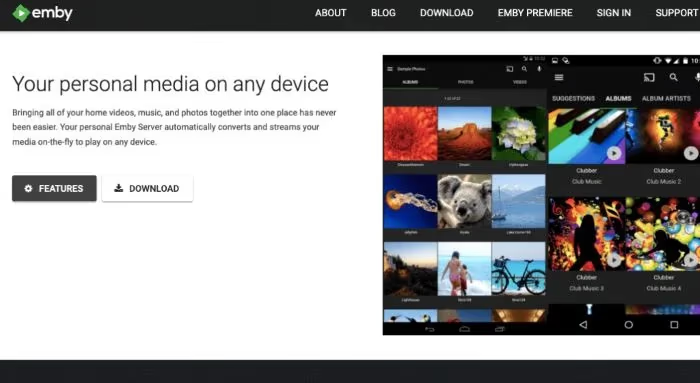
Emby goes toe-to-toe with Plex on features while offering a friendlier pricing structure. Some standout advantages:
- Strong live TV support with free guide data
- Granular parental controls without a premium subscription
- 160+ official apps covering every major platform
- Built-in remote watch-together functionality
Emby uses a freemium model. The free tier covers core playback and library management, but advanced features like offline sync and hardware transcoding require Emby Premiere{rel=“noopener” target=“_blank”} at $4.99/mo, $54/yr, or $119 lifetime. That lifetime price is less than half of Plex’s $249.99.
For a side-by-side breakdown, read my Emby vs Plex comparison. Emby hits the sweet spot if you want premium media server features without Plex’s price tag.
#3. Kodi
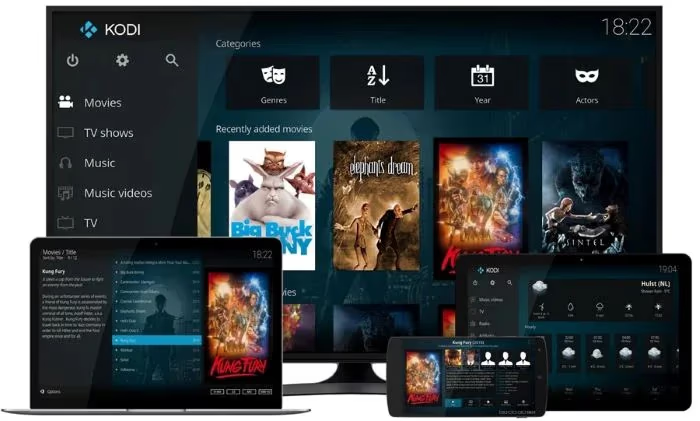
Kodi isn’t a media server. It’s a full media center application, and it’s been around longer than most alternatives on this list. What makes it different is the sheer depth of customization available:
- Thousands of official and third-party add-ons
- Complete UI overhauls through community skins
- Game emulator and PVR integration
- Expert-level audio/video optimization settings
As a free, open source project, Kodi benefits from one of the largest media center communities online. New plugins and skins show up regularly, enabling setups that aren’t possible on Plex. I cover more in my Kodi review.
The tradeoff is complexity. Kodi takes real configuration work, especially for advanced setups. But if you’re building a home theater PC and want to control every detail, nothing else comes close. Also worth checking: Kodi alternatives and how Kodi compares to Jellyfin.
#4. Stremio
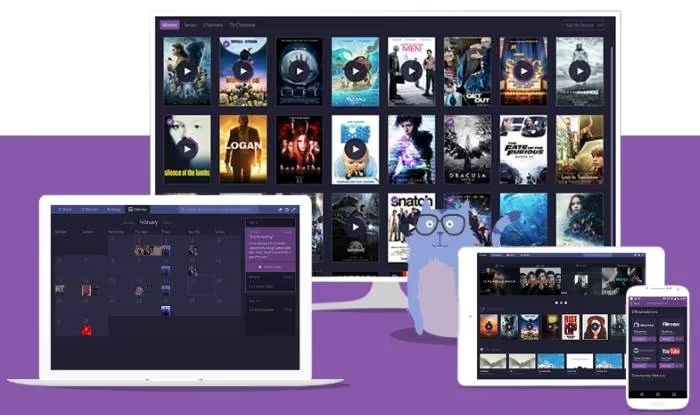
Stremio takes a different approach to media entirely. It doesn’t host or serve your personal library. Instead, it acts as a unified hub for discovering and streaming content through community-built add-ons.
The most popular add-on, Torrentio, finds streaming sources across the web and presents them in a clean interface. You don’t link your Netflix or Amazon accounts to Stremio{rel=“noopener” target=“_blank”}. It works through its own add-on ecosystem. See how it stacks up in my Stremio vs Plex comparison.
What Stremio does well:
- Community add-ons that expand content sources
- Casting streams to other devices on your network
- Personalized suggestions based on watch history
- Progress tracking across shows and movies
Stremio is worth trying if you’re more interested in content discovery than managing a personal media library. For similar tools, check the Stremio alternatives roundup. You can also run it on Roku and LG TVs.
#5. Universal Media Server
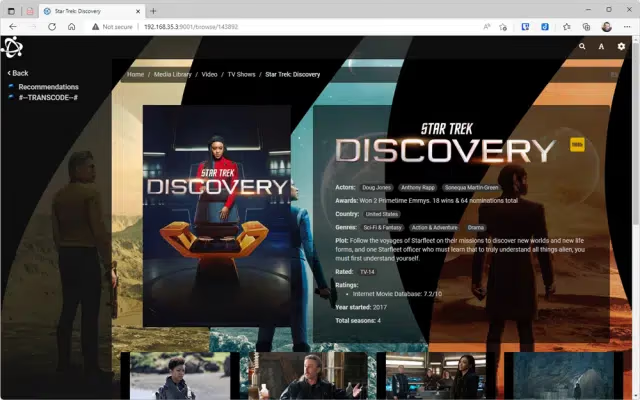
Sometimes you just need something that works without any setup. Universal Media Server{rel=“noopener” target=“_blank”} (UMS) does exactly that.
Built as the successor to PS3 Media Server, UMS has stayed actively maintained through v14.x in 2026. It handles DLNA/UPnP streaming to a wide range of devices with minimal configuration:
- True plug-and-play setup
- Support for hundreds of file formats
- Automatic media organization and metadata
- Direct streaming without forced transcoding
There’s no client app to install. UMS relies on DLNA/UPnP protocols already built into most smart TVs and streaming boxes. The interface won’t win design awards, but it doesn’t need to. It focuses on reliably delivering your content with minimal overhead.
#6. MediaPortal
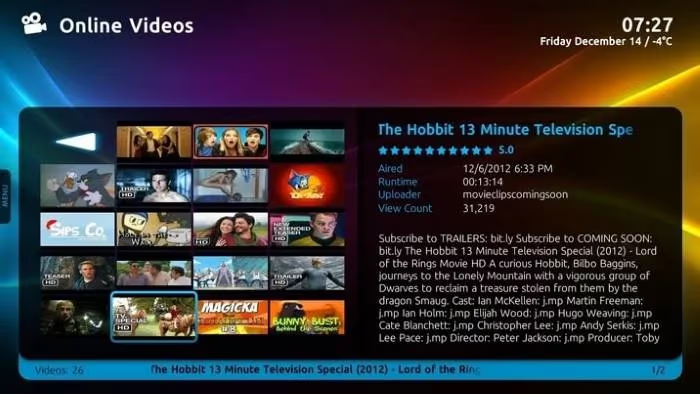
MediaPortal{rel=“noopener” target=“_blank”} picks up where Windows Media Center left off, turning your PC into a living room media hub. It’s free, open source, and highly customizable through plugins and skins.
MediaPortal's last release was v1.34 in 2023. The project appears dormant, so don't expect new features or bug fixes. It still works on existing Windows setups but isn't a good choice for new installations.
If you already have MediaPortal running, its key features remain functional:
- TV tuner integration for PVR and live TV
- Plays any media format Windows supports
- Detailed library management tools
- Skin-based UI customization
For Windows users starting fresh, I’d recommend Jellyfin or Emby instead. They’re both actively developed and offer broader device support.
#7. Serviio
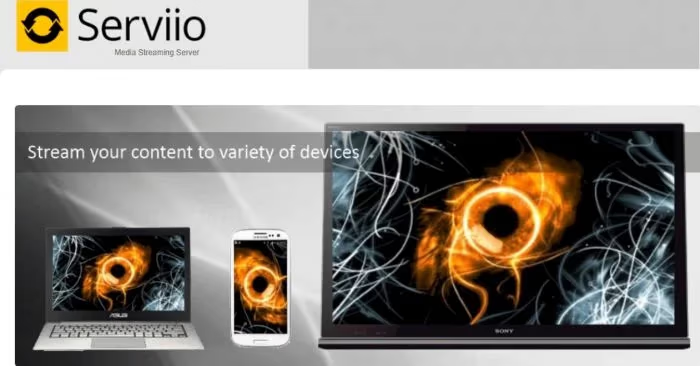
Serviio{rel=“noopener” target=“_blank”} is a lightweight media server that’s been around for over a decade. It handles the basics of serving media without much fuss.
Key features include:
- Runs on Windows, macOS, and Linux
- Wide format compatibility out of the box
- DLNA streaming to smart TVs and media players
- Alexa integration for voice-controlled playback
Serviio offers a free version for basic streaming and a $25 Pro upgrade for online content integration. It last received updates in 2022, so active development has slowed considerably. It still works fine for simple DLNA streaming, but I’d look at Jellyfin or UMS first if you’re setting up a new server.
#Which Plex Alternative Should You Pick?
Choosing the right media server depends on what you actually need. Here’s how I’d break it down.
#Your Media Library Size and Format
If you have a large library with mixed formats, you’ll need strong transcoding capabilities. Jellyfin and Emby both support GPU-accelerated hardware transcoding for smooth 4K HDR playback across multiple devices simultaneously.
For smaller libraries where most clients support direct play, even a basic NAS running UMS can handle the job without breaking a sweat.
#How Much Customization You Want
Kodi and Jellyfin offer the deepest customization through plugins, skins, and configuration options. Lighter options like UMS trade that flexibility for faster setup. Pick based on how much time you’re willing to invest.
#Your Device Ecosystem
Plex led on device support for years, but Jellyfin’s new Samsung and LG apps have narrowed that gap significantly. For the widest compatibility, look for a server with both DLNA support (for older smart TVs) and native apps for your primary devices. You can also run Jellyfin on Apple TV and Fire Stick.
#Privacy and Data Control
Open source options give you full transparency since you can audit every line of code. Plex collects usage data and has pushed ad-supported content through its free channels. If privacy matters to you, Jellyfin’s fully open codebase is the strongest option available.
#Bottom Line
Plex’s decision to paywall remote streaming and nearly double its prices has made alternatives more appealing than ever. Here’s what I’d recommend based on your situation:
- Jellyfin for a completely free, open source server with growing smart TV support
- Emby for polished apps and strong live TV at half the lifetime cost of Plex
- Kodi for home theater PC setups where customization is everything
- Stremio for content discovery through community add-ons
- Universal Media Server for dead-simple DLNA streaming with zero setup
Every option on this list handles media streaming without the restrictions Plex has introduced. Start with Jellyfin if you’re unsure. It’s free, it’s actively developed, and it won’t lock features behind a paywall down the road.
#FAQ
#What is the best free alternative to Plex?
Jellyfin is the top free Plex alternative. It’s fully open source under the GPLv2 license with no premium tier or feature restrictions. The February 2026 launch of official Samsung Tizen and LG webOS apps closed its biggest gap with Plex. Read more in my Plex vs Jellyfin comparison.
#Why did Plex start charging for remote streaming?
Plex paywalled remote streaming on April 29, 2025. Free users can no longer stream outside their home network. You now need a Plex Pass ($6.99/mo, $69.99/yr, $249.99 lifetime) or a Remote Watch Pass ($1.99/mo) for remote access. This change pushed many long-time users toward alternatives like Jellyfin and Emby.
#Can I migrate my Plex library to another platform?
Yes. Emby has official Plex migration tools that walk you through importing your library step by step. Third-party utilities can also convert Plex metadata into formats compatible with Jellyfin and Kodi. The process usually takes under an hour for libraries with a few thousand items.
#Is Emby cheaper than Plex in 2026?
Emby Premiere costs $4.99/mo, $54/yr, or $119 lifetime. Plex Pass now runs $6.99/mo, $69.99/yr, or $249.99 lifetime. That makes Emby’s lifetime option less than half the cost of Plex. Both lock some features behind their paid tiers, but Emby’s free version covers more ground.
#Does Jellyfin work on Samsung and LG smart TVs?
Yes. Jellyfin launched official apps for Samsung Tizen and LG webOS in February 2026. Before that, users had to sideload unofficial builds or use DLNA streaming. The official apps support hardware-accelerated playback and integrate with each TV platform’s remote control.
#Can I use Kodi as a Plex replacement?
Kodi works differently from Plex. It’s a media center application you install on each device, not a client-server system. You point it at shared network storage rather than running a central server. Kodi excels at local playback and customization but doesn’t include built-in remote streaming without additional plugins. See my Kodi review for the full breakdown.
#What’s the easiest Plex alternative to set up?
Universal Media Server offers true plug-and-play streaming. Install the server, add your media folders, and any DLNA-compatible device on your network can start playing immediately. No client apps needed, no accounts to create. Infuse is another strong pick for Apple device users who want minimal setup.
#Do Plex alternatives support smart TVs?
Most alternatives support smart TVs through DLNA/UPnP, which is built into nearly every modern TV. Jellyfin and Emby also have dedicated apps for Samsung Tizen, LG webOS, and Android TV. For older TVs without app stores, DLNA streaming through Universal Media Server is the simplest path. You can also get Plex running on Fire Stick if you want to keep using it on specific devices.