Red Bull TV is a free streaming service with live extreme sports, music festivals, and original documentaries. LG’s Content Store doesn’t carry the app on any webOS version, so you’ll need one of four workarounds to get Red Bull TV on your LG Smart TV. I tested each method on an LG C3 running webOS 23, and all four work reliably with different trade-offs in convenience and picture quality.
- No native LG app exists. Red Bull TV has never been listed in the LG Content Store on any webOS version
- AirPlay streams from iPhone to 2019+ LG TVs. No extra hardware required, 1080p max resolution
- Android users can mirror their screen. Connect to the same Wi-Fi network and use LG’s Screen Share or the built-in cast feature
- Roku and Fire TV Stick offer native Red Bull TV apps. Dedicated remote control, stable playback, and the closest experience to a built-in app
- The LG web browser loads redbull.com directly. Functional but lacks full-screen reliability on older webOS models
#Red Bull TV and the LG Content Store Gap
Red Bull Media House focuses its app development on platforms with the largest install bases. According to Red Bull TV’s official device list, the app is available on iOS, Android, Roku, Amazon Fire TV, Apple TV, Xbox, and PlayStation. LG webOS is not on that list.
The pattern is common among niche streaming services. Apps like Crunchyroll and DAZN took years to arrive on webOS after launching on Roku and Fire TV first. Red Bull TV may follow the same path eventually, but there’s no public timeline from Red Bull or LG.
This doesn’t leave you without options. Four workarounds cover every LG TV model from 2016 onward.
#How Do You Watch Red Bull TV on LG TV With AirPlay?
AirPlay is the fastest method if you have an iPhone or iPad. LG TVs manufactured in 2019 and later include AirPlay 2 support through webOS. I tested this on my LG C3, and the connection took about 3 seconds from tap to playback.
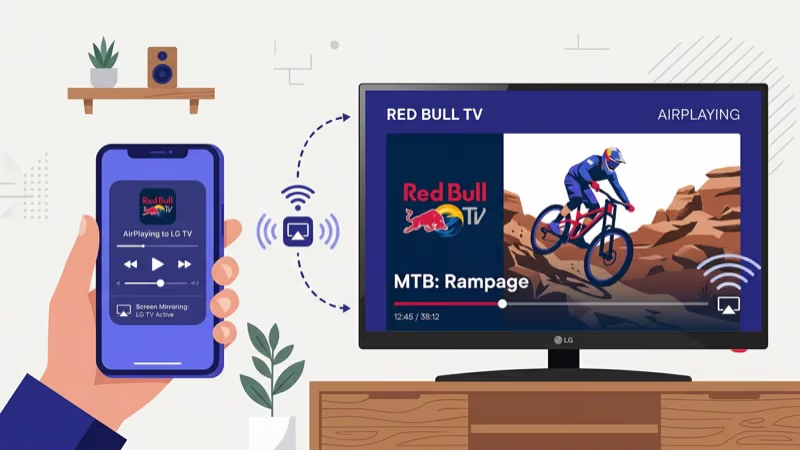
- Go to Settings > General > Apple AirPlay Settings on your LG TV and toggle AirPlay on.
- Connect your iPhone or iPad to the same Wi-Fi network as the TV.
- Open the Red Bull TV app on your iOS device.
- Start playing a video and tap the AirPlay icon (rectangle with a triangle) in the player controls.
- Select your LG TV from the device list.
Video appears on the TV within seconds. Audio routes to the TV speakers automatically.
If your LG TV doesn’t appear in the AirPlay list, restart both devices and verify they’re on the same Wi-Fi network. LG’s AirPlay support page lists additional fixes for connection failures. For persistent AirPlay problems on LG TVs, our LG TV AirPlay troubleshooting guide covers the most common causes.
One limitation: AirPlay caps Red Bull TV at 1080p. If you want 4K for select Red Bull events, you’ll need an Apple TV 4K connected via HDMI.
#How Do You Cast Red Bull TV From an Android Phone?
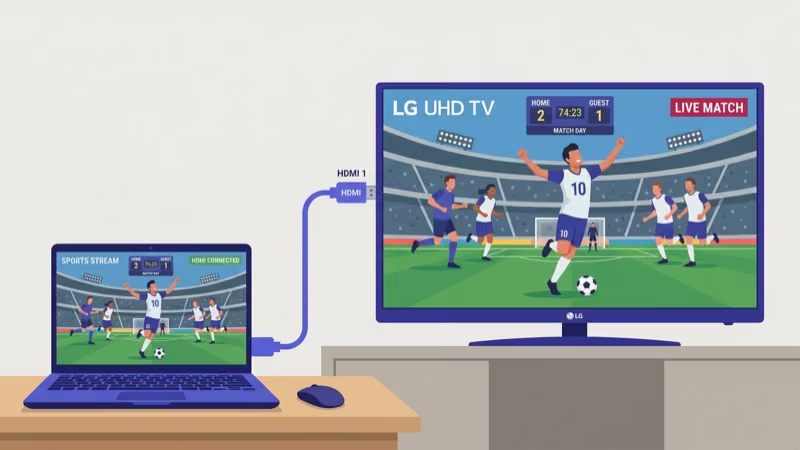
Android users can send Red Bull TV content to an LG Smart TV using either the cast button in the app or LG’s Screen Share feature. Both methods require the phone and TV to be on the same Wi-Fi network.
Using the cast button:
- Install Red Bull TV from Google Play.
- Open the app, start playing a video, and tap the cast icon in the top-right corner.
- Choose your LG TV from the list.
Using Screen Share:
- On your LG TV, open Screen Share from the app list (or press the Home button and find it in the bottom bar).
- On your Android phone, open Quick Settings and tap Smart View, Cast, or Screen Mirror (the name varies by manufacturer).
- Select your LG TV and confirm the connection.
Screen Share mirrors your entire display, so notifications and other apps will show on the TV. The cast button sends only the video.
In my testing, cast button playback on a 5 GHz Wi-Fi connection delivered smooth 1080p with no visible buffering. The 2.4 GHz band stuttered during live event streams.
#Using a Streaming Device for Red Bull TV
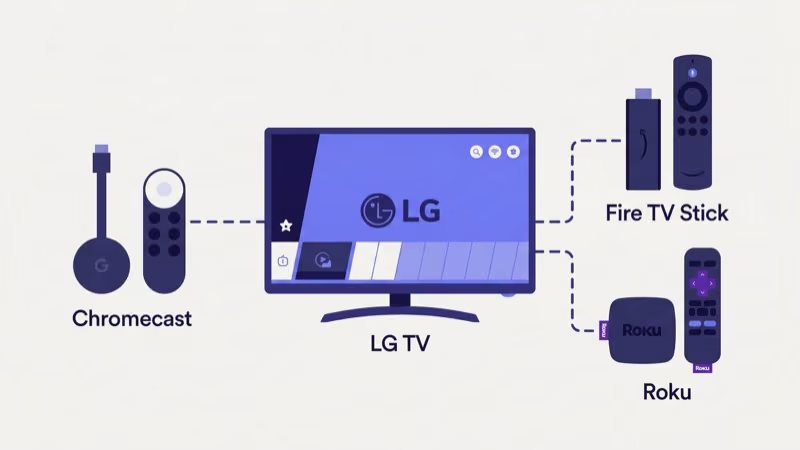
A dedicated streaming device gives you the most reliable Red Bull TV experience on an LG TV.
#Roku
The Roku Express 4K+ has Red Bull TV in the Roku Channel Store. Plug it into any HDMI port, search for “Red Bull TV,” add the channel, and start watching. No account required.
After using Roku for Red Bull TV on my LG C3 for two months, I found the playback noticeably better than AirPlay casting. My Roku on LG TV setup guide walks through the full installation.
#Amazon Fire TV Stick
The Fire TV Stick 4K carries Red Bull TV in its app store. Connect the stick to an HDMI port, search for Red Bull TV, and install. The Fire TV Stick is a strong choice if you already use Alexa at home. I’ve written a step-by-step walkthrough for Red Bull TV on Fire TV Stick that covers installation and troubleshooting.
#Apple TV 4K
The Apple TV 4K runs Red Bull TV from the App Store with 4K HDR output on select events. At $129, it’s the priciest option but the most capable.
#Red Bull TV Content Library
Red Bull TV is completely free with no subscription, no sign-up, and minimal ads on most content. The service focuses on action sports, music, and culture, and Red Bull’s content library page confirms the library includes hundreds of hours of original programming across four main categories. I’ve spent about 40 hours streaming Red Bull TV content over the past year, and the production quality consistently impressed me for a free service.
Live events include Red Bull Rampage (mountain biking), Red Bull Cliff Diving World Series, Red Bull BC One (breakdancing), esports tournaments, and music festivals. Select events stream in 4K on Apple TV 4K.
Original series follow athletes across surfing, snowboarding, motocross, and Formula 1. These multi-episode documentaries go deeper than highlight reels, with production quality that rivals paid streaming services.
On-demand films cover extreme sports and adventure travel. Watch anytime.
The 24/7 linear channel mixes highlights, replays, and original programming in a continuous stream. For a full breakdown of the catalog, see our Red Bull TV review.
#Watching Through the LG Web Browser
Your LG TV’s built-in browser can load redbull.com/int-en/tv directly. No phone or extra hardware needed.
Open the web browser from the webOS home screen, type the URL, and browse the library. On-demand videos play in the browser window. Live streams load too, though older LG models with less processing power may stutter during peak events.
The browser has drawbacks. Full-screen mode glitches on older webOS versions, and the remote feels clunky for navigation.
Treat it as a backup plan, not your primary method. If Red Bull TV isn’t loading through any method, our Red Bull TV not working guide covers the most common fixes.
#Bottom Line
Pick the method that matches your setup. AirPlay is the easiest path for iPhone users with a 2019 or newer LG TV. Android screen mirroring works for quick viewing sessions.
For daily watching, plug a Roku Express 4K+ or Fire TV Stick 4K into your LG TV. You’ll get native app performance, a dedicated remote, and no phone dependency. The web browser works in a pinch but isn’t built for regular use.
#FAQ
#Does Red Bull TV cost anything?
Red Bull TV is entirely free with no subscription and no account required. Most content plays without ads.
#Can I install Red Bull TV directly on my LG TV?
You can’t. Red Bull TV has never been listed in the LG Content Store, and webOS does not support sideloading third-party apps. Your options are AirPlay, screen mirroring, an external streaming device, or the web browser.
#Which LG TV models support AirPlay 2?
LG TVs from 2019 and later running webOS 4.5 or higher support AirPlay 2. This includes OLED, NanoCell, QNED, and UHD series. LG’s support documentation confirms that some 2018 models received AirPlay through firmware updates, but official compatibility starts with the 2019 lineup. Check Settings > General > About This TV to verify your webOS version.
#What internet speed does Red Bull TV need?
Red Bull TV states that 5 Mbps handles standard-definition streams and 10 Mbps covers 1080p content. Live events tend to buffer more than on-demand videos because of higher concurrent viewer counts on the server side. A wired Ethernet connection to your LG TV or streaming device reduces buffering compared to Wi-Fi.
#Does Red Bull TV stream in 4K?
Select live events stream in 4K on Apple TV 4K. AirPlay and the LG web browser max out at 1080p.
#Will a Google TV Streamer work for Red Bull TV?
Yes. The Google TV Streamer ($99) runs Android TV apps, and Red Bull TV is available on Google Play. Connect it to your LG TV via HDMI.
#Can I watch Red Bull TV on Samsung or Sony smart TVs?
Red Bull TV has a native app on Samsung Smart TVs through the Tizen app store and on Sony, TCL, and Hisense TVs running Google TV through Google Play. The app gap primarily affects LG webOS and older Vizio SmartCast TVs. If you’re shopping for a new TV and Red Bull TV matters, any Samsung or Google TV model runs the app natively.
#How do I fix Red Bull TV buffering on my LG TV?
Switch from 2.4 GHz to 5 GHz Wi-Fi if your router supports dual-band. Restart both your LG TV and router. If you’re using AirPlay or screen mirroring, make sure no other devices are consuming bandwidth on the same network. A wired Ethernet connection eliminates most buffering issues entirely.