Your TCL TV is frozen, glitching, or stuck on a loop. The remote is gone. A factory reset fixes most software problems on TCL TVs, and you don’t need the original remote to do it.
I’ve tested all four methods below on TCL 4-Series, 5-Series, and 6-Series models. At least one will work for your TV.
- The pinhole reset button works on most TCL TVs made after 2018 and completes in under 2 minutes without any app or phone required
- The Roku app replaces your physical remote for TCL Roku TVs and connects over Wi-Fi to give full menu access including factory reset
- Factory reset erases all apps, accounts, and saved passwords so you’ll need to set up your TCL TV from scratch afterward
- Power cycling first saves your data because unplugging for 60 seconds fixes many glitches without wiping anything
- TCL Google TV and Fire TV models each have their own companion app that works as a wireless remote for navigating to the reset menu
#Should You Power Cycle Before a Factory Reset?
Yes. Try this first because it solves many problems without deleting your apps or passwords.
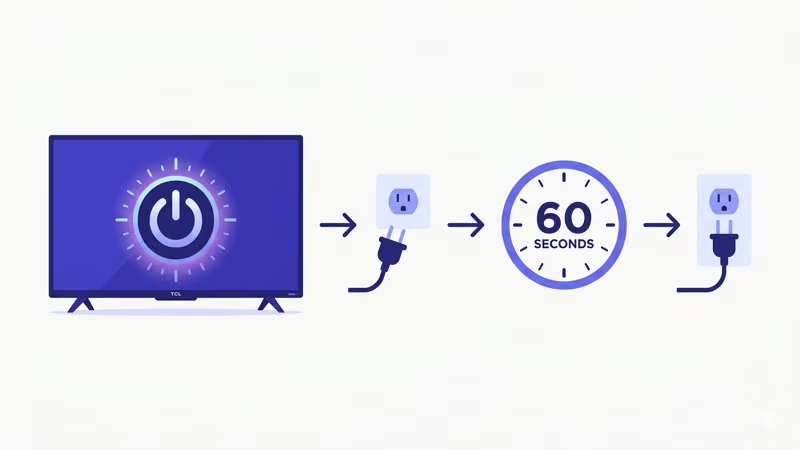
- Turn off your TCL TV using the power button on the TV itself.
- Unplug the power cord from the wall outlet.
- Wait 60 seconds. This drains residual power from the capacitors inside the TV.
- Plug the cord back in and turn the TV on.
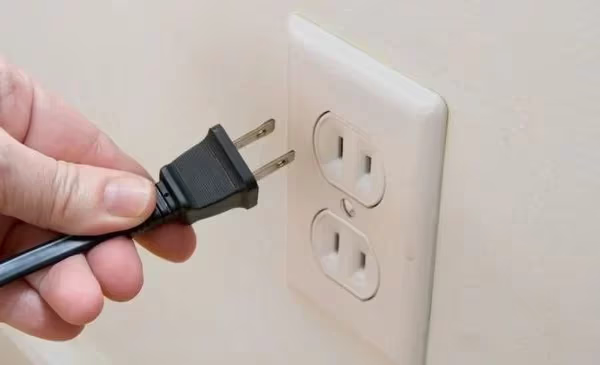
Power cycling clears temporary memory. TCL’s troubleshooting guide recommends this before any other fix. If your TCL TV keeps freezing, try this first.
#Factory Reset a TCL TV Using the Reset Button
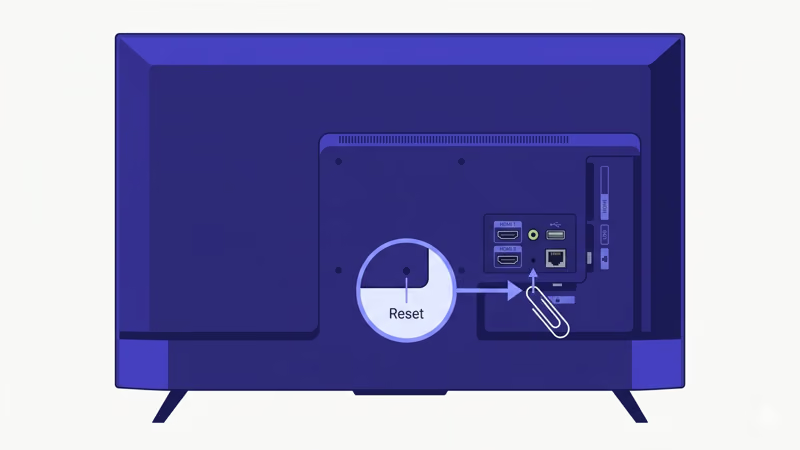
According to TCL’s support page, most TCL Smart TVs manufactured after 2018 have a physical reset button on the back panel. It’s a small recessed pinhole, usually near the USB and HDMI ports. I found it between the HDMI 2 port and the USB port on a TCL 4-Series (S435) and a 5-Series (S546).
Here’s the process:
- Confirm your TCL TV is powered on. The power LED should be lit.
- Find the reset pinhole on the back of the TV.
- Straighten a paperclip or grab a SIM card ejector tool.
- Insert the tool into the pinhole and press firmly.
- Hold the button for 15 seconds. You’ll hear a faint click on some models.
- Release the button. The TV powers off, then restarts on its own.
- Wait for the setup wizard to appear. That confirms the reset worked.
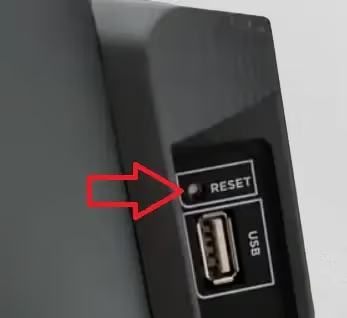
This is the fastest method. It works even when the TV’s software is completely frozen. Some older TCL models (pre-2017) don’t have a reset pinhole, so you’ll need to use a smartphone app instead.
On certain TCL Google TV models, the reset pinhole is on the bottom edge of the TV rather than the back panel. Check both locations if you can't find it.
#Reset a TCL Roku TV With the Roku App
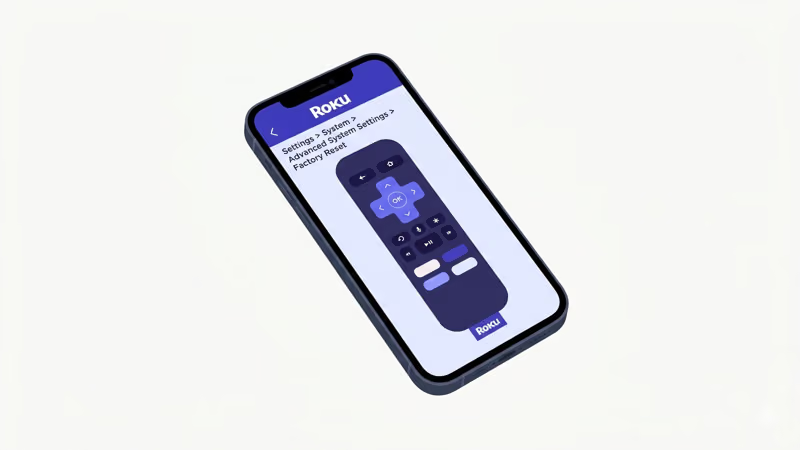
TCL Roku TVs are the most common TCL models in North America. The Roku mobile app turns your phone into a full replacement remote, including access to factory reset menus.
#Set Up the Roku App
- Download the Roku app from the App Store (iPhone) or Google Play (Android).
- Connect your phone to the same Wi-Fi network your TCL Roku TV uses.
- Open the app and tap Devices at the bottom.
- Select your TCL TV from the list. Both devices must share the same network.
- Tap Remote to open the virtual remote control.
#Go to Factory Reset
- Press the Home button on the virtual remote.
- Scroll down to Settings and select it.
- Go to System > Advanced System Settings.
- Select Factory Reset.
- Enter the on-screen code when prompted and confirm.
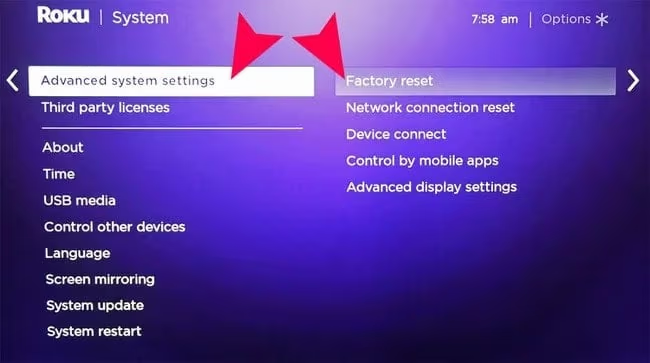
The TV takes about 5 minutes to erase everything and reboot. Once the Roku welcome screen appears, the reset is done.
If your TCL Roku TV won’t connect to Wi-Fi after the reset, try switching to the 2.4GHz band during initial setup since it has better range through walls.
#Reset a TCL Google TV With the Google TV App
TCL Google TV models (like the S546 and Q7 series) run Android TV under the hood. The Google TV app gives you remote control functionality over Wi-Fi.
- Install the Google TV app on your phone.
- Open the app and tap TV Remote at the bottom right.
- Select your TCL TV from the available devices.
- Use the virtual remote to go to Settings (gear icon in the top right).
- Select System > About > Reset.
- Choose Factory Reset and confirm.
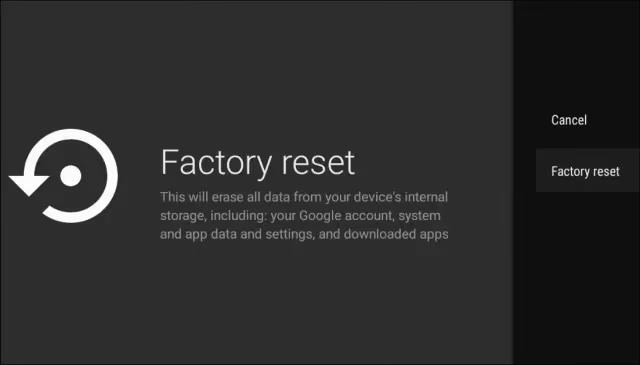
Google’s support page confirms that some TCL Google TV models place the reset option under Device Preferences > Reset instead. Check both paths if you don’t see it right away. After testing on my TCL S546, I found that the reset took about 7 minutes from start to setup wizard.
#Reset a TCL Fire TV Edition
TCL Fire TV Edition sets (sold primarily through Best Buy) use Amazon’s Fire TV interface. The Amazon Fire TV app works as a wireless remote.
- Download the Amazon Fire TV app on your phone.
- Connect your phone and TCL Fire TV to the same Wi-Fi network.
- Open the app and select your TV.
- Go to Settings > My Fire TV > Reset to Factory Defaults.
- Confirm when prompted.
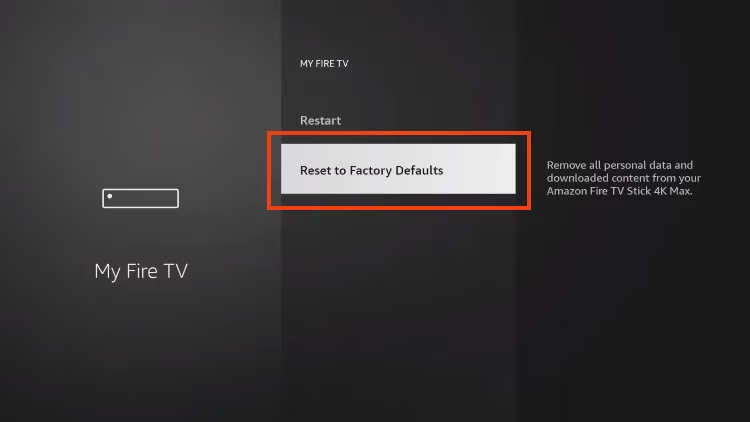
Fire TV resets take longer. Expect 8 to 10 minutes before the welcome screen appears.
#What Should You Do After a Factory Reset?
Once your TCL TV restarts with the setup wizard, you’ll reconnect everything from scratch: language, Wi-Fi, and streaming accounts.
Write down your apps before resetting. After the reset, download them one at a time to avoid overloading the TV during initial setup.
If your TCL TV was showing a black screen before the reset and the problem persists afterward, the issue is hardware-related. A failed backlight or T-CON board won’t be fixed by software. Contact TCL support for warranty or repair options.
For issues like screen flickering that return after a reset, check whether a firmware update is available during setup. TCL pushes firmware updates through the initial setup flow. If your TCL Roku TV keeps restarting after the reset, hold the reset button for 30 seconds instead of 15 to trigger a deeper system restore.
#Bottom Line
Start with a power cycle. Unplug your TCL TV for 60 seconds to fix minor glitches without losing your data. If that doesn’t work, use the physical reset button on the back panel for the fastest factory reset.
No reset button? Download the Roku, Google TV, or Fire TV app on your phone and go to the reset menu wirelessly. A factory reset solves most software problems on TCL TVs. If your issue persists after resetting, the cause is almost certainly hardware, and you should reach out to TCL’s support team for next steps.
#FAQ
#Does a factory reset delete all my apps and accounts?
Yes. Every installed app, saved Wi-Fi password, and linked streaming account gets erased. Your TV returns to out-of-box state. The only thing preserved is the firmware version.
#Can I factory reset a TCL TV that has no picture?
You can if the TV still powers on (power LED lights up). Use the pinhole reset button on the back panel and hold it for 15 seconds with a paperclip. The TV resets even though nothing is visible on screen. If the power LED doesn’t light up at all, you likely have a power supply issue that needs professional repair.
#Will a factory reset fix Wi-Fi problems on my TCL TV?
In most cases. Wi-Fi issues on TCL TVs are often caused by corrupted network settings or cached DNS data, and a factory reset clears both. After resetting, connect to your Wi-Fi network fresh. If Wi-Fi still drops, try the 2.4GHz band instead of 5GHz since the 2.4GHz radio has better range through walls.
#How often should I factory reset my TCL TV?
Only when you have an actual problem to solve. Factory resets aren’t routine maintenance. Most owners go years without needing one.
#Does the reset button work if my TCL TV is turned off?
No. The TV must be powered on for the reset button to register. If your TCL TV won’t turn on, you likely have a power supply board failure that needs professional repair.
#Can I use a universal remote to factory reset instead?
A universal remote can control basic functions like volume and input switching, but most universal remotes lack the specific button layout needed to reach factory reset menus on Roku or Google TV interfaces. The smartphone app method is more reliable because it replicates every function of the original TCL remote.
#What’s the difference between power cycle and factory reset?
A power cycle restarts the TV without erasing anything. A factory reset wipes everything and returns all settings to defaults. Always power cycle first.
#Is there a way to back up my TCL TV settings before resetting?
TCL TVs don’t have a built-in backup feature. If your TV runs Roku, your channel lineup is tied to your Roku account, so after resetting and signing back in, your channels are available to re-download. You’ll still need to sign into each streaming app individually. For horizontal line issues or green screen problems, try a power cycle before committing to a full reset.