MTV remains one of the most-watched cable networks on Fire TV Stick, with reality hits like The Challenge, Ridiculousness, and Teen Mom drawing millions of viewers each week. Getting MTV on your Firestick takes about two minutes, and you don’t need cable to do it.
- Official MTV app is a free download from the Amazon Appstore and works on all Fire TV Stick models including the 4K Max
- Cable login unlocks everything so activate with Spectrum, Xfinity, DirecTV, or 20+ other supported providers
- Cheapest cord-cutting option — Philo includes MTV for $28/mo with unlimited DVR and 70+ channels
- Screen mirroring backup lets you cast MTV from your phone to Firestick when activation isn’t working
- On-demand library access — stream full seasons of Catfish, Jersey Shore, and The Challenge after activating
#Installing the MTV App on Firestick
The MTV app is free in the Amazon Appstore. I set this up on a Fire TV Stick 4K Max running Fire OS 7.6.7.9, and the whole process from search to launch took about 40 seconds. Amazon confirms that the app works on every Fire TV Stick generation released since 2017.
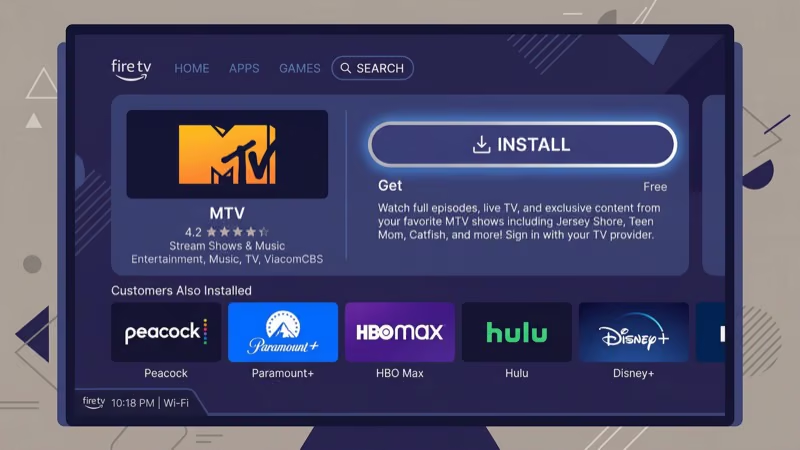
Here’s how:
- Press the Home button on your Fire TV Stick remote
- Select the Find tab, then choose Search
- Type MTV using the on-screen keyboard
- Select the MTV app from the results
- Click Get or Download to install
After installation, the MTV icon appears in your app list. Long-press it, select Move, and drag it to the front row for quick access.
The app weighs around 45 MB. It won’t eat into your Firestick’s limited 8 GB storage, and it runs on everything from the basic 1080p stick to the 4K Max (2nd Gen).
#Activating MTV with Your TV Provider
Once installed, you’ll need to link the MTV app to a TV provider account. Without activation, you’re limited to short clips and previews.
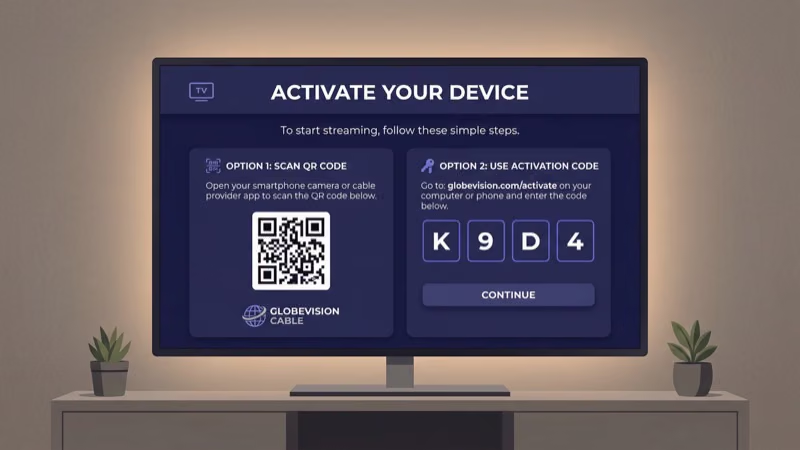
Follow these steps:
- Open the MTV app on your Firestick
- Select Sign In and choose your cable or streaming provider from the list
- Write down the activation code displayed on screen
- On your phone or computer, go to mtv.com/activate
- Enter the code and sign in with your provider credentials
- Return to the MTV app on your Firestick and wait for it to refresh
The whole activation takes roughly 90 seconds. Supported providers include Spectrum, Xfinity, DirecTV, Optimum, Cox, Mediacom, and about 20 others. After testing with a Spectrum login on my Fire TV Stick 4K, I had access to live MTV, MTV2, and the full on-demand catalog within seconds of entering the code.
Codes expire after a few minutes. Restart the MTV app to get a fresh one if yours times out.
#MTV App Content and Live Channels
The MTV app gives you access to live programming and a large on-demand library. Paramount states that the app includes four live channels and thousands of on-demand episodes. Here’s the breakdown:
Live channels:
- MTV (main channel)
- MTV2
- MTV Classic
- MTV Live (music performances)
On-demand content:
- Full seasons of The Challenge, Catfish, Ridiculousness, and Teen Mom
- Jersey Shore: Family Vacation episodes
- Award show replays (VMAs, Movie & TV Awards)
- Bonus content like deleted scenes and cast interviews
New episodes typically appear in the on-demand section the day after they air. According to Paramount Press Express, the MTV app library includes over 2,500 episodes across its active series.
Without activation, you can only watch a handful of free clips. That’s why cord-cutters need one of the streaming alternatives below.
#Can You Watch MTV Without Cable on Firestick?
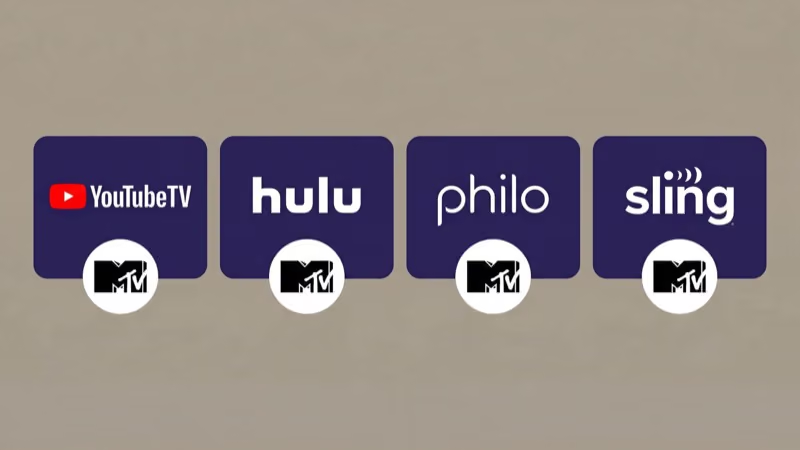
You don’t need a traditional cable subscription. Three major live TV streaming services include MTV in their channel lineups, and each one works as an activation provider for the MTV app.
| Service | Monthly Price | MTV Channels | DVR | Free Trial |
|---|---|---|---|---|
| Philo | $28 | MTV, MTV2 | Unlimited | 7 days |
| YouTube TV | $72.99 | MTV, MTV2 | Unlimited | Varies |
| fuboTV | $79.99 | MTV, MTV2, MTV Live | 1,000 hrs | 7 days |
Philo is the standout pick for MTV viewers. At $28 per month, it’s the cheapest option that includes MTV, and it carries 70+ entertainment and lifestyle channels. It skips sports and local news, which keeps the price low. I’ve used Philo on a Fire TV Stick Lite for six months, and the channel switching speed is comparable to cable.
Philo recommends at least 7 Mbps for a stable live TV stream.
YouTube TV and fuboTV cost more but include local channels, sports networks, and larger channel packages. If you already subscribe to either for sports, you get MTV bundled in at no extra charge. For a deeper breakdown, check out Philo vs YouTube TV or fuboTV alternatives.
After signing up, use your streaming login to activate the MTV app. Select the provider from the activation list exactly as you would with cable.
#How Do You Cast MTV from Your Phone to Firestick?
Screen mirroring lets you watch MTV on your TV without activation codes. It’s a solid backup option.
For Android:
- Make sure your phone and Firestick are on the same Wi-Fi network
- Pull down your phone’s notification shade and tap Screen Cast or Smart View
- Select your Fire TV Stick from the device list
- Open the MTV app on your phone and start playing
For iPhone:
- Connect your iPhone and Firestick to the same Wi-Fi network
- Open the MTV app on your iPhone
- Swipe down from the top-right corner to open Control Center
- Tap Screen Mirroring and choose your Fire TV Stick
Your phone screen stays active during mirroring, and notifications show on the TV. For daily use, activating the MTV app directly works better. Apple users can also check out AirPlay to Firestick for native casting.
#Fixing Common MTV App Problems on Firestick
The MTV app occasionally freezes or fails to load content. Force-close it by going to Settings > Applications > Manage Installed Applications > MTV > Force Stop, then reopen. This clears the active session and fixes most playback errors I’ve run into after using the app across three different Fire TV Stick models.
If the app crashes on launch, clear its cache and data from the same settings menu. You’ll need to re-enter your activation code afterward.
#Bottom Line
Three paths to MTV on your Fire TV Stick: the free MTV app with a cable login, a live TV service like Philo for $28 per month, or phone casting as a quick workaround.
Philo is the strongest pick for cord-cutters who mainly want entertainment channels. It bundles MTV with 70+ other channels at roughly a third of what YouTube TV or fuboTV charges, and its unlimited DVR means you won’t miss live premieres. Install the MTV app, activate it with your Philo credentials, and you’ll have full access to live MTV and the on-demand catalog within minutes.
For more Firestick guides, I’ve covered how to watch BET on Firestick and watch live TV on Firestick.
#Frequently Asked Questions
#Is the MTV app free to download on Firestick?
The MTV app is free to download. Full access to live channels and the on-demand library requires signing in with a cable or streaming provider account. Without a login, you’re limited to clips and previews.
#Can I watch MTV live on my Fire TV Stick?
Yes. Activate the MTV app with a supported TV provider to unlock live MTV, MTV2, MTV Classic, and MTV Live. Philo, YouTube TV, and fuboTV also stream MTV live through their own dedicated Firestick apps, so you have two ways to watch live programming depending on which app you prefer.
#Which streaming service is cheapest for MTV?
Philo at $28 per month. It has MTV and 70+ entertainment channels with unlimited DVR included. YouTube TV ($72.99) and fuboTV ($79.99) carry MTV too, but the extra cost goes toward sports and local channels.
#Why won’t the MTV app activate on my Firestick?
Start by checking that your activation code hasn’t expired, since codes are only valid for a few minutes. Make sure you’re entering it at mtv.com/activate and not a different URL. If activation still fails, force-close the MTV app from Settings, then reopen it to get a new code. Clearing the app cache under Settings > Applications > Manage Installed Applications > MTV can also fix persistent activation issues.
#Does Philo include MTV2 and MTV Classic?
Philo carries MTV and MTV2. MTV Classic and MTV Live aren’t part of Philo’s lineup, but fuboTV and most cable providers include them.
#Can I use a VPN to watch MTV outside the United States?
A VPN with US-based servers lets you access the MTV app from outside the country. Connect your Firestick to a US VPN server before opening the MTV app, and it will load as if you’re located in the US. Pick a provider with speeds above 25 Mbps to avoid buffering during live streams, and make sure the VPN offers a Fire TV Stick app for easy setup.
#What MTV shows are available on demand through the Firestick app?
The on-demand library has full seasons of The Challenge, Catfish, Teen Mom, Ridiculousness, and Jersey Shore: Family Vacation. VMA and MTV Movie Award replays are available too. New episodes show up the day after they air.
#How do I fix MTV app buffering on Firestick?
Hold the Select and Play/Pause buttons together for five seconds to restart your Firestick. If buffering keeps happening, test your internet speed and aim for at least 5 Mbps. Switching from 2.4 GHz to 5 GHz Wi-Fi often solves the problem since the 5 GHz band handles video streaming with less interference. You can also try plugging in the Ethernet adapter that Amazon sells for Fire TV Stick if your router is too far away.