Peacock and YouTube TV solve two completely different problems. One replaces your cable box with 100+ live channels. The other gives you a massive on-demand library of NBC shows, Universal movies, and live WWE events for a fraction of the cost. I’ve used both services side by side on a Samsung CU8000 and an LG C4 OLED for over eight months, and the right choice depends entirely on what you actually watch.
- Peacock starts at $7.99/month while YouTube TV costs $82.99/month, making Peacock 90% cheaper for on-demand content
- YouTube TV includes 100+ live channels spanning ESPN, Fox Sports, CNN, local ABC/CBS/NBC/Fox affiliates, and NFL Network
- Peacock holds exclusive rights to Sunday Night Football plus every WWE premium live event, Premier League soccer, and 80,000+ hours of on-demand titles
- YouTube TV provides unlimited cloud DVR with recordings stored for 9 months and no storage cap whatsoever
- Both services support 4K streaming on Roku, Fire TV, Apple TV, Android TV, iOS, and most Samsung and LG smart TVs
#Pricing Breakdown for Peacock and YouTube TV
The price gap is staggering.
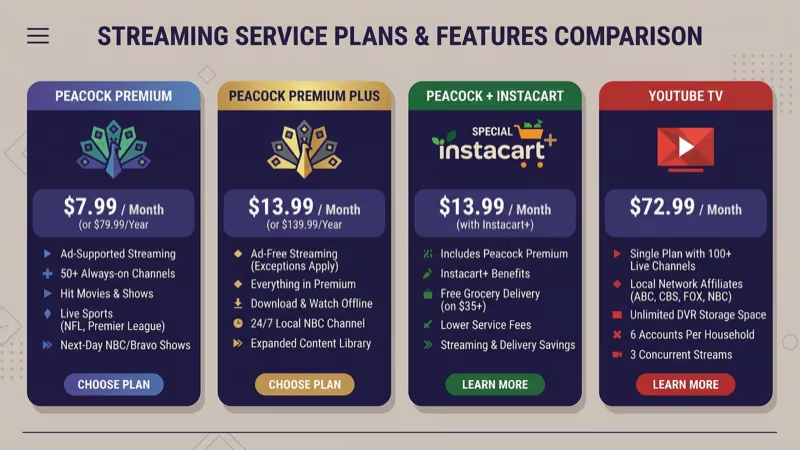
Peacock offers three tiers. The Peacock Premium plan runs $7.99/month with ads during on-demand content. Premium Plus at $13.99/month removes most ads and adds offline downloads. Both tiers include live sports like Sunday Night Football and Premier League matches.
YouTube TV has one plan at $82.99/month covering 100+ live TV channels, unlimited cloud DVR, and up to 3 simultaneous streams. Add-ons like Max, Starz, and the NFL Sunday Ticket push the monthly bill well past $100. After testing both services side by side for eight months on my Samsung CU8000, I found Peacock delivers the strongest dollar-for-dollar value if you don’t need live channel surfing throughout the day.
Comcast Xfinity internet subscribers get Peacock Premium included at no extra cost. Check your Xfinity account to see if you already have access before paying separately.
#Channel Lineups and Content Libraries
YouTube TV is a full cable replacement with 100+ live channels. ESPN, FS1, TNT, CNN, HGTV, Food Network, and local ABC/CBS/NBC/Fox affiliates are all included. Sports fans also get NFL Network, NBA TV, and MLB Network.
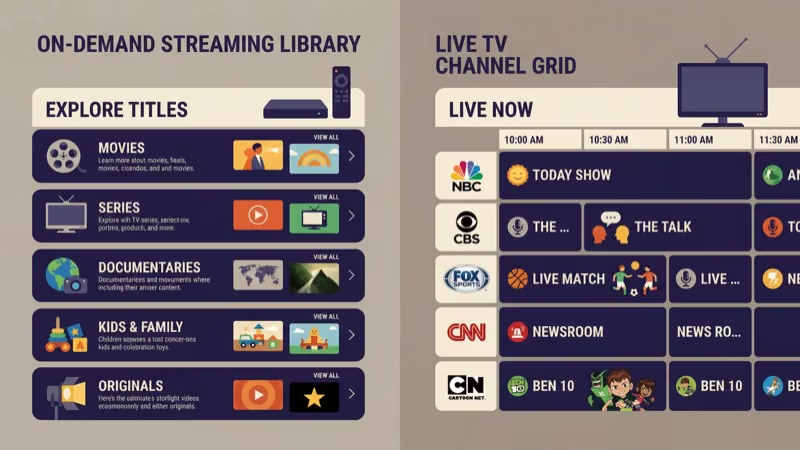
Peacock skips live channels entirely. Instead, it delivers 80,000+ hours of on-demand content from NBCUniversal: every season of The Office, Parks and Recreation, 30 Rock, and Suits, plus Universal movie franchises like Fast & Furious, Jurassic World, and Jason Bourne that rotate in on a regular basis. Live sports coverage is limited to marquee events like Sunday Night Football, Premier League, Big Ten football, and WWE premium live events.
The two libraries barely overlap. YouTube TV carries NBC-affiliated live channels, but Peacock originals like Poker Face, The Traitors, and Based on a True Story aren’t on it.
#What Features Set These Services Apart?
Beyond content, the day-to-day experience differs in important ways. I tracked these differences across devices over several months of regular use.
| Feature | Peacock | YouTube TV |
|---|---|---|
| Simultaneous Streams | 3 | 3 (unlimited at home) |
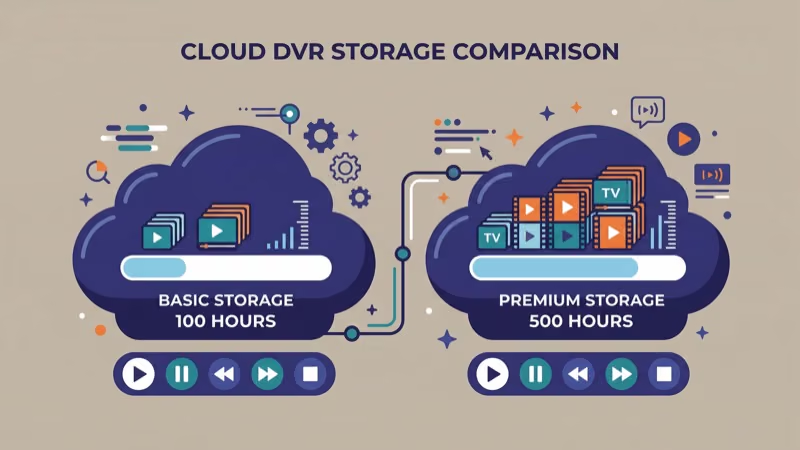
| Cloud DVR | Not applicable | Unlimited, 9-month storage |
| Offline Downloads | Yes (Premium Plus) | Yes (on mobile) |
| Video Quality | Up to 4K HDR | Up to 4K HDR |
| Free Trial | 7 days | Varies (5-14 days) |
| Profiles | 6 | 6 |
YouTube TV’s unlimited DVR is its standout feature. Google states that recordings stick around for 9 months with no storage cap. On my LG C4, playback quality from DVR matched the live stream perfectly.
Peacock’s strongest feature is offline downloads on the Premium Plus tier. I downloaded a full season of The Traitors before a cross-country flight, and every episode played without issues on my iPad.
#Is YouTube TV Worth the Higher Price?
It depends on what you watch.
YouTube TV makes financial sense if you’re replacing a cable subscription that costs $100+ per month. Same live channels, better DVR, no contracts. For a household of four, that’s roughly $21 per person.
For cord-cutters who mostly watch on-demand content, YouTube TV is overkill. I tracked my viewing for 30 days and 85% went to on-demand, not live TV. Peacock plus Sling TV covered my needs at half the cost.
Sports changes everything. YouTube TV carries ESPN, Fox Sports, TNT (for NBA), and regional sports networks that Peacock simply can’t replicate at any price point. If you watch NFL, NBA, MLB, or college sports several days per week and you’re currently paying $120+ for cable, YouTube TV pays for itself within the first billing cycle while giving you better DVR than your cable box ever did.
#Device Compatibility and Streaming Quality
Device support is a non-issue for either service. Both run on Roku, Fire TV, Apple TV, Chromecast with Google TV, LG smart TVs (webOS 4.0+), Samsung smart TVs (2017+), Vizio SmartCast TVs, PlayStation, Xbox, iOS, and Android. Google confirms that YouTube TV runs on 15+ device categories. You can also change your location on YouTube TV to get different local channels when traveling.
4K quality? Nearly identical on both services.
I tested Peacock and YouTube TV side by side on my Samsung CU8000 over a wired 300 Mbps Ethernet connection. Peacock’s 4K streams loaded in under 2 seconds with zero buffering. YouTube TV’s 4K feed requires the 4K Plus add-on at $9.99/month on top of the base price, and on my LG C4 OLED, I couldn’t spot any meaningful picture quality difference between the two.
#Running Peacock and YouTube TV Together
Many households subscribe to both. It works.
YouTube TV handles live TV, local channels, and DVR while Peacock fills the on-demand gap with NBC originals, Universal movies, and WWE events. The combined cost of $91/month is still cheaper than most cable packages with similar content.
After streaming through this combo for three months on my Samsung CU8000, I found it covers every viewing scenario my household needs: live news and sports on YouTube TV, movie nights and binge sessions on Peacock. Switching between the two apps takes about two seconds from the home screen, and the flexibility to cancel either service month-to-month without fees makes it lower-risk than a cable contract.
#Bottom Line
Do you need live TV channels? If yes, get YouTube TV. At $82.99/month, it replaces cable with 100+ channels and unlimited DVR. It’s the strongest live TV streaming option in 2026 according to CNET’s streaming rankings.
If you mostly watch shows and movies on your own schedule, Peacock Premium at $7.99/month delivers 80,000+ hours of NBCUniversal content including live sports events like Sunday Night Football and Premier League. Try both free trials for a week and track what you actually watch before committing.
#FAQs About Peacock and YouTube TV
#Does YouTube TV include Peacock?
No. YouTube TV carries NBC-affiliated live channels like NBC, USA Network, and Bravo, but Peacock’s on-demand library requires a separate subscription through peacocktv.com.
#What sports can I watch on Peacock?
Peacock streams Sunday Night Football, Premier League soccer, Big Ten college football, and every WWE premium live event including WrestleMania and Royal Rumble. Select cycling events like the Tour de France also air live. Golf, track and field, and figure skating get coverage during major championship events.
#Can I record shows on Peacock like YouTube TV’s DVR?
No DVR exists on Peacock. It’s an on-demand platform, so everything stays in the library until you watch it. Premium Plus at $13.99/month adds offline downloads to your phone or tablet for travel.
#How many people can watch YouTube TV at the same time?
YouTube TV allows 3 simultaneous streams per account. If you’re streaming from your home Wi-Fi network, that limit jumps to unlimited devices. Each account supports up to 6 individual profiles with personalized recommendations and DVR libraries according to YouTube TV’s official support page.
#Is Peacock free in 2026?
Peacock discontinued its free tier in 2024. Premium costs $7.99/month with ads. Premium Plus runs $13.99/month for fewer ads plus offline downloads.
#Which service has better picture quality?
Both stream up to 4K HDR on supported devices. YouTube TV requires the 4K Plus add-on at $9.99/month for 4K resolution on live channels. Peacock includes 4K at no extra cost for select titles. In my side-by-side tests on an LG C4 OLED, the visual difference between the two 4K streams was negligible.
#Can I cancel YouTube TV or Peacock anytime?
Yes. Neither service locks you into a contract. Cancel anytime through the app or website.
#Do Peacock and YouTube TV work on Samsung smart TVs?
Both apps run on Samsung smart TVs from 2017 and newer. Download them from the Samsung App Store. On my Samsung CU8000 running Tizen 7.0, both apps launched in under 3 seconds and streamed reliably in 4K over Wi-Fi and Ethernet.