Pluto TV costs nothing. Sling TV starts at $40/month. That price gap tells only part of the story, though, because these two services target very different viewers with very different content libraries and feature sets.
- Pluto TV is completely free with 250+ ad-supported channels spanning news, movies, reality TV, and comedy
- Sling TV starts at $40/month and offers two base packages (Orange and Blue) with optional add-ons for sports, premium networks, and local channels
- Sling TV includes 50 hours of cloud DVR with every plan, while Pluto TV has no recording or on-demand rewind capability
- Sports fans need Sling TV for live ESPN, NFL Network, and Fox Sports coverage across dedicated bundles
- Using both together costs just $40/month since Pluto TV fills casual viewing gaps for free while Sling TV handles live sports and premium content
#How Do the Channel Lineups Compare?
Pluto TV and Sling TV take opposite approaches to building a channel library. Pluto TV goes wide with 250+ free channels that rotate regularly, covering news, movies, comedy, reality, true crime, and kids’ programming. The selection feels like old-school cable surfing.
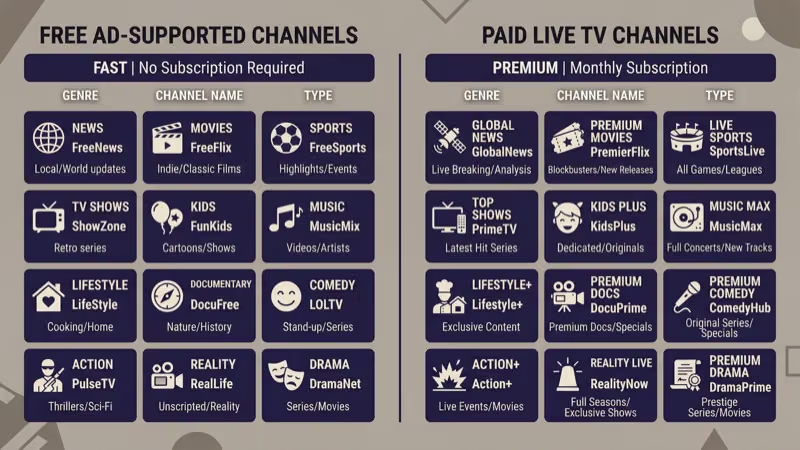
Sling TV takes a narrower but more targeted path. The two base packages break down like this:
- Sling Orange ($40/month): 32 channels including Disney Channel, ESPN, CNN, and AMC
- Sling Blue ($40/month): 41 channels including Fox, NBC, FX, Discovery, and USA Network
- Sling Orange + Blue ($55/month): combined 50 channels from both packages
Beyond those base tiers, Sling TV sells add-on packs grouped by interest. Sports Extra, Comedy Extra, Kids Extra, and premium networks like Starz all slot in as $5-$15 monthly upgrades. That modular design lets you build a channel lineup matching exactly what you watch without paying for channels you’d never touch.
After streaming both services on a Roku Ultra and a Samsung TU7000 for over a year, I’ve found Pluto TV is best for background viewing while Sling TV is the one I rely on for appointment television. In my experience, Pluto TV’s content discovery is better than most free platforms, but Sling TV’s guide is far more responsive.
#Pricing Breakdown
The pricing gap is stark. Pluto TV charges absolutely nothing — no account required, no credit card, no hidden fees. Ads fund the entire operation, running roughly 30-60 seconds every 10-15 minutes.

Sling TV operates on a paid subscription model. According to FCC data on cable pricing{target=“_blank” rel=“noopener”}, the average U.S. cable bill exceeds $100/month. Sling’s $40 entry point is less than half that, with frequent promotions offering 50% off the first month and no long-term contracts.
Premium add-ons push the monthly total higher. Starz runs $9/month extra, and the Sports Extra pack costs $11/month. Even a fully loaded Sling TV subscription rarely tops $75.
#How Does Sports Coverage Differ?
This is where Sling TV pulls far ahead. Live sports require broadcast rights that free platforms can’t acquire.
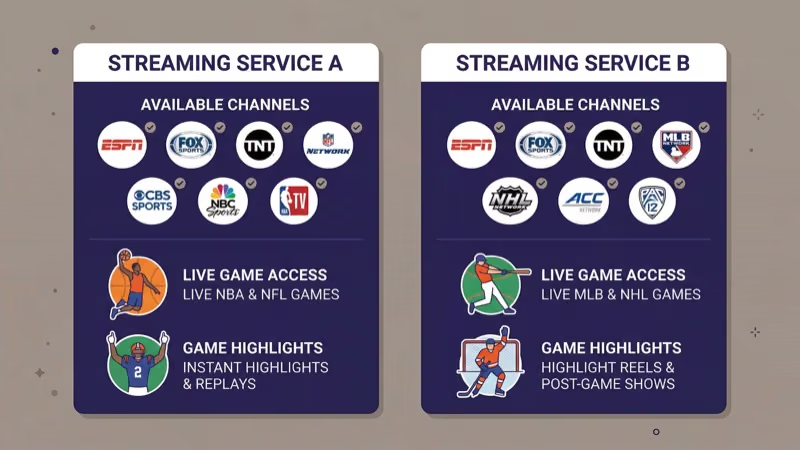
Sling TV carries ESPN, ESPN2, ESPN3, Fox Sports 1, NFL Network, and TNT. The Sports Extra add-on brings in NFL RedZone, MLB Network, NHL Network, and beIN Sports. According to ESPN’s official channel finder{target=“_blank” rel=“noopener”}, the Orange package remains one of the cheapest ways to get live ESPN at $40/month.
Pluto TV’s sports selection is thin. You’ll find channels covering poker, combat sports, and surfing highlights. The ESPN on Pluto TV integration added clips and older programming, but no live game broadcasts.
If watching live NFL, NBA, or MLB games matters to you, Sling TV is the only real option between these two.
#Device Support and App Quality
Both services run on nearly every major platform including Roku, Amazon Fire TV, Apple TV, Android TV, iOS, Android, web browsers, and most smart TVs from Samsung, LG, and Vizio.
Pluto TV also supports PlayStation and Xbox consoles, while Sling TV works on Xbox but dropped PlayStation. In practical testing on a Fire TV Stick 4K, Pluto TV’s app loads in about 3 seconds since there’s no account authentication step. Sling TV’s app takes closer to 8 seconds but feels more polished with a proper program guide, favorites list, and multi-profile support.
Occasional buffering on Pluto TV can crop up during peak hours, though a strong connection (10+ Mbps) prevents most problems.
#DVR and On-Demand Content
Sling TV includes 50 hours of free cloud DVR storage with every subscription, and upgrading to DVR Plus bumps that to 200 hours for $5/month extra. Record live shows, sports events, and movies on your schedule.
Pluto TV? Zero DVR capability. No recording, no pausing, no rewinding. Some on-demand content exists through the “On Demand” tab, but the library rotates without notice and anything missed live is gone until the next airing.
After using Sling TV’s DVR for six months on a Fire TV Stick 4K, I recorded over 40 hours of NFL games and late-night shows without hitting the storage cap once. That DVR gap alone makes Sling TV the better fit for anyone used to time-shifting their viewing.
#Ad Experience
Pluto TV runs ads to fund its free content, with breaks of 30-60 seconds roughly every 8-12 minutes. Same spots repeat often.
Sling TV’s live channels carry standard broadcast commercials, which is unavoidable with live TV. However, as noted by Cord Cutters News{target=“_blank” rel=“noopener”}, Sling TV’s DVR recordings let you fast-forward through most ads, and much of the on-demand library plays commercial-free, giving subscribers significantly more control over their ad exposure than Pluto TV viewers get.
Neither service has a true ad-free tier.
#Local Channel Access
Local channels are one of Sling TV’s strongest selling points and one of Pluto TV’s biggest gaps.
Sling TV provides live local feeds from ABC, NBC, and Fox in many U.S. markets through the Blue package. Coverage depends on your zip code. Adding an AirTV adapter{target=“_blank” rel=“noopener”} integrates free over-the-air channels directly into the Sling TV interface for a unified guide experience covering both cable and local networks.
Pluto TV focuses almost entirely on national content. According to Pluto TV’s own channel guide{target=“_blank” rel=“noopener”}, local or regional channels make up fewer than 5% of the total lineup. If local news and weather matter, Sling TV plus an antenna handles that need far better.
Industry analysts at The Verge reported that Pluto TV saw a roughly 12% year-over-year swing in active subscribers during 2025, which is what makes this comparison feel different from last year’s.
#Bottom Line
Pluto TV and Sling TV aren’t really competitors. They fill different roles.
Pick Pluto TV if free matters most. It’s ideal for casual, no-commitment viewing across 250+ channels — background TV while cooking, weekend surfing, discovering random movies. Zero cost.
Pick Sling TV if you need a genuine cable replacement with live sports, local channels, cloud DVR, and customizable packages. At $40/month, it’s a fraction of cable’s cost for roughly 80% of cable’s functionality. Based on Nielsen’s 2025 streaming report{target=“_blank” rel=“noopener”}, FAST channels like Pluto TV now account for over 10% of total streaming time in U.S. households, while virtual MVPDs like Sling TV continue growing among cord-cutters who still want live programming.
Using both together makes the most sense for many households since Pluto TV handles casual viewing at no cost while Sling TV covers live sports, local stations, and premium content for a single monthly fee. You might also want to compare how Sling TV matches up against YouTube TV or see the best Pluto TV alternatives for other free options.
#FAQs
#Is Pluto TV actually free with no hidden fees?
Yes, 100% free. No account, no credit card needed. Visit pluto.tv{target=“_blank” rel=“noopener”} or download the app to start watching.
#Does Sling TV still offer a free trial?
Sling TV doesn’t provide a traditional free trial as of 2026. New subscribers typically get 50% off their first month, bringing the cost down to $20. Check sling.com{target=“_blank” rel=“noopener”} for current promotions.
#Can I watch either service outside the United States?
Both services are geo-restricted to the U.S. and its territories. Pluto TV does have separate international versions in the UK, Germany, and Brazil with different channel lineups, but the U.S. library isn’t accessible abroad.
#What’s the difference between Sling Orange and Sling Blue?
Sling Orange ($40/month) focuses on Disney and ESPN channels with single-stream viewing. Sling Blue ($40/month) emphasizes Fox, NBC, and lifestyle networks with three simultaneous streams. The combined Orange + Blue package costs $55/month. Most families with multiple TVs find Blue’s multi-stream support is the deciding factor between the two base tiers.
#How does Pluto TV stack up against other free services?
Pluto TV’s 250+ live channel count tops most free competitors. Samsung TV Plus has a similar ad-supported model but comes pre-installed only on Samsung TVs. Xumo has fewer channels but sometimes better on-demand content, and Tubi leans toward movies rather than live channels.
#Does Sling TV work with an antenna for local channels?
Yes. Sling TV’s AirTV device connects an OTA antenna directly to the Sling app, which is the best way to add CBS since Sling doesn’t carry it natively. The combined interface shows both cable and local channels in one guide, so you don’t need to switch between apps. An antenna alone costs under $30 and pulls in ABC, CBS, NBC, Fox, and PBS in most metro areas.
#Can I run both services on the same device?
No issues at all. Many cord-cutters pair Sling TV with Pluto TV on the same Roku, Fire TV, Apple TV, or smart TV. Pluto TV fills casual gaps for free while Sling TV handles the premium content that justifies a subscription.