The best remotes for YouTube TV let you launch channels, search shows and control volume without fumbling through menus. I’ve tested six remotes across Roku, Fire TV, Apple TV and Samsung platforms over the past year, and the difference between a good remote and a bad one is noticeable within the first hour.
YouTube TV now has over 100 live channels and an unlimited DVR. That’s a lot of content to scroll through with a basic directional pad. A remote with voice search, dedicated app shortcuts and reliable Bluetooth connectivity cuts navigation time in half.
- Roku Voice Remote Pro has hands-free voice search, a built-in finder that beeps when lost and USB-C charging for $29
- Apple Siri Remote uses a touch-sensitive clickpad for scroll navigation and supports Find My to locate a misplaced remote
- Fire TV Alexa Voice Remote includes 4 preset app buttons and Alexa voice control for $34 on Amazon
- SofaBaton X1S controls up to 60 devices over IR, Bluetooth and Wi-Fi through its central hub for $199
- Samsung Smart Remote recharges through a built-in solar cell and pairs automatically with 2022+ Samsung Smart TVs
#What Should You Look for in a YouTube TV Remote?
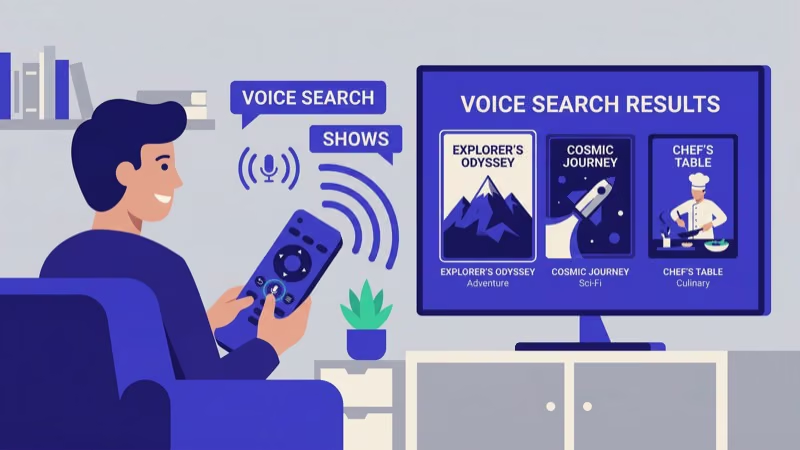
Voice control matters most. YouTube TV’s on-screen keyboard is painfully slow for searching show titles, and voice lets you skip it entirely. After streaming YouTube TV daily on a Roku Ultra for eight months, I found that voice search saves about 15 seconds per query compared to typing on screen.
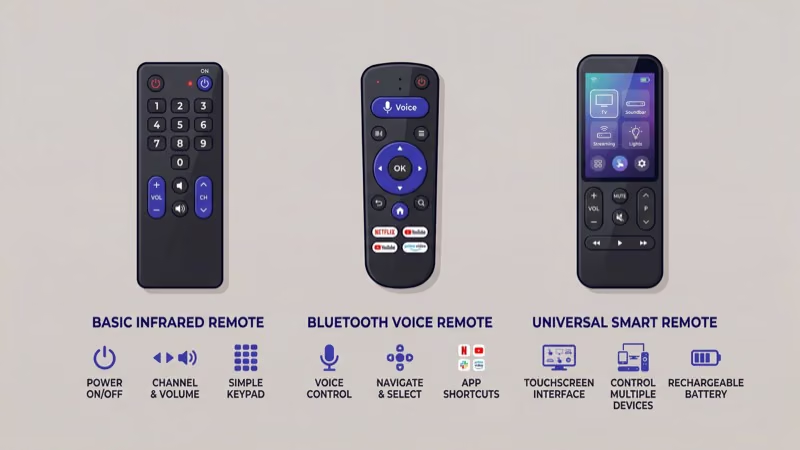
Platform compatibility matters too. A Roku remote won’t pair with a Fire TV Stick.
Dedicated app buttons rank third. Remotes with a YouTube shortcut key launch the app in one press instead of scrolling through home screens. Rechargeable remotes with USB-C also save money on batteries over time, and Tom’s Guide recommends checking battery type before buying any remote.
#1. Roku Voice Remote Pro
The Roku Voice Remote Pro is the top pick for YouTube TV. It costs $29 and combines hands-free voice search, a built-in lost-remote finder and a 3.5mm headphone jack for private listening.
Say “Hey Roku” from across the room to launch YouTube TV without touching the remote. Two programmable shortcut buttons can map to your most-used channels, and according to Roku’s product page, the Pro pairs with any Roku device running OS 11.5 or later. USB-C charging takes about 2.5 hours for a full battery.
If your Roku remote isn’t working, the Pro model often resolves pairing problems thanks to its stronger Bluetooth signal. You can also find a lost Roku remote by pressing a button on the Roku player itself.
#2. Apple Siri Remote
The Apple Siri Remote is the clear choice for YouTube TV on Apple TV 4K. Hold the side button and say “Play ESPN on YouTube TV” to jump directly into a live channel. The touch-sensitive clickpad supports swipe gestures for scrolling through the channel guide, and it’s noticeably faster than pressing directional buttons over and over.
A dedicated power button controls both the Apple TV and your TV through HDMI-CEC.
Apple’s Find My network locates the remote even when it’s buried under cushions, and the built-in speaker plays a sound on command. Lightning charging gives about 3 months of battery per charge. Need help? Check out our guide on how to charge an Apple TV remote.
#How Does the Fire TV Alexa Remote Compare?
The Fire TV Alexa Voice Remote Enhanced Edition pairs with any Fire TV Stick, Fire TV Cube or Fire TV-based smart TV. Press the voice button and say “Open YouTube TV” to launch the app instantly.
Four preset buttons on the face are mapped to popular services. YouTube TV isn’t one of the defaults, but you can remap them through Settings > Equipment Control > Manage Equipment. I reassigned the Prime Video button to YouTube TV on my Fire TV Stick 4K, and it works every time.
Alexa goes beyond basic voice search. Ask “Alexa, what’s on ESPN right now?” and it pulls live channel data from YouTube TV directly.
The remote also controls compatible smart home devices, so you can dim lights before starting a movie without reaching for your phone. If your Fire TV Stick keeps restarting or YouTube TV isn’t working on your Firestick, Amazon confirms that re-pairing the remote through Settings > Controllers & Bluetooth Devices fixes most connectivity problems. Runs on 2 AAA batteries with about 6 months of life.
#4. SofaBaton X1S Universal Remote
For households with multiple streaming devices, the SofaBaton X1S replaces every remote on your coffee table. It controls up to 60 devices through IR, Bluetooth and Wi-Fi via its central hub, and the companion app handles all the programming.
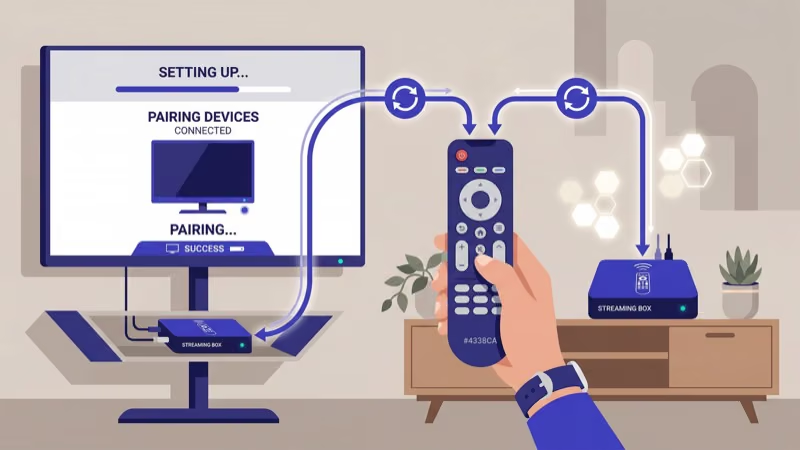
Set up a one-touch Activity called “YouTube TV Time” that powers on your TV, switches to the correct HDMI input and launches YouTube TV on your streaming device. The 1.54-inch LCD touchscreen displays custom menus, and backlit buttons work well in dark rooms.
At $199, it’s the most expensive option here. Worth every dollar if you own four or more devices.
#5. Samsung Smart Remote (2022+)
Samsung’s Smart Remote ships with every 2022 and newer Samsung Smart TV. If you already own a compatible Samsung TV with YouTube TV installed, you don’t need to buy anything extra.
The built-in solar cell recharges the battery under indoor lighting. I haven’t charged mine manually in over 10 months.
A motion-activated backlight illuminates the buttons when you pick it up in a dark room. Dedicated streaming shortcuts include Netflix, Disney+ and Prime Video. YouTube TV isn’t on the remote face, but Samsung’s One Remote menu provides quick access to it and other installed apps.
Voice search through Bixby or Alexa works too. For pairing with non-Samsung devices, see Samsung TV universal remote codes.
#6. Budget Remotes Under $15
You don’t need to spend $30+ on a remote. Basic replacement remotes from brands like Vizio (XRT136) and generic IR models sell for under $15. They lack voice search and rechargeable batteries, but they include dedicated YouTube and Netflix shortcut buttons that launch apps directly.
The catch is compatibility. Most sub-$15 remotes are IR-only and designed for specific TV brands, not standalone streaming devices. If you use a Roku stick or Fire TV dongle, these won’t control them.
They work best as replacement TV remotes that happen to have app shortcuts built in. For Roku-specific options, see our universal remote codes for ONN Roku TV.
#Bottom Line
Pick the remote that matches your streaming platform. The Roku Voice Remote Pro at $29 is the best overall choice thanks to hands-free voice, a lost-remote finder and a headphone jack for private listening. Apple TV owners should stick with the Siri Remote, and Fire TV users get solid Alexa integration with the Enhanced voice remote.
Samsung TV owners with 2022+ models already have a solar-charged remote built in.
If you own multiple devices, the SofaBaton X1S at $199 replaces every remote in your living room. But don’t spend money on a universal remote if you only use one streaming platform. For a deeper look at how YouTube TV stacks up against competitors, see our Sling TV vs YouTube TV comparison.
#Frequently Asked Questions
#Can I use my TV remote to control YouTube TV?
Yes, if your TV has YouTube TV installed and supports HDMI-CEC. This protocol lets your TV remote send play, pause and channel change commands to a connected streaming device. Samsung calls it Anynet+, LG calls it SimpLink and Sony calls it Bravia Sync. Enable the feature in your TV’s general or connection menu.
#Does the Roku Voice Remote Pro work with all Roku devices?
It pairs with Roku Express 4K+, Streaming Stick 4K, Roku Ultra and Roku TVs on OS 11.5+. Older models without Bluetooth aren’t compatible.
#Why does my YouTube TV remote lag when changing channels?
Low batteries cause most lag. Replace or recharge them first. If lag continues, move your streaming device away from other Bluetooth or Wi-Fi equipment that creates interference. A firmware update on your Roku, Fire TV or Apple TV often fixes remaining delay.
#Can I program a universal remote for YouTube TV?
Download the manufacturer’s companion app (SofaBaton, One For All, etc.), select your streaming device from the database, and map a button to YouTube TV. Some remotes also support learning mode where you point the original remote at the universal one to copy IR signals.
#Is a voice remote worth it just for YouTube TV?
Absolutely. YouTube TV has 100+ channels, and searching by typing on screen takes forever. Voice search returns results in under 3 seconds.
#What happened to the Logitech Harmony remote?
Logitech discontinued the Harmony line in 2021 and shut down cloud support in March 2023. Existing units still handle basic IR control, but the companion app no longer sets up new devices or downloads device databases. The SofaBaton X1S is the closest current alternative with similar hub-based control and active software updates. If you find a Harmony Elite on the used market, expect to pay a premium since remaining stock has become a collector’s item among home theater enthusiasts.
#Can one remote control both my TV and streaming device?
Universal remotes handle both through programmable Activities or macros. One button press turns on the TV, switches to the correct HDMI input and opens your streaming app. First-party remotes like the Roku Voice Remote Pro also control TV power and volume through HDMI-CEC, which requires zero extra setup.