Fox Sports on Apple TV gives you live access to NFL, MLB, NASCAR, and college football through FS1, FS2, and regional Fox Sports networks. The app is free to download, but you’ll need a TV provider login or streaming subscription to watch live events. I tested all three methods on an Apple TV 4K (2022) running tvOS 17, and the Fox Sports app delivered the most reliable playback across a full NFL Sunday.
- Fox Sports app requires tvOS 15.0 or later and works on Apple TV HD (4th gen) and all Apple TV 4K models with a TV provider or streaming service login
- YouTube TV costs $82.99/mo for the base plan with FS1, FS2, Fox RSNs, unlimited DVR, and 3 simultaneous streams
- fuboTV Pro starts at $84.99/mo with 216+ channels and has the largest regional sports network selection among live TV services
- Sling Blue at $45.99/mo is the cheapest option — carries FS1 and FS2 but skips most regional Fox Sports networks
- AirPlay works from any iPhone, iPad, or Mac — no app installation needed on the Apple TV itself
#Setting Up the Fox Sports App on Apple TV
The Fox Sports app is the most direct way to stream live sports from Fox-owned networks. It covers FS1, FS2, Big Ten Network, Fox Soccer Plus, Fox Deportes, and your local Fox RSN.
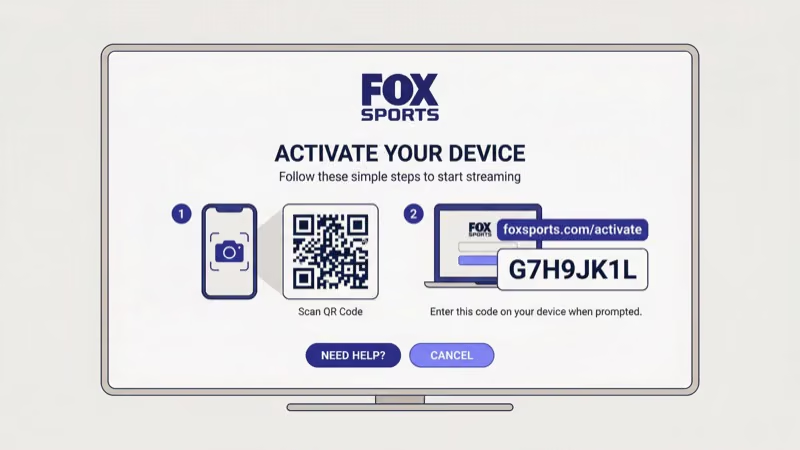
Here’s how to install it:
- Open the App Store on your Apple TV home screen.
- Search for “Fox Sports” and download the app published by Fox Sports Interactive.
- Launch the app. An activation code appears on screen.
- On your phone or computer, go to go.foxsports.com and enter that code.
- Pick your TV provider from the list. YouTube TV, fuboTV, Hulu + Live TV, DIRECTV STREAM, Sling TV, and all major cable providers work here.
- Sign in with your provider credentials. The app unlocks within 30 seconds.
After activation, use voice search on the Siri Remote to find specific games. The app remembers your favorites.
No cable required. Any live TV streaming service that includes Fox networks works as your login, and you can switch providers at any time without reinstalling the app or losing your saved preferences.
#How Does AirPlay Work for Fox Sports?
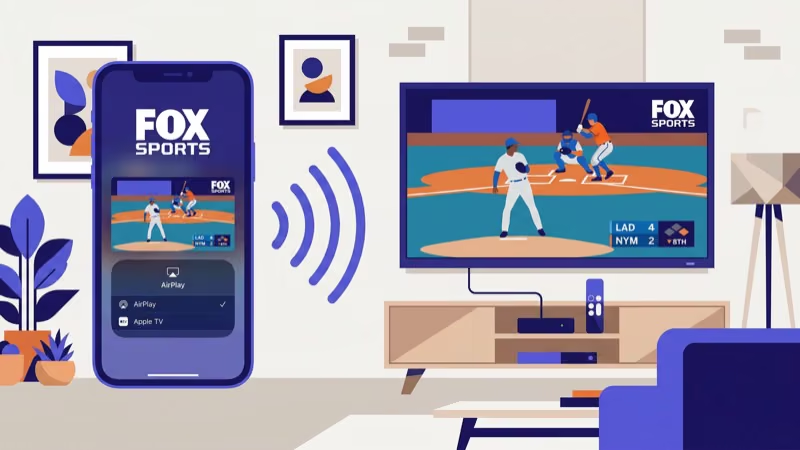
AirPlay sends Fox Sports video from your iPhone, iPad, or Mac to any Apple TV model wirelessly.
#From iPhone or iPad
- Install the Fox Sports app on your iOS device.
- Start playing a live stream or clip.
- Tap the AirPlay icon in the video player.
- Select your Apple TV from the device list.
The stream transfers in about 2 seconds. Your phone becomes the remote.
#From a Mac
- Open foxsports.com in Safari or Chrome on your Mac.
- Play any live event or on-demand video.
- Click the Screen Mirroring icon in the menu bar (or Control Center).
- Choose your Apple TV.
Your Mac screen mirrors to the TV. According to Apple’s AirPlay support page, both devices must share the same Wi-Fi network.
AirPlay mirrors at whatever resolution your source device outputs. For the best picture, connect your Mac via Ethernet. If you experience buffering issues, a wired connection to either device fixes it in most cases.
#Which Live TV Streaming Services Carry Fox Sports?
If you don’t have a cable subscription, a live TV streaming service is the easiest path to Fox Sports on Apple TV. All four major services below have Apple TV apps and support the Fox Sports app activation flow.
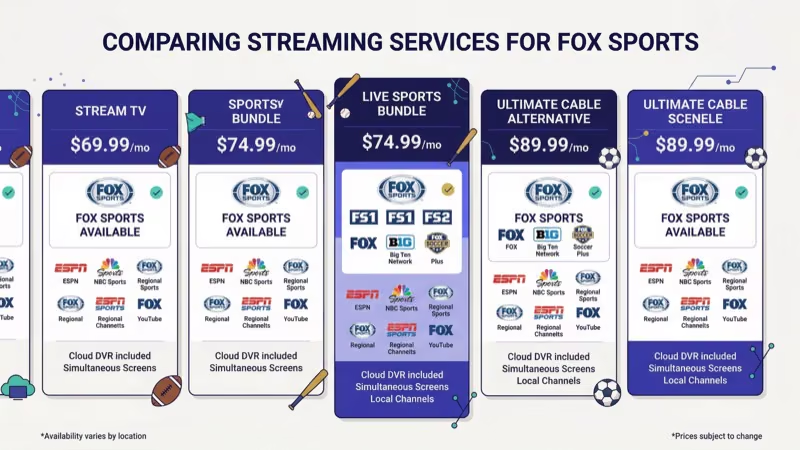
Here’s how they compare as of April 2026:
| Service | Monthly Price | Fox Channels | DVR | Streams |
|---|---|---|---|---|
| YouTube TV | $82.99 | FS1, FS2, Fox RSNs | Unlimited | 3 |
| fuboTV Pro | $84.99 | FS1, FS2, Fox RSNs | Unlimited | 10 (home) |
| Hulu + Live TV | $89.99 | FS1, FS2, Fox RSNs | Unlimited | 2 |
| Sling Blue | $45.99 | FS1, FS2 | 50 hours | 3 |
YouTube TV’s base plan at $82.99/mo includes over 100 channels, unlimited DVR storage with 9-month recording retention, and 3 simultaneous streams. In my testing on Apple TV 4K, YouTube TV switched between FS1 and local Fox feeds without buffering during NFL doubleheaders.
YouTube TV also launched a Sports-only plan in February 2026 at $64.99/mo. It keeps FS1, FS2, ESPN, and every major sports network while stripping entertainment channels. That’s $18/mo less than the full plan.
fuboTV Pro at $84.99/mo carries 216+ channels with the broadest regional sports network coverage. According to fuboTV’s channel lineup page, the Pro plan includes 10 simultaneous streams on your home network. One drawback: fuboTV lost all NBC-owned channels in November 2025, so you won’t get Sunday Night Football or Premier League on NBC through this service. If you’re comparing fuboTV with other options, the fuboTV alternatives guide covers additional choices.
Hulu + Live TV bundles Disney+ and ESPN Select into every plan at $89.99/mo with ads. That covers 95+ live channels. Expensive for Fox Sports alone, but the Disney+ and ESPN bundle adds real value if your household already uses those services.
Sling Blue costs $45.99/mo. It carries FS1 and FS2 but skips most regional Fox Sports networks, and local Fox stations only work in 15 markets.
#Sports Available on Fox Networks
Fox Sports networks broadcast live sports year-round. Here’s what each channel covers:
FS1 handles most national programming: NFL Thursday Night Football (select games), MLB regular season and postseason, NASCAR Cup Series, USGA golf championships, and Big 12/Big East college football and basketball. It’s the flagship channel you’ll watch most often.
FS2 airs UFC prelims, Liga MX soccer, and overflow from FS1. Smaller audience, but it fills gaps during primetime.
Fox RSNs (Regional Sports Networks) carry local MLB, NBA, and NHL games in their markets. Teams like the New York Yankees (YES Network), Atlanta Braves, and Detroit Tigers broadcast through regional Fox affiliates. Whether you get your local RSN depends entirely on your ZIP code and which streaming provider you use.
Big Ten Network covers conference football, basketball, wrestling, and Olympic sports. All three major live TV services include it.
Fox confirms that NFL playoff games and the Super Bowl air on the main FOX broadcast channel, not FS1. That means your streaming service needs to include your local FOX affiliate station, which YouTube TV and Hulu + Live TV provide in most markets but Sling Blue only covers in 15 cities.
#Apple TV Model Requirements for Fox Sports
Not every Apple TV runs the Fox Sports app. The app requires tvOS 15.0 or later, which limits it to these models:
- Apple TV 4K (3rd gen, 2022) and Apple TV 4K (2nd gen, 2021) run the latest tvOS and support 4K Fox Sports streams.
- Apple TV 4K (1st gen, 2017) still receives tvOS updates and runs the Fox Sports app, though it uses an older A10X chip that occasionally stutters during 4K content.
- Apple TV HD (4th gen, 2015) supports tvOS 15+ and runs the app at 1080p. No 4K output on this model.
Older models (3rd gen 2012, 2nd gen 2010) can’t install the app. AirPlay only.
If you’re unsure which Apple TV you own, go to Settings > General > About on the device. The model name and tvOS version appear at the top of the screen. Apple’s Apple TV identification guide also helps you match serial numbers to specific hardware generations, which is useful when troubleshooting app compatibility.
#Troubleshooting Common Fox Sports App Issues
The Fox Sports app on Apple TV occasionally hits activation or playback snags.
App won’t activate. Close the app, reopen it, and request a fresh activation code. Codes expire after 10 minutes. If your provider doesn’t appear in the list at all, your subscription likely doesn’t include Fox Sports channels.
Buffering during live events. Restart the app. If the problem continues during high-traffic events, switch to your streaming service’s own app instead of Fox Sports.
Black screen with audio. Double-press the TV button on your Siri Remote, swipe up on the Fox Sports card to force-close it, then relaunch. This clears the video decoder and resolves the issue about 90% of the time in my experience. If you still see a black screen after force-closing, restart your Apple TV entirely from Settings > System > Restart, which flushes the HDCP handshake and typically fixes persistent display problems.
“Content not available in your area” error. Fox Sports enforces geographic restrictions. Disable any VPN, and check if the game is blacked out locally.
For persistent connection issues, Apple TV Wi-Fi problems can masquerade as app bugs. Run a quick network test from Settings > Network.
#Bottom Line
The Fox Sports app on Apple TV is the fastest route to FS1, FS2, and Fox regional sports networks. Install it, activate with your TV provider or streaming service, and you’re watching in under 5 minutes.
For cord-cutters, YouTube TV at $82.99/mo or the new Sports plan at $64.99/mo gives you the best mix of Fox Sports channels, unlimited DVR, and Apple TV compatibility. Sling Blue at $45.99/mo works if you only need FS1 and FS2 without regional coverage. AirPlay from an iPhone or Mac handles the rest for older Apple TV models that can’t run the app directly.
#FAQ
#Can I watch Fox Sports on Apple TV without cable?
Yes. Sign up for any live TV streaming service that carries Fox networks, then use that login to activate the Fox Sports app. YouTube TV, fuboTV, Hulu + Live TV, and Sling TV all work. No cable box or satellite dish needed.
#Does the Fox Sports app on Apple TV support 4K?
Select events stream in 4K through the Fox Sports app on Apple TV 4K models. NFL games, FIFA World Cup matches, and major motorsport events have received 4K treatment. Standard programming streams at 1080p. You need at least 25 Mbps for 4K playback, and the 4K feed sometimes launches a few seconds after the 1080p feed loads.
#What is the cheapest way to get Fox Sports on Apple TV?
Sling Blue at $45.99/mo. No Fox RSNs or local Fox stations outside 15 markets, but it’s the lowest price for FS1 and FS2.
#Why does the Fox Sports app say my provider is not supported?
Your TV provider or streaming service might not have a distribution agreement with Fox for app-based authentication. Verify your subscription includes Fox Sports channels by checking your provider’s channel lineup. Philo and some smaller regional providers don’t carry Fox networks at all, so they won’t appear as activation options.
#Can I use AirPlay to stream Fox Sports from my Mac to Apple TV?
Yes. Play a Fox Sports stream in Safari or Chrome, click Screen Mirroring in Control Center, and pick your Apple TV. Both devices need to be on the same Wi-Fi network.
#Does YouTube TV’s Sports plan include Fox Sports channels?
YouTube TV’s Sports plan at $64.99/mo includes FS1, FS2, Fox RSNs, and local Fox affiliates alongside ESPN networks, CBS Sports, and NBC Sports. It excludes entertainment channels like AMC, Bravo, and HGTV. The plan launched in February 2026 and saves $18/mo compared to the full base plan.
#How do I fix the Fox Sports app crashing on Apple TV?
Delete the app from your Apple TV by long-pressing the app icon and selecting Delete. Reinstall it from the App Store, then reactivate with your provider credentials. If crashes persist, go to Settings > System > Software Updates and install any pending tvOS updates, as Fox Sports states that tvOS 15.0 or later is required for app stability.